
Your regression suite took three months to build. A developer renames a button, moves a modal, or refactors the checkout flow — and by the next morning, 40% of your tests are broken. You spend the next two days not testing new features but untangling XPath selectors that had no business being that fragile in the first place.
That is the script maintenance trap. It is why no-code test automation has moved from a "nice to have" to a mainstream engineering decision. In 2026, the question is no longer whether to consider no-code testing. It is which tool actually holds up when your application changes, your team scales, and your CI pipeline demands consistency.
This guide covers 9 tools in honest detail — what each one does well, where it breaks down, and which team profile it fits. Pricing, self-healing quality, CI/CD maturity, and coverage breadth are all on the table. No affiliate rankings, no vendor copy.
Key Takeaways
- True no-code and low-code tools are meaningfully different — the distinction directly affects your long-term maintenance burden
- "Self-healing AI" is now a standard feature claim across most tools, but the implementation quality varies more than marketing suggests
- Selenium and Playwright are not no-code tools — they belong in a separate evaluation category for teams with engineering capacity
- The right tool depends more on your team's technical profile and primary test type than on feature checklists
- Pricing transparency across this category is inconsistent — several tools obscure real execution costs until you are past the trial phase
How We Evaluated These Tools
Each tool in this comparison was assessed across five dimensions:
- Setup friction — how long to a working first test, starting from zero configuration
- Maintenance burden — what actually happens to your tests when the UI changes
- Test type coverage — web, API, mobile, desktop, or a genuine combination
- CI/CD integration — does it plug into a real pipeline without custom workarounds
- Pricing transparency — are the real production costs visible before you commit
Quick Comparison at a Glance
youbare Robonito blog do it's obvious we are going to talk about Robonito first
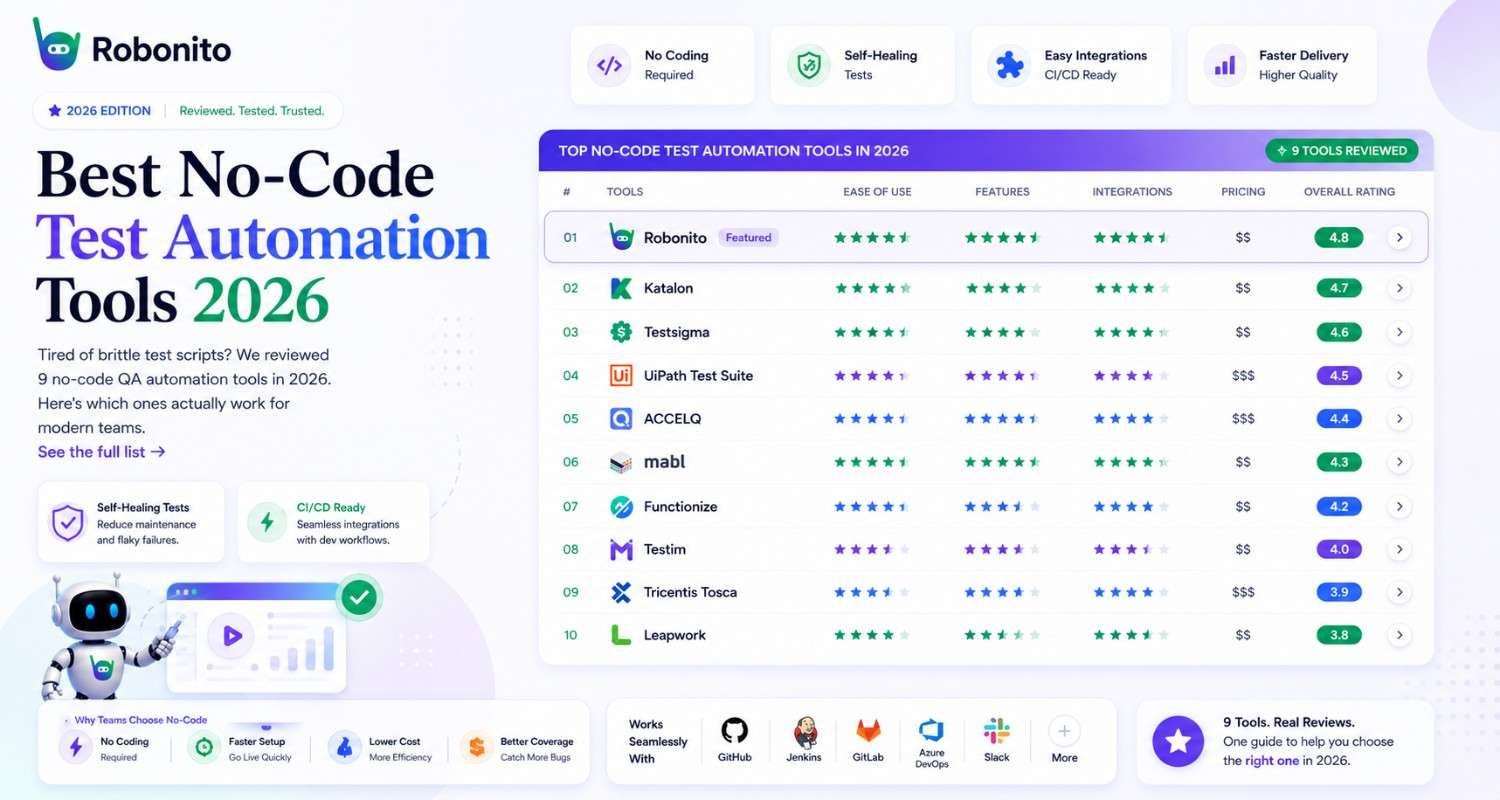
| Tool | Truly No-Code | Self-Healing | API Testing | Mobile | Free Tier | Best For |
|---|---|---|---|---|---|---|
| Robonito | ✅ | ✅ AI-native | ✅ | ✅ | ✅ | Teams modernizing full QA stack |
| Testim | ✅ | ✅ | ⚠️ Limited | ❌ | ❌ | Web-only enterprise teams |
| Katalon | ⚠️ Low-code | ✅ | ✅ | ✅ | ✅ | Mixed technical teams |
| BugBug | ✅ | ❌ | ❌ | ❌ | ✅ | Small teams, web-only regression |
| Leapwork | ✅ | ⚠️ Basic | ✅ | ❌ | ❌ | Enterprise with legacy systems |
| TestRigor | ✅ | ✅ | ✅ | ✅ | ❌ | Plain-English QA, cross-platform |
| Mabl | ✅ | ✅ | ✅ | ❌ | ❌ | SaaS teams with strong CI/CD |
| Selenium | ❌ Requires code | ❌ | ✅ | ❌ | ✅ | Dev-heavy teams, custom infra |
| Playwright | ❌ Requires code | ❌ | ✅ | ❌ | ✅ | Engineers who want modern scripting |
| BrowserStack | ❌ Platform only | N/A | ✅ | ✅ | ✅ | Cross-browser/device execution layer |
1. Robonito
Type: AI-native no-code | Pricing: Free tier available, Cloud from $20/month
Robonito takes a different starting point than most tools in this list. Rather than giving you a recorder and asking you to maintain what it captures, it uses an agentic AI engine that observes user flows, generates test logic, and then maintains that logic autonomously when the UI changes.
In practical terms: you define what a user journey should accomplish — not which exact elements to click — and Robonito figures out the execution. When a button moves or a class name changes, the AI re-resolves the target rather than throwing a locator failure.
We have record , playback, step, recorder , test generator , ai executor and recorder And its true our AI auto healing is heuristics based and covers broad changes with a score attached to the blast radius of change. It will auto heal most of the updates below q certain threshold but waits for user to accept the suggested updates if they are above the threshold value. This is done to avoid hiding bugs and issues inadvertently
The platform covers web, API, mobile, and desktop testing from a single interface, which matters if your team is currently running four separate tools to cover the same application. It also integrates with standard CI/CD pipelines (GitHub Actions, Jenkins, GitLab) without requiring a custom middleware layer.
Honest pros:
- Genuinely no-code — non-engineers can build and maintain tests without training
- Self-healing is structural, not just smart selectors — it understands intent, not just DOM paths
- Free community tier is usable for real testing, not just demos
- Unified coverage across web, API, mobile, and desktop is rare at this price point
- Agent-to-Agent testing capability for teams working with AI-driven applications
Honest cons:
- Newer platform — community and third-party integration ecosystem smaller than Selenium or Katalon
- Advanced debugging for complex failures requires more context than veteran script-based tools provide
- The AI approach can feel like a black box for engineers who want fine-grained control over every assertion
Best for: QA teams that are tired of maintaining brittle test scripts and want to free up manual testing time for exploratory work. Also strong for teams testing AI-driven or dynamic applications where DOM structures change frequently.
Independent review: One reviewer noted Robonito "felt very polished and mature" but observed the AI layer works best when teams let the tool drive rather than trying to map it to a scripted mental model. That is an accurate characterization.
→ See Robonito pricing | Compare Robonito vs Selenium
2. Testim (by Tricentis)
Type: AI-assisted no-code | Pricing: Starts ~$450/month, no public free tier
Testim was one of the early AI-powered test automation tools and was acquired by Tricentis in 2022. It uses machine learning to stabilize test locators — when an element changes, Testim uses multiple attributes to identify it rather than relying on a single selector.
The recorder is polished and the initial setup experience is among the smoothest in this category. For teams focused entirely on web UI testing with a moderate-to-large budget, Testim delivers reliable results.
Where it becomes complicated: the pricing moves sharply upward once you need execution at scale, and the Tricentis acquisition has shifted the product roadmap toward enterprise buyers. Teams that evaluated Testim 18 months ago and come back today may find the positioning and pricing have changed meaningfully.
Honest pros:
- Mature product with years of real-world refinement
- AI locator stabilization is well-implemented for standard web UI
- Good Jira and Slack integrations
- Strong test reporting and failure analysis
Honest cons:
- No mobile testing support
- API testing coverage is limited compared to full-stack alternatives
- Pricing is not transparent — you need to speak to sales for most plan details
- Post-acquisition roadmap is less predictable for mid-market teams
Best for: Enterprise web teams already in the Tricentis ecosystem or with budget to match the pricing tier.
3. Katalon Studio
Type: Low-code (with no-code recorder mode) | Pricing: Free tier, paid from ~$208/month
Katalon occupies an interesting middle position. It offers a record-and-playback mode that genuinely requires no code, but its most powerful features — custom keywords, data-driven testing, complex assertions — require Groovy scripting. Calling it "no-code" is technically accurate for basic use but misleading for anything beyond simple flows.
That said, Katalon's breadth is hard to match. Web, mobile, API, and desktop testing in a single tool, a large community, years of tutorials and documentation, and a free tier that is genuinely capable — these are real advantages.
The tradeoff is complexity. Katalon takes time to learn properly. Teams that want to get a first test running in 30 minutes will find the initial setup steeper than BugBug or Robonito.
Honest pros:
- Broadest test type coverage in this category (web, mobile, API, desktop)
- Large community — Stack Overflow answers, YouTube tutorials, active forums
- Free tier is genuinely functional for small teams
- Integrates with most CI/CD tools
Honest cons:
- "No-code" claim is accurate only for simple record-and-playback — real-world use requires scripting
- UI can feel dated compared to newer tools
- Self-healing is present but less AI-native than newer platforms
- Can become expensive at scale
Best for: Mixed technical teams where some members code and others do not — Katalon accommodates both in the same platform.
4. BugBug
Type: True no-code | Pricing: Free tier, paid from ~$49/month
BugBug is the most honest no-code tool in this comparison. It does not claim to do everything. It records browser interactions, runs them on a schedule or in CI, and reports failures. That is the whole product.
For small to medium teams that need reliable web regression coverage without a dedicated QA engineer, BugBug delivers exactly what it promises at a price that does not require budget approval. Setup genuinely takes minutes, not days.
The honest limitation is scope. No API testing. No mobile. No self-healing AI — when elements change, tests break and a human must fix them. If your application changes frequently, BugBug's simplicity becomes a maintenance liability.
Honest pros:
- Fastest time to first working test of any tool in this list
- Genuinely affordable — free tier is production-usable
- Clean, minimal UI — no learning curve
- Solid CI/CD integration with GitHub Actions
Honest cons:
- Web-only — no API, no mobile, no desktop
- No self-healing — UI changes require manual test updates
- Limited assertions beyond element existence and text content
- Not designed for complex multi-step enterprise flows
Best for: Startups and small teams that need basic regression coverage quickly and do not have a QA specialist.
5. Leapwork
Type: Visual no-code (flowchart-based) | Pricing: Enterprise, custom pricing only
Leapwork takes a flowchart approach to test building — you connect visual blocks to define test logic rather than recording browser actions or writing code. It is one of the few tools in this category that genuinely handles legacy desktop applications and mainframe systems alongside modern web apps.
For enterprise teams with a diverse application stack — SAP, legacy Windows apps, and web apps all in the same regression suite — Leapwork is a serious option. For SaaS teams with modern web applications, it is more tool than necessary.
The pricing model is enterprise-only with no public rates, which signals where Leapwork sees its market. Mid-market teams will likely find the cost prohibitive.
Honest pros:
- Handles legacy desktop, mainframe, and web in one platform — rare capability
- Visual flowchart approach works well for non-technical QA analysts
- Strong governance and audit features for regulated industries
- Good SAP testing support
Honest cons:
- Pricing is custom and reported to be high — no transparency without a sales call
- Flowchart approach slows down test creation compared to recorder-based tools
- Overkill for teams with purely web-based applications
- Limited community and third-party resources compared to open-source tools
Best for: Enterprise organizations with legacy system dependencies that need a unified no-code solution across diverse application types.
6. TestRigor
Type: True no-code (plain English) | Pricing: Starts ~$500/month
TestRigor takes the most radical approach to no-code testing in this list. Tests are written in plain English — literally statements like "click on Sign In" or "check that the page contains 'Welcome back'" — and the AI interprets and executes them.
This is genuinely impressive when it works. A product manager or business analyst can write test cases in TestRigor without any technical background. The AI handles all the element resolution, and the self-healing logic is built into the plain-English interpretation layer.
Where it becomes challenging is precision. Complex assertions, conditional logic, and data-driven scenarios push up against the plain-English model's limits. Teams that need fine-grained control over test behavior will hit friction.
Honest pros:
- Most accessible to non-technical team members — no training required
- True cross-platform: web, mobile, API, desktop, email testing
- Self-healing is inherent to the natural language model
- Fast test creation for standard user flows
Honest cons:
- Pricing starts high for small teams — not an entry-level option
- Complex test logic and data-driven tests require workarounds
- Less ecosystem depth than older tools
- Debugging failures can be less transparent than code-based approaches
Best for: Teams where business analysts or product managers own test case creation, or organizations with strong cross-platform testing requirements and the budget to match.
7. Mabl
Type: AI-powered no-code | Pricing: Starts ~$500/month, no public free tier
Mabl is a mature, well-funded no-code platform built primarily for SaaS teams with established engineering practices. Its auto-healing and auto-wait features reduce flaky tests significantly, and the native CI/CD integrations are among the best-implemented in this category.
Mabl's analytics are a genuine differentiator — the platform tracks test execution trends, flakiness rates, and test health over time in a way that most tools do not. For QA leads who need to report testing metrics upward, Mabl provides data that is actually useful.
The downsides are mobile testing (not supported) and pricing (not entry-level). Teams on a limited budget or with significant mobile testing needs will need to look elsewhere.
Honest pros:
- Industry-leading CI/CD integration quality
- Strong analytics and test health dashboards
- Auto-healing is reliable for modern web applications
- Well-designed onboarding experience
Honest cons:
- No mobile testing
- Pricing puts it out of reach for small teams
- Less flexibility for teams that want to extend beyond the native feature set
- Less suitable for legacy or desktop application testing
Best for: Mid-market to enterprise SaaS teams with strong CI/CD maturity and dedicated QA budgets.
8. Selenium — Clarifying Where It Fits
Type: Open-source framework — REQUIRES CODE | Pricing: Free
Let us be direct: Selenium is not a no-code tool. It requires writing test scripts in Java, Python, JavaScript, C#, or Ruby. Every interaction, assertion, and locator must be coded. Maintenance is entirely manual.
Selenium is the most widely used test automation tool in the world, and it appears in this comparison because teams frequently evaluate it alongside no-code tools. If your team has experienced engineers who are comfortable writing and maintaining test code, Selenium is a capable and flexible choice with unmatched community support.
If your goal is to reduce coding dependency, Selenium is not the answer. It is the problem that no-code tools were built to solve.
When Selenium makes sense:
- Teams with dedicated SDET engineers
- Custom infrastructure requirements
- Maximum control over every test behavior
- Budget constraints where $0 licensing matters
When it does not:
- Teams without engineering capacity to write and maintain scripts
- Fast-moving UIs with frequent DOM changes
- Non-technical QA teams
→ Robonito vs Selenium: full comparison
9. Playwright — Also Not No-Code
Type: Open-source framework — REQUIRES CODE | Pricing: Free
Playwright by Microsoft is the most modern scripted test automation framework available and has largely displaced Cypress among engineers who write test code. It is fast, reliable, and has excellent async handling for modern SPAs.
Like Selenium, it requires code. Unlike Selenium, it is genuinely enjoyable to work with if you are an engineer. The auto-wait behavior, network interception, and browser context isolation make it a well-designed scripting framework.
It appears in this comparison because it is frequently searched alongside no-code tools. The honest answer is: if you want no-code, Playwright is not the evaluation path. If you want the best scripted option, Playwright is the current standard.
→ Playwright vs Robonito: when each makes sense
10. BrowserStack — A Platform, Not a Test Builder
Type: Cloud execution and cross-browser testing platform | Pricing: Free tier, paid from ~$39/month
BrowserStack is frequently mentioned in no-code testing conversations, but the distinction matters: BrowserStack is not a test authoring tool. It is a cloud infrastructure platform that runs your tests across real browsers and devices.
You still need to write or build tests with another tool — Selenium, Playwright, Robonito, or any other — and then run them on BrowserStack's device farm. BrowserStack Automate runs scripted tests. BrowserStack App Automate runs mobile tests. BrowserStack's own no-code offering (Low Code Automation) exists but is not the primary product.
The value BrowserStack provides is cross-browser and cross-device coverage at scale, without maintaining your own device lab.
When BrowserStack makes sense:
- Your tests need to run against 50+ browser/OS combinations
- You need real mobile device testing without physical hardware
- You already have tests in Selenium, Playwright, or Cypress and need an execution platform
When it does not:
- You are looking for a tool to help you build tests without coding
Best Tool By Use Case
| Your situation | Best choice |
|---|---|
| Small team, web only, need to start today | BugBug |
| Non-technical team members writing tests | TestRigor |
| Mixed team (some coders, some not) | Katalon |
| Legacy + modern apps, enterprise budget | Leapwork |
| SaaS team with strong CI/CD maturity | Mabl |
| Full-stack: web, API, mobile, no-code | Robonito |
| Enterprise test automation with AI-native approach | Robonito |
| Dev team that codes, maximum flexibility | Playwright |
| Cross-browser execution layer | BrowserStack + your tool of choice |
5 Mistakes Teams Make When Choosing a No-Code Test Tool
1. Evaluating on features, not on your team's actual workflow. A tool with 30 features you will not use is harder to maintain than a tool with 10 that match exactly how your team works. Evaluate against real test scenarios from your own application — not demo flows.
2. Confusing "no-code" with "no maintenance." Every test requires maintenance when the application changes. The difference between tools is how much maintenance, how often, and how much engineering skill it requires. Self-healing AI reduces this burden; it does not eliminate it.
3. Choosing based on free tier alone. Several tools offer generous free tiers that become restrictive the moment you need parallel execution, API testing, or CI integration. Map out what you actually need at production scale before committing.
4. Not testing the self-healing claim. Ask every vendor to demonstrate what happens when an element's ID changes, when a button moves to a different position, or when a page flow gets a new step inserted. The quality of self-healing varies more than marketing materials suggest.
5. Ignoring onboarding and support depth. A tool that requires three weeks to configure is effectively free to try but expensive in engineering time. Estimate the true time to first production test — including environment setup, test creation, and CI integration — not just the demo.
Real-World Scenario: Why Maintenance Cost Is the Hidden Factor
A mid-sized SaaS team runs a 200-test regression suite built in Selenium over 18 months. They have two engineers who maintain it. Every sprint, roughly 15–20 tests break due to UI changes — not bugs, just normal application evolution. Each broken test takes 20–40 minutes to diagnose and fix.
At 20 broken tests per sprint and 30 minutes average repair time, that is 10 hours per sprint spent on test maintenance — not on testing new features. Over a year: approximately 260 engineering hours maintaining tests that were supposed to save time.
This is the calculation that drives no-code adoption. The tools in this list exist to reduce that 260-hour number. How much they reduce it depends on which tool you choose and how your application evolves.
Best Practices Before You Commit to Any Tool
1. Run a structured proof of concept on your actual application. Spend two weeks building 20 real tests — not the vendor's sample app — in the tool you are evaluating. This surfaces maintenance behavior, CI integration friction, and team adoption curve in ways a demo never will.
2. Test with realistic, messy data. QA tools behave differently with clean demo data versus realistic production-like records that include special characters, edge-case formats, and legacy account states. Your POC should use data that resembles what real users generate.
3. Evaluate failure output quality. When a test fails in production CI, can you diagnose the root cause in under 5 minutes? Good tools produce actionable failure output — screenshots, video replay, DOM state, network logs. Poor tools produce a pass/fail boolean and leave you guessing.
4. Check the vendor's roadmap trajectory. Several tools in this category have been acquired (Testim by Tricentis, Mabl acquired and then spun out). Acquisition history affects roadmap priorities, support quality, and pricing. Evaluate the company as carefully as the product.
Frequently Asked Questions
What is the actual difference between no-code and low-code test automation?
No-code tools require zero programming to create, execute, and maintain tests. Low-code tools reduce — but do not eliminate — coding requirements. Katalon, for example, offers a recorder for basic tests but requires Groovy scripting for anything beyond simple click-and-verify flows. The distinction matters because low-code tools still require engineering support for maintenance.
Do no-code tools actually work for complex enterprise applications?
The more AI-native tools (Robonito, TestRigor) handle complexity better than recorder-based tools because they test user intent rather than DOM paths. Complex multi-step flows, conditional logic, and data-driven scenarios are where tool quality diverges most significantly. The POC phase is critical for enterprise evaluations.
Can no-code test automation tools replace manual QA engineers?
No — and tools that imply otherwise are overpromising. Automation handles regression coverage reliably. Manual QA engineers handle exploratory testing, edge case discovery, UX judgment, and test strategy. The strongest QA teams use automation to handle the repetitive regression baseline and reserve manual effort for the work that automation cannot replicate.
How does self-healing AI actually work?
Implementations vary. Simpler approaches use multiple element attributes (ID, class, text, position) as backup locators when the primary one fails. More sophisticated approaches (Robonito, TestRigor) model user intent and re-derive the execution path when the UI changes, without relying on any specific DOM attribute. The second approach is more durable but requires more AI infrastructure to implement.
Is Selenium still worth learning in 2026?
For QA engineers who want deep technical skills and maximum flexibility, yes. Selenium (and Playwright as its modern counterpart) give you complete control over test behavior and run on any infrastructure. The tradeoff is maintenance burden and the engineering skill required. For teams that cannot dedicate engineering resources to test script maintenance, no-code alternatives are now mature enough to be the better choice.
How long does it take to migrate from Selenium to a no-code tool?
It depends on suite size and complexity, but teams consistently report faster migration timelines than expected. Recreating a test in a no-code tool takes a fraction of the time that was originally spent writing it in code — particularly for standard UI flows. A realistic estimate for migrating 200 tests is 4–8 weeks with a small team, compared to the months originally spent building them.
What should be in my evaluation scorecard?
At minimum: setup time, time to first working CI run, behavior when an element changes, mobile and API coverage, parallel execution limits on your target plan, and vendor support response time. Ask every vendor for a reference customer in a similar industry with a similar team profile.
The Bottom Line
In 2026, the no-code test automation market has matured enough that "no-code" is no longer a differentiator by itself — it is a baseline expectation. The real differentiators are the quality of self-healing AI, the honesty of pricing models, and the breadth of coverage beyond basic web UI.
For teams building from scratch today, the honest ranking of tools by value-to-complexity ratio looks like this:
- Start fast, web only, small team: BugBug
- Mixed technical team, cross-platform: Katalon
- AI-native, full stack, scalable: Robonito
- Non-technical authors, cross-platform: TestRigor
- Enterprise legacy + modern stack: Leapwork
- SaaS, mature CI/CD, dedicated QA budget: Mabl
Selenium and Playwright remain the right answer for teams with strong engineering capacity who want maximum control. For everyone else, the maintenance math has shifted decisively toward no-code.
The test that mattered was not the demo. It was what happened the third time your UI changed.
Have experience with any of these tools in a production environment? The QA community learns fastest from real implementation stories, not vendor documentation.
Automate your QA — no code required
Stop writing test scripts.
Start shipping with confidence.
Join thousands of QA teams using Robonito to automate testing in minutes — not months.
