
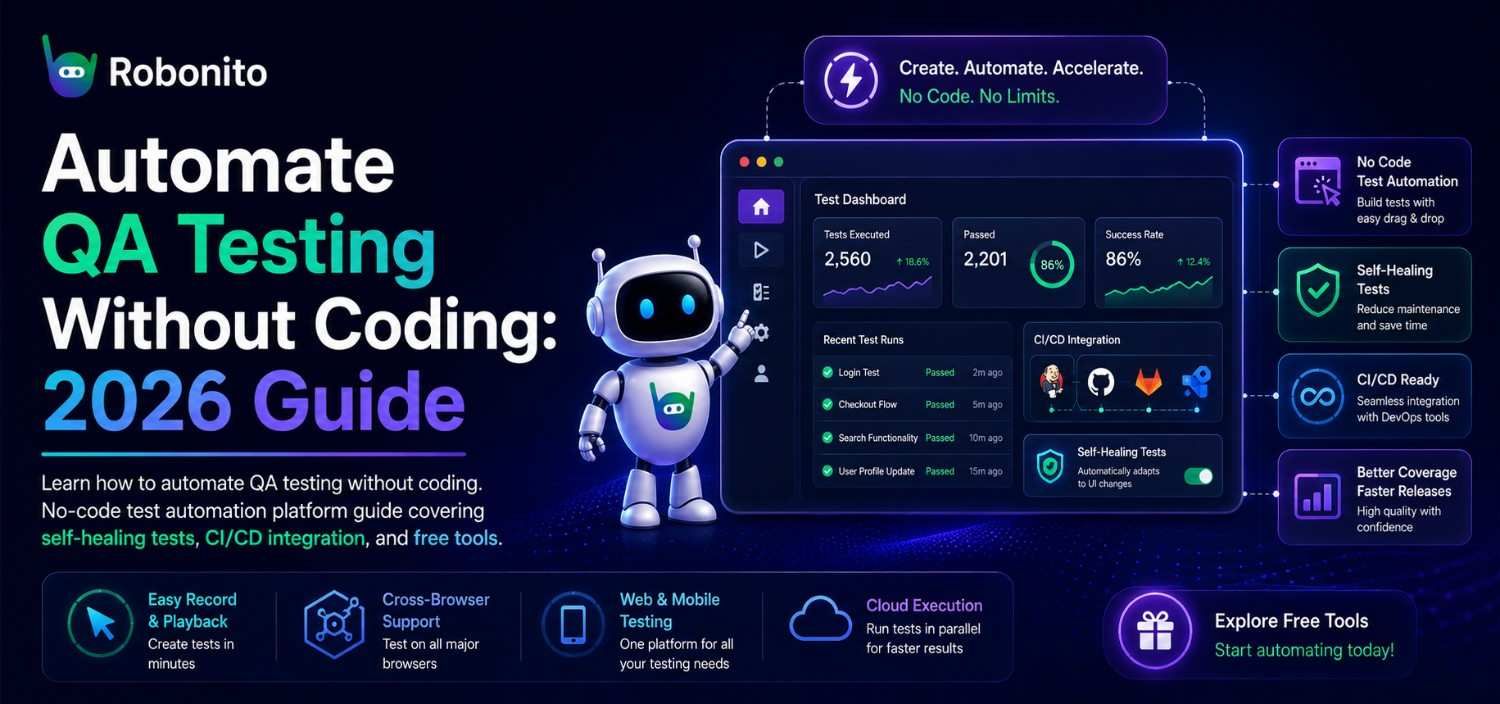
At some point, every QA team crosses the same threshold: maintaining existing tests starts consuming more sprint hours than writing new ones. Not because the tests are wrong — but because the UI keeps changing and the tests keep breaking. At that point, you're not running a test suite. You're running a test maintenance team. Regression suites that break every sprint. Engineers pulled away from building product just to babysit Selenium. If you've been searching for how to automate QA testing without coding, you're not alone — and in 2025, the technology has finally caught up to the promise. No-code test automation isn't a compromise anymore. It's how the fastest-shipping SaaS teams are keeping quality high without burning out their developers. This guide walks you through the entire process, step by step, so your team can go from zero to running automated tests on your web application — without writing a single line of code.
Key Takeaways
- No-code test automation in 2025 uses AI to identify elements by intent and context — not brittle CSS selectors — making tests resilient to UI changes
- You can automate your most critical user flows in a single afternoon without programming knowledge, browser extensions, or changes to your codebase
- Self-healing tests automatically adapt when UI elements move or are renamed, eliminating the false failures that make teams abandon traditional automation
- The right testing strategy layers tools: developers own unit and API tests in code; QA teams own end-to-end UI tests in no-code platforms
- Most teams see test maintenance time drop significantly within the first sprint — not because the tests are simpler, but because they stop breaking on routine UI updates
- Connecting no-code tests to CI/CD takes one step in your pipeline YAML — every deployment is automatically validated against your critical user flows
## Why No-Code QA Automation Has Replaced Coded Frameworks for Most SaaS Teams
The shift toward no-code test automation isn't a fad. It's driven by three forces converging at once.
First, QA teams are understaffed. The 2024 World Quality Report found that over 60% of organizations cite a lack of skilled test automation engineers as their biggest barrier to quality. When every automated test requires JavaScript or Python expertise, testing becomes a bottleneck — and untested code ships to production.
Second, web applications change constantly. Modern SaaS teams deploy multiple times per day. Traditional coded test suites — built on brittle CSS selectors and XPath queries — can't keep up. Teams spend more time maintaining tests than writing new ones. A study by Sauce Labs found that up to 40% of automation engineers' time goes to fixing flaky tests, not expanding coverage.
Third, AI has made no-code viable. Early no-code testing tools were glorified record-and-playback macros. They broke the moment a button moved two pixels. Today's platforms — powered by AI and computer vision — can understand your application the way a human does. They identify elements by intent and context, not by fragile DOM paths.
The result? A no-code test automation platform for SaaS teams is no longer a nice-to-have for companies without developers. It's becoming the default choice even for teams that have developers, because it frees engineering time for higher-value work.
The pattern is consistent across fast-growing SaaS companies: as deployment frequency increases, the teams that maintain quality aren't the ones with the most QA engineers — they're the ones who've removed the coding prerequisite from their testing process entirely.
What You Need Before You Start: Prerequisites and Mindset Shifts
Before you set up your first automated test, you need two things: clarity about what you're testing, and a small but important mindset shift.
The prerequisites are simpler than you think
You don't need:
- A staging environment (though it helps)
- Programming knowledge
- A dedicated QA infrastructure team
You do need:
- Access to your web application in a browser
- A list of your most critical user flows (we'll build this in Step 1)
- A no-code testing tool — ideally one that works on any web app out of the box without requiring custom configuration
That's it. If you can click through your app manually, you can automate it.
The mindset shift matters more than the tool
The biggest adjustment isn't technical — it's organizational. Teams accustomed to coded automation often think in terms of test scripts. No-code automation works better when you think in terms of user journeys.
Instead of "assert that div.checkout-button is visible and clickable," you think: "A customer adds an item to their cart, proceeds to checkout, enters payment details, and sees an order confirmation."
This shift is powerful because it aligns your tests with business outcomes, not implementation details. When a developer refactors the checkout page, your test doesn't care — it's looking for the checkout experience, not a specific DOM node.
Example: One fintech team that made this transition had a QA engineer spending 20 hours per week maintaining Cypress tests. After switching to a no-code approach and reframing tests as user journeys, their product manager — with zero coding background — maintained the same coverage in roughly 5 hours per week. The QA engineer moved to exploratory testing full-time — and started finding edge-case bugs they had no capacity to look for before.
→ Related: What Is No-Code Test Automation? A Complete Overview
Step 1: Mapping Your Critical User Flows for Test Coverage
Before you automate anything, you need to answer one question: If this breaks in production, do we lose revenue or users?
This is your prioritization filter. Most web applications have hundreds of possible paths, but only 10–20 flows that truly matter. Start there.
How to identify your critical flows
Grab a whiteboard (or a shared doc) and list your flows in three tiers:
- Tier 1 — Revenue-critical: Sign-up, login, checkout/payment, subscription upgrade, core feature usage (the thing users pay for)
- Tier 2 — Retention-critical: Onboarding sequence, key integrations, notification settings, data export
- Tier 3 — Everything else: Profile editing, help center links, cosmetic features
Automate Tier 1 first. This isn't controversial advice, but it's remarkable how many teams skip this step and automate whatever's easiest instead of whatever's most important.
Make each flow specific and testable
Vague flows produce vague tests. Be precise:
| ❌ Vague | ✅ Specific |
|---|---|
| "Test login" | "User logs in with valid email and password, lands on dashboard, sees their project list" |
| "Test checkout" | "User with items in cart enters valid credit card, submits order, sees confirmation page with order number" |
| "Test search" | "User searches for 'quarterly report,' sees at least one result, clicks first result, file preview loads" |
Real-world example: An e-commerce SaaS company mapped 14 critical flows in a single 90-minute session with their product manager, QA lead, and one developer. Those 14 flows mapped directly to the majority of their bug-related support tickets — the flows users actually hit, not the flows that were easiest to script. They automated all 14 in a single day using a no-code platform — work that had previously taken their team three weeks with Playwright.
Write your flows in plain language. You'll need them in the next step.
→ Related: How to Build a Test Coverage Strategy That Scales
Step 2: Setting Up Your First Automated Test Without Writing a Single Line of Code
Here's where the rubber meets the road. Let's walk through creating your first automated test using a no-code test automation platform — we'll use Robonito as the example since it's purpose-built for this workflow, but the concepts apply broadly.
The process in five minutes
-
Open Robonito and point it at your web app's URL. There's nothing to install on your application — no scripts, no SDKs, no browser extensions to configure.
-
Describe your test in natural language. Using one of the flows you mapped in Step 1, write what you want to test in plain English. For example: "Go to the login page. Enter 'test@company.com' as the email and 'securepass123' as the password. Click the Sign In button. Verify that the dashboard loads and displays 'Welcome back.'"
-
Let the AI interpret your instructions. Robonito's AI reads your natural-language description and maps it to actions on your actual application — clicking buttons, filling fields, navigating pages, and verifying outcomes. No CSS selectors. No XPath. No scripting.
-
Review and run. The platform shows you a step-by-step breakdown of what it will do. Run it once to confirm it works. Adjust the language if needed (for instance, if "Sign In button" is actually labeled "Log In" in your app).
-
Save and schedule. Set the test to run on a schedule — hourly, daily, or on every deployment.
What this looks like in practice
Imagine you're a QA lead at a project management SaaS. Your most critical flow is: User creates a new project, adds a task, assigns it to a team member, and receives a confirmation notification.
In a coded framework, this test might require 80–150 lines of code, multiple page objects, and careful selector management. With Robonito, you describe it in four sentences. The test is live in minutes.
This is the core promise of web app testing automation in 2025: the gap between "knowing what to test" and "having a running test" shrinks to nearly zero.
Free automated testing tools for web applications exist — including Robonito's free tier — so there's no cost barrier to trying this right now.
→ Related: Robonito Quick-Start: Your First Test in 15 Minutes
Step 3: Using Self-Healing Tests to Eliminate Brittle Selectors
Here's the dirty secret of traditional test automation: most test failures aren't real bugs. They're tests breaking because a developer changed a class name, moved a button, or updated a framework version.
This is the flaky test problem, and it's the number-one reason QA automation projects fail. Teams invest weeks building a suite, then abandon it three months later because maintaining it costs more than running manual tests.
How self-healing tests work
Self-healing is the ability of a test to automatically adapt when the UI changes in ways that don't affect functionality.
Traditional test (Selenium/Playwright):
// This breaks if the class name changes
driver.findElement(By.cssSelector(".btn-primary.checkout-submit")).click();
If a developer renames btn-primary to btn-accent during a design system update, this test fails — even though checkout works perfectly.
A self-healing test built with AI doesn't rely on a single selector. Instead, it uses multiple signals:
- Visual appearance (it looks like a checkout button)
- Text content ("Complete Purchase")
- Position on page (bottom of the cart summary)
- Surrounding context (near the order total)
When one signal changes, the others compensate. The test continues to pass, and the platform logs that it adapted — so you know something changed without being blocked by a false failure.
The real-world impact
A B2B SaaS company running 200 automated tests reported that before self-healing, they averaged 15–25 false failures per week. Each one required 15–30 minutes of investigation and a fix. That's 8–12 hours per week of pure waste.
After migrating to Robonito's self-healing tests, false failures dropped to 1–3 per week. Their QA engineer described it as "getting two days of my week back."
This is what separates a modern AI testing tool for web apps from traditional automation frameworks. The best tool isn't the one that runs the most tests — it's the one that only alerts you when something actually breaks.
Step 4: Connecting No-Code Tests to Your CI/CD Pipeline
Automated tests are only valuable if they run at the right time. The right time is: every time code is about to reach your users.
Connecting your no-code tests to your CI/CD pipeline ensures that every pull request, every merge to main, and every deployment is automatically validated against your critical user flows.
How integration works with most no-code platforms
Robonito (and most mature automation testing tools for web applications) offers integration through:
- API triggers: Your CI/CD system (GitHub Actions, GitLab CI, Jenkins, CircleCI, etc.) sends a webhook or API call to Robonito when a pipeline stage is reached. Robonito runs the relevant test suite and returns pass/fail results.
- CLI tools: A lightweight command-line tool you add to your pipeline configuration. Typically a single line in your YAML file.
- Native integrations: Pre-built connectors for popular CI/CD platforms that require minimal configuration.
A practical example
Here's what a GitHub Actions integration might look like:
# In your deployment workflow
- name: Run Robonito QA Suite
  run: robonito run --suite "critical-flows" --wait
  env:
    ROBONITO_API_KEY: ${{ secrets.ROBONITO_API_KEY }}
That's it. One step added to your existing workflow. If any critical flow fails, the deployment stops. Your team gets notified with a detailed report showing exactly which step in which user journey failed — complete with screenshots.
Fitting this into your team's workflow
A common pattern that works well for growing SaaS teams:
- On every PR: Run Tier 1 (revenue-critical) tests against the preview/staging URL — takes 5–10 minutes
- On merge to main: Run Tier 1 + Tier 2 tests — takes 15–25 minutes
- Nightly: Run the full suite including Tier 3 — takes 30–60 minutes
This gives you fast feedback during development and comprehensive coverage on a schedule, without slowing down your deployment pipeline.
Comparing No-Code vs. Coded Approaches: When Each Makes Sense
No-code test automation isn't a silver bullet, and being honest about its limitations builds more trust than pretending they don't exist. Here's a clear-eyed comparison.
Where no-code excels
- End-to-end user flow testing: Testing what real users do in a real browser. This is where no-code platforms shine brightest.
- Teams without dedicated automation engineers: If your QA team is manual testers and product managers, no-code lets them automate without waiting on engineering.
- Rapidly changing UIs: Self-healing tests handle frequent design changes that would break coded suites.
- Fast time-to-value: You can go from zero to running critical-path tests in a single day. Coded frameworks typically take weeks to set up properly.
Where coded approaches still win
- Unit and integration testing: Testing individual functions, API contracts, and internal logic still requires code. No-code tools operate at the UI layer.
- Highly complex test logic: If a test requires looping through 10,000 data rows, dynamic calculations, or custom API mocking, a coded framework offers more flexibility.
- Performance and load testing: No-code UI tools aren't designed for simulating thousands of concurrent users.
The smart hybrid approach
The most effective teams in 2025 aren't choosing one or the other. They're using a layered strategy:
| Layer | Tool | Owner |
|---|---|---|
| Unit tests | Jest, pytest, etc. | Developers |
| API / integration tests | Postman, coded frameworks | Developers / SDET |
| End-to-end UI tests | Robonito (no-code) | QA team / Product |
| Exploratory testing | Manual | QA team |
This gives you the speed and coverage of no-code automation where it matters most — the user-facing experience — while keeping coded tests where they're genuinely needed.
The counterintuitive shift: The teams with the most brittle test suites are often the ones who invested most heavily in test engineering — more page objects, more utilities, more abstraction layers. Every layer of code added for maintainability is another layer that can break when the UI changes. The teams with the most resilient suites aren't writing better code. Most of them have stopped writing test code for UI flows entirely.
A practical scenario: A healthcare SaaS company uses pytest for backend logic, Postman for API testing, and Robonito for their 30 critical user flows. Their two-person QA team maintains all 30 UI tests without developer help, while their six developers focus entirely on building features. End-to-end UI coverage expanded significantly within two months — flows that had never been automated before because there was no developer bandwidth to build them.
No-Code Test Automation Best Practices That Prevent the Most Common Failures
Write Tests From the User's Perspective, Not the Developer's
The most brittle tests — no-code or otherwise — are written by someone thinking about implementation. "Click the #submit-btn element" breaks when a developer renames the ID. "Submit the payment form and verify the confirmation page loads" survives almost any frontend refactor.
Keep your test descriptions anchored to what the user is trying to accomplish. If someone unfamiliar with the codebase can read your test description and understand exactly what it verifies, the test is written at the right level.
Version Your Test Descriptions When Flows Change Intentionally
Self-healing handles unintentional UI drift — a renamed class, a moved element, a redesigned component. It doesn't handle intentional flow changes, like when your product team adds a new step to checkout or removes a confirmation modal.
When product makes a deliberate flow change, update your test description in the same sprint. Treat it the way a developer treats updating documentation: part of the definition of done. Teams that skip this end up with tests that technically pass but verify the old, removed flow.
Set Up Alerts for Healed Elements, Not Just Test Failures
Most teams configure alerts for test failures and ignore healed-element reports. This is backwards for mature suites. A self-healing event means your UI changed — and that change is worth knowing about, especially if it happened in a critical flow.
Build a weekly review habit: how many elements healed, in which flows, with what confidence score. Patterns in healed elements tell you which parts of your UI are changing fastest — and which tests are most likely to need manual updates soon.
Run Your Full Suite on a Schedule, Not Just on Deploys
CI/CD integration catches bugs introduced by code changes. Scheduled runs catch bugs introduced by external factors — third-party widget updates, CDN changes, A/B test variants your testing team didn't know about, content management system changes.
A daily scheduled run of your critical flows takes 10–15 minutes and catches an entire category of production issues that deploy-triggered tests miss. Set it up once; it runs forever.
Common Mistakes Teams Make When Starting No-Code Test Automation
Automating Whatever Is Easiest Instead of Whatever Matters Most
The natural instinct when starting is to automate the flows that are simplest to describe — profile settings, help page navigation, static content. These are easy tests to write and satisfying to see pass. They're also the lowest-value tests you can possibly have.
When your automated suite only covers low-risk flows, the first time a real bug ships to production, the suite gave you zero signal. You've done real work with zero return.
Automate your Tier 1 flows first — the ones where a failure means lost revenue or churned users. If login, checkout, or your core feature breaks, you want to know in the next five minutes, not the next support ticket.
Expecting No-Code Automation to Replace Manual Testing
No-code test automation is faster, cheaper, and more scalable than coded automation for end-to-end flows. It is not a replacement for human testers.
Exploratory testing — where a QA engineer probes edge cases, questions assumptions, and thinks like an adversarial user — cannot be automated. The teams that get the most from no-code automation are the ones that use it to eliminate repetitive regression work so their QA team can do more exploratory testing, not less.
If your plan is "automate everything and reduce headcount," your test coverage will decay within two quarters. If your plan is "automate the repetitive work and redirect QA capacity to harder problems," you'll find more bugs, not fewer.
Skipping the CI/CD Integration Step
Teams that create tests but only run them manually achieve maybe 20% of the value of teams that run the same tests automatically on every deployment. Manual test runs happen when someone remembers to run them — which is not before a 2 AM emergency deploy on a Friday.
The CI/CD integration for most no-code platforms is a single YAML step. It takes 30 minutes to set up. Skip it and you have an automated test suite that you operate manually, which defeats the primary purpose.
Treating the First Failing Test as Proof the Platform Doesn't Work
Every team's first automated run will have at least one test that fails for a non-bug reason — a test description that didn't quite match how the UI actually works, a flow that's slightly different in staging vs production, a timing issue on a slow page load.
First-run failures are calibration, not failure. Investigate each one, adjust the description, re-run. By the second or third run, your critical tests should be consistently green. Teams that quit after the first imperfect run miss the entire value curve — which typically starts delivering in the second week, not the first.
Frequently Asked Questions About No-Code QA Test Automation
Can I really automate QA testing without any programming knowledge?
Yes — modern no-code platforms like Robonito work entirely through natural language instructions and visual interaction with your application. You describe what a user should do and what outcome to verify; the AI maps that to actions on your actual app. There are no selectors to write, no scripts to maintain, and nothing to install in your codebase. If you can write a clear sentence describing a user action, you can create an automated test.
How long does it take to set up no-code test automation from scratch?
Most teams have their first automated test running within 30 minutes of signing up. Setting up a full suite covering 10–15 critical flows typically takes one to two working days — not the weeks required for a coded framework. The time goes into mapping your flows (Step 1 of this guide) and verifying tests run correctly, not configuration or scripting.
How is this different from old record-and-playback tools like Selenium IDE?
Record-and-playback tools from a decade ago captured a literal snapshot of your DOM at record time — they stored exact XPath queries and pixel coordinates. When anything changed, they broke immediately. Modern no-code platforms use AI to understand your application semantically. They identify elements by what they do and how they look, not by their exact DOM path. This is why self-healing is possible: the AI can find the right element even after a UI change. Old record-and-playback couldn't do this at all.
What happens to my tests when the UI changes?
For UI changes that don't affect functionality — renamed classes, moved elements, redesigned components — self-healing tests automatically adapt and continue passing. The platform logs what changed so you have visibility without being blocked. For intentional flow changes — a new step added to checkout, a feature removed — you update the test description in plain language. Most flow updates take 5–10 minutes.
Does no-code test automation work on single-page applications (SPAs)?
Yes. Robonito and most modern no-code platforms work on React, Vue, Angular, and other SPA frameworks out of the box. SPAs present specific challenges for traditional test tools (dynamic routing, client-side rendering, async state updates) that AI-powered platforms handle natively because they operate at the visual and semantic layer, not the DOM-scripting layer. If a human can interact with your SPA in a browser, the platform can test it.
Can non-technical team members like product managers actually run these tests?
Yes — and this is one of the most significant operational shifts no-code automation enables. Product managers, manual QA testers, and customer success managers can create, run, and review tests without developer involvement. The constraint shifts from "who knows how to script" to "who knows the product well enough to describe the flows." Most teams find that product-adjacent roles know the critical flows better than engineers do, which actually improves test quality.
Is no-code testing suitable for complex applications with dynamic data?
For end-to-end user flow testing — which is what no-code platforms are designed for — yes. Robonito handles dynamic data by focusing on the interaction pattern and verification logic, not hardcoded values. For tests requiring complex data manipulation, database state setup, or programmatic assertions across hundreds of data permutations, a coded framework is more appropriate. The hybrid approach (coded tests for logic-heavy scenarios, no-code for user flows) handles both.
What does CI/CD integration actually look like in practice?
A single step added to your existing pipeline YAML file. Robonito provides an API that your CI/CD system calls when a pipeline stage is reached. The test suite runs, and results — pass/fail per test, with screenshots of failures — are returned before the pipeline continues. If a critical flow fails, the deployment stops. Setup typically takes 20–30 minutes for any major CI/CD platform (GitHub Actions, GitLab CI, Jenkins, CircleCI, Azure DevOps).
Ready to Automate Your First Test Today?
You've read the strategy. You've seen the steps. Now here's the thing: you can have your first automated test running in the next 15 minutes.
Robonito is free to start. No credit card. No sales call. No 47-step setup wizard.
Just point it at your web app, describe your most critical user flow in plain English, and watch it run. If a test breaks because your UI changed? It heals itself. When you're ready, connect it to your CI/CD pipeline with a single line of configuration.
Your team doesn't need to learn Selenium. They don't need to write JavaScript. They just need to know what matters to your users — and they already do.
Start your free Robonito account and automate your first test →
Automate your QA — no code required
Stop writing test scripts.
Start shipping with confidence.
Join thousands of QA teams using Robonito to automate testing in minutes — not months.
