
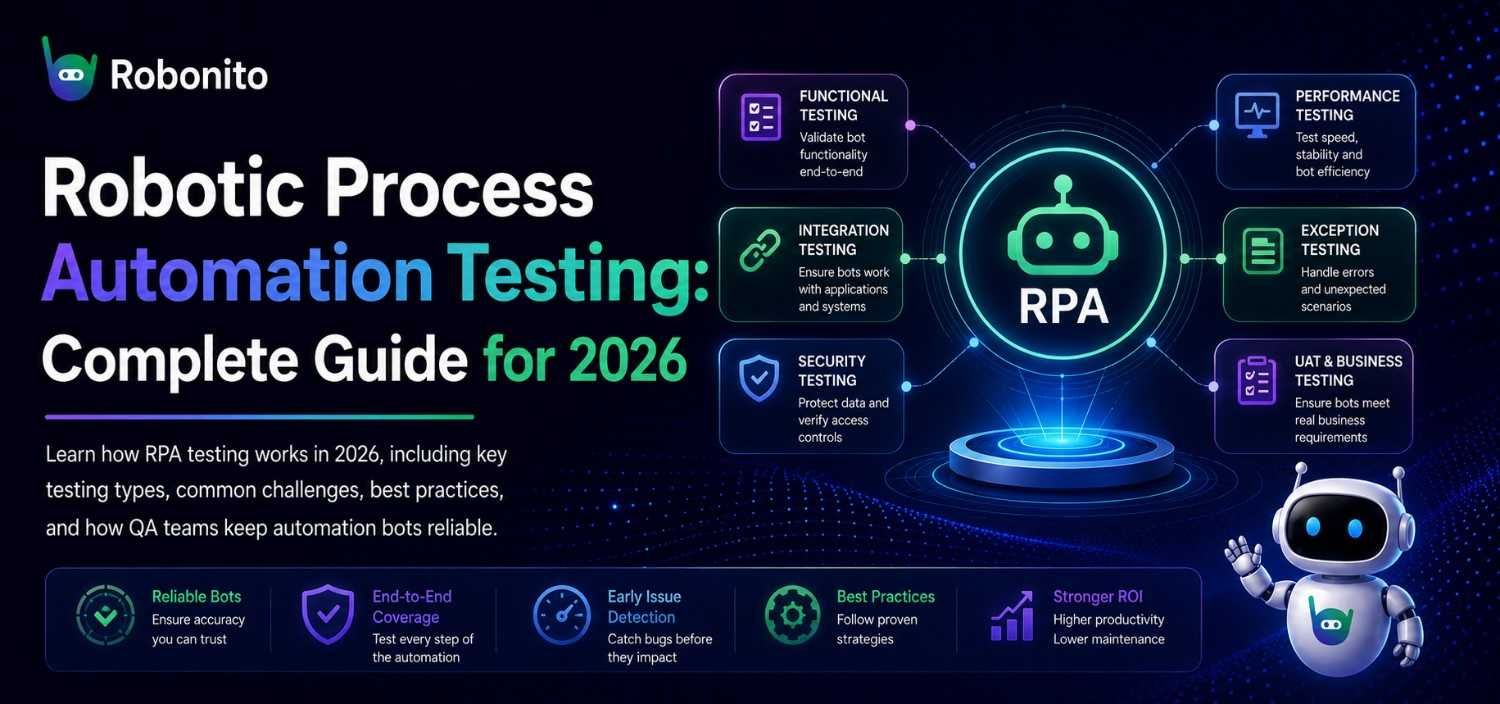
Most organizations test their RPA bots once, confirm they work in a controlled environment, and push them to production. Three months later, a UI update in a source application breaks the bot silently — and nobody notices until the exception queue has 3,000 unprocessed records and someone's manually cleaning up data at 11pm.
That's the central failure pattern in RPA testing: treated as a one-time gate rather than an ongoing practice. This guide covers what robotic process automation testing actually involves in 2026, why it's harder than testing conventional software, the challenges teams consistently underestimate, and the practices that keep RPA implementations stable at scale.
Originally published June 2023. Updated May 2026 with current tooling, industry data, and expanded best practices.
Key Takeaways
- RPA bots are uniquely fragile because they depend on UI stability — any change to a source application can break a bot that was working perfectly the day before
- 30–50% of initial RPA implementations experience significant failures within the first year, according to Forrester's 2025 RPA adoption survey — most trace back to inadequate testing
- Happy-path testing is not RPA testing. Exception handling, UI change resilience, and integration testing are where most bots actually fail
- Teams that automate their RPA test suites spend 60–70% less time on maintenance compared to teams running manual test checks
- No-code test automation now covers the UI interaction layer of RPA — meaning QA teams can test bot behavior without writing additional scripts
Understanding Robotic Process Automation Testing
Robotic Process Automation (RPA) uses software bots to automate repetitive, rule-based tasks by mimicking human interactions with digital systems. Bots handle tasks like data entry, invoice processing, report generation, account reconciliation, and cross-application data transfers — work that's high-volume, predictable, and expensive to staff manually.
RPA testing is the practice of verifying that those bots do exactly what they're supposed to do — accurately, reliably, and without breaking when conditions change. It's different from testing conventional software in one important way: RPA bots don't own the interfaces they interact with. When the application a bot depends on changes its UI, updates a field name, or restructures a form, the bot breaks — even if nothing in the bot's own code changed.
This dependency on external interface stability makes RPA testing a continuous discipline, not a pre-launch checklist.
Why RPA Testing Is Harder Than Standard Software Testing
A standard web application test validates behavior that the development team controls. If you change the login button's behavior, your team made that change and knows about it.
An RPA bot interacting with a third-party application — an ERP system, a government portal, a vendor invoicing platform — has no control over any UI changes that platform makes. A provider pushes a routine update on a Tuesday night and your bot that's been processing 500 invoices per day fails silently Wednesday morning because one field moved.
This is the scenario that makes RPA teams learn, usually the hard way, that testing once at deployment is not sufficient.
Types of RPA Testing That Actually Matter
Functional Testing
Verifies that each automated process does what it was designed to do: correct data input, accurate transformation, expected output. This is the foundation — but it only covers the happy path.
What most teams miss: Functional testing against static test data doesn't reflect production conditions. Bots encounter dirty data, edge cases, and formatting variations that test environments never include. Build test data sets that reflect the actual messiness of your production inputs.
Regression Testing
As RPA implementations evolve — new business rules, updated source applications, expanded workflows — regression testing confirms that existing processes still work correctly after changes. Without it, you're fixing new problems while silently introducing old ones.
In a mature RPA environment with 30–50 bots in production, manual regression testing before each change becomes impractical. This is where automated regression testing pays for itself fastest.
Exception Handling Testing
This is where most bots fail in production. Exception handling testing validates that your bots respond correctly when something unexpected happens: a field returns null, a connection times out, a document arrives in an unexpected format, a downstream system is temporarily unavailable.
A scenario that plays out regularly: A logistics company deployed an RPA bot to process shipping manifests from partner carriers. The bot had been in production for four months without incident. When one carrier updated their document template — changing a field label from "Ship Date" to "Dispatch Date" — the bot started silently writing null values into the database. No error was thrown. No alert was triggered. 11 days later, a billing discrepancy surfaced during a monthly reconciliation. The root cause: the exception handling test suite had never included label variation as a scenario.
UI Stability Testing
Because RPA bots navigate user interfaces through element selectors, locators, and screen coordinates, any UI change in a source application is a potential failure point. UI stability testing deliberately introduces common changes — field movements, label updates, button position shifts — and verifies that the bot either adapts or fails with a clear, catchable error rather than silently corrupting data.
This type of testing is now significantly easier with modern no-code testing tools that use AI-based element identification rather than brittle XPath or CSS selectors. More on this in the tooling section.
Integration Testing
RPA bots typically touch multiple systems in a single workflow — reading from one application, transforming data, writing to another, triggering a downstream process in a third. Integration testing validates each handoff point, ensuring data moves correctly and completely between systems.
In practice, integration failures are often where the highest-severity bugs live. A functional test that validates bot behavior in isolation misses the data corruption that can happen at system boundaries.
Performance and Scalability Testing
RPA is often deployed precisely because volume is high. Performance testing validates that your bots maintain speed and accuracy at the transaction volumes you actually process — not just in a low-load test environment.
Scalability testing goes further: what happens when you double the volume? When you add 20 more bots running the same process concurrently? When the downstream system responds slowly during peak load? These scenarios need to be tested before they happen in production.
Compliance and Security Testing
RPA bots frequently access sensitive data: financial records, patient information, employee data, customer accounts. Compliance testing verifies that bots handle this data in accordance with applicable regulations — GDPR, HIPAA, SOX — and that access is logged, auditable, and appropriately restricted.
Security testing specifically validates that bots authenticate correctly, don't expose credentials in logs, and can't be manipulated to access data outside their defined scope.
Key Challenges in RPA Testing
The Maintenance Problem
The biggest practical challenge in RPA testing isn't setting up the initial test suite — it's keeping it current. Every change to a source application is a potential test breakage. Teams managing large RPA environments report spending 30–40% of their QA time maintaining existing test cases rather than expanding coverage.
This isn't a process failure — it's structural. Manual test maintenance doesn't scale with the pace of change in modern application environments.
Dynamic Application Interfaces
Web-based RPA targets are particularly challenging because modern web applications change frequently. A quarterly UI refresh, an A/B test on a form layout, or a framework migration can invalidate hundreds of element selectors overnight. RPA teams that rely on precise coordinate-based or XPath-based bot navigation feel every one of these changes directly.
Test Data Management
RPA testing requires realistic test data that covers the full range of inputs the bot will encounter in production — including malformed records, edge cases, and exception scenarios. Building and maintaining this test data library is time-consuming and is consistently underinvested compared to test case development.
The Integration Gap Between RPA Developers and QA Teams
In many organizations, RPA bots are built by business analysts or automation developers who don't have a traditional QA background. QA teams, in turn, often don't have deep RPA platform knowledge. The result is a gap where testing happens late, inconsistently, or only by the people who built the bot — which defeats the purpose of independent validation.
False Confidence From Happy-Path Testing
The most insidious challenge: bots that pass all their tests and still fail in production. This happens when test coverage is limited to the ideal scenario — clean data, available systems, expected inputs. Production has none of these guarantees. A test suite that only validates the happy path is measuring confidence, not reliability.
Best Practices for RPA Testing That Actually Work
Test Continuously, Not Just at Launch
RPA testing is not a pre-deployment gate — it's an ongoing practice that should run on a schedule matching your risk tolerance. Critical bots processing financial transactions should have automated test runs triggered on every change to source applications. Less critical bots may warrant daily or weekly scheduled runs.
The trigger for a test run should not be "we're about to deploy a change to the bot." It should be "anything that could affect bot behavior changed" — which includes changes to source applications you don't control.
Build Exception Coverage Before Happy-Path Coverage
Counter-intuitive but consistently validated: time spent on exception handling test cases returns more stability value per hour than time spent expanding happy-path coverage. If your bot processes 1,000 records per day and 95% follow the happy path, the 5% that don't are where failures live. Test those first.
Separate Test Environments That Mirror Production Accurately
A common failure pattern: test environments that are significantly out of sync with production. Bots pass in test and fail in production because the source application version, the data format, or the network configuration differs. Investment in maintaining accurate, current test environments pays back in avoided production incidents.
Automate the Test Suite Itself
The most effective RPA teams use automated testing tools to test their RPA bots — they don't test bots manually. This creates a second automation layer: bots running other bots through their test scenarios, validating outputs, and alerting on failures. For UI-layer testing of web-based RPA targets, no-code test automation tools are now the practical standard — they're faster to maintain than script-based alternatives and accessible to QA team members who don't code.
How self-healing test automation reduces RPA maintenance overhead
Define Clear Failure Criteria Before Testing Begins
"The bot passed" is not a useful test result without a definition of what passing means. Define expected outputs precisely: specific field values, output file formats, downstream system states, error logs. Ambiguous pass/fail criteria create bots that "work" in ways that don't meet actual business requirements.
How Modern Test Automation Approaches RPA Testing in 2026
The biggest change in RPA testing practice since 2023 is the maturation of AI-based test automation tools for the UI layer.
Traditional approaches to testing RPA bots that interact with web applications required writing Selenium or Playwright scripts that used the same selector-based approaches as the bots themselves — meaning bot tests broke for exactly the same reasons the bots broke. This created a situation where maintaining the test suite was nearly as much work as maintaining the bots.
Modern no-code test automation tools use AI-based element identification rather than fixed selectors. When a source application's UI changes, the test adapts rather than breaking — the same self-healing behavior that makes the tests easier to maintain also makes them more resilient to exactly the changes that most commonly cause RPA failures.
The practical implication: QA teams can now build and run automated tests for RPA bot interactions with web applications without writing code. This matters specifically for organizations where:
- The QA team validating RPA bots doesn't have developer-level automation skills
- The source application UI changes frequently and maintaining selector-based tests isn't sustainable
- Multiple bots interact with the same web application and need consistent, shared test coverage
See how Robonito handles UI-layer test automation for web applications
RPA Testing Approach Comparison
| Testing Approach | Setup Time | Maintenance | Who Can Use It | Best For |
|---|---|---|---|---|
| Manual test execution | Hours | High | Anyone | Initial validation only |
| Selenium/Playwright scripts | Days | Very high | Developers | Complex custom scenarios |
| RPA platform native testing | Moderate | Moderate | RPA developers | Same-platform testing |
| No-code AI test automation | 30–60 min | Low (self-healing) | QA + business analysts | UI-layer regression |
Setting Up an RPA Testing Framework: Step by Step
Step 1: Inventory Your Bot Portfolio by Risk Level
Before building test coverage, classify your deployed bots by the impact of a failure:
- Critical: Bots that process financial transactions, customer data, or regulatory submissions — failures have immediate compliance or financial impact
- High: Bots that feed downstream processes or trigger other automations — failures cascade
- Standard: Bots that generate reports, move data between internal systems, or handle non-time-sensitive workflows
Test coverage priority follows this classification. Build comprehensive, automated test suites for Critical bots first. Standard bots can run with lighter coverage until capacity allows expansion.
Step 2: Define Test Scenarios for Each Bot
For each bot in your inventory, document:
- Happy path scenarios: The normal, expected input/output flow
- Edge cases: Valid but unusual inputs the bot should handle correctly
- Exception scenarios: Invalid inputs, unavailable systems, unexpected formats — what should the bot do and what should it log?
- UI change scenarios: Common changes to source application UIs and how the bot should respond
Step 3: Choose Your Testing Stack
For RPA testing in 2026, a practical stack typically includes:
- Unit testing: Native testing capabilities within your RPA platform (UiPath Test Suite, Automation Anywhere Test module, etc.) for bot logic validation
- UI-layer testing: A dedicated test automation tool for testing bot interactions with web-based source applications
- Integration testing: API testing tools for validating data handoffs between systems
- Monitoring: Runtime monitoring for production bots with alerting on exception rates and processing failures
Step 4: Integrate Tests Into Your Change Process
Every change to a bot, and every significant change to a source application, should trigger an automated test run. This means connecting your test execution to your change management and deployment pipeline — not running tests on a separate schedule that may or may not align with when changes happen.
Step 5: Establish Exception Rate Baselines and Alerts
Once bots are in production with monitoring in place, establish baseline exception rates for each bot. An exception rate that suddenly doubles after an application update is an early indicator of a breaking change — caught before the exception queue fills with unprocessed records.
How to eliminate flaky tests and build reliable automation coverage
Frequently Asked Questions
What is robotic process automation testing?
RPA testing is the practice of validating that software bots perform their automated tasks accurately, handle exceptions correctly, and continue working reliably when source applications change. Unlike testing conventional software, RPA testing must account for dependencies on external application interfaces that the RPA team doesn't control — making ongoing, automated test coverage essential rather than optional.
Why do RPA implementations fail after initial testing passes?
Most post-deployment RPA failures trace back to three causes: changes in source application UIs that break bot selectors, exception scenarios that weren't covered in the original test suite, and data quality issues in production that didn't appear in test data. Happy-path testing that passes at deployment doesn't predict production reliability — exception coverage and UI change resilience testing are the more predictive indicators.
How often should RPA bots be tested?
Critical bots should have automated test runs triggered by any change to the bot itself or any significant update to source applications they interact with. At minimum, automated regression tests should run on a scheduled basis — daily for high-volume financial processes, weekly for lower-risk workflows. The goal is catching failures before users or exception queues do.
What is the difference between RPA testing and regular software testing?
The core difference is dependency ownership. In standard software testing, the team testing the application controls the application being tested. RPA bots depend on interfaces they don't own — third-party applications, legacy systems, vendor portals — and any change those systems make can break a bot without any change to the bot itself. This external dependency makes continuous testing more critical for RPA than for most software categories.
Can non-developers perform RPA testing?
Yes, particularly for UI-layer testing of web-based RPA targets. No-code test automation tools now allow QA analysts and business process owners to build and run automated tests against web application interfaces without writing code. For bot logic testing within RPA platforms, most major vendors (UiPath, Automation Anywhere, Power Automate) have built-in test frameworks that require RPA development knowledge but not general programming expertise.
How do you test RPA bots for exception handling?
Exception handling testing involves deliberately introducing the conditions that cause exceptions — invalid data formats, null field values, unavailable downstream systems, unexpected UI states — and validating that the bot responds correctly in each case. "Correctly" means either processing the exception with a defined fallback behavior or failing with a clear, catchable error log rather than silently corrupting data or stalling without alert.
What tools are used for RPA testing?
RPA testing typically combines native platform test capabilities (UiPath Test Suite, Automation Anywhere Test module), UI automation testing tools for web-based interfaces, API testing tools for integration validation, and monitoring platforms for production exception tracking. No-code AI test automation tools have become increasingly common for the UI layer, particularly in teams where QA members don't have scripting backgrounds.
Testing Your RPA Bots Shouldn't Require Another Set of Scripts
If your RPA bots interact with web applications, Robonito can automate testing of those interactions — without writing Selenium scripts, managing CSS selectors, or needing a dedicated SDET to maintain the test suite. Tests self-heal when source application UIs change. Coverage runs in your CI/CD pipeline. Anyone on the QA team can build and maintain tests.
Start free — no credit card required:
Already know what you need? Book a 15-minute demo and we'll show you how Robonito handles UI-layer testing for your specific RPA stack.
Automate your QA — no code required
Stop writing test scripts.
Start shipping with confidence.
Join thousands of QA teams using Robonito to automate testing in minutes — not months.
