
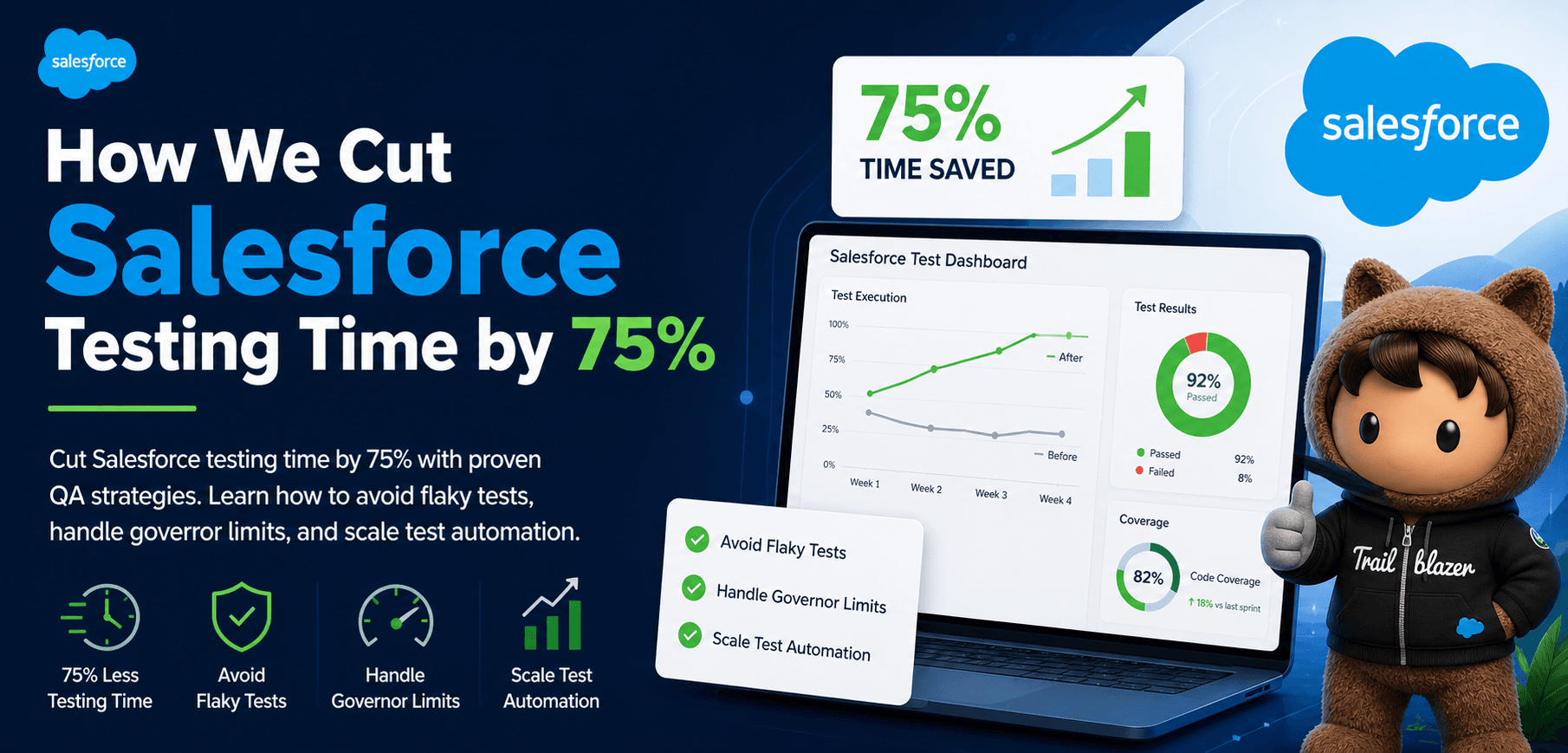
A team of four Salesforce engineers managing over 500 test cases was spending nearly two full sprint days every sprint fixing flaky tests and inconsistent failures. They didn't rewrite their entire test suite. They didn't hire more QA engineers. They changed when and how they used automated testing — specifically, by focusing on maintenance cost rather than test volume, recognising that fragile tests compound in cost every single sprint.
Most Salesforce QA problems aren't coverage problems. They're architecture problems. Teams hit the 75% coverage threshold, deploy, and then spend the next sprint firefighting — governor limit failures in production, SOQL queries that pass in sandbox but break under real data volumes, UI flows that fail because a Lightning component was refactored. The tests weren't wrong. The strategy was.
What follows is a breakdown of where Salesforce test maintenance actually breaks down, the architectural decisions that compound the problem, and a practical migration path from a fragile suite to one that holds up at scale.
Key Takeaways
- Salesforce requires 75% code coverage for deployments, which can be a challenging threshold to meet
- Governor limits, such as SOQL and DML limits, can significantly impact test performance and reliability
- Apex testing architecture, including @isTest and Test.startTest()/stopTest(), is crucial for ensuring test isolation and reliability
- Choosing between Apex-native, enterprise, and no-code testing tools depends on your team's technical depth and maintenance tolerance — not just feature checklists
- Teams using no-code, self-healing automation reduce UI test maintenance from 2 days to under 3 hours per sprint by eliminating locator decay at the source
How We Actually Reduced Testing Time by 75%
The team started by auditing their failure patterns across six sprints. The data was uncomfortable: 68% of test failures had nothing to do with actual bugs.
They fell into three categories:
- Locator failures from Lightning component updates
- Governor limit errors from SOQL queries inside loops (passing in sandbox but failing in production)
- Test data conflicts from shared records across test methods
The fix wasn't more tests. It was fewer, better-isolated tests with a stable data strategy.
Before vs After
| Metric | Before | After |
|---|---|---|
| Sprint test maintenance | 2 full days | Under 3 hours |
| UI validation method | Manual regression | Automated flows |
| Locator stability | CSS selectors breaking weekly | Self-healing multi-signal locators |
| Test data approach | Shared records across methods | Isolated TestDataFactory per method |
| Governor limit failures | 3–5 per sprint in production | 0 in last 8 sprints |
| CI pipeline confidence | Low — manual smoke tests | High — green CI means deployable |
What Actually Changed
The three root causes each required a different fix:
- UI flows moved to a no-code, self-healing platform
- Apex tests were refactored using
@TestSetupand isolated factory methods - SOQL queries were moved outside loops and replaced with bulk-safe
Mappatterns
None of this required rewriting the entire suite.
The team prioritised the 20% of tests generating 80% of failures, migrated those first, and ran both suites in parallel for two sprints before decommissioning the legacy versions.
Why Most Salesforce Tests Fail Before This Fix
-
Governor limits hit in production but not sandbox
Sandbox environments have fewer records, so SOQL-in-loop patterns don't trigger the 101-query limit until real data volumes apply. -
Shared test data causes non-deterministic failures
When Test B relies on state created by Test A, execution order changes break the suite unpredictably. -
UI locator decay from Lightning component updates
CSS class changes break selector-based tests every sprint without warning.
Why Salesforce Testing Matters
Salesforce sits at the centre of revenue, customer data, and business-critical workflows for most organisations that run it. A deployment failure doesn't just break a feature — it can freeze a sales team's pipeline, corrupt customer records, or fail a compliance audit. The 75% coverage requirement exists precisely because Salesforce knows how high the stakes are. But coverage percentage is a floor, not a ceiling. Teams that treat it as a target end up with tests that pass every gate and catch nothing.
Apex Testing Architecture
Most Salesforce teams inherit a test architecture by accident: one TestDataFactory class nobody fully understands, @TestSetup methods that silently conflict, and a 75% org coverage number that hides which classes actually have zero tests. The following code example demonstrates the use of @isTest and Test.startTest()/stopTest():
@isTest
private class OpportunityServiceTest {
    @TestSetup
    static void setupTestData() {
        Account acc = TestDataFactory.createAccount('Acme Corp');
        insert acc;
    }
    @isTest
    static void testBulkOpportunityCreation() {
        List<Opportunity> opps = TestDataFactory.createOpportunities(200);
        Test.startTest();
        insert opps;
        Test.stopTest();
        System.assertEquals(200, [SELECT COUNT() FROM Opportunity]);
    }
}
The @TestSetup method runs once before all test methods in the class and rolls back cleanly after each — meaning every test starts with identical, isolated data regardless of execution order.
Salesforce Testing Tools
The right Salesforce testing stack depends on where your failures actually come from. Teams whose failures are Apex-level need unit test depth. Teams whose failures are UI-level need locator stability. Most teams need both — which is why the tools below serve different parts of the stack rather than competing directly. The following comparison table highlights the key features and limitations of each tool:
| Approach | Salesforce-Native | No-Code | CI/CD Ready | Best For | Key Limitation |
|---|---|---|---|---|---|
| Apex Unit Tests | Yes | No | Yes | Unit testing | Limited to Apex code |
| Integration Tests | Yes | No | Yes | Integration testing | Can be time-consuming to set up |
| Robonito | No | Yes | Yes | No-code UI automation, self-healing locators | Focused on UI flows — pairs with Apex for coverage |
| Provar | Yes | No | Yes | Enterprise automated testing | Steep learning curve |
| Copado | Yes | No | Yes | DevOps-native testing | Expensive |
Where Teams Go Wrong
Three mistakes account for the majority of Salesforce test maintenance overhead:
Optimising for coverage percentage instead of test quality. Teams hit 75% using assertions like System.assertNotEquals(null, result) — confirming only that something ran, not that the right thing happened. These tests pass the deployment gate but provide zero regression protection. When real bugs ship, the tests stay green. Write assertions on specific output values, not null checks.
Not using TestDataFactory, or using it inconsistently. Tests that insert records directly in test methods share state when run in parallel. One test's cleanup interferes with another test's setup, producing failures that reproduce inconsistently — the hardest category to debug. A shared TestDataFactory with isolated @TestSetup methods per test class eliminates this pattern entirely.
Assuming sandbox and production behave identically. Sandbox data volumes are typically 1–5% of production. Tests that work at sandbox scale hit governor limits in production — SOQL query counts, heap size limits, CPU time limits. Before any major deployment, run tests in a full-copy sandbox or Salesforce DX scratch org with production-representative data volumes. Failures there cost an afternoon. Failures in production cost a sprint.
Salesforce-Specific Advanced Insights
Three areas catch even experienced Salesforce QA engineers off guard:
Org-wide coverage calculation vs class-level coverage. Salesforce calculates code coverage at the org level, not per class. A new Apex class with 0% coverage can pull the entire org below 75% even if every other class is well-covered. The fix: always deploy test classes in the same changeset as their corresponding Apex classes. Use Salesforce DX scratch orgs to validate coverage in isolation before deployment.
The sandbox vs production governor limit trap. Sandbox orgs typically hold 1–5% of production record volumes. A SOQL query inside a loop passes easily in sandbox with 50 accounts but hits the 101-query governor limit in production with 500. The bulk-safe fix: query all related records once, store in a Map keyed by parent ID, then iterate the Map. This single pattern eliminates the most common category of governor limit production failures.
UNABLE_TO_LOCK_ROW in parallel test execution. Salesforce runs test classes in parallel by default. When multiple test methods update the same record — even in separate classes — row locking conflicts cause non-deterministic failures. Fix with @IsTest(IsParallel=false) on affected classes, or better, use @TestSetup with a TestDataFactory that creates isolated records per test method rather than sharing state.
Salesforce Failure Scenarios
The following are three common Salesforce failure scenarios:
-
Scenario: A team deploys a new Apex class without a corresponding test class. What breaks: The org-wide coverage calculation drops below 75%, causing the deployment to fail. Root cause: The new Apex class is not properly tested, and the coverage calculation is affected. Fix: Deploy the test class in the same changeset as the Apex class. Prevention: Use a CI/CD pipeline to automate the deployment process and ensure that test classes are deployed with corresponding Apex classes.
-
Scenario: A team uses SOQL inside a loop, which causes the test to fail in production. What breaks: The SOQL query exceeds the governor limit, causing the test to fail. Root cause: The SOQL query is not properly optimized, and the governor limit is exceeded. Fix: Move the SOQL query outside the loop, using a Map to store the results. Prevention: Enforce bulk-safe SOQL patterns in code review — move all queries outside loops before merge, regardless of tooling.
-
Scenario: A team experiences UNABLE_TO_LOCK_ROW errors in parallel test runs. What breaks: The test data is not properly isolated, causing row locking conflicts. Root cause: The test data is shared across multiple test methods, causing conflicts. Fix: Use an isolated TestDataFactory to create test data for each test method. Prevention: Use @TestSetup with an isolated TestDataFactory pattern to ensure each test method gets clean, conflict-free data and ensure proper isolation.
Implementation Checklist
The following is a checklist for implementing Salesforce testing best practices:
Setup
- Create a dedicated QA sandbox for testing
- Install a no-code testing tool such as Robonito for UI flows, or configure Salesforce CLI for Apex test execution
- Configure the testing tool to integrate with the CI/CD pipeline
- Create a test data factory to automate test data creation
Implementation
- Write Apex tests for all custom Apex classes
- Use Test.startTest() and Test.stopTest() to reset governor limit counters
- Search your Apex classes for SOQL inside for/while loops — move every query outside the loop and store results in a
Map<Id, SObject>before the next deployment - Use a testing tool to identify and optimize SOQL queries
CI/CD Integration
- Configure the CI/CD pipeline to automate test execution
- Use a testing tool to integrate with the CI/CD pipeline
- Configure the pipeline to deploy test classes with corresponding Apex classes
Maintenance
- Run
sf apex run test --code-coveragebefore every deployment and flag any class below 85% — the org average hides untested classes - Use a testing tool to automate test maintenance and reduce test debt
- After each sprint, run the full test suite in a full-copy sandbox and compare failure counts to the previous sprint — any increase signals new debt before it reaches production
Common Misconceptions
The following are common misconceptions about Salesforce testing:
- Misconception: More test coverage = higher quality
- Reality: Coverage measures whether code ran, not whether behavior is correct. 100% coverage with assertions on wrong outputs passes every time.
- Misconception: Apex testing is only for developers
- Reality: Apex testing is a critical component of the deployment process, and all team members should be involved in testing.
- Misconception: Testing is a one-time activity
- Reality: Testing is an ongoing process that requires continuous maintenance and updates to ensure the quality and efficiency of Salesforce deployments.
Frequently Asked Questions
Does Salesforce require 75% test coverage?
Yes. Salesforce requires 75% code coverage across all Apex classes for any production deployment. Coverage is calculated at the org level — a single uncovered class can pull the entire org below the threshold and block all deployments in the package.
What happens if Salesforce code coverage is below 75%?
The deployment fails with an error specifying the current coverage percentage. All other changes in the deployment package are also blocked. The fix is to deploy the test class in the same changeset as its corresponding Apex class.
What is @isTest in Salesforce?
@isTest is an annotation that marks a class or method as a test, excluding it from production code limits and governor limit counts. Test classes with @isTest do not count against the org's Apex code size limit.
Why do Apex tests pass in sandbox but fail in production?
The most common cause is governor limits. Sandbox orgs have fewer records, so SOQL queries inside loops stay within limits. In production with real data volumes, the same queries exceed the 101-SOQL or CPU time limit. Bulk-safe patterns — moving queries outside loops and using Maps — eliminate this class of failure.
How do you fix UNABLE_TO_LOCK_ROW errors in Salesforce tests?
Row locking occurs when parallel test execution attempts to update the same record simultaneously. Fix by marking affected test classes with @IsTest(IsParallel=false), or use @TestSetup with a TestDataFactory that creates unique records per test method rather than sharing records across the suite.
What is the difference between @TestSetup and creating records in each test method?
@TestSetup runs once before all test methods in a class and rolls back after each test, giving each method a fresh isolated copy of the data. Creating records in each method duplicates setup code and increases execution time. @TestSetup with a TestDataFactory is the recommended pattern for any test class with more than two methods.
How do you test Salesforce Flows vs Apex triggers?
Flows are best tested through integration tests that invoke the Flow via Flow.Interview in Apex. Apex triggers require unit tests covering both the trigger handler class and bulk scenarios with 200+ records — governor limit failures are most common in trigger tests because triggers fire in bulk during data loads.
What CI/CD tools integrate with Salesforce testing?
Salesforce CLI (sf apex run test) integrates natively with any CI/CD system. Copado provides Salesforce-native pipeline management. Provar integrates with Jenkins, GitHub Actions, and Azure DevOps. Robonito integrates with GitHub Actions, GitLab CI, Jenkins, and CircleCI for no-code UI automation.
Sources: Testing on Salesforce , Salesforce Testing State of Salesforce (IBM), Salesforce's official documentation and blogs (for general information on Salesforce testing)
Conclusion
The team of four engineers didn't fix their Salesforce test suite by working harder. They fixed it by recognising that fragile architecture compounds faster than any team can repair. The 75% coverage threshold is a floor, not a safety net — and the difference between teams that hit it and teams that trust it comes down to isolation, bulk-safe patterns, and locator stability. If test maintenance is consuming more than one sprint day per release, the cost compounds faster than most teams track. Teams that spend more than a sprint day maintaining their Salesforce test suite find that Robonito's no-code approach reduces that burden significantly. Get Started with Robonito Today!
Automate your QA — no code required
Stop writing test scripts.
Start shipping with confidence.
Join thousands of QA teams using Robonito to automate testing in minutes — not months.
