
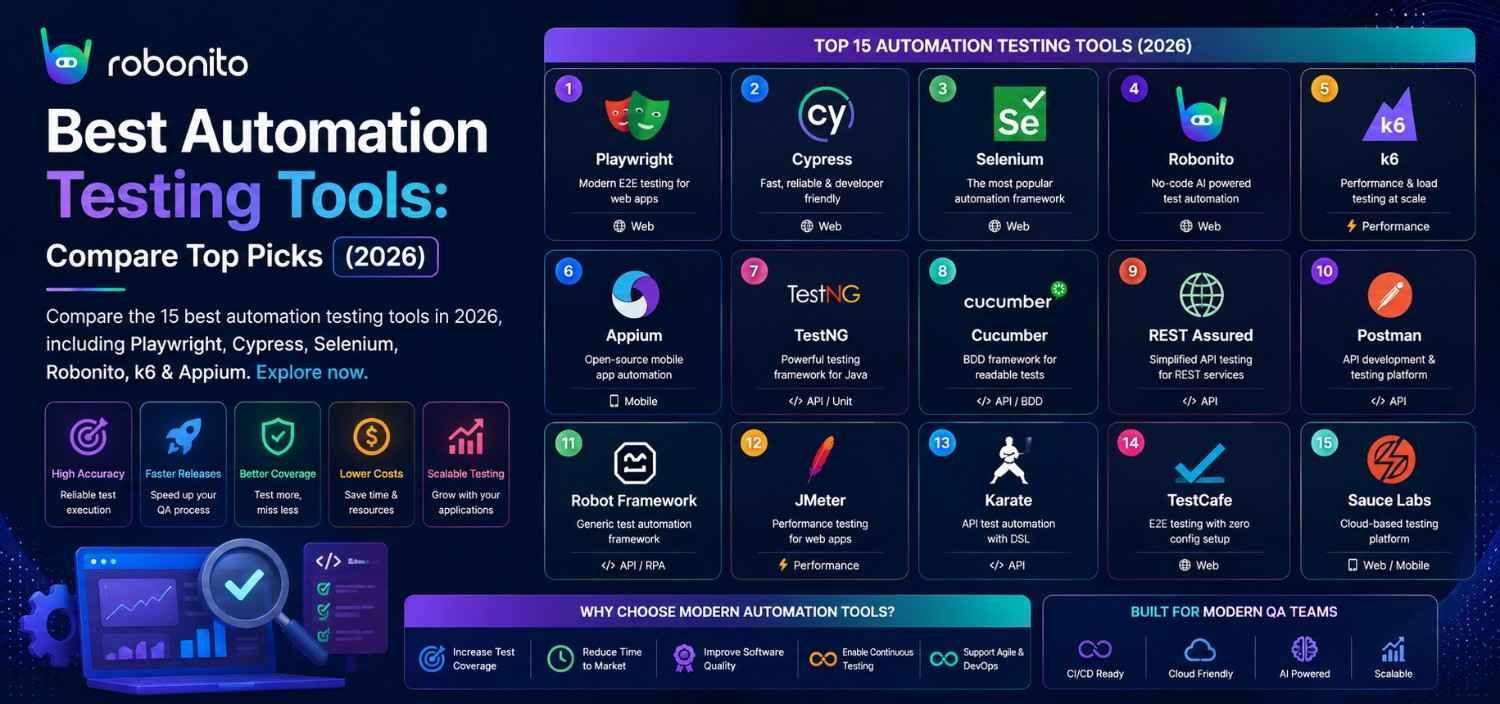
The testing tool landscape has shifted dramatically since 2023. Playwright replaced Selenium as the default for new projects. k6 became the standard for performance testing. No-code platforms like Robonito matured from curiosity to production standard. This guide cuts through the noise — 15 tools that actually matter in 2026, with honest comparisons, real code, and a decision framework so you pick the right one for your team.
By Robonito Engineering Team · Updated May 2026 · 20 min read
Quick stats
| Fact | Source |
|---|---|
| Playwright surpassed Selenium in npm downloads for the first time in Q3 2025 | npm trends |
| 73% of engineering teams use 3 or more testing tools across their stack | Stack Overflow Developer Survey 2025 |
| Teams with automated testing ship 208× more frequently with 2,604× faster recovery | DORA State of DevOps 2025 |
| No-code testing adoption grew 340% from 2023 to 2026 | Gartner |
| 70% of automation projects fail — poor tool selection is the #1 cause | Gartner Software QA Research 2025 |
How to use this guide
The 70-tool list format you find elsewhere on the web is not useful. One-paragraph descriptions of every tool ever created cannot help you make a decision. This guide covers the 15 tools that matter most in 2026 — organised by testing category, with honest strengths, real limitations, working code examples, and a clear recommendation for which team type each tool suits.
Jump to your category:
- Web UI testing — Robonito, Playwright, Cypress, Selenium
- API testing — Robonito ,Postman, pytest, REST Assured
- Mobile testing — Robonito, Detox, Appium, XCUITest
- Performance testing — k6, JMeter
- Security testing — OWASP ZAP, Snyk
- Accessibility testing — axe-core
- Unit testing — Jest, pytest
- Real device cloud — BrowserStack, LambdaTest
- Decision framework
The automation testing tool that requires zero code
Robonito auto-generates test cases from your real user flows, self-heals when your UI changes, and runs in CI/CD — no scripts, no selectors, no maintenance sprints. Free tier available. Try Robonito free →
Web UI testing tools
Web UI testing tools validate the user interface of web applications — verifying that elements render correctly, interactions produce expected outcomes, and the application works across browsers and viewports.
Robonito — Best no-code web testing platform
robonito.com · Free tier · No coding required · Self-healing AI
Robonito is the strongest choice for teams that want web, mobile, desktop, and API test automation without the scripting overhead that makes traditional automation expensive to maintain.
Instead of writing page.locator('.checkout-btn').click() and then updating that selector every time the UI changes, Robonito observes how users actually interact with the application, generates test cases from those interactions, and uses multi-signal AI element recognition to find elements even when their CSS classes, IDs, or positions change.
What makes Robonito different from other no-code tools:
Most "no-code" testing tools record DOM selectors and play them back — which is just as fragile as scripted Selenium when the UI changes. Robonito captures intent ("click the primary checkout button") rather than implementation ("click .btn-primary.checkout"). When the implementation changes, the intent-based test still passes.
Key capabilities:
- Auto-generates test cases from recorded user flows or natural language descriptions
- Self-heals broken tests automatically when UI elements change
- Tests web applications, mobile apps, desktop applications, and APIs in one platform
- Native CI/CD integration: GitHub Actions, GitLab CI, Jenkins, CircleCI
- Cross-browser execution: Chrome, Safari, Firefox, Edge
- Non-technical QA team members can create and maintain tests independently
Real code (Robonito CI integration):
## .github/workflows/robonito-regression.yml
name: Robonito Regression Tests

on:
  push:
    branches: [main]
  pull_request:

jobs:
  regression:
    runs-on: ubuntu-latest
    steps:
      - uses: actions/checkout@v4
      - name: Run Robonito regression suite
        uses: robonito/run-tests-action@v2
        with:
          api-key: ${{ secrets.ROBONITO_API_KEY }}
          suite: regression
          environment: staging
          browsers: chrome,safari,firefox
          fail-on: critical
          notify-slack: ${{ secrets.SLACK_QA_WEBHOOK }}
Honest limitations: Less suited for deeply custom business logic validation requiring precise mathematical assertions. Not a performance load testing tool. Younger ecosystem than Selenium or Playwright — fewer community tutorials.
Best for: Agile teams needing web, mobile, desktop, and API coverage from a single no-code platform.
Pricing: Generous free tier. Paid plans from competitive pricing — see robonito.com/pricing.
Playwright — Best for engineering-led web testing
playwright.dev · Open source · Free · TypeScript/JS/Python/Java/C#
Playwright is Microsoft's modern web testing framework and has become the default recommendation for engineering teams replacing Selenium in 2026. Released in 2020 and now fully mature, it addresses every major limitation that made Selenium frustrating: no auto-waiting, slow execution, fragile selectors, and poor cross-browser support.
Why Playwright won the Selenium vs alternatives debate:
Playwright surpassed Selenium in npm downloads in Q3 2025 — the first time any tool has beaten Selenium's download numbers. The reasons are clear: Playwright runs tests in parallel by default, auto-waits for elements (eliminating most sleep() flakiness), has ARIA-first selectors that are stable across UI changes, and natively tests Chromium, Firefox, and WebKit (Safari) from one test.
Real code:
// tests/checkout.spec.ts — Playwright cross-browser test
import { test, expect } from '@playwright/test';

test('checkout completes on all browsers', async ({ page, browserName }) => {
  await page.goto('/products/widget-pro');
  await page.getByRole('button', { name: 'Add to cart' }).click();
  await expect(page.getByTestId('cart-count')).toHaveText('1');

  await page.getByRole('link', { name: 'Checkout' }).click();
  await page.getByLabel('Email').fill('test@example.com');
  await page.getByLabel('Full name').fill('Jane Smith');
  await page.getByRole('button', { name: 'Place order' }).click();

  await expect(page.getByRole('heading', { name: 'Order confirmed' }))
    .toBeVisible();

  console.log(`✅ Checkout passed on ${browserName}`);
});
// playwright.config.ts — runs on all browsers automatically
export default defineConfig({
  projects: [
    { name: 'chromium', use: { ...devices['Desktop Chrome'] } },
    { name: 'webkit',   use: { ...devices['Desktop Safari'] } },
    { name: 'firefox',  use: { ...devices['Desktop Firefox'] } },
    { name: 'mobile',   use: { ...devices['iPhone 14'] } },
  ],
  webServer: { command: 'npm run start:test', url: 'http://localhost:3000' },
});
Honest limitations: Requires coding — not accessible to non-technical QA. No built-in self-healing — selector updates must be done manually. CI setup requires some configuration knowledge.
Best for: Engineering-led QA teams, TypeScript/JavaScript shops, teams replacing Selenium on modern web apps.
Pricing: Free and open source.
Cypress — Best for JavaScript frontend teams
cypress.io · Open source core · JavaScript/TypeScript only
Cypress built its reputation on developer experience. The test runner executes inside the browser, giving real-time test execution visibility, time-travel debugging (step back through any test action with screenshots), and interactive element inspection. For React, Vue, and Angular teams, Cypress's component testing mode tests components in isolation without a full browser.
Real code:
// cypress/e2e/login.cy.js
describe('Login flow', () => {
  it('redirects to dashboard after successful login', () => {
    cy.visit('/login');
    cy.get('[data-testid="email-input"]').type('user@example.com');
    cy.get('[data-testid="password-input"]').type('TestPass2026!');
    cy.get('[data-testid="login-button"]').click();

    // Cypress automatically waits — no explicit waits needed
    cy.url().should('include', '/dashboard');
    cy.get('[data-testid="welcome-message"]')
      .should('contain', 'Welcome back');
  });

  it('shows error message for invalid credentials', () => {
    cy.visit('/login');
    cy.get('[data-testid="email-input"]').type('wrong@example.com');
    cy.get('[data-testid="password-input"]').type('wrongpassword');
    cy.get('[data-testid="login-button"]').click();

    cy.get('[role="alert"]')
      .should('be.visible')
      .and('contain', 'Invalid email or password');
  });
});
Honest limitations: JavaScript/TypeScript only — no Python, Java, C# support. Safari support is experimental as of 2026. Cannot test multiple browser tabs simultaneously. Cypress Cloud (parallelisation + analytics) adds cost.
Best for: JavaScript frontend teams, React/Vue/Angular component testing, teams prioritising developer debugging experience.
Pricing: OSS core free. Cypress Cloud from ~$75/month.
Selenium — When to still use it in 2026
selenium.dev · Open source · Free · All major languages
Selenium remains relevant in 2026 in specific contexts. Its ecosystem is the largest of any testing framework. It supports Java, Python, C#, Ruby, JavaScript, Kotlin — more languages than any competitor. Teams with years of investment in Selenium infrastructure can continue using it effectively.
When Selenium is the right choice:
- Legacy Java or .NET codebases with significant existing Selenium investment
- Teams that specifically need a language Playwright does not support (Ruby)
- Organisations with established Selenium Grid infrastructure
- When maximum browser compatibility including very old browser versions is required
When to use Playwright instead:
- New projects — faster, more reliable, better developer experience
- Teams working with TypeScript (Playwright's TypeScript support is superior)
- Cross-browser coverage including Safari via WebKit
Honest limitations: No auto-waiting (requires explicit waits or suffers flakiness), significantly slower than Playwright for the same test suite, requires Selenium Grid for parallel execution, high maintenance overhead on dynamic modern web apps.
Playwright vs Cypress vs Selenium
These three frameworks dominate web UI automation in 2026, but they solve slightly different problems.
| Feature | Playwright | Cypress | Selenium |
|---|---|---|---|
| Languages | JS, TS, Python, Java, C# | JS, TS | Most major languages |
| Safari Support | ✅ Native WebKit | ⚠️ Limited | ✅ |
| Parallel Execution | ✅ Built-in | ⚠️ Cloud feature | ⚠️ Grid required |
| Auto-Waiting | ✅ | ✅ | ❌ |
| Learning Curve | Medium | Easy | Medium |
| Best For | Modern web apps | Frontend teams | Legacy & enterprise |
| Pricing | Free OSS | Free OSS | Free OSS |
Recommendation: For new web automation projects, Playwright is the default choice. Cypress remains excellent for frontend-focused teams, while Selenium is best reserved for existing enterprise investments and legacy automation suites.
API testing tools
Postman — Best for API exploration and collaboration
postman.com · Freemium · Low-code GUI
Postman is the industry standard for API documentation, exploration, and collaborative API testing. Its GUI makes it accessible to QA engineers who are not comfortable with code, and its Collections feature allows test suites to be shared across teams.
Best used for: Manual API exploration, documentation, collaborative API testing, running API tests as part of a pre-release check. Less ideal for running hundreds of API tests in CI at high speed.
Honest limitation: Postman's scripting language (JavaScript in the test scripts) is powerful but makes complex test logic harder to maintain than a proper test framework. For large-scale automated API testing in CI, pytest or Supertest produces more maintainable test suites.
pytest — Best for automated API testing in CI
pytest.org · Open source · Free · Python
pytest is the standard for Python-based test automation — unit tests, API integration tests, and functional tests. Its fixture system produces the most maintainable test code of any API testing framework, and its plugin ecosystem (pytest-httpx, pytest-asyncio, hypothesis for property-based testing) covers every testing scenario.
Real code:
## tests/api/test_orders.py
import pytest
import httpx

@pytest.fixture
def auth_client(test_token):
    return httpx.Client(
        base_url="https://staging.yourapp.com",
        headers={"Authorization": f"Bearer {test_token}"}
    )

class TestOrdersAPI:

    def test_create_order_returns_201_with_order_id(self, auth_client):
        res = auth_client.post("/api/v1/orders", json={
            "product_id": "prod-001",
            "quantity": 2
        })
        assert res.status_code == 201
        data = res.json()
        assert "order_id" in data
        assert data["status"] == "pending"

    def test_unauthenticated_request_returns_401(self):
        res = httpx.get("https://staging.yourapp.com/api/v1/orders")
        assert res.status_code == 401
        assert "order" not in res.json()  ## No data leaked in 401

    @pytest.mark.parametrize("quantity,expected_status", [
        (0,    422),  ## Zero quantity invalid
        (-1,   422),  ## Negative quantity invalid
        (1,    201),  ## Minimum valid
        (9999, 201),  ## Large but valid quantity
    ])
    def test_order_quantity_validation(self, auth_client, quantity, expected_status):
        res = auth_client.post("/api/v1/orders", json={
            "product_id": "prod-001",
            "quantity": quantity
        })
        assert res.status_code == expected_status
Best for: Python teams, automated API testing in CI, property-based testing, teams wanting maximum test code maintainability.
Pricing: Free and open source.
Mobile testing tools
Detox — Best for React Native
wix.github.io/Detox · Open source · Free · JavaScript
Detox is the gold standard for React Native end-to-end testing. Unlike Appium (which uses the WebDriver protocol and is inherently slower and less reliable), Detox uses a gray-box approach — it has direct access to the React Native runtime and can synchronise test execution with the app's state, eliminating the timing issues that plague black-box mobile testing.
Real code:
// e2e/checkout.e2e.js — Detox React Native test
describe('Checkout', () => {
  beforeAll(async () => await device.launchApp());
  beforeEach(async () => await device.reloadReactNative());

  it('completes purchase and shows confirmation', async () => {
    await element(by.id('product-001')).tap();
    await element(by.id('add-to-cart')).tap();
    await element(by.id('checkout-button')).tap();

    await element(by.id('name-input')).typeText('Test User');
    await element(by.id('email-input')).typeText('test@example.com');
    await element(by.id('checkout-scroll')).scrollTo('bottom');
    await element(by.id('place-order')).tap();

    await waitFor(element(by.id('confirmation-heading')))
      .toBeVisible()
      .withTimeout(10000);
  });
});
Best for: React Native apps, teams wanting grey-box test reliability, CI/CD-native mobile testing.
Appium — Best for cross-platform mobile automation
appium.io · Open source · Free · All major languages
Appium provides cross-platform mobile test automation — iOS and Android from one codebase, using the WebDriver protocol extended for mobile. Its main advantage over platform-native tools (XCUITest, Espresso) is language flexibility and cross-platform reuse. Its main disadvantage versus Detox for React Native is reliability and speed.
Best for: Teams needing iOS and Android coverage from one test suite, Java/Python/C# teams, testing native apps with Appium UiAutomator2 (Android) and XCUITest (iOS).
Performance testing tools
k6 — The modern standard for performance testing
k6.io · Open source · Free
k6 is the modern standard for load and performance testing. Its JavaScript API is developer-friendly, its CI integration is first-class, and its Grafana dashboards make results immediately interpretable. It replaced JMeter as the default choice for new projects in most engineering teams by 2025.
Real code:
// load-tests/checkout-load.js
import http from 'k6/http';
import { check, sleep } from 'k6';
import { Rate } from 'k6/metrics';

const errorRate = new Rate('error_rate');

export const options = {
  stages: [
    { duration: '2m', target: 100 },   // Ramp to 100 users
    { duration: '10m', target: 100 },  // Hold at 100
    { duration: '2m', target: 0 },     // Ramp down
  ],
  thresholds: {
    http_req_duration: ['p(95)<500'],  // 95% of requests < 500ms
    error_rate: ['rate<0.01'],          // < 1% errors
  },
};

export default function () {
  const res = http.get(`${__ENV.BASE_URL}/api/v1/products`);
  check(res, { 'status 200': (r) => r.status === 200 });
  errorRate.add(res.status !== 200);
  sleep(1);
}
Best for: Modern engineering teams, CI-integrated performance testing, developer-friendly load test scripting.
Pricing: Free OSS. Grafana Cloud for dashboards.
Apache JMeter — Enterprise performance testing
jmeter.apache.org · Open source · Free
JMeter remains widely used in enterprise environments and teams that prefer GUI-based test creation. It handles SOAP, REST, JDBC, and FTP testing — broader protocol coverage than k6. For teams with existing JMeter infrastructure and expertise, the switch to k6 may not justify the retraining cost.
Best for: Enterprise teams with existing JMeter investment, SOAP/legacy protocol testing, teams preferring GUI test creation over scripting.
Security testing tools
OWASP ZAP — Best for automated security scanning
owasp.org/www-project-zap · Open source · Free
OWASP ZAP is the standard for automated web application security scanning. It finds SQL injection, XSS, CSRF, authentication issues, insecure headers, and dozens of other OWASP Top 10 vulnerabilities automatically.
## GitHub Actions — ZAP security scan
- uses: zaproxy/action-full-scan@v0.10.0
  with:
    target: 'https://staging.yourapp.com'
    fail_action: true          ## Fail CI on Critical/High findings
    cmd_options: '-a'          ## Include ajax spider
Best for: Any web application. Should be in every team's pre-release pipeline.
12. Snyk — Best for dependency vulnerability scanning
snyk.io · Freemium
Snyk scans your npm, pip, Maven, and other dependency trees for known vulnerabilities and suggests fixes. Unlike ZAP (which tests the running application), Snyk tests your code and dependencies before the application even runs.
- uses: snyk/actions/node@master
  with:
    args: --severity-threshold=high
  env:
    SNYK_TOKEN: ${{ secrets.SNYK_TOKEN }}
Best for: Proactive dependency vulnerability management in CI, complementing ZAP's runtime scanning.
Accessibility testing tools
axe-core — Best for automated accessibility testing
github.com/dequelabs/axe-core · Open source · Free
axe-core is the industry standard for automated accessibility testing. It integrates with Playwright, Cypress, and Jest and catches approximately 30–40% of WCAG 2.2 violations automatically — including missing alt text, insufficient colour contrast, missing form labels, and keyboard navigation failures.
// tests/accessibility/pages.spec.ts
import { test, expect } from '@playwright/test';
import AxeBuilder from '@axe-core/playwright';

const criticalPages = ['/', '/login', '/checkout', '/dashboard'];

for (const path of criticalPages) {
  test(`${path} — zero WCAG 2.2 AA violations`, async ({ page }) => {
    await page.goto(path);
    const results = await new AxeBuilder({ page })
      .withTags(['wcag2a', 'wcag2aa', 'wcag21aa'])
      .analyze();
    expect(results.violations).toEqual([]);
  });
}
Best for: All web applications. Accessibility is a legal requirement in most jurisdictions — not optional.
Unit testing tools
Jest — Best JavaScript unit testing
jestjs.io · Open source · Free · JavaScript/TypeScript
Jest is the default JavaScript unit testing framework — included by default in Create React App, Next.js, and most modern JavaScript starter kits. Zero configuration for most projects, fast parallel execution, and excellent mock/spy capabilities.
Best for: React component testing, JavaScript/TypeScript unit testing, snapshot testing.
Real device cloud platforms
BrowserStack — Best real device cloud
browserstack.com · Freemium · From $29/mo
BrowserStack provides 3,500+ real physical browsers and devices for cross-browser and mobile testing. Real devices — not emulators — which means rendering bugs, touch behaviour differences, and performance characteristics match what real users experience.
Best for: Cross-browser testing at scale, real device mobile testing, teams without their own device lab.
Full comparison matrix
| Tool | Category | Coding | Self-healing | CI/CD | Free tier | Best for |
|---|---|---|---|---|---|---|
| Robonito | Web, Mobile, Desktop & API | None | ✅ AI | ✅ Native | ✅ | Unified no-code testing across platforms |
| Playwright | Web UI | Yes (multi-lang) | ❌ Manual | ✅ | ✅ OSS | Engineering teams, cross-browser |
| Cypress | Web UI | JS/TS only | ❌ Manual | ✅ | ✅ OSS | JS frontend, component testing |
| Selenium | Web UI | Yes (all langs) | ❌ Manual | ✅ | ✅ OSS | Legacy, maximum flexibility |
| Postman | API | Low (GUI) | N/A | ✅ | ✅ Freemium | API exploration, collaboration |
| pytest | API + Unit | Python | N/A | ✅ | ✅ OSS | Python teams, CI API testing |
| Detox | Mobile (RN) | JavaScript | ❌ | ✅ | ✅ OSS | React Native E2E |
| Appium | Mobile (all) | All languages | ❌ | ✅ | ✅ OSS | Cross-platform mobile |
| k6 | Performance | JavaScript | N/A | ✅ Native | ✅ OSS | Modern load testing |
| JMeter | Performance | Low (GUI) | N/A | ✅ | ✅ OSS | Enterprise, SOAP/REST |
| OWASP ZAP | Security | Low (CLI) | N/A | ✅ | ✅ OSS | Security scanning |
| Snyk | Security | None | N/A | ✅ | ✅ Freemium | Dependency scanning |
| axe-core | Accessibility | Low | N/A | ✅ | ✅ OSS | WCAG compliance |
| Jest | Unit | JavaScript | N/A | ✅ | ✅ OSS | JS unit + component testing |
| BrowserStack | Device cloud | Works with any | N/A | ✅ | ⚠️ Limited | Real device testing |
Which tool should your team use?
Use this decision guide to short-list the right combination for your context.
By team profile
Small team (1–5 engineers), no dedicated QA:
- Playwright for UI regression + Jest for unit tests + Snyk for dependencies
- Add Robonito when you need non-engineers contributing test coverage
Mid-size team with mixed technical/non-technical QA:
- Robonito for UI + API regression (accessible to whole team)
- pytest for complex API testing
- k6 for performance baselines
- axe-core integrated with Playwright for accessibility
Enterprise team with dedicated automation engineers:
- Playwright (primary UI automation) + Selenium (legacy system coverage)
- pytest + REST Assured for API testing
- JMeter for performance (if Selenium Grid already in place)
- BrowserStack for real device cross-browser coverage
By primary testing challenge
| Your primary challenge | Recommended tool |
|---|---|
| UI tests break on every release from selector changes | Robonito (self-healing) |
| Need a unified platform for web, mobile, desktop, and API testing | Robonito |
| Need Safari/WebKit cross-browser coverage | Playwright |
| React Native mobile app testing | Detox |
| API testing in CI pipeline | pytest |
| Performance regression detection | k6 |
| Security scan before production releases | OWASP ZAP + Snyk |
| Accessibility compliance (WCAG) | axe-core |
| Non-technical testers need to contribute | Robonito |
| Real device testing without a device lab | BrowserStack |
Frameworks vs Unified Testing Platforms
Many teams do not need a single framework. They need complete testing coverage across web, mobile, desktop, and APIs.
| Requirement | Traditional Framework Stack | Robonito |
|---|---|---|
| Web Testing | Playwright/Cypress/Selenium | ✅ |
| Mobile Testing | Appium/Detox/XCUITest | ✅ |
| Desktop Testing | Separate framework | ✅ |
| API Testing | Postman/pytest | ✅ |
| Test Creation | Manual scripting | AI-assisted |
| Maintenance | High | Self-healing |
| Non-Technical QA | Difficult | ✅ |
| CI/CD Integration | ✅ | ✅ |
Traditional frameworks provide excellent control and flexibility. Robonito is best suited for teams that want broad testing coverage with significantly less scripting and maintenance overhead.
The honest recommendation for most teams in 2026
If you are starting fresh: Playwright + Robonito + pytest + k6 + axe-core covers web UI, no-code regression, API, performance, and accessibility in a combination that handles 90% of testing needs for most web applications — all with free tiers.
If you have a React Native mobile app, add Detox.
If you have a legacy Selenium suite that is working well, do not migrate it for the sake of migrating. Add Playwright for new features going forward.
Tools that were popular but should no longer be your first choice
| Tool | Status | Why |
|---|---|---|
| Protractor | ❌ Deprecated 2022 | Google officially ended support. Migrate to Playwright. |
| Watir | ⚠️ Unmaintained | No significant updates since 2020. Use Playwright instead. |
| Sikuli | ⚠️ Archived | Last meaningful release was 2014. |
| Karate (for web UI) | ⚠️ Better alternatives | Fine for API testing, but Playwright is better for UI. |
| TestCafe | ⚠️ Declining** | Active but overshadowed by Playwright. Existing users: fine to continue. New projects: choose Playwright. |
Pre-tool-selection checklist
Before committing to any automation testing tool for your team, verify:
- Tool supports your application's technology stack (web, mobile, desktop, API)
- Tool supports your team's primary programming language(s)
- CI/CD integration verified — runs headlessly, exits with non-zero code on failure
- Pricing modelled at 10× your initial usage volume (avoid pricing surprise at scale)
- Free trial completed against your real application (not a demo app)
- Maintenance burden evaluated — how much engineering time does ongoing maintenance require?
- Team evaluated — can your QA team members (technical and non-technical) use this tool independently?
- Exit cost considered — how difficult is migration if you need to switch later?
Frequently Asked Questions
What is the best automation testing tool in 2026?
There is no single best tool — the right choice depends on your use case. For web UI testing: Playwright for engineering teams, Robonito for no-code. For API: pytest in CI, Postman for exploration. For mobile: Detox for React Native, Appium for cross-platform. For performance: k6. For security: OWASP ZAP + Snyk. Most teams use 3–5 tools across their stack.
Is Selenium still relevant in 2026?
Yes, in specific contexts. Legacy Java/.NET Selenium suites with significant existing investment are worth maintaining. For new projects, Playwright is faster, more reliable, and has better cross-browser support including Safari. Selenium is not obsolete, but it is no longer the default recommendation for greenfield projects.
What is the difference between Playwright and Cypress?
Playwright supports Chromium, Firefox, and WebKit (Safari); Cypress supports Chromium and Firefox. Playwright supports multiple languages; Cypress is JavaScript/TypeScript only. Playwright runs outside the browser (more reliable); Cypress runs inside it (better debugging). Choose Playwright for cross-browser coverage and multi-language teams; choose Cypress for JavaScript SPAs where developer experience and fast feedback loops are priorities.
What are the best free automation testing tools?
Playwright (web UI), pytest (API/backend), k6 (performance), Appium (mobile), axe-core (accessibility), Jest (JavaScript unit), and Robonito (no-code web testing with a generous free tier) are all free or have functional free tiers. Most industry-leading testing tools in 2026 are open source or freemium.
Which automation testing tools work best with CI/CD?
All modern tools support CI/CD. Playwright, pytest, and k6 are particularly CI-native — they run in Linux containers with no additional configuration. Robonito provides native GitHub Actions and GitLab CI integration. The key requirement is headless execution and exit code signalling (non-zero exit on test failure to block deployments).
External references
- Playwright Documentation — Official Playwright docs
- Cypress Documentation — Official Cypress docs
- Appium Documentation — Official Appium docs
- k6 Documentation — Performance testing
- OWASP ZAP — Security testing
- axe-core Rules — Accessibility testing
- DORA State of DevOps 2025 — Testing performance data
One tool that replaces five — no code, no maintenance, no broken tests
Robonito covers web, mobile, desktop, API, and regression testing in one platform — auto-generating tests from your real flows, self-healing when your UI changes, and running as a deployment gate in CI. Teams using Robonito eliminate their test maintenance sprints entirely in the first quarter. Start free at Robonito.com →
Automate your QA — no code required
Stop writing test scripts.
Start shipping with confidence.
Join thousands of QA teams using Robonito to automate testing in minutes — not months.
