
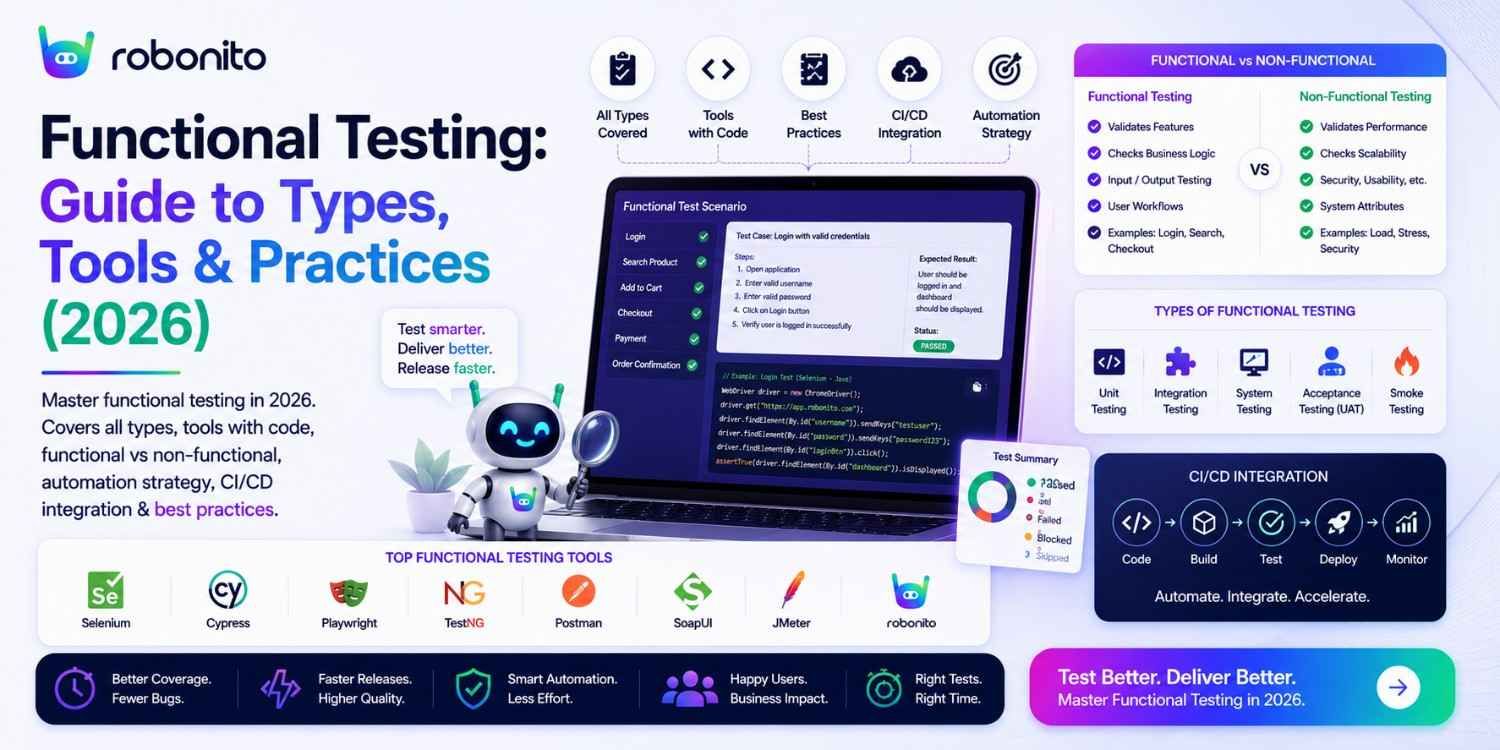
When a user clicks "Place Order" and nothing happens, that is a functional defect — the most common category of software bug in production. When a login form accepts an invalid password, that is a functional defect. When a discount code reduces the price by the wrong amount, that is a functional defect. Functional testing systematically verifies that an application does what it is supposed to do. This guide covers every type, every tool, and every best practice — with real code examples and a CI/CD pipeline you can implement today.
By Robonito Engineering Team · Updated June 2026 · 19 min read
Quick stats
| Fact | Source |
|---|---|
| Functional defects account for 46% of all production incidents | Tricentis State of Testing 2025 |
| A functional bug found in production costs 10× more to fix than in testing | IBM Systems Sciences Institute |
| Teams with automated functional testing ship 2× fewer production defects | Capgemini World Quality Report 2025 |
| 67% of software projects fail to meet quality expectations at first release | Standish Group CHAOS Report 2025 |
| AI-assisted functional test generation reduces test creation time by up to 70% | Forrester AI in QA Report 2025 |
Table of Contents
- What is functional testing?
- Functional testing vs non-functional testing
- The seven types of functional testing — correctly defined
- How to perform functional testing — step by step
- Real code examples — four functional testing types
- Best functional testing tools in 2026
- Functional testing in CI/CD pipelines
- AI-powered functional testing in 2026
- Functional testing best practices
- Common functional testing mistakes
- Pre-release functional testing checklist
- Frequently Asked Questions
Automate your functional testing — no scripts required
Robonito auto-generates functional test cases from your user flows, runs them across all browsers in CI, and self-heals when your UI changes — covering web, mobile, API, and desktop. Try Robonito free →
1. What is functional testing?
One-sentence definition for featured snippets: Functional testing verifies that an application behaves according to its functional requirements — testing what the system does by validating that specific functions produce correct outputs for given inputs, without examining internal code structure.
The distinction that makes functional testing precise: it evaluates what the system does, not how it does it. A functional test for a login feature verifies that valid credentials result in a logged-in session and invalid credentials show an error message. It does not examine the authentication algorithm, the password hashing method, or the session token format — those are concerns for unit tests and security tests respectively.
What functional testing covers:
Functional testing scope:
├── Primary functions — does each feature work correctly?
│   └── "Place Order" creates an order record and confirmation
│
├── Data processing — does data flow through the system correctly?
│   └── Discount code reduces price by the correct percentage
│
├── User flows — do multi-step workflows complete correctly?
│   └── Register → verify email → complete profile → access dashboard
│
├── Business rules — are business logic rules applied correctly?
│   └── Users under 18 cannot purchase age-restricted products
│
├── Error handling — does the application handle failures gracefully?
│   └── Invalid form input shows specific, helpful validation messages
│
└── Integration points — do external systems connect correctly?
    └── Payment processor confirms charge; inventory decrements correctly
What functional testing does NOT cover (important to be precise):
- How fast the function executes → performance testing
- How many concurrent users the function handles → load testing
- Whether the function is exploitable → security testing
- How accessible the function is → accessibility testing
- How intuitive the function is → usability testing
2. Functional testing vs non-functional testing
The clearest way to understand the distinction: functional testing asks "does it work?" and non-functional testing asks "how well does it work?"
The complete comparison
| Dimension | Functional testing | Non-functional testing |
|---|---|---|
| Core question | Does it do what it should? | How well does it do it? |
| Focus | Features, functions, business rules | Performance, reliability, security, accessibility |
| Testing basis | Functional requirements, user stories | Non-functional requirements, SLAs |
| Primary concern | Correctness of output | Quality of behaviour |
| When it fails | Feature broken, wrong result | Feature too slow, crashes under load, insecure |
| Examples | Login works, checkout creates order | Page loads in < 2s, supports 500 concurrent users |
| Tools | Playwright, Robonito, pytest, Cypress | k6, OWASP ZAP, axe-core, Lighthouse |
| Done when | All requirements verified | All SLAs and thresholds met |
Why both are essential — a concrete example
Feature: Product checkout

Functional test:
  Given a user with an item in their cart
  When they complete the checkout form with valid payment
  Then an order is created and a confirmation number is displayed
  Result: PASS — the feature works correctly ✅

Non-functional test (performance):
  When 200 users simultaneously complete checkout
  Then 95% of orders complete in under 3 seconds
  Result: FAIL — at 150 concurrent users, response time exceeds 8s ❌

Combined conclusion:
  The checkout feature is functionally correct but not production-ready.
  Performance testing found a problem that functional testing cannot find.
  Both are required for a complete pre-release verification.
3. The seven types of functional testing — correctly defined
There are exactly seven distinct functional testing types. Every test category on this list answers the question "does it work?" — if it answers "how well does it work?", it is non-functional.
Type 1: Unit testing
What it is: Testing individual functions, methods, and components in complete isolation from the rest of the system.
Who performs it: Developers, during development.
What it catches: Logic errors, boundary value failures, null handling, incorrect calculations.
Example: Testing that calculateDiscount(price, code) returns 10% off when the code is "SAVE10" and 0% off when the code is invalid — without involving a database, UI, or payment system.
Type 2: Integration testing
What it is: Testing how modules and services work together — verifying that the interfaces between components function correctly.
Who performs it: Developers and QA engineers.
What it catches: Data format mismatches between services, authentication failures between modules, incorrect API contract implementation, database integration errors.
Example: Testing that the order service correctly calls the payment service and stores the result in the database — not testing payment processing logic (unit test) or the checkout UI (E2E test), but the integration between them.
Type 3: Smoke testing
What it is: A quick verification that the application's core functionality is working after a deployment, before more thorough testing begins. Also called "sanity testing" or "build verification testing."
Who performs it: Automated CI/CD pipeline; QA engineers after deployment.
What it catches: Critical breaks — the application does not load, login is completely broken, main navigation fails.
Example: 10–15 tests covering the most critical paths: homepage loads, login works, primary feature accessible, API health check passes. Takes 5–10 minutes. If smoke tests fail, deeper testing does not proceed.
Type 4: User Acceptance Testing (UAT)
What it is: Validation by end users or business stakeholders that the software meets their requirements and is ready for production use.
Who performs it: Business users, product owners, client representatives — not the development or QA team.
What it catches: Requirements misunderstood during development, business process gaps, features that technically work but do not match actual business workflow.
Example: A sales team tests the CRM integration to verify that the opportunity stages match their actual sales process — something the development team could not have known without domain expertise.
Type 5: Regression testing
What it is: Re-running previously passing tests after code changes to verify that the changes have not broken existing functionality.
Who performs it: Automated tools in CI/CD pipelines; QA engineers for non-automatable flows.
What it catches: Regressions — bugs introduced by new code changes that break previously working features.
Example: After a developer updates the payment module, the entire checkout regression suite runs automatically to verify that the address form, shipping calculation, and order confirmation — none of which the developer touched — still work correctly.
Why it is the highest-priority automation target: Regression testing is run on every release, takes significant time if manual, and is entirely deterministic — making it the best automation ROI in functional testing.
Type 6: System testing
What it is: Testing the complete, integrated application end-to-end against the full system requirements.
Who performs it: QA engineers in a staging environment that mirrors production.
What it catches: System-level integration failures, environment-specific bugs, cross-functional workflow failures.
Example: Testing the complete order lifecycle from product search through checkout, payment, order confirmation, inventory update, and email notification — verifying all system components work together correctly.
Type 7: Interface / API testing
What it is: Testing the APIs and interfaces through which software components communicate — verifying request handling, response formats, authentication, and error responses.
Who performs it: QA engineers and developers.
What it catches: Incorrect status codes, wrong response schemas, authentication bypass, missing error handling, inconsistent data types.
Example: Testing that the orders API returns 201 with a valid order ID for correct requests, 422 with specific field errors for invalid input, and 401 (not 403) for unauthenticated requests.
Functional testing types — summary table
| Type | Tests | Who | Automation priority |
|---|---|---|---|
| Unit | Individual functions | Developers | Very high — 70% of suite |
| Integration | Module interactions, APIs | Dev + QA | High — 20% of suite |
| Smoke | Core functionality post-deploy | Automated + QA | Critical — runs on every deploy |
| UAT | Business requirements | Business users | Low — manual by design |
| Regression | Previously working features | Automated | Highest ROI for automation |
| System | Complete end-to-end system | QA | High for critical flows |
| Interface/API | API contracts and data exchange | Dev + QA | High — deterministic, fast |
4. How to perform functional testing — step by step
Step 1: Understand functional requirements
Every functional test traces to a requirement. Before writing a single test case, ensure you can answer these questions for every function you will test:
Requirement review checklist per function:
□ What does this function do in one sentence?
□ What are the valid inputs and their ranges?
□ What is the expected output for each valid input?
□ What are the invalid inputs and how should they be rejected?
□ What are the boundary values (minimum, maximum, just inside/outside)?
□ What other functions or systems does this function interact with?
□ Are there business rules that apply (age restrictions, quantity limits)?
□ What constitutes a "pass" for this function — specific and measurable?
Flag any requirement that cannot be answered to "specific and measurable." An ambiguous requirement produces an ambiguous test — and an ambiguous test cannot reliably detect bugs.
Step 2: Define test scenarios using Given-When-Then
Structure every test scenario in Given-When-Then format to ensure it is unambiguous and traceable:
 ## Feature: User authentication

Scenario: Successful login with valid credentials
  Given a registered user with email "user@example.com" and password "ValidPass2026!"
  When they submit the login form with correct credentials
  Then they are redirected to the dashboard at /dashboard
  And their name appears in the navigation header
  And a valid session cookie is set

Scenario: Login blocked after 5 failed attempts
  Given a registered user "user@example.com"
  When they submit the login form with an incorrect password 5 times
  Then they see the error "Account temporarily locked — check your email"
  And their account is locked for 15 minutes
  And a lockout notification email is sent to their address

Scenario: Password field does not reveal input on login form
  Given a user is on the login page
  When they type in the password field
  Then the input is masked with bullet characters
  And the field type attribute is "password" (not "text")
Step 3: Create test cases with full specification
## Test Case: TC-AUTH-003

**ID:** TC-AUTH-003
**Feature:** User Authentication
**Requirement:** REQ-AUTH-007 — Account lockout after failed attempts
**Priority:** P0 — Critical
**Type:** Functional — Security boundary
**Created:** 2026-06-07

### Preconditions
- User account exists with email: test+tc003@example.com
- Account has zero failed login attempts
- Test environment: staging.yourapp.com

### Test Steps

| ## | Action | Expected Result |
|---|--------|----------------|
| 1 | Navigate to /login | Login form displays |
| 2 | Enter email: test+tc003@example.com | Email field accepts input |
| 3 | Enter password: wrongpassword1 | — |
| 4 | Click Sign In | Error: "Invalid email or password" |
| 5 | Repeat steps 3-4 four more times | Same error shown each time |
| 6 | Attempt login with CORRECT password | Error: "Account temporarily locked — check your email" |
| 7 | Check email inbox for test account | Lockout notification email received |
| 8 | Wait 15 minutes and attempt login with correct password | Login succeeds |

### Expected Final State
Account unlocked after 15 minutes; failed attempt counter reset to 0

### Pass Criteria
All 8 steps produce expected results exactly as described

### Execution Record
| Date | Tester | Build | Result | Defect |
|------|--------|-------|--------|--------|
| | | | | |
Step 4: Prepare test environment and data
The most common cause of false functional test failures is an environment or data issue rather than an application bug. Verify before starting:
Pre-execution checklist:
□ Application deployed at correct version
□ Database seeded with required test accounts and data
□ Email sandbox configured (real emails not sent in testing)
□ Payment processor sandbox active and credentials valid
□ Third-party API sandboxes accessible
□ Previous test data from prior runs cleaned up
□ No other test runs in progress on this environment
Step 5: Execute tests and record actual outcomes
Record actual results in real time — not from memory after the fact. The actual result field is the most important field in a test execution record:
✅ PASS record:
Step 6: Attempted login with correct password after 5 failures
Expected: "Account temporarily locked — check your email"
Actual: Message "Account temporarily locked — check your email" displayed

❌ FAIL record:
Step 6: Attempted login with correct password after 5 failures
Expected: "Account temporarily locked — check your email"
Actual: Login succeeded — account was NOT locked after 5 failures
Screenshot: [attached — shows dashboard after 5th failed attempt]
Step 6: Analyse, report, and sign off
 ## Functional Testing Report — Sprint 15

**Testing period:** 2026-06-01 to 2026-06-07
**Tester:** QA Lead
**Build:** v2.3.0-rc1

## Summary
| Metric | Value |
|--------|-------|
| Total test cases | 143 |
| Executed | 141 |
| Passed | 135 |
| Failed | 6 |
| Pass rate | 95.7% |
| Critical defects open | 0 |
| High defects open | 2 (both deferred with sign-off) |
| Requirement coverage | 98% (139/142 requirements) |

## Defects
| ID | Severity | Description | Status |
|----|----------|-------------|--------|
| DEF-089 | High | Discount code not applied on mobile viewport | Deferred — Sprint 16 |
| DEF-090 | High | Error message missing on session expiry | Deferred — Sprint 16 |

## Sign-off
QA Lead: ✅ Approved for release with noted deferrals
Product Owner: ✅ Approved
5. Real code examples — four functional testing types
Unit functional testing — Jest
// tests/unit/discount.test.js
// Tests the discount application function — functional unit test

import { applyDiscount } from '../../src/cart/discount';

describe('applyDiscount — functional unit tests', () => {

  describe('valid discount codes', () => {
    test('SAVE10 applies 10% discount to total', () => {
      const result = applyDiscount(100.00, 'SAVE10');
      expect(result.discountAmount).toBeCloseTo(10.00, 2);
      expect(result.finalTotal).toBeCloseTo(90.00, 2);
      expect(result.codeValid).toBe(true);
    });

    test('SAVE20 applies 20% discount correctly', () => {
      const result = applyDiscount(250.00, 'SAVE20');
      expect(result.discountAmount).toBeCloseTo(50.00, 2);
      expect(result.finalTotal).toBeCloseTo(200.00, 2);
    });

    test('discount does not reduce total below zero', () => {
      // Edge case: 100% discount code should not produce negative total
      const result = applyDiscount(5.00, 'FULLOFF');
      expect(result.finalTotal).toBeGreaterThanOrEqual(0);
    });
  });

  describe('invalid discount codes', () => {
    test('expired code returns no discount', () => {
      const result = applyDiscount(100.00, 'EXPIRED2023');
      expect(result.discountAmount).toBe(0);
      expect(result.finalTotal).toBe(100.00);
      expect(result.codeValid).toBe(false);
      expect(result.error).toBe('Discount code has expired');
    });

    test('empty string code returns no discount', () => {
      const result = applyDiscount(100.00, '');
      expect(result.discountAmount).toBe(0);
      expect(result.codeValid).toBe(false);
    });

    test('null code does not throw — returns no discount', () => {
      expect(() => applyDiscount(100.00, null)).not.toThrow();
      const result = applyDiscount(100.00, null);
      expect(result.discountAmount).toBe(0);
    });
  });

  describe('boundary values', () => {
    test.each([
      [0.01,    'SAVE10', 0.001, 'minimum cart value'],
      [9999.99, 'SAVE10', 999.999, 'maximum typical cart value'],
    ])('cart value £%s with SAVE10 → discount £%s (%s)', (price, code, expectedDiscount) => {
      const result = applyDiscount(price, code);
      expect(result.discountAmount).toBeCloseTo(expectedDiscount, 2);
    });
  });
});
Integration functional testing — pytest
 ## tests/integration/test_checkout_integration.py
 ## Tests the functional integration between cart, discount, and order services

import pytest
import httpx

BASE_URL = "https://staging.yourapp.com"

@pytest.fixture(scope="module")
def auth_client():
    """Authenticated client for all tests in this module."""
    login = httpx.post(f"{BASE_URL}/api/auth/login", json={
        "email": "test@example.com",
        "password": "TestPass2026!"
    })
    token = login.json()["access_token"]
    return httpx.Client(
        base_url=BASE_URL,
        headers={"Authorization": f"Bearer {token}"},
        timeout=15.0
    )

class TestCheckoutIntegration:

    def test_discount_applied_correctly_in_order_total(self, auth_client):
        """
        Functional requirement: SAVE10 discount code reduces order total by 10%.
        Tests the integration: discount service → cart service → order service.
        """
         ## Apply discount to cart
        cart_res = auth_client.post("/api/v1/cart/discount", json={
            "code": "SAVE10",
            "cart_total": 100.00
        })
        assert cart_res.status_code == 200
        assert cart_res.json()["discount_amount"] == 10.00
        assert cart_res.json()["total_after_discount"] == 90.00

         ## Create order with discounted total
        order_res = auth_client.post("/api/v1/orders", json={
            "product_id": "prod-widget-pro",
            "quantity": 1,
            "discount_code": "SAVE10"
        })
        assert order_res.status_code == 201
        order = order_res.json()

         ## Verify discount correctly reflected in order record
        assert order["discount_applied"] == "SAVE10"
        assert order["discount_amount"] == pytest.approx(order["subtotal"] * 0.10, rel=0.01)

    def test_out_of_stock_product_cannot_be_ordered(self, auth_client):
        """
        Functional requirement: Orders for out-of-stock products must be rejected.
        """
        res = auth_client.post("/api/v1/orders", json={
            "product_id": "prod-out-of-stock",
            "quantity": 1
        })
        assert res.status_code == 422
        error = res.json()
        assert "stock" in str(error).lower() or "inventory" in str(error).lower()

    def test_order_confirmation_email_triggered(self, auth_client, mailhog_client):
        """
        Functional requirement: Order confirmation email sent within 60 seconds.
        Tests integration: order service → email service.
        """
        order_res = auth_client.post("/api/v1/orders", json={
            "product_id": "prod-widget-pro",
            "quantity": 1
        })
        order_id = order_res.json()["order_id"]

         ## Poll mailhog for confirmation email
        import time
        for _ in range(12):   ## Max 60 seconds
            time.sleep(5)
            emails = mailhog_client.get("/api/v2/messages").json()
            confirmation_emails = [
                e for e in emails["items"]
                if order_id in e["Content"]["Body"]
            ]
            if confirmation_emails:
                break

        assert len(confirmation_emails) == 1, \
            f"Expected 1 confirmation email for {order_id}, found {len(confirmation_emails)}"
E2E functional testing — Playwright
// tests/functional/e2e/checkout.spec.ts
// End-to-end functional testing of the checkout flow

import { test, expect } from '@playwright/test';

test.describe('Checkout — functional E2E', () => {

  test.beforeEach(async ({ page }) => {
    // Direct API login — faster than UI login, not part of this functional test
    await page.request.post('/api/auth/login', {
      data: { email: 'test@example.com', password: 'TestPass2026!' }
    });
    await page.goto('/products/widget-pro');
  });

  test('REQ-CHECKOUT-001: complete purchase creates order and sends confirmation', async ({ page }) => {
    await page.getByRole('button', { name: 'Add to cart' }).click();
    await expect(page.getByTestId('cart-count')).toHaveText('1');

    await page.getByRole('link', { name: 'Checkout' }).click();

    // Fill all required fields
    await page.getByLabel('Full name').fill('Jane Smith');
    await page.getByLabel('Email').fill('jane.test@example.com');
    await page.getByLabel('Street address').fill('123 Test Street');
    await page.getByLabel('City').fill('London');
    await page.getByLabel('Postcode').fill('EC1A 1BB');
    await page.getByLabel('Card number').fill('4242424242424242');
    await page.getByLabel('Expiry').fill('12/28');
    await page.getByLabel('CVC').fill('123');

    await page.getByRole('button', { name: 'Place order' }).click();

    // Verify functional requirement: order confirmation displayed
    await expect(
      page.getByRole('heading', { name: 'Order confirmed' })
    ).toBeVisible({ timeout: 15000 });

    // Verify order number format matches requirement
    const orderNumber = await page.getByTestId('order-number').textContent();
    expect(orderNumber).toMatch(/^ORD-\d{8}$/);
  });

  test('REQ-CHECKOUT-002: discount code applies correctly to order total', async ({ page }) => {
    await page.getByRole('button', { name: 'Add to cart' }).click();
    await page.getByRole('link', { name: 'Checkout' }).click();

    // Apply discount code
    await page.getByLabel('Discount code').fill('SAVE10');
    await page.getByRole('button', { name: 'Apply' }).click();

    // Verify functional requirement: 10% discount shown in order summary
    const subtotalText = await page.getByTestId('order-subtotal').textContent();
    const discountText = await page.getByTestId('discount-amount').textContent();
    const totalText = await page.getByTestId('order-total').textContent();

    const subtotal = parseFloat(subtotalText!.replace('£', ''));
    const discount = parseFloat(discountText!.replace('-£', ''));
    const total = parseFloat(totalText!.replace('£', ''));

    // Functional assertion: discount is exactly 10% of subtotal
    expect(discount).toBeCloseTo(subtotal * 0.10, 2);
    // Functional assertion: total = subtotal - discount
    expect(total).toBeCloseTo(subtotal - discount, 2);
  });

  test('REQ-CHECKOUT-003: required fields validated before submission', async ({ page }) => {
    await page.getByRole('button', { name: 'Add to cart' }).click();
    await page.getByRole('link', { name: 'Checkout' }).click();

    // Submit without filling any required fields
    await page.getByRole('button', { name: 'Place order' }).click();

    // Verify all required field errors appear
    await expect(page.getByText('Full name is required')).toBeVisible();
    await expect(page.getByText('Email is required')).toBeVisible();
    await expect(page.getByText('Card number is required')).toBeVisible();

    // Verify we are still on checkout — order was NOT placed
    await expect(page).toHaveURL(/\/checkout/);
  });
});
BDD / Acceptance functional testing — Cucumber + Playwright
 ## features/checkout.feature — Cucumber BDD acceptance tests
 ## Written by QA, readable by product owners, executed automatically

Feature: Checkout process
  As a registered customer
  I want to complete a purchase
  So that I can receive my ordered products

  Background:
    Given I am logged in as a registered customer
    And I have added "Widget Pro" to my cart

  Scenario: Successful checkout with valid payment
    When I proceed to checkout
    And I fill in my shipping details
    And I enter my payment card "4242 4242 4242 4242"
    And I click "Place order"
    Then I should see the order confirmation page
    And I should receive an order number starting with "ORD-"
    And I should receive a confirmation email

  Scenario: Checkout blocked with declined payment card
    When I proceed to checkout
    And I fill in my shipping details
    And I enter a declined card "4000 0000 0000 0002"
    And I click "Place order"
    Then I should see the error "Your card was declined"
    And I should remain on the checkout page
    And my cart should still contain "Widget Pro"

  Scenario Outline: Discount codes applied correctly
    When I proceed to checkout
    And I apply discount code "<code>"
    Then my order total should be reduced by "<discount>"

    Examples:
      | code    | discount |
      | SAVE10  | 10%      |
      | SAVE20  | 20%      |
      | SAVE50  | 50%      |
6. Best functional testing tools in 2026
Web UI and E2E functional testing
| Tool | Coding | Self-healing | Safari/WebKit | Platforms | Free | Best for |
|---|---|---|---|---|---|---|
| Robonito | None | ✅ AI intent | ✅ | Web + Mobile + API + Desktop | ✅ Free tier | No-code, all browsers, AI-generated tests |
| Playwright | Yes (multi-lang) | ❌ | ✅ Native | Web + Mobile web | ✅ OSS | Engineering teams, cross-browser |
| Cypress | JS/TS only | ❌ | ⚠️ Experimental | Web | ✅ OSS | JavaScript teams, developer experience |
| Selenium | Yes (all langs) | ❌ | ❌ Official | Web | ✅ OSS | Legacy, maximum language flexibility |
API functional testing
| Tool | Coding | Best for | Free |
|---|---|---|---|
| Robonito | None | No-code API + UI combined | ✅ |
| pytest + httpx | Python | Automated API regression | ✅ OSS |
| Postman + Newman | Low (JS) | API exploration + CI execution | ✅ Free tier |
| REST Assured | Java | Java teams, BDD-style API tests | ✅ OSS |
| Supertest | Node.js | Express/Fastify/Hapi APIs | ✅ OSS |
BDD / Acceptance testing frameworks
| Tool | Language | Best for | Free |
|---|---|---|---|
| Cucumber | Java/JS/Ruby/Python | Gherkin BDD, stakeholder-readable | ✅ OSS |
| SpecFlow | .NET (C#) | .NET teams, Gherkin BDD | ✅ OSS |
| Behave | Python | Python teams, BDD | ✅ OSS |
| Playwright Test | TypeScript | Modern BDD-style without Gherkin | ✅ OSS |
Robonito as a complete functional testing platform
Robonito is the only tool in this comparison that covers all functional testing surfaces — web UI, API, mobile web, and desktop — in a single no-code platform with AI-powered test generation and self-healing.
For QA teams without dedicated automation engineers, Robonito provides the full functional testing stack: tests are generated from recorded user flows, run automatically across all browsers in CI, and maintained by AI when the UI changes. Non-technical QA analysts can create and maintain functional tests independently without writing selectors, scripts, or configuration.
7. Functional testing in CI/CD pipelines
Functional tests integrated into CI/CD catch regressions within minutes of introduction — the fastest feedback loop possible.
 ## .github/workflows/functional-testing.yml
name: Functional Testing Pipeline

on:
  push:
    branches: [main, develop]
  pull_request:

jobs:
   ## Level 1: Unit functional tests — every commit, < 5 minutes
  unit-functional:
    name: Unit Functional Tests
    runs-on: ubuntu-latest
    steps:
      - uses: actions/checkout@v4
      - uses: actions/setup-node@v4
        with: { node-version: '20', cache: 'npm' }
      - run: npm ci
      - run: npm test -- --coverage
      - name: Verify 80% coverage gate
        run: |
          COVERAGE=$(cat coverage/coverage-summary.json | python3 -c \
            "import sys,json; print(json.load(sys.stdin)['total']['lines']['pct'])")
          echo "Coverage: ${COVERAGE}%"
          python3 -c "exit(0 if float('${COVERAGE}') >= 80 else 1)"

   ## Level 2: API integration tests — every PR, 10-15 minutes
  api-functional:
    name: API Functional Tests
    runs-on: ubuntu-latest
    needs: unit-functional
    services:
      postgres:
        image: postgres:16
        env: { POSTGRES_DB: testdb, POSTGRES_USER: test, POSTGRES_PASSWORD: test }
        options: --health-cmd pg_isready
    steps:
      - uses: actions/checkout@v4
      - uses: actions/setup-python@v5
        with: { python-version: '3.12' }
      - run: pip install -r requirements-test.txt --break-system-packages
      - run: pytest tests/integration/ -v --tb=short
        env:
          DATABASE_URL: postgresql://test:test@localhost/testdb

   ## Level 3: E2E functional regression — merge to main, 30-45 minutes
  e2e-functional:
    name: E2E Functional Regression
    runs-on: ubuntu-latest
    needs: api-functional
    if: github.ref == 'refs/heads/main'
    steps:
      - uses: actions/checkout@v4
      - uses: actions/setup-node@v4
        with: { node-version: '20', cache: 'npm' }
      - run: npm ci
      - run: npx playwright install --with-deps

       ## Deploy to staging first
      - run: ./scripts/deploy-staging.sh ${{ github.sha }}

       ## Run Playwright functional tests across browsers
      - run: npx playwright test tests/functional/
         ## Runs on chromium, webkit (Safari), firefox per playwright.config.ts

       ## Run Robonito AI-powered functional regression (no-code layer)
      - name: Robonito functional regression
        uses: robonito/run-tests-action@v2
        with:
          api-key: ${{ secrets.ROBONITO_API_KEY }}
          suite: functional-regression
          environment: staging
          browsers: chrome,safari,firefox,edge
          fail-on: critical

      ## Run BDD acceptance tests
      - run: npx cucumber-js features/ --format json:cucumber-report.json

      - uses: actions/upload-artifact@v4
        if: failure()
        with:
          name: functional-test-report
          path: |
            playwright-report/
            cucumber-report.json
8. AI-powered functional testing in 2026
AI has changed functional testing in three concrete ways that produce measurable ROI:
AI functional test generation
Robonito generates functional test cases from recorded user interactions. A QA analyst records a checkout flow once — Robonito's AI generates not only the happy path test but automatically suggests error path variations:
Robonito AI test generation for checkout flow:

QA analyst records: successful checkout with valid payment

AI generates:
├── TC-001: Checkout completes with valid payment (recorded flow)
├── TC-002: Checkout blocked with declined card (error variation)
├── TC-003: Checkout blocked with expired card (error variation)
├── TC-004: Checkout validates required fields (boundary)
├── TC-005: Discount code applied correctly (data variation)
├── TC-006: Out-of-stock product cannot be purchased (edge case)
└── TC-007: Checkout works on mobile viewport (cross-device)

Time to create: 15 minutes (review) vs 2-3 hours (manual)
Coverage: 7 scenarios vs typically 1-2 from a manual recording
Self-healing functional assertions
When an application's UI changes — a button moves, a heading changes wording, a form restructures — traditional functional tests break and require manual selector updates. Robonito's intent-based self-healing detects the change and updates the test's element references automatically:
Standard Playwright assertion (breaks on rename):
await expect(page.getByTestId('order-confirmation-heading')).toBeVisible();
// Breaks if developer renames data-testid to 'confirmation-title'

Robonito intent-based assertion (survives rename):
"Verify the order confirmation heading is visible"
→ AI evaluates: role=heading + "order" + "confirm" context → match
→ Survives attribute rename, text change, restructure
→ Zero engineer time on maintenance
AI risk-based functional test prioritisation
AI analyses code changes and historical failure patterns to run the highest-risk functional tests first in CI. If checkout code changed, checkout tests run before search tests. This means the most likely functional regressions are caught in the first 10 minutes of a CI run, not after 45 minutes.
9. Functional testing best practices
1. Write tests against requirements, not implementation
// ❌ Tests implementation detail — fragile, wrong level
await page.locator('.checkout-form > div:nth-child(3) > input').fill('Jane Smith');

// ✅ Tests functional requirement — stable, correct level
await page.getByLabel('Full name').fill('Jane Smith');
// The label "Full name" is the requirement — the DOM structure is implementation
2. Cover all three test scenario types for every function
For every function, write:
  1. Happy path: valid input → correct output
  2. Error path: invalid input → appropriate error
  3. Boundary: minimum/maximum/edge values → correct handling

Missing any of these three leaves a systematic coverage gap.
3. Use Given-When-Then for all test case documentation
Every test case must be unambiguous. Given-When-Then forces clarity:
- Given — the preconditions (what must be true before the test)
- When — the action (what the tester does)
- Then — the expected outcome (what should happen as a result)
A test case without explicit preconditions is one of the most common sources of false failures — the test fails not because the feature is broken, but because the precondition was not met.
4. Automate regression before expanding new coverage
The highest-priority automation candidates are tests that run frequently — specifically the regression suite. Automate your 20 most frequently run regression tests before building new test coverage. This produces immediate ROI and establishes the CI/CD pipeline that all future tests will use.
5. Separate smoke tests from regression tests
Smoke tests (10–15 tests, 5–10 minutes) verify core stability and run on every deployment to every environment. Regression tests (50–200 tests, 30–60 minutes) verify comprehensive coverage and run on every merge to main. Running the full regression suite on every deployment is too slow; never running smoke tests on staging is too risky.
6. One test case tests one function
Tests that cover multiple functions simultaneously are harder to debug when they fail (which step failed?), harder to maintain (what does this test require?), and less useful for requirement traceability. Keep test cases atomic.
10. Common functional testing mistakes
Mistake 1: Testing the UI instead of the function
// ❌ Tests that an element exists — not that the function works
await expect(page.getByTestId('checkout-button')).toBeVisible();
// This passes even if clicking the button does nothing

// ✅ Tests that the function works — completes the checkout
await page.getByRole('button', { name: 'Place order' }).click();
await expect(page.getByRole('heading', { name: 'Order confirmed' })).toBeVisible();
// This fails if the checkout function is broken
Mistake 2: No negative test cases
Teams that only test happy paths miss the most common production bug category: incorrect error handling. Every function that can receive invalid input needs at least one negative test case.
Mistake 3: Incomplete preconditions in test cases
A test that says "navigate to checkout" without specifying "user is logged in and has an item in the cart" will fail randomly depending on test execution order and shared test state. Every test case must have explicit, complete preconditions.
Mistake 4: Confusing functional and non-functional requirements
"The checkout should be fast" is not a functional requirement — it is non-functional (performance). "The checkout should create an order record with correct status 'pending'" is functional. Testing the wrong requirement type with the wrong technique produces gaps in both categories.
Mistake 5: Manual regression at scale
A 200-test regression suite run manually takes 2–3 days. Running it weekly costs 100+ engineer days per year. Functional regression testing at any meaningful scale must be automated — the economics of manual regression at velocity do not work.
11. Pre-release functional testing checklist
Requirements and coverage
- All P0/P1 functional requirements have at least one test case
- All test cases have explicit preconditions, steps, and expected results
- Requirement Traceability Matrix (RTM) complete — 100% P0/P1 requirement coverage
- All critical user flows covered with E2E functional tests
- All API endpoints covered with integration functional tests
- All boundary values and error conditions tested for critical functions
Test execution
- Smoke test suite passed in current staging environment
- All P0/P1 test cases executed and passed
- All functional defects triaged — zero P0 open, zero P1 open
- Regression suite green across Chrome and Safari minimum
- Automated functional tests passing in CI pipeline
Quality gates
- Unit test coverage ≥ 80%
- Functional test pass rate ≥ 95%
- All deferred defects documented with severity and sprint target
- Test closure report completed
- QA lead sign-off obtained
- Product owner sign-off on UAT acceptance criteria
Frequently Asked Questions
What is functional testing?
Functional testing verifies that an application behaves according to its functional requirements — testing what the system does by validating that specific functions produce correct outputs for given inputs. It treats the application as a black box, evaluating behaviour without examining source code.
What are the main types of functional testing?
The seven main types are: unit testing (individual functions), integration testing (module interactions), smoke testing (core functionality post-deploy), user acceptance testing (business user validation), regression testing (verifying changes do not break existing features), system testing (complete end-to-end), and interface/API testing (data exchange between systems).
What is the difference between functional and non-functional testing?
Functional testing asks "does it work?" — verifying features function correctly. Non-functional testing asks "how well does it work?" — measuring performance, security, accessibility, and reliability. Both are required: functional testing catches broken features, non-functional testing catches broken performance, security vulnerabilities, and quality issues.
What are the best functional testing tools in 2026?
Playwright (engineering teams, cross-browser), Robonito (no-code AI, covers web + mobile + API + desktop), Cypress (JavaScript teams), pytest (Python API testing), Cucumber (BDD acceptance testing), and Postman (API exploration). Robonito uniquely provides no-code functional testing across all platforms with self-healing AI.
How do you perform functional testing step by step?
Six steps: understand requirements, define test scenarios (Given-When-Then), write test cases with preconditions and expected outcomes, prepare test environment and data, execute tests and record actual results, compare results and report. Automate regression tests to run this process continuously in CI.
What is the difference between smoke testing and regression testing?
Smoke testing verifies core functionality is working after a deployment — a quick check before deeper testing begins. It covers 10–15 critical tests and takes 5–10 minutes. Regression testing re-runs the full test suite to verify that code changes have not broken existing functionality — broader coverage, 30–60 minutes. Both serve different purposes and should be part of every CI/CD pipeline.
External references
- Playwright Documentation — Web functional testing
- pytest Documentation — Python functional testing
- Cucumber Documentation — BDD acceptance testing
- ISTQB Glossary — Functional Testing — Official definition
- Capgemini World Quality Report 2025 — Testing benchmarks
- DORA State of DevOps 2025 — Testing performance data
- Tricentis State of Testing 2025 — Defect statistics
Automate your entire functional testing suite — zero scripts, zero maintenance
Robonito generates functional test cases from your user flows, runs them across Chrome, Safari, Firefox, and Edge in CI, and self-heals when your UI or API changes — covering web, mobile, API, and desktop in one platform. Start completely free and have your first functional tests running in CI today. Start free at Robonito.com →
Automate your QA — no code required
Stop writing test scripts.
Start shipping with confidence.
Join thousands of QA teams using Robonito to automate testing in minutes — not months.
