
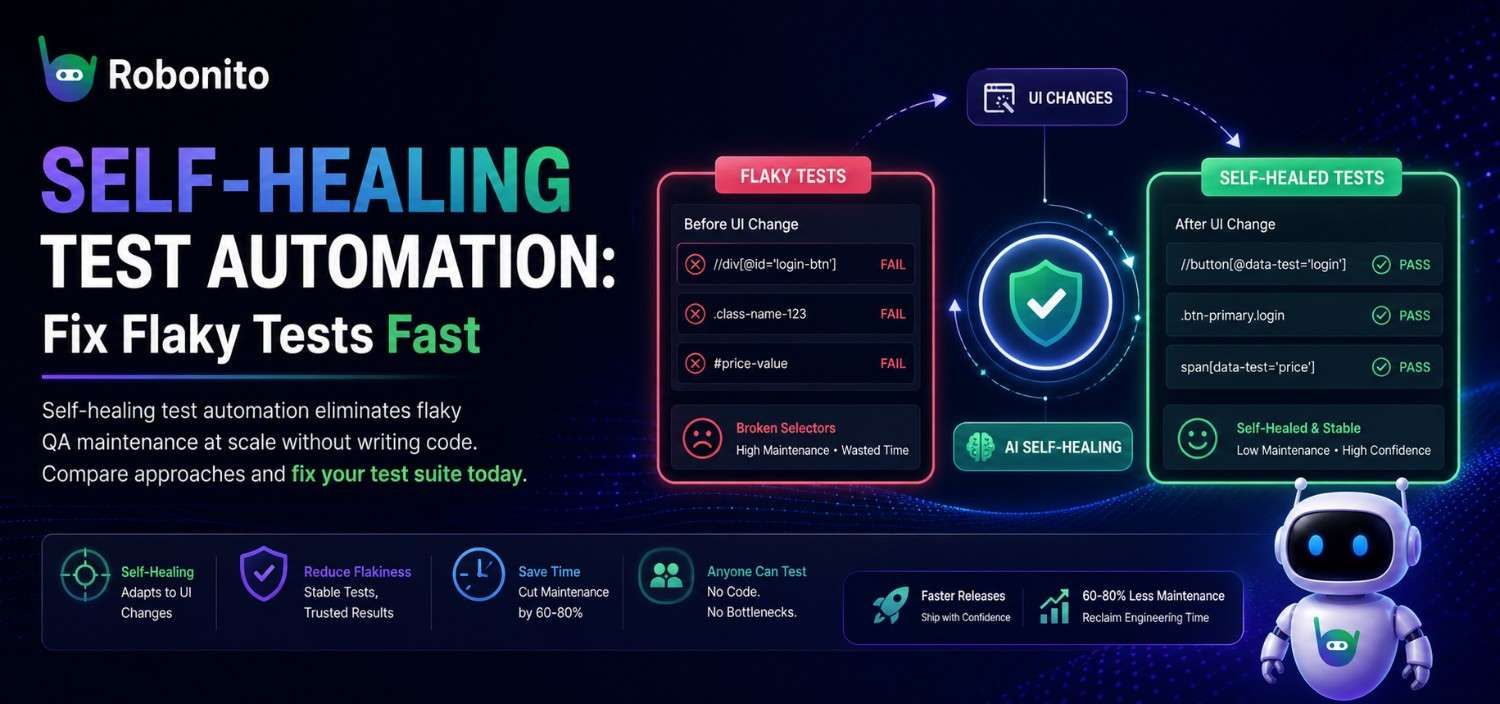
Around 200 tests, something predictable happens: your test suite stops being a safety net and starts being a second maintenance job. Locators go stale after a minor UI refactor. A renamed button class cascades into dozens of red builds. Engineers start ignoring test results altogether. If your team spends more time maintaining tests than writing new ones, you're not alone — and self-healing test automation is emerging as the most practical way out.
But not all approaches to self-healing are created equal. Some ask you to adopt an entirely new AI-assisted coding framework. Others eliminate the code — and the maintenance burden that comes with it — entirely.
This guide breaks down why test maintenance spirals out of control, how different solutions compare, and how no-code self-healing tests let teams maintain hundreds of tests across sprints without a dedicated SDET.
Key Takeaways
- Test suites above 200 tests break faster than most teams can fix them — maintenance becomes a full-time role
- Self-healing engines resolve broken locators automatically at runtime, without manual intervention
- No-code platforms let non-SDETs create and maintain tests independently, removing the SDET bottleneck
- Teams migrating to Robonito reduce flake rates from 15–20% down to under 2%
- Combining self-healing + no-code eliminates the two root causes of test maintenance spirals
The Self-Healing Mechanism: How Tests Survive UI Changes Without Code
Self-healing test automation is a technique where the test engine automatically detects and adapts to UI changes — like renamed CSS classes, restructured components, or moved elements — without requiring manual test updates. Instead of relying on a single brittle locator, the engine uses multiple signals (text content, visual position, DOM structure, ARIA roles) to find the correct element even after the UI changes.
The result: tests that survive UI refactors, component library migrations, and sprint-over-sprint UI evolution without breaking — and without a QA engineer manually patching selectors after every deploy.
Why Test Maintenance Becomes a Full-Time Job as You Scale
Test suites don't stay small for long. A mid-sized SaaS product can easily accumulate 300–500 end-to-end tests within a year. Each of those tests contains element locators, flow logic, and assertions that are tightly coupled to the current state of the UI. The moment a developer changes a CSS class, restructures a component hierarchy, or updates a button label, any test referencing those elements breaks.
Here's what the maintenance curve typically looks like:
- 10–50 tests: Maintenance is manageable. One QA engineer handles fixes in a few hours per sprint.
- 50–200 tests: Breakages start compounding. A single UI refactor can trigger 15–30 failures. Fix time creeps into days.
- 200–500+ tests: Maintenance becomes a full-time role. Teams either hire a dedicated SDET to keep tests alive or start deleting tests they can't afford to fix.
The root cause is brittleness by design. Traditional test frameworks — Selenium, Cypress, Playwright — rely on explicit selectors. These selectors are a snapshot of the DOM at the moment the test was written. The DOM, of course, changes constantly. A frontend team shipping weekly can easily invalidate 5–10% of your selectors per sprint.
Consider a practical example: your product team redesigns the checkout flow, consolidating two steps into one and renaming several form fields. In a selector-based framework, every test touching checkout needs manual updates — often across shared page objects, utility functions, and the tests themselves. What should be a celebration (a better UX) turns into a week of QA triage.
According to Tricentis, test maintenance consumes up to 30% of QA team capacity in organizations with more than 200 automated tests. This is why test maintenance at scale isn't just a technical nuisance — it's an organizational bottleneck.
The Real Cost of Flaky Tests: Developer Trust, CI Bottlenecks, and Delayed Releases
Flaky tests — tests that pass and fail intermittently without any code change — are the most insidious consequence of poor test maintenance. Google's engineering team famously reported that 16% of their tests exhibited flakiness, and that flaky tests were one of the top complaints among their engineers. For smaller teams without Google's infrastructure, the impact is proportionally worse.
The damage shows up in three places:
1. Developer trust erodes. When tests fail for reasons unrelated to the code being shipped, developers learn to distrust the suite. They re-run pipelines hoping for green. They merge with failing tests. Eventually, they stop looking at test results at all — which means real bugs slip through undetected.
2. CI/CD pipelines slow to a crawl. Flaky tests trigger retries. Retries consume compute. Teams that run 500 tests with a 5% flake rate are re-running 25 tests per build — sometimes multiple times. Across a team pushing 10 builds a day, that's hundreds of wasted pipeline minutes and hours of delayed feedback.
3. Releases get delayed. When a test fails before a release, someone has to investigate. Is it a real bug or a flaky test? That triage takes time. If it happens on release day, it can push a deployment by hours or even a full sprint cycle.
A concrete scenario: an e-commerce team preparing for a Black Friday feature release found that 12 of their 40 critical-path tests were flaky due to stale selectors and timing issues. Three engineers spent two days triaging and patching. The release shipped 48 hours late.
The goal isn't zero flakiness — that's unrealistic. The goal is to reduce test flakiness to a level where the suite is trusted, actionable, and fast. That requires addressing the structural reasons tests break, not just patching symptoms.
Visual AI vs. Self-Healing Tests: Two Approaches to the Same Problem
The industry broadly offers two modern approaches to combat flaky test maintenance: Visual AI (championed by tools like Applitools) and self-healing test automation (the approach Robonito and a handful of other platforms use). Both aim to make tests more resilient to UI changes, but they differ fundamentally in what they ask of your team.
Visual AI: Screenshot Comparison with Intelligence
Visual AI tools capture baseline screenshots of your application and use machine learning to compare them against the current state. When the UI changes, the AI determines whether the change is intentional (e.g., a redesigned button) or a regression (e.g., overlapping text). This is powerful for visual regression testing — catching pixel-level bugs that functional tests miss.
However, Visual AI has limitations as a general maintenance solution:
- It doesn't fix broken locators. If your test can't find a button because its
data-testidchanged, a visual comparison never runs — the test fails before it gets to the assertion. - It requires a coding framework underneath. Applitools integrates with Selenium, Cypress, or Playwright. Your team still writes and maintains code-based tests. The AI layer sits on top; it doesn't replace the fragile foundation.
- It introduces a new learning curve. SDETs need to learn the SDK, manage baselines, and handle visual diffs — adding complexity rather than removing it.
Self-Healing Tests: Adaptive Element Resolution
Self-healing tests take a different approach. Instead of comparing screenshots, the test engine maintains a multi-attribute model of each element — its text, position, surrounding context, ARIA roles, and more. When the primary identifier breaks, the engine dynamically resolves the element using alternative attributes. The test adapts and continues.
The key distinction: Visual AI helps you detect problems after they happen. Self-healing tests prevent the failure from occurring in the first place.
For teams whose primary pain is flaky, broken tests blocking CI/CD, self-healing addresses the root cause directly. For teams specifically focused on visual fidelity (e.g., design systems, pixel-perfect UIs), Visual AI adds value — but it doesn't solve the maintenance problem.
The strongest position? A self-healing, no-code foundation that eliminates locator-level brittleness entirely.
See self-healing in action — Watch how Robonito heals a broken test automatically, no code required →
How Robonito's Self-Healing Engine Detects and Adapts to UI Changes Automatically
Robonito's self-healing engine doesn't rely on a single attribute to find an element. Instead, it builds a multi-signal fingerprint for every element your test interacts with. That fingerprint includes:
- Visual appearance: what the element looks like, its size, color, and position on screen
- Text content: the label, placeholder, or inner text
- Structural context: what elements surround it, its parent containers, its position in the visual hierarchy
- Semantic cues: ARIA labels, roles, and other accessibility attributes
- Behavioral signals: what happens when the element is clicked or interacted with
When your frontend team renames a CSS class, restructures a component, or even moves an element to a different section of the page, Robonito's engine evaluates all available signals and resolves the correct element with a confidence score:
- 85–100: Auto-proceed. The healed resolution is logged for visibility.
- 60–84: Flag for review. The test continues, and the step is surfaced in the dashboard for QA confirmation.
- Below 60: Halt and request manual confirmation. Robonito won't silently pass an ambiguous resolution.
Every healed element is reported in the Robonito dashboard and as a CI/CD pipeline annotation — full audit visibility without noise.
Here's what this looks like in practice:
Scenario: Your development team migrates from a custom component library to Material UI. Button class names change from .btn-primary to .MuiButton-containedPrimary. IDs are removed. Data attributes are restructured.
- In Selenium/Cypress: Every test touching those buttons breaks. A QA engineer spends 2–3 days updating page objects and re-running tests.
- In Robonito: The self-healing engine recognizes the buttons by their text ("Submit," "Cancel," "Add to Cart"), visual position, and surrounding context. Tests continue to pass. The QA team reviews a summary of healed elements in the dashboard and confirms the resolutions — a 15-minute task.
This is no-code test maintenance in its most practical form: the platform absorbs UI volatility so your team doesn't have to.
No-Code Advantage: Why Maintenance Drops When Tests Aren't Written in Code
Self-healing is one half of the equation. The other half is eliminating code from the test creation process entirely — and this is where the compounding maintenance benefit becomes clear.
When tests are written in code (even well-structured code), maintenance involves:
- Reading and understanding the test logic — What does this test do? What page objects does it reference?
- Tracing the failure to the broken selector — Which line failed? Which locator is stale?
- Updating the selector and any shared dependencies — Does this page object get used elsewhere? Will my fix break another test?
- Re-running and validating — Did the fix work? Did it introduce new failures?
Each step requires programming knowledge, familiarity with the codebase, and context about the application. This is why only SDETs can maintain code-based test suites, creating a permanent bottleneck.
In Robonito, tests are created through natural language instructions and visual interaction with your application. There's no code to read, no selectors to trace, no page objects to update. When a test does need manual adjustment — say, a flow was intentionally removed — any QA team member can open the test, see the steps in plain English, and edit or replace the affected step in minutes.
The maintenance math changes dramatically:
| Task | Code-Based Framework | Robonito (No-Code) |
|---|---|---|
| Identify broken test | 10–30 min (read logs, trace code) | 1–2 min (visual dashboard) |
| Fix broken locator | 15–60 min (update selector, check dependencies) | Automatic (self-healing) |
| Update test for intentional flow change | 30–90 min (rewrite steps, update assertions) | 5–15 min (edit plain-language steps) |
| Required skill level | SDET / developer | Any QA team member |
The counterintuitive part: the teams with the highest test maintenance burden are usually the ones who invested most in test quality — more page objects, more utility functions, more abstraction layers. More code means more surface area to break when the UI changes. The solution isn't better-structured test code. It's less test code altogether.
Over a quarter with 500 tests, that difference translates to hundreds of engineering hours reclaimed — hours that go back into exploratory testing, test coverage expansion, or shipping features. Teams typically report significant reductions in test maintenance overhead within the first quarter — the exact figure depends on starting flake rate and suite size, but the direction is consistent once locator failures stop dominating sprint capacity.
Where Self-Healing Fails: Mistakes Teams Make When Implementing It
Self-healing test automation solves a real problem — but only if you avoid the implementation traps that neutralize its advantages. These are the four mistakes QA teams make most consistently.
Migrating the Entire Suite at Once
Most teams, once sold on self-healing, try to move all 500 tests in one push. The result is weeks of cleanup work that feels no different from the old maintenance spiral. Self-healing fixes locator failures — it cannot fix test logic errors, race conditions baked into the test design, or assertions that were wrong to begin with. A broken test migrated to a self-healing platform is still a broken test.
The correct approach: migrate your top 20–30 most critical, most fragile tests first. Prove the flake rate drops. Expand from there.
Treating Self-Healing as a Substitute for Test Design Decisions
Self-healing resolves locators. It does not decide what your test should assert, which flows actually matter, or whether your test strategy covers the right risk areas. Teams that migrate to self-healing and stop thinking about test quality end up with a large suite of well-maintained tests that test the wrong things.
Self-healing is infrastructure. It keeps your tests alive. Test design is still your job.
Ignoring Confidence Score Thresholds
Every self-healing platform assigns a confidence score when it repairs a locator. The mistake is setting auto-proceed thresholds too low — 55% or 60% — and never reviewing healed elements. Six months later, tests are consistently "passing" against the wrong buttons on a page that was redesigned two sprints ago.
Review your healed-element reports after every sprint. If confidence scores are trending low (below 75%) across multiple tests, your UI is changing faster than your test descriptions can keep up — and that's a signal to update test definitions, not just accept the auto-heals.
Keeping Test Ownership with the SDET After Migration
This is the most common way no-code migrations fail to deliver ROI. The SDET creates all the tests in the new platform, maintains them alone, and the QA team watches from the sideline. The tool changes; the bottleneck doesn't.
The ROI from no-code self-healing comes from distributing test ownership across the whole QA team — manual testers, product QA, even QA-adjacent roles. If non-SDETs aren't owning tests within 60 days of migration, the migration isn't finished.
Self-Healing Test Automation Best Practices That Actually Scale
Start with Your Most Fragile Tests, Not Your Most Comprehensive Ones
The instinct is to migrate your broadest tests first — the ones that cover the most ground. Resist it. Start with the 20% of tests that fail most often. These are almost always tests touching high-churn UI areas: dashboards, checkout flows, navigation, dynamic forms.
Migrating your fragile tests first does two things: it eliminates your biggest maintenance pain immediately, and it lets you validate the self-healing platform against the worst-case scenario before you commit the full suite.
Set Confidence Thresholds Intentionally for Different Test Categories
A single global threshold is a shortcut that creates problems later. Instead:
- Critical-path tests (login, checkout, key workflows): auto-proceed at 85%+, flag anything below for manual review before the next release
- Regression tests on stable UI: auto-proceed at 75%+ — these areas change less often, lower threshold is acceptable
- Tests on actively redesigned areas: set to 90%+ auto-proceed, require manual review for everything else — you want visibility into every change here
The goal is signal, not silence. Thresholds set too low mean healed elements accumulate without review. Thresholds set too high mean unnecessary manual interruptions.
Use Healed-Element Reports as a UI Stability Signal
Most teams treat healed-element reports as maintenance notifications — "the test fixed itself, nothing to do." The smarter use is as a leading indicator of design system drift. If 20+ elements heal in a single sprint, your frontend team renamed or restructured a significant portion of the UI. That's a conversation worth having before it becomes 80 elements next sprint.
Build a monthly review: how many heals, which areas of the UI, what percentage were auto-resolved vs flagged. Patterns in this data tell you where your test coverage and your design system naming conventions need alignment.
Run Parallel With Your Old Suite for Two Sprints Before Cutting Over
Cutting over immediately feels efficient. It's actually risky. Run your self-healing tests in parallel with your existing Cypress or Selenium suite for two full sprints before decommissioning the old tests. Any discrepancies between what the old suite flags and what the new suite passes are edge cases worth catching before you lose the safety net.
Two-sprint parallel runs catch: tests that self-healed to the wrong element, flows that changed intentionally but weren't updated in the new suite, and confidence-score edge cases that only surface under specific data states.
Self-Healing Test Tools Compared: Robonito vs. Mabl vs. Testim vs. Functionize vs. Applitools
Every team evaluating self-healing automation asks the same question: which platform is actually right for us? Here's how the leading options compare on the dimensions that matter most for maintenance-heavy QA teams:
| Robonito | Mabl | Testim | Functionize | Applitools | |
|---|---|---|---|---|---|
| No-code test creation | Full | Full | ⚠️ Partial | ⚠️ Partial | ❌ Code required |
| Self-healing locators | ✅ Multi-signal | ✅ ML-based | ✅ AI selectors | ✅ ML-based | ❌ (visual only) |
| Visual regression | ✅ Included | ⚠️ Basic | ❌ | ❌ | ✅ Best-in-class |
| Free tier | ✅ Up to 200 tests | ❌ | ❌ | ❌ | ❌ |
| CI/CD integration | ✅ All major | ✅ All major | ✅ All major | ✅ All major | ✅ All major |
| Non-SDET usable | ✅ Yes | ⚠️ Mostly | ❌ Dev-focused | ⚠️ Mostly | ❌ Dev-focused |
| API testing | ✅ Included | ✅ Included | ⚠️ Limited | ⚠️ Limited | ❌ |
| Best for | QA teams without SDETs | Mid-market teams | Developer-led QA | Large enterprise | Design-focused teams |
The bottom line: If your primary pain is test maintenance and you don't have a full SDET team, Robonito and Mabl are the strongest options. Robonito's advantage is the free tier and the depth of no-code capability — non-technical QA testers can own the entire test suite end-to-end.
Case in Point: 500+ Tests, No Dedicated SDET, Under 2% Flake Rate
Here's how a real migration plays out in practice.
The team: A B2B SaaS company — a Robonito customer since 2024. 40-person engineering org. QA team: three manual testers and one part-time SDET who also handles DevOps. Biweekly sprints.
The starting point: 120 Cypress tests. ~18% flake rate. The SDET spent roughly 30% of each sprint fixing broken tests. Manual testers couldn't contribute to automation because they don't write JavaScript. Test coverage was stuck — new features shipped faster than tests were written.
After migration to Robonito:
-
Month 1: All three manual testers onboarded in a half-day workshop. They recreated 120 test scenarios using natural language in Robonito and added 40 new ones. The SDET shifted focus to CI/CD integration setup. Zero selector-related failures in the first sprint.
-
Month 3: Suite grew to 320 tests. A major UI redesign shipped — navigation moved from sidebar to top bar, several components rebuilt from scratch. In the old Cypress suite, this would have broken 60–80 tests. In Robonito, the self-healing engine resolved 95% of affected elements automatically. The team manually updated 4 tests where flows changed intentionally. Total maintenance time: under 3 hours.
-
Month 6: Suite at 520 tests. Flake rate: under 2%. The SDET fully shifted to infrastructure and performance work. All three manual testers create and maintain tests independently. Coverage expanded to areas never automated before — complex multi-step workflows, role-based access scenarios, and full integration flows.
"We went from spending a third of every sprint on test fixes to spending maybe 30 minutes. The self-healing engine just handles it." — QA Lead, B2B SaaS (Robonito customer)
The critical insight: this team didn't hire more SDETs. They didn't adopt a more sophisticated coding framework. They removed the code — and the maintenance problem shrank to a manageable size.
Getting Started: From Flaky Suite to Self-Healing Pipeline in Under a Day
If your team is drowning in flaky test maintenance, here's a practical roadmap to move toward a self-healing, no-code pipeline with Robonito:
Step 1: Audit Your Current Flake Rate (30 minutes)
Pull your CI/CD test results from the last two weeks. Calculate the percentage of builds that failed due to non-bug test failures. If you're above 5%, maintenance is actively slowing your releases.
Step 2: Identify Your Most Fragile Tests (1 hour)
Sort test failures by frequency. The top 20% of failing tests are almost always the same ones — tests touching frequently changing UI areas like dashboards, forms, and navigation. These are your migration candidates.
Step 3: Recreate Critical Tests in Robonito (2–4 hours)
Start with your 20–30 most important (and most fragile) tests. In Robonito, describe each test flow in natural language or walk through it visually. No selectors, no code. Most teams recreate their critical path tests in a single afternoon.
Step 4: Integrate with Your CI/CD Pipeline (30 minutes)
Robonito integrates natively with GitHub Actions, GitLab CI, Jenkins, CircleCI, Azure DevOps, and all major pipeline tools. Add Robonito as a test stage in your existing pipeline. Your self-healing tests now run on every push — with healed-element reports surfaced directly as pipeline annotations.
Step 5: Expand Coverage with Your Whole QA Team
Once your critical tests are stable and self-healing, empower your entire QA team — not just your SDETs — to create and maintain tests. This is where coverage accelerates and maintenance stays flat.
Self-Healing Tests: The Questions Every QA Lead Asks Before Switching
Frequently Asked Questions
What triggers a self-healing event in Robonito?
When Robonito's engine cannot match an element using its primary identifier during test execution, it automatically evaluates secondary signals — text content, visual position, structural context, and ARIA attributes — to resolve the correct element. If confidence exceeds 85%, the test continues and the healed step is logged. Scores between 60–84 flag the step for review. Below 60, the test halts and requests manual confirmation rather than passing ambiguously.
Is self-healing test automation suitable for API testing?
Self-healing primarily benefits UI-level tests where DOM elements change frequently. For API testing, Robonito provides schema-aware response validation — automatically adapting assertions when response shapes change. Both capabilities are included in all Robonito plans.
How is self-healing different from smart locators in Playwright?
Playwright's smart locators reduce brittleness at authoring time by encouraging stable selectors like getByRole and getByText. Self-healing goes further: it actively repairs locators at runtime when they fail, without requiring test code changes after the fact. Playwright still requires a developer to write and update the tests; Robonito doesn't require code at all.
Can non-technical QA testers use self-healing test tools?
Yes — in no-code platforms like Robonito, QA testers with no programming background create, run, and review self-healing tests using natural language instructions and a visual interface. The entire test lifecycle is accessible without code.
What is a realistic flake rate after switching to self-healing tests?
Teams migrating from Cypress or Selenium to Robonito typically reduce flake rates from 10–20% down to under 2% within the first quarter. The primary driver is the elimination of locator-based failures, which account for 60–80% of test flakiness in most suites.
Does Robonito work with existing Cypress or Selenium test suites?
Robonito doesn't import existing code-based test files. The migration process involves recreating test scenarios using Robonito's natural-language interface. Most teams recreate their top 30–50 critical tests in a single day. Existing Cypress/Selenium tests can continue running in parallel during migration.
Your test suite should be a safety net, not a second full-time job. Robonito's self-healing, no-code platform lets QA teams build resilient end-to-end tests that survive UI changes, eliminate flakiness, and scale without a single line of code.
Start free — no credit card required → Up to 200 test cases, unlimited local executions, self-healing included on the free plan.
Related reading:
Automate your QA — no code required
Stop writing test scripts.
Start shipping with confidence.
Join thousands of QA teams using Robonito to automate testing in minutes — not months.
