
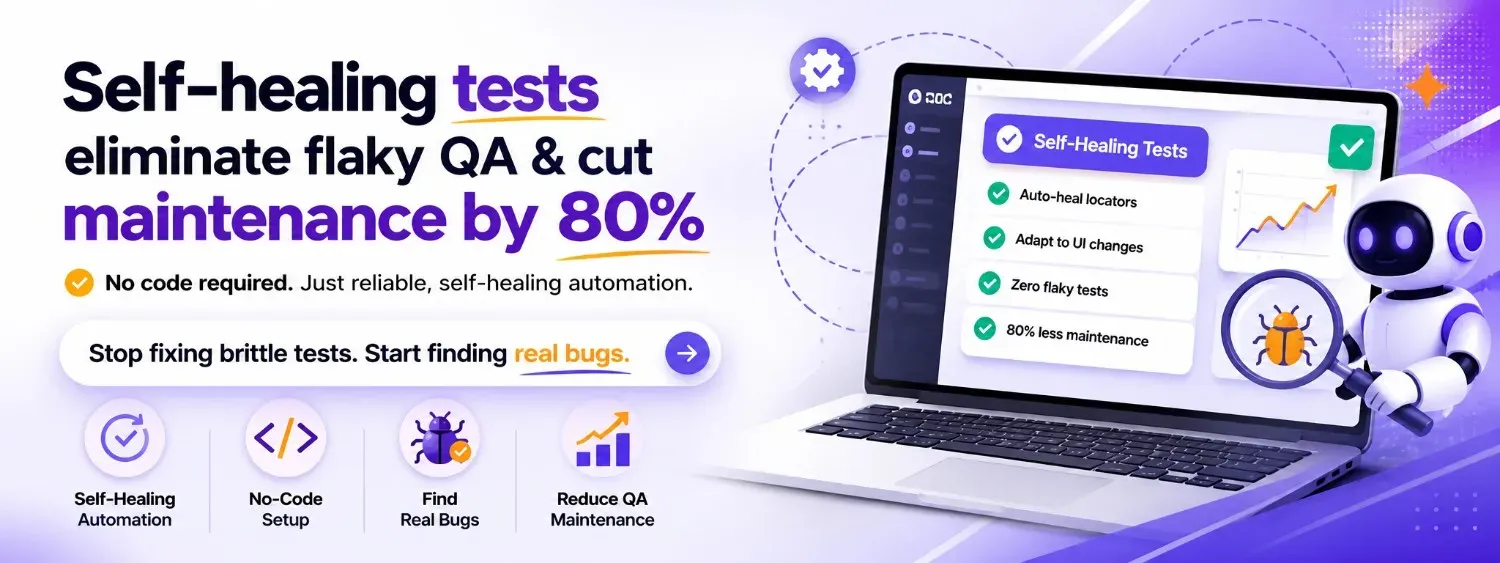
Every QA team knows the feeling: you ship a UI update, and half your automated test suite turns red. Not because anything is actually broken, but because a button moved five pixels, a developer renamed a CSS class, or a modal now loads 200 milliseconds slower. You spend the next two days fixing tests instead of finding bugs. This is the test maintenance trap, and it's exactly why self-healing tests have gone from a nice-to-have to a survival strategy for teams running automation at scale. The reality is that most test suites don't fail because the product is buggy. They fail because the tests themselves are fragile. And every hour your team spends nursing flaky tests is an hour they're not spending on work that actually matters.
What follows is a breakdown of why test maintenance spirals out of control, how self-healing automation works without a single line of code, and how it compares to visual AI so you can decide what actually fits your team.
Why Test Maintenance Is the Hidden Tax on Every QA Team
Ask any engineering manager how much time their team spends on test maintenance, and you'll usually get a vague answer. That's because the cost is distributed and invisible. It shows up as a QA engineer spending Monday morning re-stabilising Friday's failures. It shows up as a developer adding sleep(3000) to a test because they can't figure out why it's intermittently timing out. It shows up as entire test suites getting disabled because nobody has time to fix them.
Industry data consistently puts the number between 30% and 60% of total QA effort going toward maintaining existing tests rather than writing new ones. Google's own engineering research has noted that flaky tests erode developer trust in CI pipelines, once a team starts ignoring red builds, the safety net disappears entirely.
Consider a mid-size SaaS company with 2,000 end-to-end tests. Their frontend team ships weekly. Each release breaks an average of 40–80 tests, not due to real regressions, but because of locator changes, layout shifts, and updated component libraries. Two QA engineers spend roughly 15 hours per week on these repairs. That's nearly 800 hours per year — the equivalent of almost half a full-time hire — dedicated entirely to keeping tests alive, not improving coverage.
The worst part? This tax is regressive. The more tests you write, the more maintenance you inherit. Teams that try to scale their automation without addressing the fragility problem end up in a paradox: more coverage leads to more failures leads to less trust leads to less coverage. [why test automation fails at scale](why test automation fails at scale
Test maintenance isn't a QA problem. It's a velocity problem.
What Causes Flaky Tests and Why Traditional Fixes Don't Scale
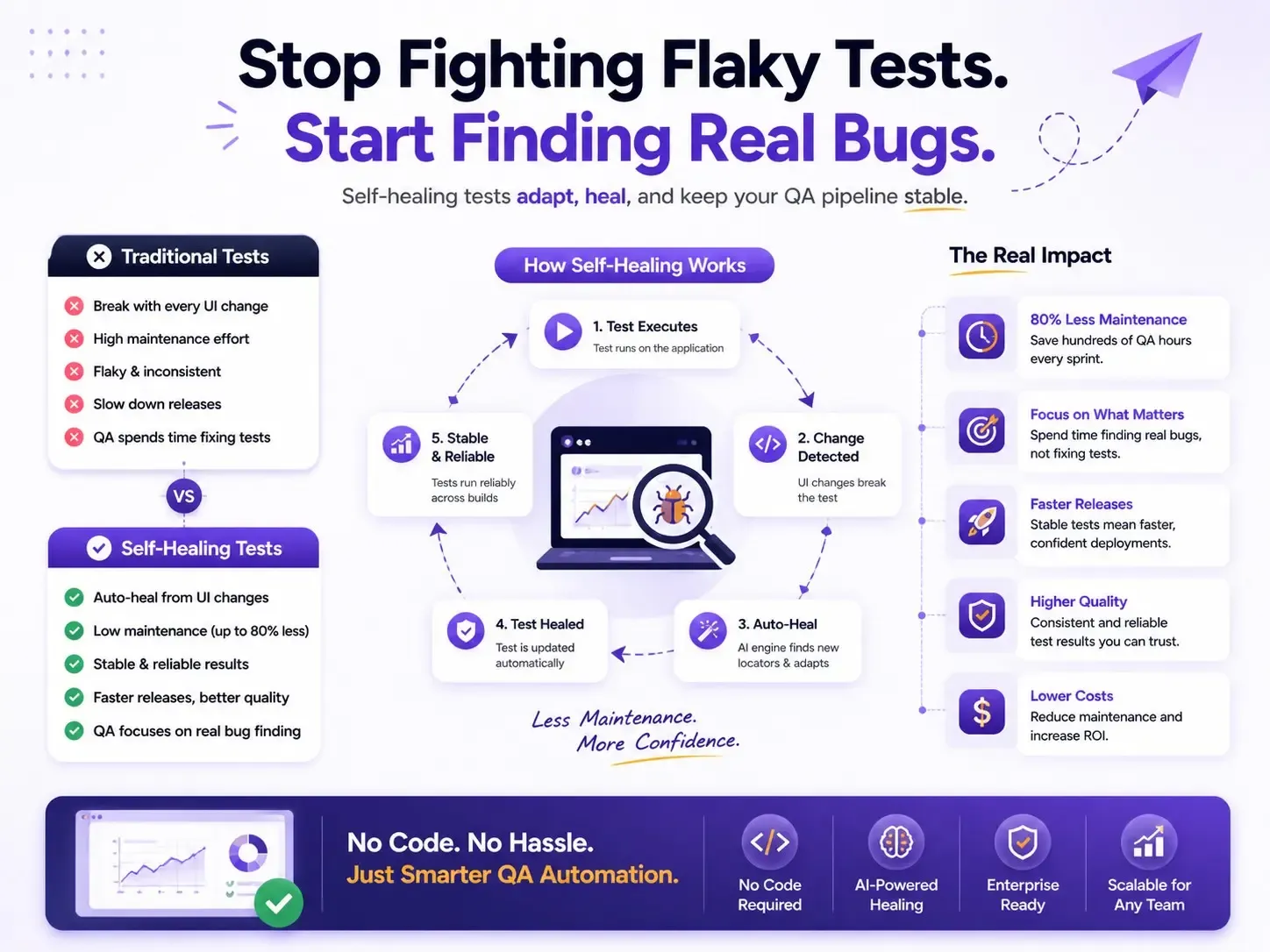
Flaky tests — tests that pass and fail intermittently without any actual code change — come from a handful of root causes. Understanding them is the first step to eliminating them.
Brittle locators. This is the number one culprit. Traditional test automation tools rely on CSS selectors, XPath expressions, or auto-generated IDs to find elements on a page. When a developer refactors a component, changes a class name, or restructures the DOM, those locators break. The element is still there. The test just can't find it anymore.
Timing and synchronisation issues. Modern web apps are asynchronous. Data loads from APIs, animations play, modals render after state changes. Hard-coded waits are unreliable. Explicit waits are better but require careful coding. Most flakiness in Selenium and Playwright suites traces back to race conditions between the test runner and the application.
Environment instability. Test databases that aren't properly seeded, staging servers that behave differently from production, third-party services that intermittently time out — all of these introduce non-determinism that has nothing to do with your test logic.
Test interdependence. When Test B depends on state created by Test A, and Test A fails or runs out of order, Test B fails too. This cascading failure pattern makes debugging exponentially harder.
The traditional response to these problems is to invest more engineering time: write more robust locators, add retry logic, build custom wait utilities, implement better test data management. These are all valid strategies — but they require skilled automation engineers, they increase code complexity, and they still don't prevent the next UI refactor from breaking fifty tests overnight.
For example, a team using Cypress might adopt data-testid attributes across their entire frontend to create stable locators. This works — until a component library migration strips those attributes, or a new developer doesn't know the convention. The fix for flaky test automation keeps demanding more coordination, more discipline, and more code. It doesn't scale linearly with your test suite. It scales exponentially with your team's cognitive load. common causes of flaky tests
How Self-Healing Tests Work: The No-Code Approach to Test Stability

Self-healing tests take a fundamentally different approach to the locator fragility problem. Instead of relying on a single, brittle identifier to find an element, a self-healing engine maintains a multi-signal model of each element — its text content, position, visual appearance, surrounding context, ARIA roles, and relationship to other elements on the page.
When a test runs and the primary locator fails, the self-healing engine doesn't just throw an error. It evaluates all available signals to determine whether the intended element still exists on the page, just with different attributes. If it finds a confident match, it proceeds with the test, logs the healed interaction, and updates its model for next time.
Here's what this looks like in practice. Imagine you have a test that clicks a "Submit Order" button. In a traditional framework, this test targets button#submit-order-btn. A developer renames that ID to button#place-order-cta during a checkout redesign. In Selenium, the test fails. In a self-healing system, the engine recognises that a button with the text "Submit Order" still exists in roughly the same position within a form context — and clicks it. The test passes. You get a notification that a locator was healed, and you move on with your day.
In Robonito, this entire process happens without any code. You create tests using natural language instructions — "Click the Submit Order button," "Verify the confirmation message appears" — and the platform builds the multi-signal element model automatically. There are no CSS selectors to write, no XPath to debug, no data-testid attributes to coordinate with your frontend team.
This no-code test maintenance model means that QA engineers, product managers, and manual testers can all create and maintain tests. The bottleneck shifts from "who can write automation code" to "who understands the user journey" — which is exactly where it should be.
Self-healing doesn't mean tests never fail. It means tests fail for the right reasons: actual bugs, broken workflows, and real regressions. Not because someone renamed a div.
Visual AI vs Self-Healing Automation: Which Approach Fits Your Team?
Applitools has championed the use of Visual AI for reducing test flakiness, and their approach has real merit. Visual AI captures screenshots of your application and uses machine learning to detect meaningful visual differences while ignoring irrelevant rendering variations. It's a powerful technique for catching visual regressions that functional tests miss entirely.
But visual AI and self-healing automation solve different layers of the same problem, and it's worth understanding where each shines — and where each falls short.
Visual AI is excellent for:
- Catching layout regressions, font changes, colour shifts, and responsive design issues
- Reducing false positives from pixel-level screenshot comparisons
- Validating that what the user sees is correct
Visual AI has limitations when it comes to:
- Functional test maintenance — it doesn't fix broken locators or flaky interactions
- Requiring baseline management — someone still needs to review and approve visual diffs
- Adding a new workflow layer — teams need to adopt review dashboards and approval processes
- Still requiring code — Applitools SDKs integrate into existing coded frameworks (Selenium, Cypress, Playwright)
Self-healing, no-code automation is excellent for:
- Eliminating locator-based flakiness entirely
- Reducing test maintenance effort without engineering intervention
- Enabling non-technical team members to create and own tests
- Scaling test suites without proportionally scaling maintenance burden
Self-healing has limitations when it comes to:
- Pure visual regression detection — it's focused on functional correctness, not pixel-level appearance
The honest answer is that these approaches are complementary, not mutually exclusive. But if your primary pain point is test maintenance at scale — tests breaking every sprint, QA engineers buried in repair work, CI pipelines you can't trust — then self-healing automation addresses the root cause directly. Visual AI addresses a different (also valuable) concern.
For teams that don't have dedicated automation engineers, or teams that want to reduce test flakiness without adding another SDK and review workflow, the no-code self-healing path gets results faster with less organisational friction.
Real-World Impact: Cutting Test Maintenance Time by 80%
Numbers matter more than promises, so let's walk through two scenarios that illustrate the impact of migrating to self-healing, no-code test automation.
| Metric | Traditional Automation | Self-Healing Automation |
|---|---|---|
| Weekly Maintenance Time | ~20 hrs/week | ~4 hrs/week |
| Flaky Test Failures | High | Low |
| CI/CD Pipeline Reliability | Low Trust | High Trust |
| Test Maintenance Effort | Continuous Manual Fixes | Mostly Automated |
| Locator Breakage Risk | High | Minimal |
| Test Stability | Moderate | High |
| Coverage Expansion | Slow | Fast |
| QA Team Productivity | Lower | Higher |
| Release Confidence | Moderate | High |
| Long-Term ROI | Declines as Suite Grows | Improves as Suite Grows |
Scenario 1: E-commerce platform, 50-person engineering team. Before: 1,800 end-to-end tests in Selenium. Average of 12% failure rate per CI run, with 70% of failures attributed to flaky tests rather than real bugs. Two dedicated QA automation engineers spent approximately 20 hours per week on test repair. Release confidence was low — teams often ran manual smoke tests even after green CI builds.
After migrating core user journeys (checkout, search, account management) to a self-healing, no-code platform: failure rate dropped to 3%, with the remaining failures mapping to genuine bugs. Weekly maintenance effort dropped to roughly 4 hours, primarily spent reviewing healed interactions and expanding coverage. That's an 80% reduction in maintenance time and, more importantly, restored trust in the CI pipeline.
Scenario 2: B2B SaaS product, 15-person engineering team. Before: 400 Cypress tests maintained by a single QA engineer. Every frontend sprint broke 20–30 tests. The QA engineer spent more time fixing tests than writing new ones, creating a coverage gap that led to production bugs slipping through.
After adopting no-code, self-healing tests for their highest-churn areas (dashboard, reporting, user settings): the QA engineer reclaimed 10+ hours per week. That time went directly into expanding coverage to previously untested areas — API integrations, edge cases in billing, and accessibility flows. Teams often report significant reductions in production issues after expanding coverage.
These scenarios reflect patterns we see repeatedly: the ROI of self-healing tests isn't just about saving time on maintenance. It's about redirecting that time toward higher-value QA work. ROI of no-code test automation
How to Migrate Flaky Test Suites to a Self-Healing Framework
If you're sitting on a large, flaky test suite and the idea of migration feels overwhelming, here's a practical, incremental approach that works.
Step 1: Identify your highest-maintenance tests
Pull data from your CI system. Which tests fail most frequently? Which tests get re-run or skipped most often? Which tests consume the most maintenance hours? Rank them. You're looking for the top 10–20% of tests that generate 80% of your maintenance burden.
Step 2: Map tests to critical user journeys
Don't migrate tests 1:1. Instead, identify the user journeys those tests are supposed to protect: login, checkout, onboarding, core CRUD operations. Recreating tests at the journey level in a no-code platform often consolidates 5–10 fragmented test scripts into a single, coherent flow.
Step 3: Recreate in parallel, don't rip and replace
Run your new self-healing tests alongside your existing suite for two to four sprints. Compare results. You're looking for confidence that the self-healing tests catch real regressions while eliminating the false failures that plague your current suite.
Step 4: Gradually decommission legacy tests
As confidence builds, disable the legacy versions of migrated tests. Keep your existing suite for areas you haven't migrated yet. This gives your team a gradual transition path rather than a risky big-bang migration.
Step 5: Expand coverage to previously untested areas
This is where the real win happens. With maintenance burden reduced, your team has capacity to cover the flows that never got automated in the first place — the ones that keep causing production incidents.
A common mistake is trying to migrate everything at once. Don't. Start with pain. Migrate the tests that hurt the most, prove the value, and let the results drive broader adoption.
Getting Started with Self-Healing QA in Robonito
Robonito was built specifically for the problem described in this post: teams that want reliable, scalable test automation without the maintenance tax.
Here's what makes it different:
- Truly no-code creation. Describe your tests in natural language. No CSS selectors, no XPath, no scripting. If you can describe what a user does, you can automate it.
- Self-healing by default. Every test Robonito runs uses multi-signal element recognition. When your UI changes, tests adapt automatically. You get notified of healed interactions — no manual repair required.
- Works on any web app. No special attributes, no SDK integration, no frontend modifications. Point Robonito at your app and start testing.
- CI/CD integration. Plug into GitHub Actions, GitLab CI, Jenkins, CircleCI, or any pipeline you're already using. Self-healing tests run on every commit, every merge, every deploy.
- Productive in hours. Most teams create their first meaningful test within 30 minutes and have critical journeys covered within a day. No weeks-long setup. No training bootcamp.
If your team is spending more time fixing tests than finding bugs, that's not a QA problem, it's a tooling problem. Self-healing, no-code automation solves it at the root.
Frequently Asked Questions
What is self-healing testing?
Self-healing tests are automated tests that detect and fix broken element locators when the UI changes, without requiring manual updates.
How is self-healing different from visual AI testing?
Visual AI testing identifies layout and pixel-level changes, while self-healing focuses on fixing functional test failures caused by DOM or locator changes. Both approaches complement each other.
Do I need coding skills to use self-healing tests?
No. You can create and manage tests using natural language without needing CSS selectors, XPath, or programming knowledge.
How long does it take to migrate from Selenium?
Most teams complete migration within 2–4 sprints using a parallel approach, depending on test suite size and complexity.
What CI/CD tools does Robonito integrate with?
Robonito integrates with GitHub Actions, GitLab CI, Jenkins, and CircleCI for seamless test automation in your deployment pipeline.
Can self-healing tests replace manual testing entirely?
No. Self-healing tests eliminate maintenance overhead and catch functional regressions reliably, but exploratory testing, usability evaluation, and edge-case discovery still benefit from human judgment. The goal is to automate repetitive regression coverage so manual testers can focus on higher-value investigative work.
What happens when a self-healing test can't find the element?
If the confidence score across all available signals falls below the threshold, the test fails and reports the specific element it couldn't locate — along with what it tried. This gives your team a clear, actionable failure rather than a cryptic selector error. Real bugs surface clearly; trivial UI changes are handled automatically.
How many tests can self-healing automation handle at scale?
Self-healing frameworks are designed to scale with your suite. Teams running 2,000+ end-to-end tests see the biggest ROI because maintenance costs compound fastest at scale. The engine processes element recognition in parallel, so execution time doesn't degrade as your suite grows.
Start your free trial of Robonito today and see how fast your team can go from flaky pipelines to reliable, low-maintenance test automation. No credit card required. No code required.
Automate your QA — no code required
Stop writing test scripts.
Start shipping with confidence.
Join thousands of QA teams using Robonito to automate testing in minutes — not months.
