
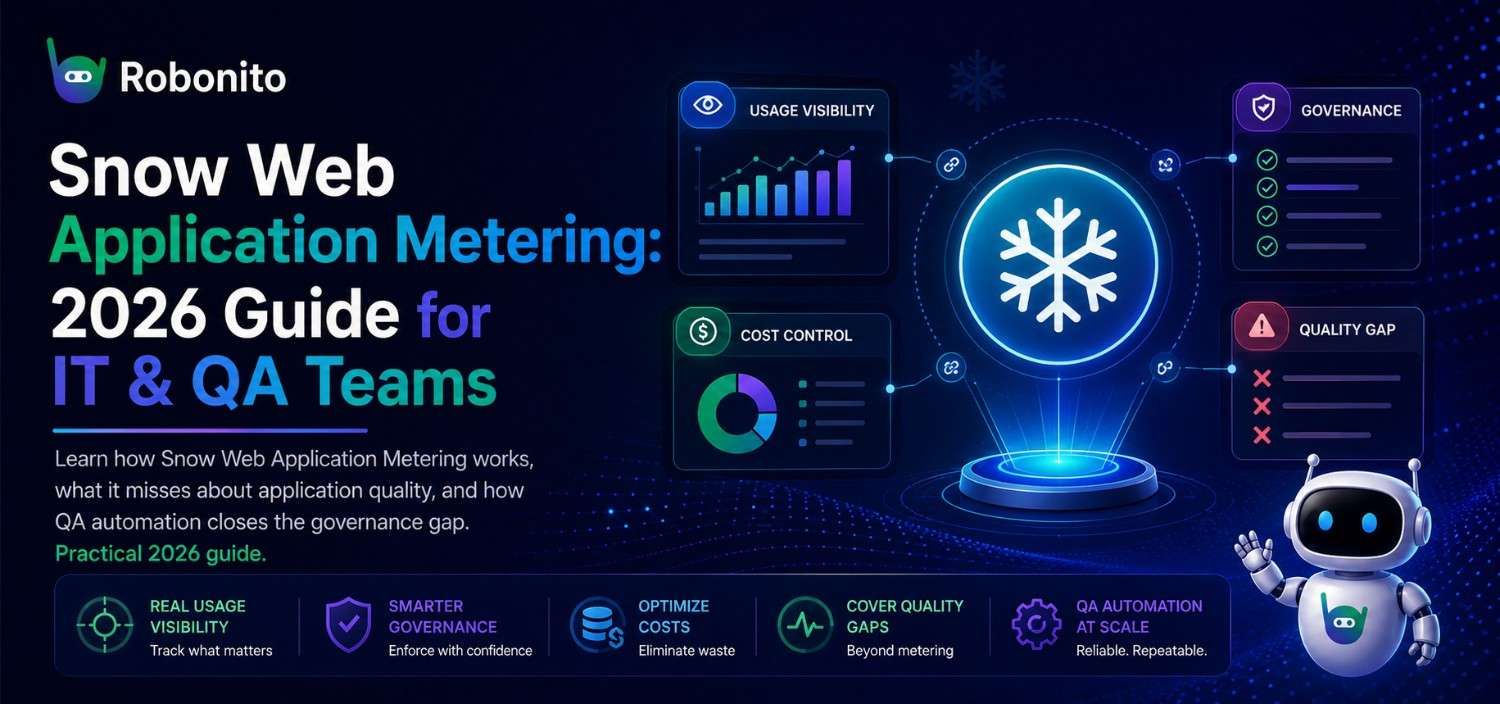
Most IT teams that use Snow Software for application metering can tell you exactly which web applications their employees opened last Tuesday. What they can't tell you is whether those applications actually worked. That gap — between usage data and application quality — is costing organizations more than most SAM teams realize. This guide covers how Snow Web Application Metering works, what it genuinely does well, where its blind spots are, and how QA teams in 2026 are closing the loop.
Key Takeaways
- Snow Web Application Metering tracks usage, frequency, and license consumption — not whether applications function correctly for users
- Organizations that act on Snow usage data reduce software licensing costs by 25–40% on average, according to Gartner's 2025 SAM benchmark
- High-usage applications identified by Snow are your highest-priority targets for automated QA testing — a connection most teams make too late
- Combining Snow's usage intelligence with automated end-to-end testing closes the governance gap between "who's using it" and "is it working"
- Implementation works best when SAM and QA teams operate from shared data, not separate silos
What Snow Web Application Metering Actually Does
Snow Web Application Metering is a feature within Snow Software's IT asset management platform that tracks, measures, and reports on how web applications are used across an organization. It answers questions that license managers and IT directors care about most:
- Which web applications are actively being used — and by how many people?
- Are we paying for licenses that nobody is using?
- Which applications have usage patterns that suggest they could be consolidated or retired?
- How does application usage change across departments, geographies, or over time?
The answers to these questions have direct financial implications. A company with 500 employees paying for web application subscriptions they're underutilizing by 30% is burning money on every billing cycle. Snow's metering makes that waste visible and quantifiable.
How Snow Application Metering Collects Data
Snow collects application usage data through agents deployed on endpoint devices, browser plugins, and integration with identity providers and cloud access logs. Depending on your deployment model, it can capture:
- Login and session data: When users authenticate into web applications and for how long
- Feature-level usage: Which specific modules or features within an application are accessed
- Frequency patterns: Daily, weekly, and monthly active user counts
- Inactive accounts: Users assigned licenses who haven't logged in within a defined period (Snow flags these as reclaim candidates)
This data feeds into Snow's reporting dashboards, where license managers can see utilization rates, identify cost-saving opportunities, and make evidence-based decisions about renewals and right-sizing.
The Real Financial Case for Application Metering
The reason application metering has become a standard practice in enterprise IT isn't ideological — it's financial. Software licensing is typically one of the top three IT budget line items, and most organizations have no accurate picture of what they're actually using versus what they're paying for.
A 2025 Gartner SAM benchmark found that organizations actively using application metering tools reduce SaaS spending by 25–40% within the first year of implementation, primarily by reclaiming unused licenses and eliminating duplicate tool subscriptions.
The math is straightforward. If your organization pays $50 per user per month for a web application with 400 seats, but Snow's metering shows only 280 users actively logging in each month, you're paying for 120 unused seats — $6,000 per month, $72,000 per year, on licenses nobody needs.
That's the use case Snow metering was built for, and it delivers on it consistently.
What Snow Metering Does Well: A Practical Summary
| Capability | What It Gives You | Business Impact |
|---|---|---|
| License utilization tracking | Active vs. inactive user counts per application | Reclaim unused licenses, reduce renewal costs |
| Usage frequency analysis | Daily/weekly/monthly active user trends | Identify low-adoption tools before renewal |
| Department-level breakdowns | Usage by team, cost center, or geography | Allocate costs accurately, negotiate better |
| Duplicate application detection | Overlapping tools serving the same function | Consolidate vendors, reduce spend |
| Compliance reporting | Evidence of license compliance for audits | Avoid costly true-up penalties |
These are genuine, high-value capabilities. If you're not using application metering today, the ROI case for implementing it is strong and well-documented.
The Blind Spot: Usage Data Is Not Quality Data
Here's the problem no Snow dashboard will show you.
A web application that gets launched 400 times a day by 200 users counts as "highly utilized" in Snow's metering reports. It will never appear on a reclaim list. It will be treated as a justified, actively-used license with strong adoption. And it may have a broken checkout flow, a login error affecting 20% of users, or a data export function that silently fails — and Snow will never know.
Snow metering answers: who is using this application, how often, and at what cost.
It cannot answer: is this application working correctly for those users?
This is not a criticism of Snow Software — it's simply outside the product's scope. Snow is an asset management and license optimization platform. Application quality and functional correctness are a different domain entirely: QA automation.
The disconnect becomes costly in predictable ways:
- Support ticket spikes on high-usage applications that could have been caught by regression testing
- User adoption drops on business-critical tools that users quietly stop trusting
- Failed deployments on applications Snow identifies as widely used — because nobody was testing changes to them
- Compliance exposure when applications handling sensitive data have undetected functional defects
One enterprise IT team we spoke with had used Snow to successfully right-size their SaaS portfolio and saved $180,000 in annual licensing costs. Six months later, a core HR web application — flagged by Snow as one of their most-used tools — suffered a silent data sync failure that went undetected for three weeks, affecting 300 employee records. Snow's utilization data was irrelevant to catching or preventing the problem.
The Connection Between SAM Data and QA Priorities
Here's where Snow usage data becomes strategically valuable for QA teams — if both teams are talking to each other.
Snow's most-utilized applications list is, by definition, your highest-risk applications. More users, more frequent usage, more business processes depending on correct functionality. If those applications fail or degrade, the blast radius is larger.
Most QA teams build test coverage based on what developers recently changed or what seems important. Snow gives you a usage-weighted view of what's actually business-critical from a user behavior perspective. Combining the two produces a much more defensible test prioritization strategy.
The practical workflow:
- Pull Snow's top 20 most-used web applications — this is your QA priority tier 1
- Cross-reference with recent change history — applications with high usage AND recent deployments are your highest-risk combination
- Build end-to-end automated tests for the critical user journeys in those applications
- Run tests on every deployment so usage data and quality data stay in sync
This approach means your QA coverage map reflects actual business risk, not just developer intuition.
Implementing Snow Web Application Metering: A Practical Guide
If you're earlier in the Snow implementation journey, here's what a successful deployment looks like in practice.
Phase 1: Define What You're Measuring and Why
Before enabling Snow metering across your application portfolio, document what decisions this data needs to support. Common objectives:
- License right-sizing: "We want to reclaim licenses for any user inactive for 90+ days across our top 10 SaaS tools"
- Renewal negotiation: "We want usage data to negotiate our annual Salesforce and ServiceNow renewals"
- Shadow IT visibility: "We want to identify web applications employees are using that aren't on our approved list"
Different objectives require different data collection configurations. Define them upfront to avoid collecting data you don't act on.
Phase 2: Deploy Collection Agents and Configure Integrations
Snow collects data via endpoint agents, browser extensions, and API integrations with identity providers (Okta, Azure AD, Google Workspace). For cloud-based web applications, the API integration route typically gives you cleaner data than browser-level tracking.
Key configuration decisions:
- Data retention period: How far back do you need usage history? 12 months is standard for annual renewal negotiations.
- Inactive user threshold: What counts as "unused"? 30 days is aggressive, 90 days is the most common enterprise standard.
- Granularity level: Do you need feature-level usage data or is login-level sufficient? Feature-level is more powerful but requires deeper integration.
Phase 3: Establish Your Baseline and Identify Quick Wins
Once data starts flowing, your first report will almost always surface immediate savings opportunities. Typical first-pass findings:
- 15–25% of licenses assigned to users who haven't logged in for 90+ days
- 2–4 duplicate tool categories where multiple vendors serve the same function
- 1–3 applications that have near-zero usage and should be evaluated for retirement
Act on the quick wins first. They build internal support for the metering program and create a clear ROI narrative for continued investment.
Phase 4: Connect Usage Data to Application Quality
This is the step most SAM programs skip — and the one that closes the governance loop.
Once you have a stable picture of your most-used web applications from Snow, work with your QA team to ensure those applications have automated end-to-end test coverage. The applications generating the most Snow utilization data are the ones where a quality failure would have the most impact.
If your QA team doesn't have capacity to write and maintain automated tests — which is common in organizations where SAM and QA are separate functions — no-code QA automation tools like Robonito let non-developer team members build and run automated tests without writing scripts.
How Robonito's self-healing automation works
Common Mistakes in Snow Application Metering Deployments
Collecting data without acting on it
The most common failure pattern: metering is deployed, dashboards are configured, and then nothing changes because nobody owns the decision to reclaim licenses or retire applications. Assign a named owner for each application in Snow's inventory. That person is responsible for acting on usage data at each renewal cycle.
Setting the inactive threshold too aggressively
A 30-day inactivity threshold will generate a large reclaim list — some of which will include users who are on extended leave, seasonal workers, or employees who use an application quarterly. Cross-reference your reclaim candidates with HR data before acting. A false reclaim costs more in remediation than the license was worth.
Ignoring application quality alongside usage data
Covered above, but worth repeating: high-usage applications identified by Snow should immediately trigger a conversation with QA about test coverage. If your organization's top 10 applications by Snow utilization don't have automated regression tests, you have a risk exposure that asset management data can't fix.
Treating Snow as a one-time audit rather than an ongoing program
Application metering delivers its full value as a continuous practice, not a one-time exercise. Usage patterns change, employee roles change, and application portfolios change. Set a quarterly review cadence at minimum.
Snow Application Metering and QA Automation: The Combined Approach
For organizations that want both license governance AND application quality coverage, the two-system approach looks like this:
| What You Need to Know | Tool | Data It Provides |
|---|---|---|
| Is this application being used? | Snow Metering | Active user count, frequency, license utilization |
| Is it being used by the right people? | Snow + Identity integration | Department/role-based usage breakdown |
| Is it working correctly for users? | Automated QA (e.g., Robonito) | Functional test pass/fail, regression coverage |
| Did a recent deployment break something? | CI/CD-integrated QA | Post-deployment test results |
| Are critical user journeys intact? | End-to-end test automation | Step-by-step execution logs, screenshots |
Snow and automated QA testing answer different questions — and both sets of questions need answers for a web application to be considered properly governed.
A SaaS company with 600 employees we spoke with runs this combination in practice. Their IT team uses Snow to flag license waste and reclaim seats at renewal. Their QA team uses Snow's top-20 most-used application list as their automated test priority queue. When Snow shows a usage spike on a specific application, QA treats it as a signal to add test coverage before the next release. The setup hasn't required any integration between the two platforms — just a shared monthly review meeting where both teams look at the same data.
See how Robonito integrates with your CI/CD pipeline
Frequently Asked Questions
What is Snow Web Application Metering?
Snow Web Application Metering is a feature in Snow Software's IT asset management platform that tracks and measures how employees use web applications across an organization. It captures login frequency, session duration, feature usage, and inactive accounts, helping IT teams make evidence-based decisions about software licensing, renewals, and application portfolio management.
How does Snow collect web application usage data?
Snow collects usage data through endpoint agents installed on devices, browser extensions, and API integrations with identity providers like Azure AD, Okta, and Google Workspace. For SaaS applications, API-based collection typically provides the most accurate and granular data without requiring browser plugins on every device.
How much can application metering save on software licensing costs?
Organizations actively using application metering typically reduce software licensing costs by 25–40% in the first year, primarily through reclaiming unused licenses and eliminating duplicate tool subscriptions. The savings vary based on portfolio size, but even small organizations with 100 employees commonly identify $20,000–$50,000 in annual license waste on first audit.
What's the difference between Snow application metering and QA testing?
They solve different problems. Snow metering answers "who is using this application and at what cost." QA testing answers "is this application working correctly." High-usage applications flagged by Snow are your highest-priority candidates for automated test coverage — the two practices complement each other rather than overlap.
How long does Snow Web Application Metering take to implement?
Basic deployment with endpoint agents and top-level usage reporting typically takes 2–4 weeks for an organization of 200–500 employees. Deeper integrations with identity providers for feature-level usage data can take 4–8 weeks depending on the complexity of your identity architecture. Most organizations see first actionable data within 30 days of deployment.
Which web applications does Snow support for metering?
Snow maintains a library of normalized application recognition data covering thousands of commercial SaaS and web applications. For custom or internal applications, Snow can be configured to capture usage data through its flexible recognition and integration framework, though this requires additional configuration.
Can Snow application metering detect security issues?
Snow metering can surface anomalous usage patterns — unusual login times, access from unexpected locations, or accounts accessing applications they don't normally use — which can serve as early indicators of account compromise or unauthorized access. However, it's not a security monitoring tool by design. Organizations with serious security requirements pair Snow with dedicated SIEM and security analytics platforms.
Should QA teams use Snow data to prioritize testing?
Yes — and this is one of the most underutilized applications of Snow data in practice. Applications with the highest active user counts and usage frequency represent the most business-critical systems in your environment. Using Snow's utilization data to prioritize QA test coverage means your automated testing investment is concentrated where application failures would have the most impact.
Snow Tells You What's Used. Robonito Tells You What's Working.
If you're using Snow to govern your application portfolio, you're already doing something most organizations don't: making licensing decisions based on real data. The natural next step is making QA decisions based on that same data.
Robonito lets your QA team build automated end-to-end tests for your Snow top-25 applications — without writing scripts, managing CSS selectors, or needing a dedicated SDET. Tests run on every deployment, catch regressions before users do, and self-heal when your UI changes.
Get started free — no credit card, no sales call:
Or if you want to see how Robonito tests the specific applications your Snow data flags as business-critical, book a 15-minute demo with our team. We'll use your actual app, not a canned environment.
Automate your QA — no code required
Stop writing test scripts.
Start shipping with confidence.
Join thousands of QA teams using Robonito to automate testing in minutes — not months.
