
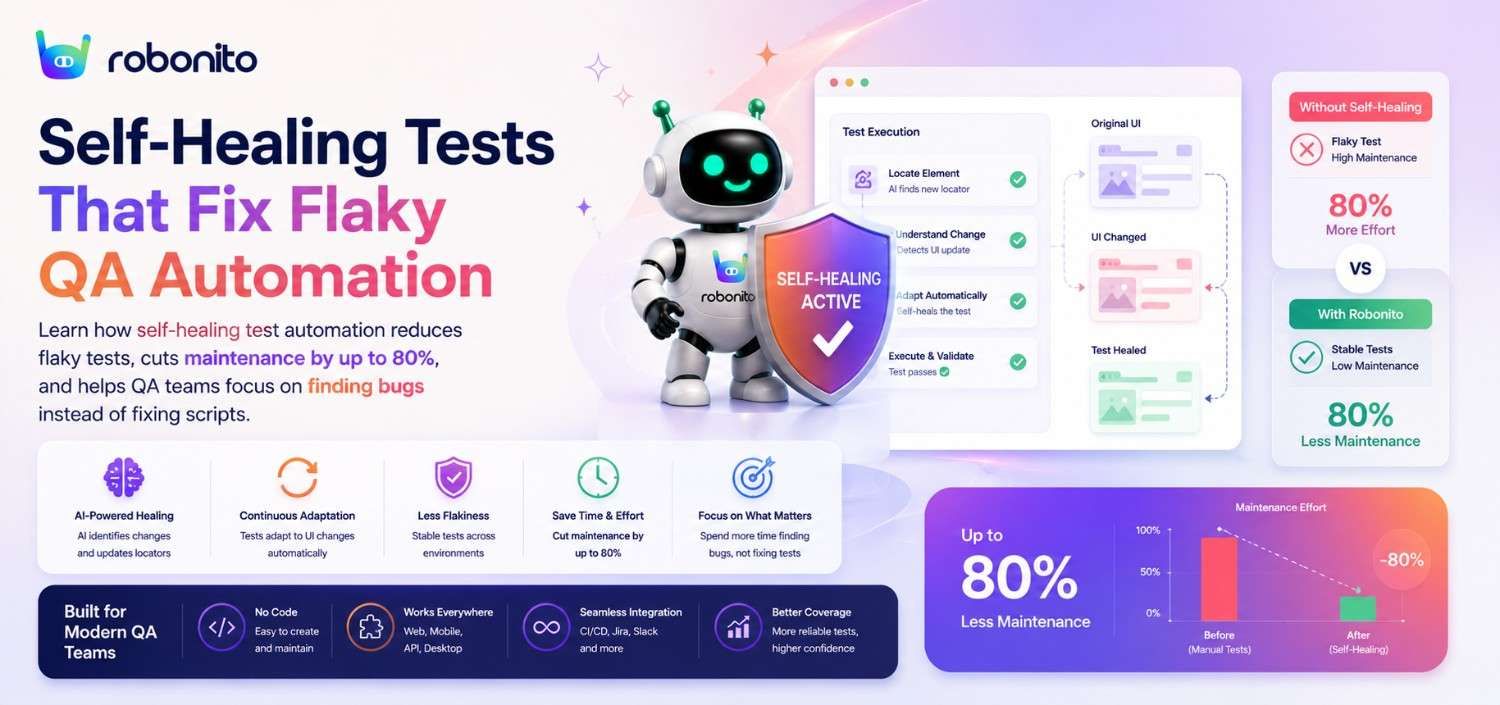
Every QA team knows the feeling. You come in Monday morning, check the overnight test run, and half the suite is red — not because anything actually broke, but because a developer renamed a button class or shifted a modal by 12 pixels. You spend the next three hours fixing tests instead of finding bugs. This is the reality of test maintenance in 2026, and it's draining teams of their most valuable resource: time. Self-healing test automation offers a way out — an approach that lets your tests adapt to inevitable UI changes instead of shattering every time someone pushes a frontend update. In this post, we'll break down why test maintenance has become the silent killer of QA productivity, compare the leading approaches to solving it, and show you a practical path to a test suite that actually stays green.
The Hidden Cost of Flaky Tests: Time, Trust, and Team Morale
Flaky tests — tests that pass and fail intermittently without any underlying code change — are more than a minor annoyance. They're an organisational tax that compounds over time.
The time cost is staggering. Google's engineering team famously reported that 16% of their test suite exhibited flakiness, and engineers spent significant hours each week triaging failures that turned out to be false alarms. If Google, with world-class infrastructure, struggles with this, imagine the toll on a 5-person QA team at a growing SaaS company.
Industry analysts are also seeing this shift. Gartner has identified AI-augmented software engineering as a key trend, with intelligent automation increasingly supporting software testing, quality engineering, and release management. As applications evolve faster, reducing automation maintenance is becoming just as important as increasing automation coverage.
Here's what the real impact looks like:
- Direct time loss: Industry surveys consistently show QA teams spending 30–40% of their week maintaining existing tests rather than writing new ones or doing exploratory testing - a figure consistent with Capgemini's World Quality Report 2025.
- Eroded trust: When a test suite fails regularly for no real reason, developers start ignoring it. "Oh, that test is just flaky" becomes the default response. At that point, your safety net has a hole in it, and real bugs slip through to production.
- Team morale: Nothing demoralises a skilled QA engineer faster than spending their days updating CSS selectors instead of doing meaningful quality work. It's the QA equivalent of busywork, and it drives talent out of the role.
Consider a scenario: a fintech startup with 800 automated end-to-end tests. Their frontend team ships twice a week. After each deploy, roughly 60–80 tests break due to selector changes, updated component libraries, or minor layout shifts. Their two QA engineers spend every Wednesday and Friday doing nothing but test repair. They haven't written a new test in three sprints.
This isn't an edge case. It's the norm. And the cost isn't just measured in hours — it's measured in the bugs that never got caught, the features that never got tested, and the engineers who updated their LinkedIn profiles.
Why Traditional Test Automation Creates a Maintenance Nightmare
To understand why test maintenance is so painful, you need to understand how traditional test automation works under the hood.
Most automation frameworks — Selenium, Cypress, Playwright — rely on element locators to interact with the UI. These locators are typically CSS selectors, XPath expressions, or test IDs that pinpoint specific elements on a page. A typical test step might look like:
driver.findElement(By.cssSelector("#checkout-form > div.payment > button.submit-btn"))
This works perfectly — until it doesn't. And it stops working the moment any of the following happens:
- A developer refactors the HTML structure
- A component library gets upgraded (hello, Material UI v5 to v6)
- A class name changes because of CSS module hashing
- Dynamic IDs are generated at runtime
- A/B tests alter the DOM
The fundamental problem is tight coupling. Your test is bound to the implementation details of the UI, not the intent of the user action. You wanted to test "user clicks the submit payment button." What you actually tested was "an element exists at this exact position in this exact DOM tree with this exact class name."
Here's a real-world example that plays out constantly: an e-commerce team migrates from Bootstrap 4 to Bootstrap 5. Class names change across the entire application. Overnight, 400 of their 500 tests break. None of these failures represent actual bugs — the application works perfectly. But the team now faces a week-long remediation effort to update every locator.
This is why traditional automated test maintenance consumes so much energy. The tests are fragile by design. Adding data-testid attributes helps, but it requires developer cooperation, doesn't cover third-party components, and still breaks when components are restructured. why no-code test automation eliminates selector dependency
The result? Teams either drown in maintenance, reduce test coverage to a "manageable" level, or abandon end-to-end automation altogether. None of these outcomes is acceptable.
What Are Self-Healing Tests and How Do They Work?
Self-healing test automation is exactly what it sounds like: tests that automatically detect when a locator or element reference has broken and repair themselves — without human intervention — so the test can continue running.
Here's the core mechanism in most self-healing implementations:
-
Multi-attribute fingerprinting: Instead of relying on a single locator, the system captures multiple attributes of each element — its text content, position relative to other elements, visual appearance, ARIA labels, surrounding context, and more. This creates a rich "fingerprint" of the element.
-
Intelligent matching: When a test runs and the original locator fails, the system doesn't immediately report a failure. Instead, it searches the current DOM for elements that match the stored fingerprint, using weighted scoring across all captured attributes.
-
Confidence-based execution: If the system finds a match above a confidence threshold (e.g., 95%), it proceeds with the test using the new element. The test passes, and the locator is updated for future runs.
-
Transparent reporting: The system logs every self-healing event so QA engineers can review what changed and confirm the healing was correct. This isn't a black box — it's an auditable, reviewable process.
Think of it like this: if you told a human tester "click the blue Submit button at the bottom of the checkout form," and a developer changed the button's class from btn-primary to btn-submit, the human would still click the right button without hesitation. They'd use context — colour, position, text, surrounding elements — to identify it. Self-healing tests apply the same principle programmatically.
A practical example: your test navigates to a login page and enters credentials. The original locator for the password field was input#password. A developer refactors the form, and the ID changes to input#user-password. A traditional test fails. A self-healing test recognises that there's still an input field of type "password," positioned directly below the email field, with a placeholder text of "Enter your password" — and continues executing correctly. how Robonito creates tests in natural language
The result is a dramatic reduction in false failures and a test suite that remains stable through routine UI evolution.
Self-Healing vs. Visual AI: Two Approaches to Test Stability Compared
Self-healing tests aren't the only approach to reducing flaky test automation. Visual AI — championed by tools like Applitools — takes a fundamentally different path. Both aim to solve the same problem, but they do so in ways that matter for your team's workflow, expertise requirements, and budget.
Visual AI captures screenshots of your application at various checkpoints and uses machine learning to compare them against baseline images. Instead of checking DOM elements, it checks what the user sees. This is powerful for catching visual regressions — a misaligned button, overlapping text, a broken layout.
Self-healing tests focus on keeping functional test execution stable by adapting to DOM-level changes. They ensure your test actions (click, type, navigate, assert) continue to target the right elements even as the underlying code changes.
Here's a practical comparison:
| Dimension | Self-Healing Tests | Visual AI |
|---|---|---|
| Primary strength | Functional test stability | Visual regression detection |
| Handles DOM changes | Yes — core capability | Indirectly — doesn't interact with DOM |
| Handles visual changes | Limited — focused on functionality | Yes — core capability |
| Setup complexity | Low (especially no-code tools) | Moderate to high (baselines, regions, thresholds) |
| Expertise required | Minimal | Requires understanding of visual testing concepts, baseline management |
| False positive rate | Low (multi-attribute matching) | Can be high without careful region/threshold config |
| Maintenance model | Self-correcting | Requires baseline approval workflows |
| Cost | Subscription-based, predictable | Usage-based (per screenshot), variable at scale |
For most QA teams, the primary pain point isn't visual regressions — it's tests that break because selectors changed. Visual AI is a valuable tool, but it doesn't fix the fundamental brittleness of your functional tests. You still need your click-and-type tests to work reliably.
Consider a team running 1,000 end-to-end tests. After a frontend refactor, 200 tests break due to selector changes and 5 tests would benefit from visual comparison. Visual AI addresses the 5. Self-healing addresses the 200. Both have their place, but one addresses the bigger fire.
Robonito's approach focuses on making functional test stability the default, not something that requires an additional tool, budget approval, or specialised expertise.
Who Benefits Most from Self-Healing Test Automation?
Self-healing automation delivers the greatest value for teams that:
- Release weekly or daily
- Maintain more than 200 automated tests
- Experience frequent UI changes
- Spend significant time fixing selectors
- Want no-code automation that scales
If your team spends more time maintaining tests than creating new coverage, self-healing automation is likely to deliver immediate ROI.
How Robonito's Self-Healing Tests Adapt to UI Changes Automatically
Robonito takes self-healing a step further by combining it with truly no-code test creation — meaning there are no selectors, XPath expressions, or scripts for you to manage in the first place.
Here's how it works in practice:
1. Natural language test creation: You describe what you want to test in plain English. Instead of scripting driver.findElement(By.xpath("//button[contains(text(),'Add to Cart')]")).click(), you write something like: "Click the Add to Cart button on the product page." Robonito interprets this and builds the underlying test logic automatically.
2. Multi-signal element identification: Behind the scenes, Robonito doesn't rely on a single locator. It captures a comprehensive profile of each element — text, type, position, visual characteristics, semantic role, and contextual relationships. This makes it inherently resilient to any single attribute changing.
3. Continuous self-healing: When your UI changes, Robonito's tests adapt on the next run. No manual intervention. No ticket filed to fix a broken selector. The test self-corrects, logs the change, and keeps running.
4. Change visibility: Every self-healing event is surfaced in your test reports. You can see exactly which elements shifted, what the old and new states were, and whether the healing was appropriate. If a genuine bug caused the change, you'll spot it in the report rather than in a wall of red failures.
Here's a scenario that illustrates the difference: an engineering team migrates their React application from one UI library to another. In a traditional automation setup, this would be a multi-week QA remediation project. With Robonito, the next test run adapts automatically. The QA team reviews the healing report, confirms the changes are intentional, and moves on. Total time spent: 30 minutes instead of 30 hours.
Because Robonito is no-code from the ground up, there are no selectors to break in the first place. The self-healing isn't patching fragile locators — it's maintaining robust, intent-based element identification that was designed to be resilient from day one. getting started with Robonito in under an hour
Traditional Automation vs Self-Healing Automation
| Traditional Automation | Self-Healing Automation |
|---|---|
| Fixed CSS/XPath locators | Intent-based recognition |
| Frequent selector updates | Automatic adaptation |
| High maintenance | Low maintenance |
| Reactive | Adaptive |
| Flaky UI tests | Stable execution |
| Engineers fix tests | AI assists maintenance |
Real Impact: Reducing Test Maintenance Time by 80%
Let's put concrete numbers behind the promise of self-healing QA tests. While every team's situation is different, the pattern is remarkably consistent.
Before self-healing automation (typical scenario):
- 500 end-to-end tests in the suite
- 15–20% failure rate per run due to selector/locator issues (75–100 tests)
- 2 QA engineers spending ~12 hours/week on test maintenance
- Average time to fix one broken test: 10–15 minutes
- New test creation rate: 5–8 tests per sprint
- Time from test failure to root cause: 20–45 minutes (because you have to determine if the failure is real or flaky)
After implementing self-healing automation:
- Same 500 tests, but 90–95% of selector-related failures are auto-resolved
- QA engineers spend ~2 hours/week reviewing healing reports
- Remaining maintenance time redirected to writing new tests and exploratory testing
- New test creation rate: 20–30 tests per sprint (with no-code, creation is faster too)
- Time from test failure to root cause: 5–10 minutes (because failures are almost always real)
That's a reduction in maintenance time from 12 hours to roughly 2 hours per week — an 83% decrease. More importantly, the nature of QA work changes. Your team shifts from reactive maintenance to proactive quality improvement.
Here's what this looks like in business terms for a mid-size SaaS company:
- Two QA engineers at $85K/year each = $170K total compensation
- 40% of time on maintenance = $68K/year spent on keeping existing tests alive
- Reduce that by 80% = $54K/year in recovered productivity
- That's the equivalent of hiring a half-time QA engineer — without the headcount
And this doesn't account for the downstream value: fewer bugs in production, faster release cycles (because the test suite runs reliably and teams trust it), and higher QA team retention because engineers are doing meaningful work.
One pattern we see repeatedly: teams that adopt self-healing automation don't just maintain the same coverage more efficiently — they expand coverage dramatically because the time freed up gets invested in testing more user journeys, edge cases, and integration scenarios that previously went untested.
How to Migrate from Brittle Test Suites to Self-Healing Automation
If you're sitting on a large, flaky test suite and wondering how to make the transition, here's a practical, phased approach that minimises risk and maximises early wins.
Phase 1: Identify Your Worst Offenders (Week 1)
Start by auditing your current test suite for flakiness:
- Pull your failure logs from the last 30 days. Identify tests that have failed and then passed again without code changes.
- Categorise failures: selector/locator issues, timing/wait issues, environment issues, or genuine bugs. Most teams find that 60–70% of failures fall into the first two categories.
- Rank by impact: which flaky tests block the most pipelines or consume the most triage time?
Phase 2: Start with High-Value, High-Flake Tests (Weeks 2–3)
Don't try to migrate everything at once. Pick 20–30 of your most critical and most flaky test cases. Recreate them in Robonito using natural language. This gives you:
- An immediate comparison of stability (run both old and new versions in parallel)
- Quick proof of value for stakeholders
- A learning period for your team to get comfortable with the new approach
Phase 3: Expand Systematically (Weeks 4–8)
Once you've validated the approach:
- Migrate remaining high-priority tests in batches of 30–50
- Integrate Robonito into your CI/CD pipeline so self-healing tests run on every deploy
- Set up healing reports to go to a shared Slack channel or dashboard so the whole team has visibility
- Decommission old tests as new ones prove stable
Phase 4: Shift to Proactive Quality (Ongoing)
With maintenance under control, redirect your QA team's energy:
- Increase coverage for under-tested areas (onboarding flows, payment edge cases, permission models)
- Invest time in exploratory testing DORA research on testing practices that automation can't replace
- Use the stability data from self-healing reports to give feedback to developers about which UI changes are causing the most churn
A critical mindset shift: migration doesn't have to be all-or-nothing. Many teams run Robonito alongside their existing framework for weeks or months, gradually shifting coverage as confidence builds. There's no need to rip and replace overnight.
Frequently Asked Questions
What is self-healing test automation?
Self-healing test automation is an approach where test suites automatically detect when a UI element reference has broken — due to a selector change, DOM restructure, or component update — and repair the reference without human intervention. Instead of relying on a single brittle locator (a CSS class or XPath expression), self-healing systems capture a multi-attribute fingerprint of each element including text content, position, ARIA role, visual appearance, and surrounding context. When the primary locator fails, the system matches the fingerprint against the current DOM, identifies the correct element with a confidence score, heals the test automatically, and logs the change for human review. The result is a test suite that survives routine UI evolution without breaking.
What causes flaky tests and how does self-healing fix them?
The most common cause of flaky automated tests is tight coupling between the test and the UI's implementation details — specifically CSS selectors, XPath expressions, or dynamic IDs that change when developers refactor components, upgrade libraries, or rename classes. Google's engineering team reported that 16% of their test suite exhibited flakiness, with engineers spending significant hours weekly triaging false alarms. Self-healing fixes this specific failure mode by decoupling the test from single-locator dependency. When a selector changes, the self healing engine searches for the element by multiple signals simultaneously (text, position, type, context) rather than failing immediately. This eliminates the largest category of test breakage without changing what the test is validating.
How does self-healing test automation compare to visual AI testing?
Self-healing and visual AI address different failure categories. Self-healing is focused on functional test stability — keeping click, type, navigate, and assert operations working correctly when the DOM changes. Visual AI (as used by tools like Applitools) compares screenshots to catch visual regressions: layout shifts, overlapping text, colour changes. For most teams, selector-related failures are dramatically more common than visual regressions — in a typical refactor, 200 tests might break due to selector changes while only 5 would benefit from visual comparison. Both approaches have value, but self-healing addresses the higher-volume problem for the majority of teams. The two are complementary rather than competing.
How much time does self-healing test automation actually save?
Teams migrating from traditional automation to self-healing frameworks typically reduce test maintenance time by 75-85%. A concrete example: a team with 500 end-to-end tests spending 12 hours per week on maintenance (selector fixes, locator updates, false failure triage) reduces to approximately 2 hours per week reviewing healing reports after adoption. That 10-hour weekly saving across two QA engineers at $85K each represents roughly $54,000 in recovered productivity annually — equivalent to a half-time QA hire. The freed time is typically redirected to writing new tests and exploratory testing, producing a compounding quality improvement beyond the direct cost saving.
How do you migrate from brittle selectors to self-healing test automation without rewriting your entire test suite?
Migration works best in four phases rather than a full rewrite. First, audit failure logs from the past 30 days and categorise failures by cause — most teams find 60-70% are selector or timing issues rather than genuine bugs. Second, identify the 20-30 most critical and most flaky tests and recreate them in the self-healing platform, running both versions in parallel to validate the approach. Third, expand systematically in batches of 30-50 tests while integrating the new suite into CI/CD. Fourth, once maintenance is under control, redirect the reclaimed engineering hours toward expanding coverage rather than replacing old tests. The key principle is incremental adoption — many teams run self-healing tests alongside their existing framework for weeks before fully transitioning.
Stop Fixing Tests. Start Finding Bugs.
Your QA team's job is to ensure quality — not to babysit a fragile test suite. Every hour spent updating a broken selector is an hour not spent catching the bug that costs your company a customer.
Self-healing test automation fundamentally changes the equation. And when it's combined with Robonito's no-code approach — no selectors to write, no scripts to maintain, no framework expertise required — the barrier to a reliable, maintainable test suite drops to nearly zero.
Build your first self-healing test in under 15 minutes—and spend more time finding bugs instead of fixing scripts.
Start your free trial of Robonito today and Build your first self-healing test in under 15 minutes. No code. No setup headaches. Just tests that work — and keep working.
Automate your QA — no code required
Stop writing test scripts.
Start shipping with confidence.
Join thousands of QA teams using Robonito to automate testing in minutes — not months.