
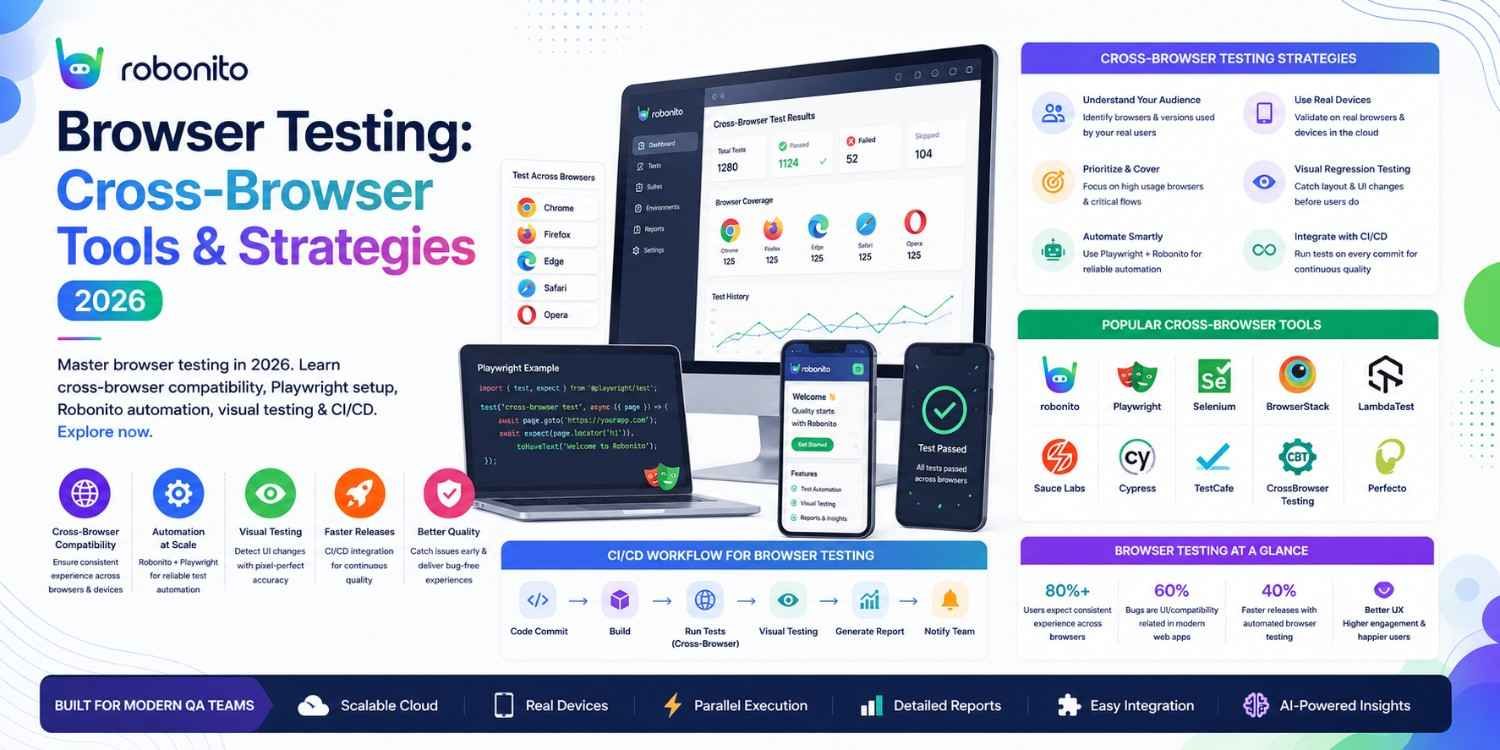
Safari behaves differently from Chrome. Firefox renders fonts differently from Edge. An application tested only on Chrome misses 19% of desktop users and 26% of mobile users before it even ships. This guide covers everything you need to test correctly across browsers — with real configuration, honest tool comparisons, and a setup you can implement this sprint.
By Robonito Engineering Team · Updated May 2026 · 17 min read
Quick stats
| Fact | Source |
|---|---|
| Chrome holds 65% of global desktop browser market share | StatCounter May 2026 |
| Safari holds 19% of desktop and 26% of mobile browser share | StatCounter May 2026 |
| 49% of users encounter browser compatibility issues at least monthly | BrowserStack State of Testing 2025 |
| Cross-browser bugs cost teams an average of 3.2 developer-hours each to diagnose and fix | Sauce Labs Testing Trends 2025 |
| Teams with automated cross-browser testing in CI catch compatibility issues 8× faster | DORA State of DevOps 2025 |
Table of Contents
- What is browser testing?
- 2026 browser market share — what you actually need to test
- Types of browser testing
- Why Safari is the hardest browser to support
- Cross-browser testing with Playwright — real configuration
- Visual regression testing across browsers
- Responsive design and viewport testing
- Browser testing tools compared
- Real device vs emulator — when each is sufficient
- Browser testing in CI/CD pipelines
- Common cross-browser bugs and how to prevent them
- Pre-release browser testing checklist
- Frequently Asked Questions
Run cross-browser tests automatically — without writing test scripts
Robonito runs your regression tests across Chrome, Safari, Firefox, and Edge in CI automatically — no Playwright configuration, no selector maintenance, no cross-browser debugging required. Try Robonito free →
1. What is browser testing?
One-sentence definition for featured snippets: Browser testing is the practice of verifying that a web application works correctly — functionally, visually, and performantly — across different browsers, browser versions, operating systems, and device types.
Browser testing exists because the web does not have a single runtime. When you write CSS or JavaScript, it does not execute against one engine with one interpretation — it executes against whichever browser the user happens to have installed. Chrome uses the Blink rendering engine. Safari uses WebKit. Firefox uses Gecko. Each interprets CSS specifications, JavaScript standards, and HTML behaviours differently.
The result is that code which works perfectly in Chrome can fail silently, render incorrectly, or crash entirely in Safari — simply because WebKit and Blink disagree on how a CSS property should behave, or because Safari has not yet implemented a JavaScript API that Chrome shipped 18 months earlier.
For many teams, this feels like an optional concern — something to deal with "later." It is not optional. Safari on iOS represents 26% of mobile web traffic globally. If your application fails or degrades on Safari, more than one in four mobile users has a broken experience. That is not a niche edge case — it is a significant portion of your user base.
2. 2026 browser market share — what you actually need to test
Build your browser testing matrix from real data, not generic advice. Here is the current global picture:
Desktop browsers
| Browser | Engine | Global market share | Priority |
|---|---|---|---|
| Chrome | Blink/V8 | ~65% | Must test |
| Safari | WebKit/JavaScriptCore | ~19% | Must test |
| Edge | Blink/V8 | ~4% | Should test |
| Firefox | Gecko/SpiderMonkey | ~3% | Should test |
| Opera | Blink | ~2% | Low priority |
| Others | Various | ~7% | Analytics-dependent |
Mobile browsers
| Browser | Platform | Global mobile share | Priority |
|---|---|---|---|
| Chrome for Android | Blink | ~65% | Must test |
| Safari for iOS | WebKit | ~26% | Must test |
| Samsung Internet | Blink | ~4% | Mobile priority |
| Firefox for Android | Gecko | ~0.5% | Low priority |
The critical insight from this data
Chrome and Edge both use Blink. A test that passes on Chrome will almost always pass on Edge. This means testing Chrome and Safari covers the two different rendering engines that matter — Blink and WebKit — which together represent approximately 84% of desktop traffic and 91% of mobile traffic.
Your minimum viable browser test matrix:
- Chrome (latest) — desktop
- Safari (latest) — desktop
- Chrome for Android (latest) — mobile viewport
- Safari for iOS (latest) — real device or BrowserStack
Extended matrix for broader coverage:
- Add Firefox for Gecko engine coverage
- Add Edge if your analytics show > 3% Edge users
- Add Samsung Internet if you have significant Android users
Always check your own application's analytics before defining the matrix. A developer productivity tool may have 40% Firefox users. A consumer e-commerce app may have 45% Safari mobile. Generic global stats are a starting point — your analytics are the truth.
3. Types of browser testing
Functional cross-browser testing
Verifies that all application features work correctly across every browser in your matrix. Form submissions, navigation, authentication flows, data loading, interactive components — each must function identically regardless of browser.
This is the most important type of browser testing and the most commonly automated. A test suite that passes in Chrome but fails in Safari is a cross-browser functional failure.
Visual regression testing
Verifies that the application renders visually consistently across browsers. Pixel-level comparison between browsers can surface CSS rendering differences invisible to functional tests — a button that works correctly in Safari but renders with different padding than Chrome, or a layout that shifts on Firefox but not Chromium.
Responsive / viewport testing
Verifies that the application's layout adapts correctly to different viewport sizes. While not strictly "browser testing" (the same browser behaves differently at 375px versus 1920px), it is almost always executed as part of the same test suite.
Performance testing across browsers
Verifies that Core Web Vitals and performance metrics are within acceptable thresholds on all supported browsers. Safari on older iOS devices has significantly lower JavaScript execution performance than Chrome on modern Android — performance that is acceptable on Chrome may be unacceptable on older Safari.
Core Web Vitals benchmarks (2026 Google standards):
| Metric | What it measures | Good | Needs improvement | Poor |
|---|---|---|---|---|
| LCP (Largest Contentful Paint) | Page load speed | < 2.5s | 2.5–4s | > 4s |
| INP (Interaction to Next Paint) | Input responsiveness | < 200ms | 200–500ms | > 500ms |
| CLS (Cumulative Layout Shift) | Visual stability | < 0.1 | 0.1–0.25 | > 0.25 |
Note: Time to Interactive (TTI) was removed from Google's Core Web Vitals in 2024. INP replaced FID as the interaction responsiveness metric.
4. Why Safari is the hardest browser to support
Safari deserves its own section because it is where most cross-browser bugs live in 2026, and where most teams' browser testing is weakest.
Safari's fundamental difference: While Chrome (Blink) and Edge (Blink) share the same rendering engine, Safari uses WebKit — a completely different codebase with different CSS support, different JavaScript implementation timelines, and different form element styling.
The most common Safari-specific bugs in 2026
/* ❌ Bug: CSS gap in flexbox — Safari < 14.1 ignores gap */
.container {
  display: flex;
  gap: 16px;  /* Works in Chrome, ignored in Safari < 14.1 */
}

/* ✅ Fix: Use margin fallback with @supports detection */
.container {
  display: flex;
}
.container > * + * {
  margin-left: 16px;  /* Fallback for old Safari */
}
@supports (gap: 16px) {
  .container {
    gap: 16px;
    /* Reset margin fallback */
  }
  .container > * + * {
    margin-left: 0;
  }
}
/* ❌ Bug: position: sticky — Safari requires -webkit- prefix on older versions */
.sticky-header {
  position: sticky;  /* Works in Chrome, fails in Safari < 13 */
  top: 0;
}

/* ✅ Fix: Include webkit prefix */
.sticky-header {
  position: -webkit-sticky;  /* Safari */
  position: sticky;
  top: 0;
}
// ❌ Bug: Date constructor behaves differently in Safari
// Chrome accepts: new Date('2026-05-01')
// Safari rejects: new Date('2026-05-01') → Invalid Date

const date = new Date('2026-05-01');
// ✅ Fix: Use format that all browsers accept
const dateSafe = new Date('2026/05/01');  // Slash-separated works everywhere
// Or better: use a library like date-fns for date parsing
Safari testing requires Apple hardware or a real device cloud
Safari cannot be accurately tested on Windows or Linux without using a cloud testing platform (BrowserStack, LambdaTest). There is no official WebKit browser for non-Apple platforms. Chrome on macOS does NOT test Safari behaviour — Chrome uses Blink, not WebKit.
To test Safari accurately, your options are:
- macOS with Safari installed — for manual testing and Playwright WebKit on macOS
- BrowserStack or LambdaTest — real iPhones and MacOS Safari in the cloud
- Playwright's WebKit project — approximates Safari on any OS but is not identical to real Safari
5. Cross-browser testing with Playwright — real configuration
Playwright is the recommended framework for automated cross-browser testing in 2026. It runs real browser engines — Chromium, Firefox, and WebKit — from a single test configuration, and supports TypeScript, JavaScript, Python, Java, and C#.
Complete Playwright cross-browser setup
// playwright.config.ts — full cross-browser configuration
import { defineConfig, devices } from '@playwright/test';

export default defineConfig({
  testDir: './tests',
  timeout: 30000,
  expect: { timeout: 5000 },
  retries: process.env.CI ? 2 : 0,  // Retry on CI to reduce flakiness
  workers: process.env.CI ? 4 : undefined,  // Parallel workers

  // Reporter configuration
  reporter: [
    ['html', { outputFolder: 'playwright-report' }],
    ['junit', { outputFile: 'test-results/results.xml' }],
  ],

  use: {
    baseURL: process.env.BASE_URL || 'http://localhost:3000',
    screenshot: 'only-on-failure',
    video: 'retain-on-failure',
    trace: 'on-first-retry',
  },

  projects: [
    // ── Desktop browsers ──────────────────────────────────────────
    {
      name: 'chromium-desktop',
      use: { ...devices['Desktop Chrome'] },
    },
    {
      name: 'webkit-desktop',
      use: { ...devices['Desktop Safari'] },
      // WebKit approximates Safari — use BrowserStack for exact Safari testing
    },
    {
      name: 'firefox-desktop',
      use: { ...devices['Desktop Firefox'] },
    },

    // ── Mobile browsers ───────────────────────────────────────────
    {
      name: 'mobile-chrome',
      use: { ...devices['Pixel 7'] },
    },
    {
      name: 'mobile-safari',
      use: { ...devices['iPhone 14'] },
      // Note: This is WebKit emulation, not real Safari on iOS
      // Use BrowserStack for real iOS Safari testing
    },

    // ── Tablet ────────────────────────────────────────────────────
    {
      name: 'tablet',
      use: { ...devices['iPad Pro 11'] },
    },
  ],

  // Start dev server before tests (optional)
  webServer: {
    command: 'npm run start:test',
    url: 'http://localhost:3000',
    reuseExistingServer: !process.env.CI,
  },
});
Writing stable cross-browser tests
// tests/cross-browser/navigation.spec.ts
import { test, expect } from '@playwright/test';

test.describe('Navigation — cross-browser', () => {

  test('main navigation renders and is accessible', async ({ page, browserName }) => {
    await page.goto('/');

    // Use ARIA roles — stable across browsers, not CSS class selectors
    const nav = page.getByRole('navigation', { name: 'Main navigation' });
    await expect(nav).toBeVisible();

    // Test all primary nav links are present and visible
    const navLinks = ['Products', 'Pricing', 'About', 'Blog'];
    for (const linkText of navLinks) {
      await expect(
        nav.getByRole('link', { name: linkText })
      ).toBeVisible();
    }
  });

  test('mobile menu opens and closes correctly', async ({ page, isMobile }) => {
    test.skip(!isMobile, 'Mobile menu only on mobile viewports');

    await page.goto('/');

    // Desktop nav should be hidden on mobile
    await expect(page.getByRole('navigation', { name: 'Main navigation' }))
      .not.toBeVisible();

    // Hamburger menu should be visible
    const menuButton = page.getByRole('button', { name: /menu/i });
    await expect(menuButton).toBeVisible();

    // Open the menu
    await menuButton.click();
    await expect(page.getByRole('navigation', { name: 'Main navigation' }))
      .toBeVisible();

    // Close the menu
    await menuButton.click();
    await expect(page.getByRole('navigation', { name: 'Main navigation' }))
      .not.toBeVisible();
  });

  test('form inputs render and accept input on all browsers', async ({ page, browserName }) => {
    await page.goto('/contact');

    const emailInput = page.getByLabel('Email address');
    await expect(emailInput).toBeVisible();

    await emailInput.fill('test@example.com');
    await expect(emailInput).toHaveValue('test@example.com');

    // Safari-specific: verify date input renders correctly
    const dateInput = page.getByLabel('Preferred contact date');
    if (dateInput) {
      await dateInput.fill('2026-06-01');
      // Safari may render date inputs differently — verify value is accepted
      const value = await dateInput.inputValue();
      expect(value).toBeTruthy();
    }
  });

  test('no horizontal scrollbar on mobile viewport', async ({ page }) => {
    await page.setViewportSize({ width: 375, height: 812 });
    await page.goto('/');

    const bodyWidth = await page.evaluate(() => document.body.scrollWidth);
    const viewportWidth = await page.evaluate(() => window.innerWidth);

    expect(bodyWidth).toBeLessThanOrEqual(viewportWidth + 1);
    // +1 for sub-pixel rendering differences across browsers
  });
});
Running tests selectively by browser in CI
## Run all browsers (full regression)
npx playwright test

## Run only Chromium (fast PR check)
npx playwright test --project=chromium-desktop

## Run only Safari/WebKit (Safari-specific bugs)
npx playwright test --project=webkit-desktop --project=mobile-safari

## Run with specific grep pattern on all browsers
npx playwright test --grep "checkout" --project=chromium-desktop --project=webkit-desktop
6. Visual regression testing across browsers
Visual regression testing automatically captures screenshots of your application across browsers and compares them to a baseline — flagging any visual differences for human review.
This is critical for catching CSS rendering differences that functional tests miss. A button that is functionally correct (clicking it works) can visually differ between Chrome and Safari — different padding, different font rendering, different border radius — in ways that only a pixel comparison reveals.
// tests/visual/homepage.spec.ts — visual regression with Playwright
import { test, expect } from '@playwright/test';

test.describe('Visual regression — homepage', () => {

  // Establish baselines by running once with --update-snapshots
  // Subsequent runs compare against the saved baseline

  test('homepage hero section matches baseline', async ({ page, browserName }) => {
    await page.goto('/');

    // Wait for all images and fonts to load before screenshot
    await page.waitForLoadState('networkidle');

    // Mask dynamic content that changes between runs
    await expect(page).toHaveScreenshot(`hero-${browserName}.png`, {
      mask: [
        page.getByTestId('current-date'),  // Date changes daily
        page.getByTestId('live-counter'),   // Real-time counter
      ],
      maxDiffPixels: 50,  // Allow minor sub-pixel rendering differences
    });
  });

  test('product card renders consistently across browsers', async ({ page, browserName }) => {
    await page.goto('/products');
    await page.waitForLoadState('networkidle');

    const productCard = page.getByTestId('product-card-001');
    await expect(productCard).toHaveScreenshot(
      `product-card-${browserName}.png`,
      { maxDiffPixelRatio: 0.02 }  // Allow up to 2% pixel difference
    );
  });
});
When to use Playwright screenshots vs Percy/Applitools
Playwright built-in screenshots are sufficient when:
- You want simple baseline comparisons
- Your team manages the baseline images in version control
- You want free visual regression without external services
Percy or Applitools are better when:
- You need sophisticated visual diffing that ignores sub-pixel rendering noise
- You want a dedicated review interface for visual changes
- Multiple reviewers need to approve visual changes
- You need visual testing across real BrowserStack devices (Applitools + BrowserStack integration)
7. Responsive design and viewport testing
Responsive testing and cross-browser testing are closely related but distinct. A site can pass all cross-browser tests but fail at mobile viewports — wrong layout, overlapping elements, text too small to read, touch targets too small to tap.
The standard viewport test matrix
// tests/responsive/viewports.spec.ts
import { test, expect } from '@playwright/test';

const viewports = [
  { name: 'iPhone SE',      width: 375,  height: 667  },  // Smallest common
  { name: 'iPhone 14 Pro',  width: 393,  height: 852  },  // Current iPhone
  { name: 'Android mid',    width: 412,  height: 915  },  // Pixel / Samsung mid
  { name: 'iPad portrait',  width: 768,  height: 1024 },  // Tablet portrait
  { name: 'iPad landscape', width: 1024, height: 768  },  // Tablet landscape
  { name: 'Laptop',         width: 1280, height: 800  },  // Standard laptop
  { name: 'Desktop',        width: 1920, height: 1080 },  // Standard desktop
];

for (const viewport of viewports) {
  test(`checkout page renders correctly on ${viewport.name}`, async ({ page }) => {
    await page.setViewportSize({ width: viewport.width, height: viewport.height });
    await page.goto('/checkout');

    // No horizontal scrollbar
    const bodyWidth = await page.evaluate(() => document.body.scrollWidth);
    expect(bodyWidth).toBeLessThanOrEqual(viewport.width + 1);

    // Critical buttons meet minimum touch target size (44×44px WCAG 2.5.5)
    const placeOrderBtn = page.getByRole('button', { name: 'Place order' });
    const btnBox = await placeOrderBtn.boundingBox();
    if (viewport.width <= 768) {
      // Touch target requirement on mobile
      expect(btnBox?.height).toBeGreaterThanOrEqual(44);
      expect(btnBox?.width).toBeGreaterThanOrEqual(44);
    }

    // Essential content visible without scrolling on mobile
    if (viewport.width <= 412) {
      await expect(page.getByRole('heading', { level: 1 })).toBeVisible();
      await expect(page.getByLabel('Email')).toBeVisible();
    }
  });
}
8. Browser testing tools compared
Automated cross-browser testing frameworks
| Tool | Browsers | Languages | Self-healing | CI/CD | Free | Best for |
|---|---|---|---|---|---|---|
| Playwright | Chromium + Firefox + WebKit | TS/JS/Python/Java/C# | ❌ | ✅ Native | ✅ OSS | Engineering-led, cross-browser |
| Selenium | All (via WebDriver) | All major | ❌ | ✅ | ✅ OSS | Legacy, max language flexibility |
| Cypress | Chromium + Firefox | JS/TS only | ❌ | ✅ | ✅ OSS core | JS frontend teams |
| Robonito | Chrome + Safari + Firefox + Edge | None (no-code) | ✅ AI | ✅ Native | ✅ Free tier | No-code, self-healing |
| WebdriverIO | All + mobile | JavaScript | ❌ | ✅ | ✅ OSS | Unified web + mobile |
Playwright is often the best choice for engineering-led teams that want full control over their automation framework. However, maintaining Playwright suites requires ongoing selector updates, test maintenance, and engineering resources.
Teams that want browser coverage without maintaining automation code often choose Robonito. Robonito automatically generates and executes browser tests across Chrome, Safari, Firefox, and Edge, integrates into CI/CD pipelines, and uses self-healing automation to reduce maintenance when UI elements change.
This approach is particularly useful for teams without dedicated automation engineers or organizations that need broad browser coverage across multiple applications.
Real device cloud platforms
| Platform | Browsers/devices | Pricing | Best for |
|---|---|---|---|
| BrowserStack | 3,500+ real devices | From $29/mo | Real Safari iOS, comprehensive |
| LambdaTest | 3,000+ browsers/devices | From $15/mo | Budget cross-browser cloud |
| Sauce Labs | 2,000+ | From $49/mo | Enterprise, compliance |
| AWS Device Farm | 1,000+ | $0.17/device-min | AWS ecosystem, pay-per-use |
Choosing between local Playwright WebKit and real BrowserStack Safari
Use Playwright WebKit for:
✅ Fast development feedback loop
✅ Cross-browser CI on Linux/Windows without macOS
✅ Catching most CSS/JS compatibility issues early
✅ Viewport and responsive testing

Use BrowserStack real Safari for:
🔴 Final pre-release validation on real iOS Safari
🔴 Testing touch events and gestures on real iPhones
🔴 PWA installation and Service Worker behaviour
🔴 Safari-specific form input rendering (date pickers, selects)
🔴 Testing on older iOS versions (iOS 15, 16 still in significant use)
The practical approach: use Playwright WebKit in CI for every PR (fast, free), and BrowserStack real device testing as a pre-release gate (slower, more accurate, costs money).
9. Real device vs emulator — when each is sufficient
Emulator/simulator
A software simulation of a device running in your computer or CI container. Playwright's mobile device profiles are emulators — they simulate the viewport size, pixel density, and touch events of a real device, but run in the actual Chromium or WebKit browser on your machine.
Emulators are sufficient for:
- Layout and responsive design testing (viewport simulation is accurate)
- JavaScript functionality testing (same engine as real device)
- Performance ballpark measurement
- Most functional cross-browser testing
Emulators are NOT sufficient for:
- Testing real Safari on iOS (WebKit on iOS is different from WebKit on macOS)
- Touch gesture physics (scroll momentum, rubber-banding)
- Camera, GPS, biometric, and hardware sensor interactions
- Network condition testing on real cellular networks
- Battery and thermal throttling effects on performance
- PWA install experience
Real device cloud
BrowserStack and LambdaTest provide access to physical devices hosted in their data centres. Your test runner controls a real phone or tablet over the internet.
Real devices are required for:
- Safari on iOS — there is no substitute for real iOS WebKit
- Any test where "does this feel right on a real phone?" is the question
- Performance testing that reflects real device hardware constraints
- Pre-launch final validation
The practical hybrid approach
Development phase:
  Playwright cross-browser (all browsers) on every PR
  → Fast (< 10 min), free, catches 90% of issues

Pre-release:
  BrowserStack real devices for iOS Safari + Android Chrome
  → Slower (30-45 min), costs money, catches remaining 10%

Post-release monitoring:
  Synthetic monitoring (Robonito or Checkly) checking critical
  paths on real environments continuously
10. Browser testing in CI/CD pipelines
Cross-browser tests integrated into CI pipelines catch browser compatibility issues at the moment they are introduced — not weeks later during QA or months later when users report them.
Two-tier pipeline strategy
## .github/workflows/browser-tests.yml
name: Cross-Browser Tests

on:
  push:
    branches: [main, develop]
  pull_request:

jobs:
  ## Tier 1: Fast Chromium-only check on every PR
  ## Completes in < 5 minutes, blocks merge on failure
  chromium-smoke:
    name: Chromium Smoke Tests (PR gate)
    runs-on: ubuntu-latest
    if: github.event_name == 'pull_request'
    steps:
      - uses: actions/checkout@v4
      - uses: actions/setup-node@v4
        with: { node-version: '20', cache: 'npm' }
      - run: npm ci
      - run: npx playwright install --with-deps chromium
      - run: npm run start:test &
      - run: npx wait-on http://localhost:3000 --timeout 30000
      - run: npx playwright test --project=chromium-desktop
      - uses: actions/upload-artifact@v4
        if: failure()
        with:
          name: chromium-report
          path: playwright-report/

  ## Tier 2: Full cross-browser on merge to main
  ## Completes in < 20 minutes, blocks production deploy
  full-cross-browser:
    name: Full Cross-Browser Suite (main branch)
    runs-on: ubuntu-latest
    if: github.ref == 'refs/heads/main'
    steps:
      - uses: actions/checkout@v4
      - uses: actions/setup-node@v4
        with: { node-version: '20', cache: 'npm' }
      - run: npm ci
      - run: npx playwright install --with-deps
      - run: npm run start:test &
      - run: npx wait-on http://localhost:3000 --timeout 30000

      ## Run all browsers in parallel shards
      - run: npx playwright test --shard=1/3 &
      - run: npx playwright test --shard=2/3 &
      - run: npx playwright test --shard=3/3 &
      - run: wait  ## Wait for all shards to complete

      - uses: actions/upload-artifact@v4
        if: always()
        with:
          name: cross-browser-report
          path: playwright-report/

  ## Tier 3: Real device BrowserStack (pre-release only)
  real-device-safari:
    name: Real Device Safari (pre-release)
    runs-on: ubuntu-latest
    needs: full-cross-browser
    if: startsWith(github.ref, 'refs/tags/v')  ## Only on release tags
    steps:
      - uses: actions/checkout@v4
      - uses: actions/setup-node@v4
        with: { node-version: '20', cache: 'npm' }
      - run: npm ci
      - name: Run BrowserStack real device tests
        run: npm run test:browserstack
        env:
          BROWSERSTACK_USERNAME: ${{ secrets.BROWSERSTACK_USERNAME }}
          BROWSERSTACK_ACCESS_KEY: ${{ secrets.BROWSERSTACK_ACCESS_KEY }}
          BS_TARGET_URL: ${{ secrets.STAGING_URL }}
No-code cross-browser integration with Robonito
## Alternative: Robonito handles cross-browser without configuration
- name: Run Robonito cross-browser regression
  uses: robonito/run-tests-action@v2
  with:
    api-key: ${{ secrets.ROBONITO_API_KEY }}
    suite: regression
    environment: staging
    browsers: chrome,safari,firefox,edge
    fail-on: critical
11. Common cross-browser bugs and how to prevent them
The 10 most common cross-browser issues in 2026
| Bug category | Affected browsers | Cause | Prevention |
|---|---|---|---|
CSS gap in flex | Safari < 14.1 | WebKit late implementation | @supports fallback or margin |
| Date input rendering | Safari | WebKit parses dates differently | Use date-fns for parsing, avoid new Date(string) |
CSS position: sticky | Safari < 13 | Requires -webkit- prefix | Include vendor prefix |
| CSS grid subgrid | Older Safari | WebKit implementation delay | Check caniuse.com before using |
<dialog> element | Firefox < 98 | Late Gecko implementation | Polyfill or avoid until analytics justify |
CSS :focus-visible | Safari < 15.4 | Late WebKit support | Test keyboard focus styles on Safari |
scrollbar-gutter | Safari | WebKit not implemented | CSS custom properties fallback |
| Smooth scroll API | Safari < 15.4 | Late WebKit support | scroll-behavior: smooth polyfill |
| Form validation styling | All browsers | Each browser styles differently | Reset and restyle all form validation UI |
Custom <select> styling | Safari | WebKit ignores most <select> CSS | Use appearance: none + full custom component |
Using Can I Use before implementing features
## Before implementing any CSS property or JavaScript API,
## check https://caniuse.com for browser support:

## Example: before using CSS container queries
## caniuse.com/css-container-queries shows:
## Chrome 105+ ✅, Safari 16+ ✅, Firefox 110+ ✅
## Supported in all modern browsers — safe to use in 2026

## Example: before using CSS :has() selector
## caniuse.com/css-has shows:
## Chrome 105+ ✅, Safari 15.4+ ✅, Firefox 121+ ✅
## Safe to use, but verify your minimum supported versions
12. Pre-release browser testing checklist
Test matrix coverage
- Chrome (latest) — desktop — functional + visual
- Safari (latest) — desktop — functional + visual
- Firefox (latest) — desktop — functional
- Edge (latest) — desktop — smoke only (same Blink as Chrome)
- Chrome for Android — mobile viewport — functional + layout
- Safari for iOS — real device — functional + touch
- All viewports: 375px, 768px, 1280px, 1920px
Functional cross-browser
- All critical user flows pass on Chrome AND Safari
- All forms accept input correctly on all browsers (especially date inputs)
- All interactive elements (dropdowns, modals, accordions) work on Safari
- No horizontal scrollbar at 375px viewport on any browser
- All keyboard navigation paths work on Safari (often breaks differently)
- No JavaScript console errors on any browser
Visual consistency
- Visual regression baselines captured for all browsers
- No layout shifts > 0.1 CLS on any browser
- Font rendering acceptable across browsers (slight variations normal)
- Button and input styles consistent across browsers
- No broken layouts or overlapping elements at any viewport
Performance
- LCP < 2.5s on Chrome AND Safari (Lighthouse audit on both)
- INP < 200ms on key interactive pages
- Performance tested on simulated mid-range mobile (4× CPU slowdown in Chrome DevTools)
Accessibility cross-browser
- axe-core scan passes on Chrome (minimum)
- Keyboard navigation verified manually on Safari (VoiceOver + Tab)
- All touch targets ≥ 44×44px on mobile viewports
Frequently Asked Questions
What is browser testing?
Browser testing verifies that a web application works correctly — functionally, visually, and performantly — across different browsers, browser versions, operating systems, and device types. It ensures users receive consistent experiences regardless of whether they use Chrome, Safari, Firefox, or Edge.
Which browsers should I test on?
At minimum: Chrome (latest) and Safari (latest). Together they cover ~84% of desktop and ~91% of mobile traffic. Chrome and Edge share the Blink engine, so Chrome coverage largely extends to Edge. Add Firefox for Gecko engine coverage. Always supplement global stats with your application's own analytics.
What is the best cross-browser testing tool in 2026?
Playwright for automated engineering-led testing — it tests Chromium, Firefox, and WebKit from one configuration. Robonito for no-code cross-browser regression that self-heals when UI changes. BrowserStack for real device testing when exact Safari on iOS accuracy is required.
Why is Safari so difficult to test?
Safari uses WebKit (not Blink like Chrome/Edge), which implements CSS and JavaScript APIs on a different timeline and with different interpretations. CSS features like gap in flexbox, date input handling, scroll behaviour, and Service Workers all work differently in Safari. Testing requires Apple hardware or a real device cloud — Chrome on macOS does NOT test Safari behaviour.
What is the difference between Playwright WebKit and real Safari?
Playwright's WebKit project runs Apple's WebKit engine on any platform, approximating Safari. It catches most compatibility issues and is sufficient for CI on every PR. Real Safari on real iOS hardware (or BrowserStack) is required for final pre-release validation, touch gesture testing, PWA behaviour, and older iOS version compatibility.
How should cross-browser tests fit into a CI/CD pipeline?
Use a two-tier approach: Chromium-only smoke tests on every PR (fast, < 5 minutes), full cross-browser suite on every merge to main (< 20 minutes), and real device BrowserStack testing on release tags only. This balances thoroughness against pipeline speed.
External references
- Playwright Cross-Browser Documentation — Official browser configuration
- Can I Use — Browser Support Tables — CSS/JS feature browser support
- StatCounter Browser Market Share — Live browser usage data
- Google Core Web Vitals — LCP, INP, CLS benchmarks
- BrowserStack Cross-Browser Testing — Real device cloud
- LambdaTest — Budget cross-browser cloud
- WebKit Blog — Safari/WebKit release notes and compatibility
Cross-browser regression testing — without any browser configuration
Robonito runs your tests across Chrome, Safari, Firefox, and Edge automatically in CI — self-healing when layouts change, no Playwright config, no selector maintenance, no cross-browser debugging sprints. Start free at Robonito.com →
Automate your QA — no code required
Stop writing test scripts.
Start shipping with confidence.
Join thousands of QA teams using Robonito to automate testing in minutes — not months.
