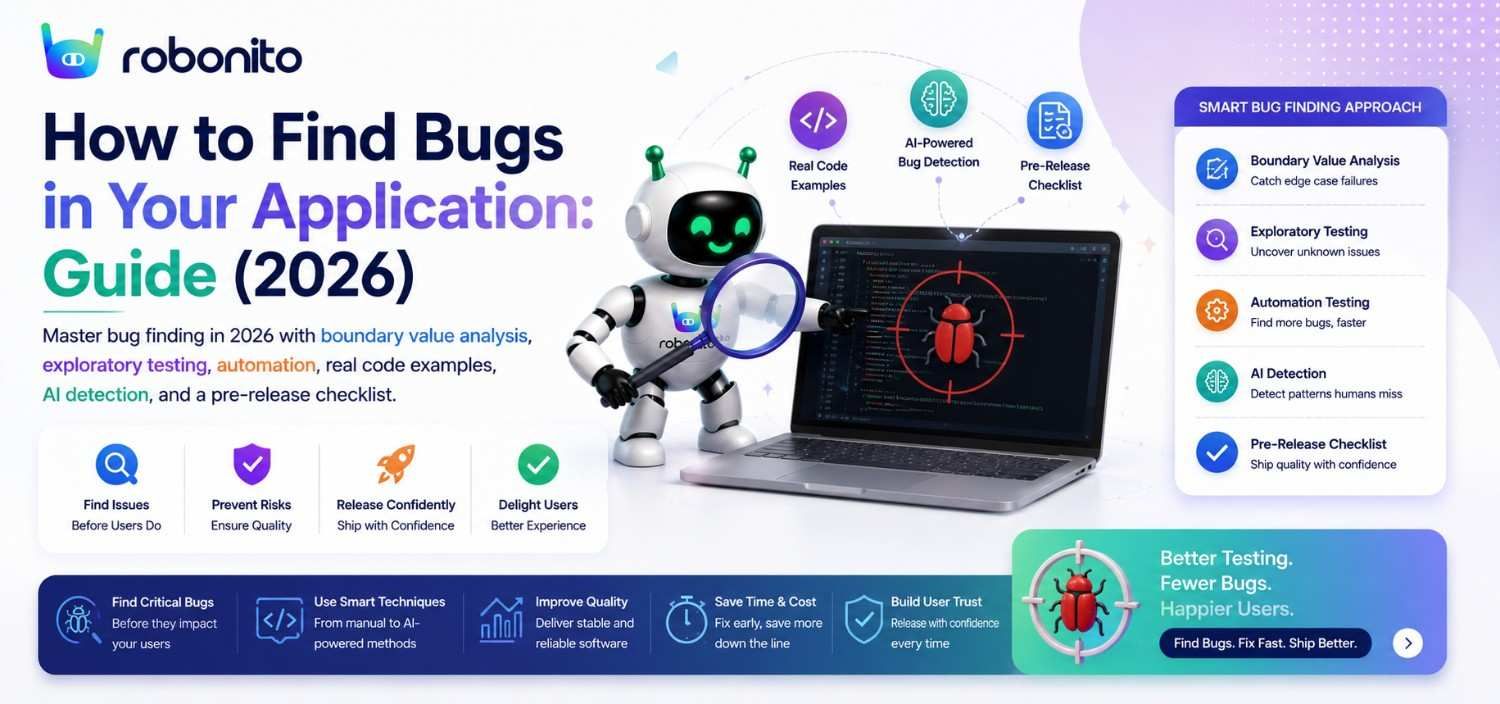
Every major production outage begins the same way: someone assumed “that case will never happen.” Sometimes it is a quantity of zero. Sometimes it is an uppercase email address. Sometimes it is two users clicking Save at exactly the same moment. Most production bugs were technically findable before release — they simply were not tested under the conditions that triggered them. This guide explains the systematic techniques engineering teams use to find those bugs before customers do, including boundary value analysis, exploratory testing, regression automation, security testing, performance testing, and AI-assisted defect detection — with real code examples for every approach.
By Robonito Engineering Team · Updated July 2026 · 20 min read
Quick stats
| Fact | Source |
|---|---|
| A bug found in production costs 10× more to fix than one caught in testing | IBM Systems Sciences Institute |
| 46% of production incidents are regressions that testing should have caught | Tricentis State of Testing 2025 |
| Boundary value analysis frequently detects a large proportion of input-validation defects while requiring relatively few test cases | ISTQB Testing Foundations |
| Exploratory testing consistently identifies defects that scripted automation alone often misses | Satisfice Inc. Research |
| Automated security scanners can identify many common OWASP Top 10 vulnerability patterns before release | OWASP Testing Guide 2025 |
Table of Contents
- Why bugs survive to production — the real causes
- Boundary value analysis — where most logic bugs hide
- Equivalence partitioning — test smarter, not more
- Exploratory testing — find what scripts cannot
- Automated regression testing — catch what changed
- Security bug finding — the OWASP approach
- Performance bug detection — before users notice
- API bug finding — contract testing
- Visual bug detection — what functional tests miss
- AI-powered bug finding with Robonito
- The complete bug-hunting checklist
- Frequently Asked Questions
Find bugs before users do — automated testing that self-heals
Robonito generates tests from your user flows, catches regressions in CI automatically, and self-heals when your UI changes — so your automated tests keep finding real bugs instead of breaking on selector changes. Try Robonito free →
1. Why bugs survive to production — the real causes
Before covering techniques, it is worth understanding why bugs survive testing in the first place. Most post-mortem analyses of production bugs reveal one of four root causes:
Across production audits and QA reviews, the same patterns appear repeatedly. Teams usually test expected workflows thoroughly, but bugs escape through combinations of edge conditions, timing issues, permission assumptions, interrupted workflows, and unexpected input formats.
One recurring pattern is that a feature works correctly in isolation but fails when multiple systems interact. A checkout flow may pass functional testing yet fail when a session expires mid-payment, when tax calculations round differently across services, or when two inventory updates occur simultaneously under load.
The goal of systematic bug finding is not to test “more.” It is to test the specific conditions where production systems behave differently from developer assumptions.
Root cause 1: Edge cases not tested
  "We tested the checkout with 1 item and 10 items.
   We didn't test with 0 items, or 101 items (above the limit)."
  Solution: Boundary value analysis (Section 2)

Root cause 2: Happy-path-only coverage
  "Our tests covered the normal payment flow.
   We didn't test what happens when the network drops mid-payment."
  Solution: Exploratory testing + error path automation (Sections 4, 5)

Root cause 3: Regression from code change
  "The developer fixed a bug in the cart module.
   The fix broke the discount calculation — which passed last release."
  Solution: Automated regression suite (Section 5)

Root cause 4: Category not tested at all
  "We had great functional test coverage.
   We had no security testing, and the API had SQL injection."
  Solution: Security testing (Section 6)
The most effective bug-finding strategy covers all four categories. Teams that focus only on functional testing find functional bugs. Teams that also test security, performance, and edge cases find the bugs that functional testing misses.
2. Boundary value analysis — where most logic bugs hide
What it is: Boundary value analysis (BVA) tests values at and immediately around the edges of valid input ranges — because bugs most commonly occur at the exact minimum, maximum, or just outside those limits.
Why it works: Developers typically test their own implementations with comfortable middle values. A developer implementing a quantity field that accepts 1-100 will test with 5, 10, and 50 — and rarely test 0, 1, 100, or 101. BVA systematically covers the values most likely to expose implementation mistakes.
A common real-world example is pricing logic. One ecommerce platform accepted discount percentages from 0-100, but failed to reject 101 due to an off-by-one validation bug. During a promotional campaign, a malformed admin import applied discounts above 100%, producing negative order totals and failed payment processing across thousands of transactions.
The bug existed for months because testing focused on normal promotional values like 10%, 20%, and 50% rather than exact boundaries.
The boundary testing pattern — six points per input
For any input with a valid range [min, max]:

Test point 1: min - 1  → just below minimum (should be rejected)
Test point 2: min      → exactly at minimum (should be accepted)
Test point 3: min + 1  → just above minimum (should be accepted)
Test point 4: max - 1  → just below maximum (should be accepted)
Test point 5: max      → exactly at maximum (should be accepted)
Test point 6: max + 1  → just above maximum (should be rejected)

Example: Quantity input, valid range 1-100

Test 1: quantity = 0    → expect: rejection, error "minimum 1"
Test 2: quantity = 1    → expect: accepted, added to cart
Test 3: quantity = 2    → expect: accepted, added to cart
Test 4: quantity = 99   → expect: accepted, added to cart
Test 5: quantity = 100  → expect: accepted, added to cart
Test 6: quantity = 101  → expect: rejection, error "maximum 100"
Real code — boundary value tests with pytest
## tests/unit/test_quantity_boundaries.py
## Systematic boundary value testing for order quantity validation

import pytest
from src.cart.validator import validate_quantity

class TestQuantityBoundaryValues:
    """BVA tests: quantity valid range is 1-100"""

    ## Just below minimum — must reject
    def test_zero_quantity_rejected(self):
        result = validate_quantity(0)
        assert result.valid is False
        assert "minimum" in result.error.lower()

    ## Exactly at minimum — must accept
    def test_one_quantity_accepted(self):
        result = validate_quantity(1)
        assert result.valid is True
        assert result.error is None

    ## Just above minimum — must accept
    def test_two_quantity_accepted(self):
        result = validate_quantity(2)
        assert result.valid is True

    ## Just below maximum — must accept
    def test_ninety_nine_quantity_accepted(self):
        result = validate_quantity(99)
        assert result.valid is True

    ## Exactly at maximum — must accept
    def test_hundred_quantity_accepted(self):
        result = validate_quantity(100)
        assert result.valid is True
        assert result.error is None

    ## Just above maximum — must reject
    def test_hundred_one_quantity_rejected(self):
        result = validate_quantity(101)
        assert result.valid is False
        assert "maximum" in result.error.lower()

    ## Additional boundary: negative numbers
    def test_negative_quantity_rejected(self):
        result = validate_quantity(-1)
        assert result.valid is False

    ## Additional boundary: non-integer (if applicable)
    def test_decimal_quantity_rejected(self):
        result = validate_quantity(1.5)
        assert result.valid is False
Where BVA finds bugs most reliably
High-value BVA targets — inputs where boundary bugs are most common:

Numeric inputs:
  Quantity fields, price inputs, age verification, credit limits,
  pagination page numbers, file size limits, API rate limits

Text length inputs:
  Password minimum/maximum length, username character limits,
  comment/bio character counts, search query length limits

Date and time inputs:
  Date pickers (leap year February 29, year boundaries),
  time zone edge cases, subscription expiry dates,
  booking windows (can you book 0 days ahead? 365+ days?)

Percentage and proportion inputs:
  Discount codes (0%, 100%, 101%), tax calculations at 0% rate,
  commission splits that must sum to exactly 100%
3. Equivalence partitioning — test smarter, not more
What it is: Equivalence partitioning divides all possible inputs into groups (partitions) where all values in the group should produce the same result — then tests one representative value from each group rather than every possible value.
Example: Email validation field

Partition 1: Valid email formats       → test: "user@example.com"
Partition 2: Missing @ symbol          → test: "userexample.com"
Partition 3: Missing domain            → test: "user@"
Partition 4: Missing local part        → test: "@example.com"
Partition 5: Multiple @ symbols        → test: "user@@example.com"
Partition 6: Special chars in local    → test: "user+tag@example.com"
Partition 7: Subdomain email           → test: "user@mail.example.com"
Partition 8: Maximum length email      → test: 254-character address

Testing one value per partition = 8 tests
Testing every invalid email = thousands of tests

You get 95%+ of the bug-finding value from 8 cases.
Combined BVA + EP — the efficient bug-finding formula
## tests/api/test_email_validation.py — BVA + EP combined

import pytest
import httpx

@pytest.mark.parametrize("email,expected_valid,description", [
    ## Equivalence partitions — valid emails
    ("user@example.com",          True,  "Standard valid email"),
    ("user+tag@example.com",      True,  "Plus addressing — valid"),
    ("user@mail.example.com",     True,  "Subdomain — valid"),
    ("u@example.co",              True,  "Short local part — valid"),

    ## Equivalence partitions — invalid emails
    ("userexample.com",           False, "Missing @ symbol"),
    ("user@",                     False, "Missing domain"),
    ("@example.com",              False, "Missing local part"),
    ("user@@example.com",         False, "Multiple @ symbols"),
    ("",                          False, "Empty string"),

    ## Boundary values — email length
    ("a@b.io",                    True,  "Minimum viable email"),
    ("a" * 243 + "@example.com",  True,  "Near maximum length (254 chars)"),
    ("a" * 244 + "@example.com",  False, "Over maximum length (255 chars)"),
])
def test_email_validation(email, expected_valid, description):
    response = httpx.post("https://staging.yourapp.com/api/auth/register",
        json={"email": email, "password": "TestPass2026!"})

    if expected_valid:
        assert response.status_code in [200, 201], \
            f"FAIL — {description}: expected acceptance, got {response.status_code}"
    else:
        assert response.status_code == 422, \
            f"FAIL — {description}: expected rejection (422), got {response.status_code}"
4. Exploratory testing — find what scripts cannot
What it is: Exploratory testing is simultaneous test design and execution — a skilled tester navigates the application without a predefined script, using judgment and domain knowledge to discover bugs that no test case anticipated.
Why it finds bugs that automated tests miss: Automated tests verify what was anticipated. Exploratory testing discovers what was not anticipated. The payment flow bug where entering a specific Unicode character in the card name field bypassed validation — that was found through exploratory testing, not a scripted test case.
One consistent pattern across exploratory testing sessions is that the highest-severity bugs rarely appear during straightforward workflows. They appear during interruptions, retries, concurrency conditions, and transitions between systems.
In practice, many severe defects occur when applications move from one state to another: authenticated to expired, connected to disconnected, available inventory to unavailable inventory, or draft state to submitted state.
Session-based exploratory testing (SBET)
Session structure:
  Duration:  60-90 minutes (longer reduces focus)
  Charter:   "Find bugs in the checkout flow when
               using non-standard inputs and interruptions"

SBET session record template:
─────────────────────────────────────────────────────────────
Session: SBET-047
Tester: QA Lead (Jane Smith)
Date: 2026-06-26
Duration: 75 minutes

Charter: Explore authentication edge cases
         Focus: Password validation, account lockout, session handling

Areas explored:
  ✓ Standard login (3 min)
  ✓ Password reset flow (10 min)
  ✓ Login with special characters in email (8 min)
  ✓ Concurrent login from multiple devices (12 min)
  ✓ Session expiry during active checkout (15 min) ← found bug here
  ✓ Account lockout after failed attempts (10 min)
  ✓ OAuth login then password login same account (15 min)

Bugs found:
  BUG-082: Session expiry during checkout clears cart without
           warning. User loses items and is redirected to login.
           Reproduction: Start checkout, wait 31 minutes
           (session timeout), click Place Order.
           Expected: Warning shown before session expires.
           Actual: Silent redirect to login. Cart empty.
  BUG-083: Login with email containing uppercase letters fails
           silently on Safari. Chrome accepts the same email.

Test ideas for future sessions:
  - What happens if OAuth token expires during checkout?
  - Password change while active session on another device?
─────────────────────────────────────────────────────────────
High-value exploratory testing targets
Where exploratory testing finds the most bugs:
  ┌────────────────────────────────────────────────────────┐
  │ Integration points between features                    │
  │   → What happens if you apply a discount AFTER        │
  │     adding the first item but BEFORE adding the second?│
  ├────────────────────────────────────────────────────────┤
  │ Interruption scenarios                                 │
  │   → What happens if you navigate away mid-form?       │
  │   → What if the network drops during payment?         │
  │   → What if you press back during a checkout step?    │
  ├────────────────────────────────────────────────────────┤
  │ Unexpected input types                                 │
  │   → Paste content from Word (includes formatting)     │
  │   → Enter emoji in name fields                        │
  │   → Enter very long strings in short-expected fields  │
  │   → Enter scripts: <script>alert('xss')</script>      │
  ├────────────────────────────────────────────────────────┤
  │ Permission and role edge cases                         │
  │   → Can a guest access a logged-in-user URL directly? │
  │   → Can a regular user access an admin URL?           │
  │   → What if a user's permissions change mid-session?  │
  └────────────────────────────────────────────────────────┘
5. Automated regression testing — catch what changed
What it is: Running your automated test suite against every code change to detect regressions — bugs introduced in previously working functionality.
Why it matters: According to Tricentis' research, 46% of production incidents are regressions — bugs that testing should have caught before release. Automated regression is the most efficient mechanism for catching these because it scales across every code change without linear cost increase.
// tests/regression/checkout.spec.ts
// Regression tests catch: bugs where a code change breaks
// previously working functionality

import { test, expect } from '@playwright/test';

test.describe('Checkout regression suite', () => {

  // This test was added after BUG-052: discount not applied
  // when user is not logged in. Added to prevent regression.
  test('[REG-052] guest checkout applies discount correctly', async ({ page }) => {
    await page.goto('/products/widget-pro');
    await page.getByRole('button', { name: 'Add to cart' }).click();
    await page.goto('/checkout');

    // Do NOT login — test guest checkout specifically
    await page.getByLabel('Discount code').fill('SAVE10');
    await page.getByRole('button', { name: 'Apply' }).click();

    const discount = await page.getByTestId('discount-amount').textContent();
    expect(parseFloat(discount!.replace(/[^0-9.]/g, ''))).toBeGreaterThan(0);
  });

  // Added after BUG-071: order confirmation did not send email
  // for orders placed between 11pm-1am UTC (timezone bug)
  test('[REG-071] order confirmation email sent for late-night UTC orders', async ({ page, request }) => {
    // Simulate late-night UTC submission
    await page.clock.setSystemTime(new Date('2026-06-26T23:30:00Z'));

    await page.goto('/checkout');
    await page.getByLabel('Full name').fill('Jane Smith');
    await page.getByLabel('Email').fill('regression@test.com');
    await page.getByLabel('Card number').fill('4242424242424242');
    await page.getByLabel('Expiry').fill('12/28');
    await page.getByLabel('CVC').fill('123');
    await page.getByRole('button', { name: 'Place order' }).click();

    await expect(
      page.getByRole('heading', { name: 'Order confirmed' })
    ).toBeVisible({ timeout: 15000 });
    // Email verification via API would follow in a full implementation
  });
});
6. Security bug finding — the OWASP approach
What it is: Automated and manual testing specifically targeting vulnerabilities that functional tests cannot detect — SQL injection, XSS, authentication bypass, insecure direct object references.
The most critical categories to test:
## Security bug finding — test common vulnerability patterns

import httpx
import pytest

BASE_URL = "https://staging.yourapp.com"

class TestSQLInjection:
    """Test that user inputs are parameterised — not concatenated into SQL"""

    @pytest.mark.parametrize("payload", [
        "' OR '1'='1",
        "'; DROP TABLE users; --",
        "' UNION SELECT * FROM users --",
        "1' AND '1'='1",
    ])
    def test_login_rejects_sql_injection_in_email(self, payload):
        response = httpx.post(f"{BASE_URL}/api/auth/login",
            json={"email": payload, "password": "anything"})

        ## Must return 401 (wrong credentials) — never 200 or 500
        ## 200 = successful injection (critical bug)
        ## 500 = error exposed (medium bug — reveals SQL structure)
        assert response.status_code == 401, \
            f"CRITICAL: SQL injection payload '{payload}' " \
            f"returned {response.status_code} — possible injection vulnerability"

        ## Must not expose database error messages
        body = response.text.lower()
        dangerous_keywords = ["sql", "syntax", "mysql", "postgresql", "sqlite"]
        for keyword in dangerous_keywords:
            assert keyword not in body, \
                f"Database error exposed in response for payload '{payload}'"

class TestXSSPrevention:
    """Test that user inputs are sanitised before rendering"""

    @pytest.mark.parametrize("xss_payload", [
        "<script>alert('xss')</script>",
        "<img src='x' onerror='alert(1)'>",
        "javascript:alert(1)",
        "<svg onload=alert(1)>",
    ])
    def test_profile_name_sanitises_xss(self, xss_payload):
        ## Store XSS payload in profile name
        update_response = httpx.put(f"{BASE_URL}/api/users/profile",
            json={"name": xss_payload},
            headers={"Authorization": f"Bearer {self.get_test_token()}"})

        ## Retrieve and verify payload is sanitised
        get_response = httpx.get(f"{BASE_URL}/api/users/profile",
            headers={"Authorization": f"Bearer {self.get_test_token()}"})

        stored_name = get_response.json().get("name", "")

        ## Raw script tags must not be stored unescaped
        assert "<script>" not in stored_name, \
            f"XSS payload stored unescaped: '{stored_name}'"

class TestAuthorizationBoundaries:
    """Test that users cannot access other users' data"""

    def test_user_cannot_access_another_users_orders(self):
        ## Get order ID belonging to User A
        user_a_token = self.login("user_a@test.com", "PassA2026!")
        user_a_orders = httpx.get(f"{BASE_URL}/api/v1/orders",
            headers={"Authorization": f"Bearer {user_a_token}"})
        order_id = user_a_orders.json()["items"][0]["order_id"]

        ## Attempt to access User A's order as User B
        user_b_token = self.login("user_b@test.com", "PassB2026!")
        response = httpx.get(f"{BASE_URL}/api/v1/orders/{order_id}",
            headers={"Authorization": f"Bearer {user_b_token}"})

        ## Must be 403 (forbidden) or 404 (not found) — never 200
        assert response.status_code in [403, 404], \
            f"CRITICAL: User B accessed User A's order {order_id}. " \
            f"Status: {response.status_code} — IDOR vulnerability confirmed"
Automated security scanning in CI
## Add to CI pipeline for every merge to main
- name: OWASP ZAP security scan
  uses: zaproxy/action-full-scan@v0.10.0
  with:
    target: ${{ secrets.STAGING_URL }}
    fail_action: true
    cmd_options: '-a'   ## Ajax spider for SPA support

- name: Dependency vulnerability scan
  run: npx snyk test --severity-threshold=high
  env: { SNYK_TOKEN: ${{ secrets.SNYK_TOKEN }} }
7. Performance bug detection — before users notice
What it is: Testing application speed and scalability under realistic load conditions to detect performance regressions, bottlenecks, and failure points.
// load-tests/checkout-performance.js — k6 performance bug detection
import http from 'k6/http';
import { check, sleep } from 'k6';
import { Rate } from 'k6/metrics';

const errorRate = new Rate('error_rate');

export const options = {
  // These thresholds fail the test — and flag a performance bug
  thresholds: {
    'http_req_duration{name:checkout}':   ['p(95)<2000'],  // 95th% < 2s
    'http_req_duration{name:api_orders}': ['p(95)<500'],   // API < 500ms
    'http_req_failed':                    ['rate<0.01'],   // < 1% errors
    'error_rate':                         ['rate<0.02'],   // < 2% business errors
  },
  stages: [
    { duration: '2m', target: 50  },   // Normal load
    { duration: '3m', target: 50  },   // Hold normal
    { duration: '2m', target: 200 },   // Peak load spike
    { duration: '3m', target: 200 },   // Hold peak
    { duration: '2m', target: 0   },   // Ramp down
  ],
};

const BASE_URL = __ENV.BASE_URL || 'https://staging.yourapp.com';

export default function () {
  const checkout = http.get(`${BASE_URL}/checkout`, {
    tags: { name: 'checkout' }
  });

  const passed = check(checkout, {
    'checkout page loads':     r => r.status === 200,
    'checkout loads under 2s': r => r.timings.duration < 2000,
  });

  errorRate.add(!passed);
  sleep(1);
}
Performance bugs that load testing reliably finds:
N+1 query bugs:
  Symptom: Page loads fine for 1 user, degrades exponentially at 10
  Root cause: Each item in a list triggers a separate DB query
  Detection: Response time scales non-linearly with user count

Memory leaks:
  Symptom: Response time degrades over a soak test (hours)
  Root cause: Objects not garbage collected accumulate in memory
  Detection: Soak test: moderate load held for 2+ hours

Connection pool exhaustion:
  Symptom: 503 errors spike suddenly under peak load
  Root cause: DB connections not returned to pool correctly
  Detection: Stress test: ramp to beyond expected peak

Unindexed database queries:
  Symptom: Specific endpoints slow (while others stay fast)
  Root cause: Query scanning full table rather than using index
  Detection: Profiling individual endpoints under moderate load
Advanced bug-finding techniques used in modern engineering teams
As systems become more distributed and AI-assisted applications become more common, many teams now extend beyond traditional functional testing.
Property-based testing
Instead of manually defining individual test cases, property-based testing generates large numbers of inputs automatically and verifies that core invariants always remain true.
Example:
- Shopping cart total should never become negative
- Pagination should never duplicate records
- Currency conversion should remain reversible within tolerance
This approach often reveals edge cases humans would never think to write manually.
Chaos engineering
Chaos testing intentionally introduces failures into systems to verify resilience under real-world conditions.
Examples:
- Database unavailable during checkout
- Delayed API responses
- Partial microservice outages
- Packet loss between services
These tests frequently expose retry logic bugs, timeout failures, and cascading dependency issues.
Mutation testing
Mutation testing deliberately changes application code to verify whether existing tests actually detect defects.
If a test suite still passes after intentionally altering business logic, the tests may provide less real protection than coverage metrics suggest.
Production observability
Many modern teams treat production monitoring as part of bug detection itself.
Structured logging, tracing, error aggregation, session replay, and anomaly detection often identify defects before support tickets appear.
8. API bug finding — contract testing
What it is: Testing API endpoints directly to verify correct status codes, response schemas, authentication enforcement, and error handling — independently of any UI.
## tests/api/test_api_contracts.py — API contract bug detection

import pytest
import httpx

BASE_URL = "https://staging.yourapp.com"

class TestAPIContracts:

    def test_create_order_returns_correct_schema(self, auth_client):
        """Bug category: schema drift — API returns different fields than documented"""
        response = auth_client.post("/api/v1/orders", json={
            "product_id": "prod-widget-pro",
            "quantity": 1
        })
        assert response.status_code == 201
        order = response.json()

        ## All required fields must be present
        required_fields = ["order_id", "status", "total", "created_at"]
        for field in required_fields:
            assert field in order, f"Required field '{field}' missing from response"

        ## Types must be correct — type bugs are common
        assert isinstance(order["order_id"], str), "order_id must be string"
        assert isinstance(order["total"], (int, float)), "total must be numeric"
        assert order["total"] > 0, "total must be positive"

        ## Business rule: order_id must match expected format
        import re
        assert re.match(r'^ORD-\d{8}$', order["order_id"]), \
            f"order_id format incorrect: {order['order_id']}"

    def test_unauthorized_access_returns_401_not_500(self):
        """Bug category: auth enforcement — missing 401 handling"""
        response = httpx.get(f"{BASE_URL}/api/v1/orders")
        assert response.status_code == 401, \
            f"Expected 401, got {response.status_code} — auth not enforced or server error"

    @pytest.mark.parametrize("method,endpoint", [
        ("GET",    "/api/v1/admin/users"),
        ("DELETE", "/api/v1/admin/users/any-id"),
        ("POST",   "/api/v1/admin/settings"),
    ])
    def test_admin_endpoints_reject_regular_users(
        self, method, endpoint, regular_user_client
    ):
        """Bug category: broken access control — privilege escalation"""
        response = regular_user_client.request(method, endpoint)
        assert response.status_code in [403, 404], \
            f"Regular user accessed admin endpoint {endpoint}: {response.status_code}"
9. Visual bug detection — what functional tests miss
What it is: Detecting rendering and layout bugs that functional tests cannot capture — elements that are present and functional but visually broken, overlapping, or incorrectly positioned.
// tests/visual/checkout-visual.spec.ts — visual bug detection
import { test, expect } from '@playwright/test';

test.describe('Visual regression — bug detection', () => {

  test('checkout form does not overflow on iPhone 14 (375px)', async ({ page }) => {
    await page.setViewportSize({ width: 375, height: 812 });
    await page.goto('/checkout');
    await page.waitForLoadState('networkidle');

    // Detect horizontal overflow bug (common on mobile)
    const scrollWidth = await page.evaluate(() => document.body.scrollWidth);
    expect(scrollWidth).toBeLessThanOrEqual(376);

    // Detect elements extending beyond viewport
    const overflowingElements = await page.evaluate(() => {
      const elements = document.querySelectorAll('*');
      const overflowing: string[] = [];
      elements.forEach(el => {
        const rect = el.getBoundingClientRect();
        if (rect.right > window.innerWidth + 1) {
          overflowing.push(`${el.tagName}.${el.className}: right=${rect.right}`);
        }
      });
      return overflowing;
    });

    expect(overflowingElements).toHaveLength(0);
  });

  test('payment icons render correctly on all browsers', async ({ page, browserName }) => {
    await page.goto('/checkout');
    await page.waitForLoadState('networkidle');

    // Screenshot comparison catches visual regressions
    await expect(page.getByTestId('payment-icons')).toHaveScreenshot(
      `payment-icons-${browserName}.png`,
      { maxDiffPixelRatio: 0.02 }
    );
  });
});
Accessibility bug detection — issues many teams never test
Accessibility defects are production defects. A checkout button that cannot be reached with a keyboard, a modal unreadable by screen readers, or insufficient color contrast on mobile devices directly prevents users from completing workflows.
Accessibility testing frequently uncovers structural UI problems that also affect usability, responsiveness, and maintainability.
High-value accessibility checks
// Playwright accessibility testing example
import { test, expect } from '@playwright/test';

test('checkout page supports keyboard navigation', async ({ page }) => {
  await page.goto('/checkout');

  // Navigate using keyboard only
  await page.keyboard.press('Tab');
  await page.keyboard.press('Tab');

  const focused = await page.evaluate(() =>
    document.activeElement?.getAttribute('aria-label')
  );

  expect(focused).not.toBeNull();
});

test('images contain alt text', async ({ page }) => {
  await page.goto('/');

  const imagesWithoutAlt = await page.evaluate(() => {
    return [...document.querySelectorAll('img')]
      .filter(img => !img.hasAttribute('alt'))
      .length;
  });

  expect(imagesWithoutAlt).toBe(0);
});
Accessibility bugs commonly missed in functional testing
- Keyboard traps inside modals
- Missing ARIA labels on forms
- Buttons without accessible names
- Screen reader announcements not triggered
- Color contrast failures on mobile devices
- Focus loss after dynamic page updates
- Non-semantic clickable elements
Teams that include accessibility testing early usually discover broader frontend quality issues at the same time.
10. AI-powered bug finding with Robonito
Robonito applies AI to bug finding in ways that extend beyond what traditional scripted testing can achieve.
Self-healing that finds real bugs — not implementation noise
Traditional automated tests break when CSS classes change or components restructure — producing failures that are not bugs. This noise trains teams to ignore CI failures, which is exactly when real bugs slip through.
Robonito's intent-based self-healing eliminates this noise category by recognising elements through meaning rather than implementation. When the primary locator fails due to a UI change, multi-signal recognition (ARIA role, accessible name, visual position, context) identifies the correct element and continues execution. The only failures that reach the developer's attention are genuine application bugs — making every CI failure worth investigating.
One of the most practical uses of AI in testing today is reducing false failures caused by brittle automation. When teams stop trusting CI failures because tests constantly break on harmless UI changes, genuine regressions become easier to miss.
AI-assisted self-healing attempts to solve this by recognising elements through multiple signals rather than relying entirely on static selectors.
AI-generated test variations for boundary coverage
When a QA analyst records a checkout flow, Robonito's AI generates not just the happy path test but automatically suggests error path variations and boundary scenarios:
Recorded flow: Successful checkout with valid card

AI-generated variations:
  TC-001: Checkout completes with valid Visa card (recorded)
  TC-002: Checkout blocked with declined card
  TC-003: Checkout blocked with expired card
  TC-004: Discount code applies correctly (10% off)
  TC-005: Required fields validated before submission
  TC-006: Checkout correct at 375px mobile viewport
  TC-007: Session expiry warning during checkout

Bug category coverage per generated test:
  TC-002-003: Payment processing edge cases
  TC-004: Discount calculation bugs
  TC-005: Validation bypass bugs
  TC-006: Responsive layout bugs
  TC-007: Session management bugs
11. The complete bug-hunting checklist
Functional bugs
- Boundary value tests for all numeric inputs (min, max, min-1, max+1)
- Equivalence partitioning for all text inputs (valid partitions + invalid partitions)
- Happy path test for all P0/P1 features
- Error path test for all P0/P1 features (at least one per feature)
- Session-based exploratory testing (60-90 min, documented charter)
- Cross-browser testing: Chrome + Safari minimum
- Mobile viewport testing at 375px minimum
Regression bugs
- Automated regression suite passing in CI
- New tests added for every bug found (prevent recurrence)
- Tests tagged with bug ID for traceability (e.g.,
[REG-052])
Security bugs
- SQL injection test on all text inputs that query a database
- XSS test on all inputs that are later rendered back to users
- Unauthenticated access test for all protected endpoints
- Authorization boundary test (user cannot access other user's data)
- OWASP ZAP automated scan (run in CI on every merge to main)
- Dependency vulnerability scan (Snyk or npm audit)
Performance bugs
- Response time baseline documented for all P0 endpoints
- Load test at 2× expected peak traffic
- Soak test (moderate load, 2+ hours) for memory leak detection
- Lighthouse CI check for Core Web Vitals (LCP < 2.5s, CLS < 0.1)
Visual bugs
- Overflow check at 375px mobile viewport
- Screenshot comparison on critical pages (checkout, homepage, login)
- Cross-browser visual check (Chrome + Safari at minimum)
Frequently Asked Questions
What is the most effective way to find bugs in an application?
Combine three techniques: boundary value analysis (finds edge case bugs in input handling), automated regression testing (catches bugs introduced by code changes), and exploratory testing (discovers bugs that no scripted test anticipated). Each targets a different bug category — using all three produces significantly higher defect detection rates than any single technique.
What is boundary value analysis?
Boundary value analysis tests values at and immediately around the edges of valid input ranges — minimum, maximum, and values just inside and outside those limits. For a quantity field accepting 1-100, BVA tests 0, 1, 2, 99, 100, and 101. This six-point test catches the vast majority of boundary-related bugs because developers rarely test their own boundary conditions as rigorously as middle values.
How do you find bugs that automated tests miss?
Exploratory testing finds bugs that automated tests cannot anticipate — interaction bugs between features, usability issues, and novel scenario failures. Session-based exploratory testing with a specific charter (time-boxed, goal-focused) produces the most reproducible results and the most actionable bug reports.
What types of bugs does security testing find?
Security testing finds SQL injection, cross-site scripting, authentication bypass, insecure direct object references (one user accessing another's data), sensitive data exposure, and CSRF. Automated tools like OWASP ZAP catch the common patterns; manual penetration testing finds business logic vulnerabilities that scanners miss.
How does AI help find bugs?
AI contributes to bug finding through self-healing test automation (eliminating false failures so real bugs surface clearly), risk-based test prioritisation (running highest-probability-of-failure tests first), AI-generated test variations (creating boundary and error path cases automatically), and visual AI (detecting layout regressions functional tests cannot capture).
External references
- OWASP Testing Guide 2025 — Security bug finding reference
- Google Engineering Blog — Test Flakiness — Automation reliability
- ISTQB Glossary — Boundary Value Analysis — BVA official definition
- Playwright Documentation — Automated testing
- k6 Documentation — Performance bug detection
- Tricentis State of Testing 2025 — Regression incident statistics
- Capgemini World Quality Report 2025 — Testing benchmarks
The most effective bug-finding teams do not rely on a single testing technique. They combine systematic boundary testing, exploratory investigation, regression automation, security analysis, performance validation, accessibility testing, and production monitoring into a continuous quality process.
Production bugs rarely come from completely unknown failures. Most emerge from conditions that were technically testable but never intentionally exercised before release.
Find more bugs, maintain fewer tests — Robonito catches regressions automatically
Robonito generates tests from your user flows, catches regressions in CI with AI that self-heals when your UI changes — so your team spends time finding real bugs instead of maintaining broken selectors. Start free and catch your first regression before it reaches production today. Start free at Robonito.com →
Automate your QA — no code required
Stop writing test scripts.
Start shipping with confidence.
Join thousands of QA teams using Robonito to automate testing in minutes — not months.