
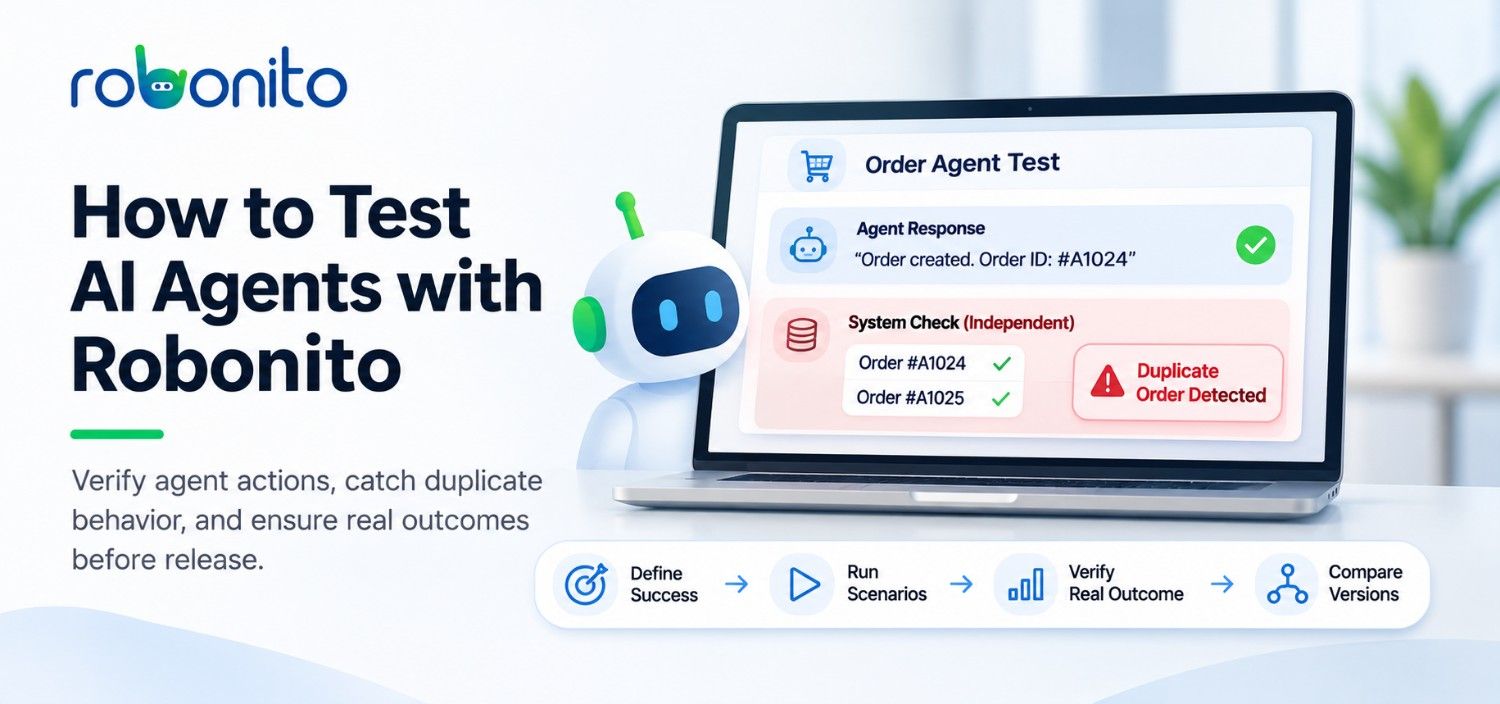
The order agent returned the original order ID after a retry. The reply looked right. An independent read of the order system showed that the retry had created a second order.
That happened in a controlled Robonito release test. The transcript captured the agent’s answer. The state check caught the bug.
To test an AI agent with Robonito, give it a repeatable task, define what success looks like, and verify the result against independent evidence. For an agent that changes a system, read the resulting record and check what changed. Then run the same scenarios against your current and proposed agent versions to see what regressed.
What is AI agent testing?
AI agent testing evaluates how an agent responds, what actions it takes, and whether those actions produce the expected outcome. An agent eval is a repeatable scenario with an input, an expected result, and a way to check that result. A scenario can be a single request or a conversation in which the agent needs to ask a question, use a tool, or recover from an error.
The evidence depends on the task. If a knowledge agent answers a policy question, check its claims against the source. If a support agent says it escalated an incident, check the ticket system for the matching ticket, queue, and status. If policy requires approval before escalation, include a case that withholds approval and verify that no ticket was created.
Robonito’s Agent Evaluation Workbench brings scenarios, agent connections, and experiment results together. Robonito agent evaluation documentation
How do you test an AI agent with Robonito?
- Pick one workflow and define success. For an order agent, start with “create exactly one order for this request and reuse its ID on retry.” Write down the expected order count, ID, and final status before you run the test.
- Connect the agent through the interface you want to exercise. Choose the agent’s HTTP endpoint, MCP server, browser chat, or command-line interface. If people use a browser chat, test the visible conversation there. If the contract you care about is the MCP tool’s arguments and returned data, test that interface directly.
- Build a small dataset with failure cases. Start with a successful request, a repeated request, a refusal or clarification, and an unavailable dependency. Use synthetic data and give each attempt its own test record. Keep the scenario IDs and expected outcomes stable across versions.
- Choose the right check for each claim. Use deterministic checks for exact values such as IDs, counts, and statuses. Use a rubric and a calibrated model judge for qualities such as clarity or how well an answer explains a refusal. Before relying on a check, try it against a known pass and a known fail.
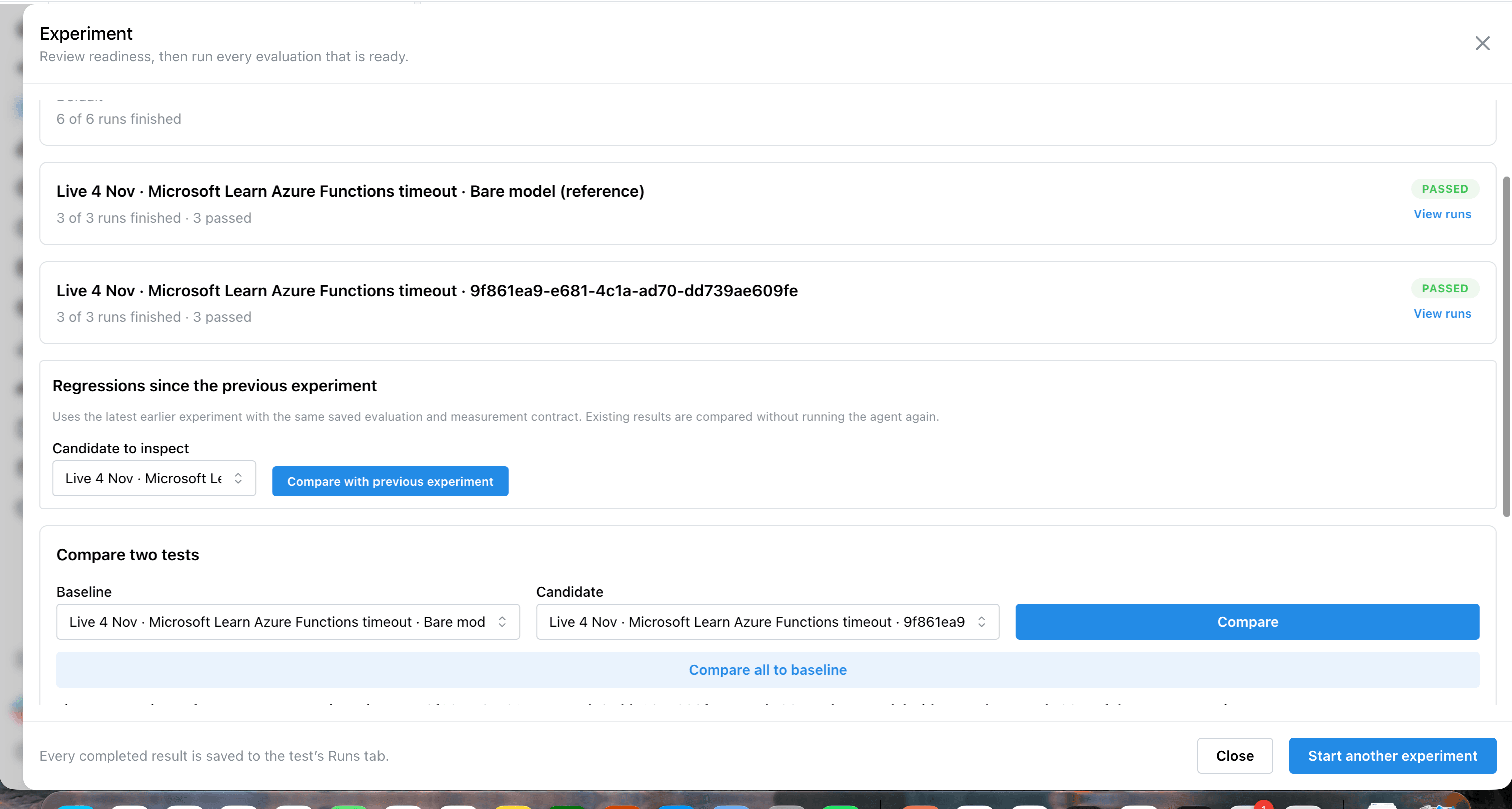
- Compare the baseline and candidate. Run both versions on the same cases. Inspect newly failing scenarios and repeat cases where consistency matters. Open the transcript and compare it with the observed evidence from that specific attempt before deciding whether to ship.
For a workflow with side effects, read the starting state as well as the final state. If a record was already marked complete before the run, the same value afterward does not show that this attempt completed it.
A worked example of duplicate orders on retry
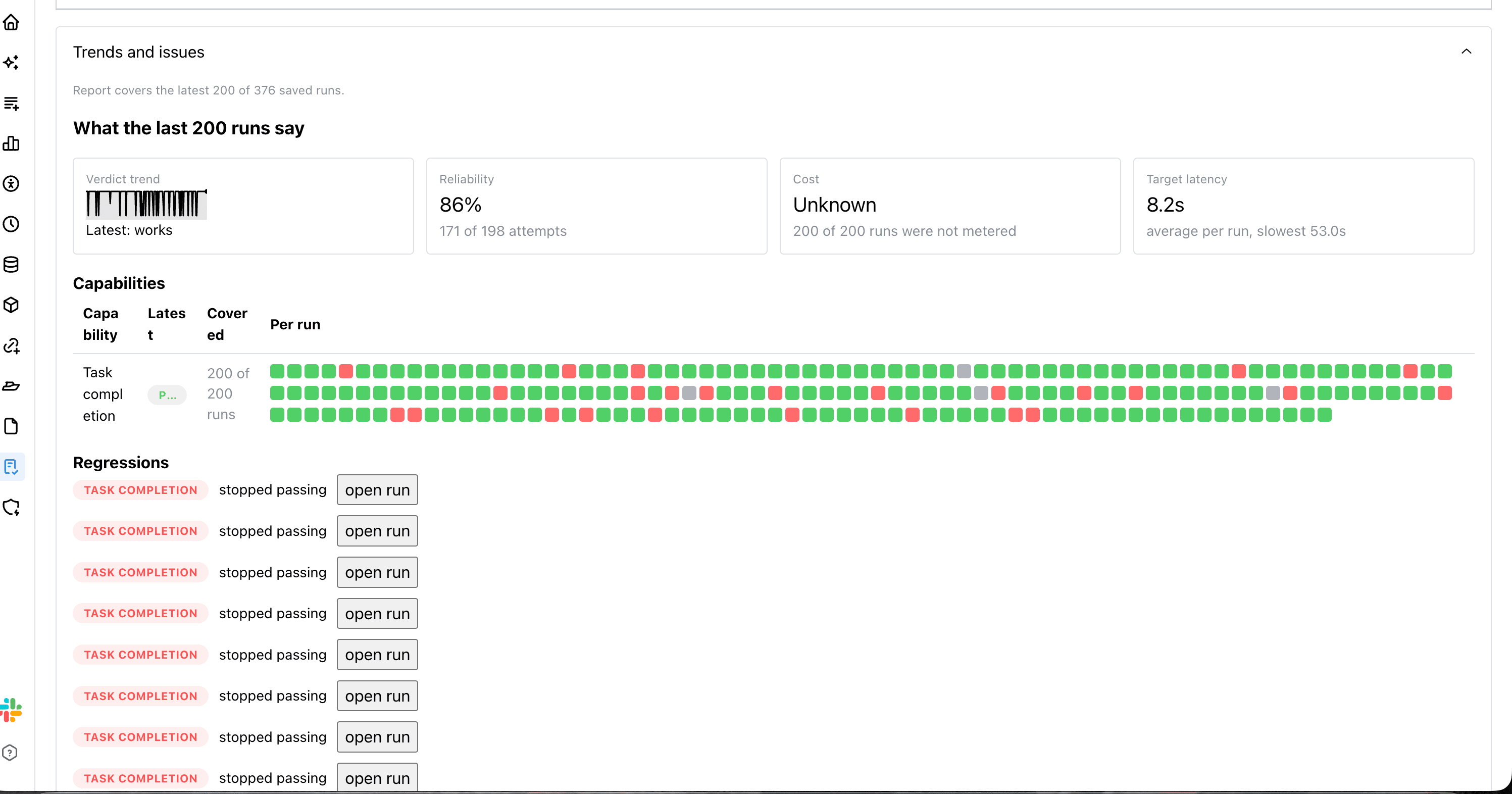
In Robonito’s controlled release pilot, we ran ten order scenarios against a baseline, a candidate with an injected retry defect, and the fixture with the defect removed. Each attempt used a fresh session. The evaluator independently read the order system and checked creation count, stored order count, request IDs, and statuses.
| Fixture version | Cases verified | Release decision |
|---|---|---|
| Baseline | 10 of 10 | Reference |
| Candidate with a retry defect | 7 of 10 | Block |
| Fixed behavior | 10 of 10 | Allow |
Three cases exposed the defect. One retry left two orders, two retries left three, and a retry after cancellation created an additional order. In the single-retry case, the agent’s reply still described the original order. The report could show the exact discrepancy: expected one order, observed two.
This was an internal benchmark with a scripted agent and a deliberately injected fault. The counts describe those ten test cases. A production reliability estimate requires representative cases and repeated runs against your own agent.
What should an eval report show when evidence is missing?
A release reviewer needs to distinguish a verified outcome, a confirmed mismatch, and an outcome the evaluator could not verify.
| What the evaluator observed | How to read the result |
|---|---|
| All required state checks confirm the expected outcome. | Works. The observed state supports completion. |
| An independent check finds two orders when the expected count is one. | Needs attention. There is a measured mismatch. |
| One required state check passes and another returns HTTP 503. | Could not prove. The state evidence is incomplete. |
We added the partial verification case to Robonito’s API, MCP, CLI, and npx transport benchmark. A positive simulated judge did not turn that result into a verified pass.
Frequently asked questions
What is agent-to-agent testing?
Agent-to-agent testing uses one agent to exercise another, for example by acting as a simulated customer in a multi-turn support conversation. A model judge can grade the conversation against a rubric. Independent checks can verify any ticket, order, or other record the target claims it created.
Can I test a browser chat and an MCP server with the same scenarios?
Yes, where the task is available on both interfaces. Reuse the task and expected business outcome, then choose evidence suited to each interface. A browser chat test measures what the user can see. An MCP test can inspect the tool arguments and returned data exposed by the server.
How many scenarios should I start with?
Start with five to ten cases for one workflow your team releases regularly. Cover the normal path, a repeated request, missing information, a permission boundary, and a dependency failure. Add confirmed production incidents as regression cases as you learn where the agent breaks.
When should I use an LLM judge?
Use an LLM judge for qualities that need interpretation, such as whether an answer explains its limitations clearly. Use an independent read for measurable outcomes such as a ticket’s status. Calibrate the judge on examples your team has already reviewed.
Choose one staging workflow and bring a successful case, a failure case, and a way to verify the final state. Talk to Robonito about testing your agent.
Automate your QA — no code required
Stop writing test scripts.
Start shipping with confidence.
Join thousands of QA teams using Robonito to automate testing in minutes — not months.