
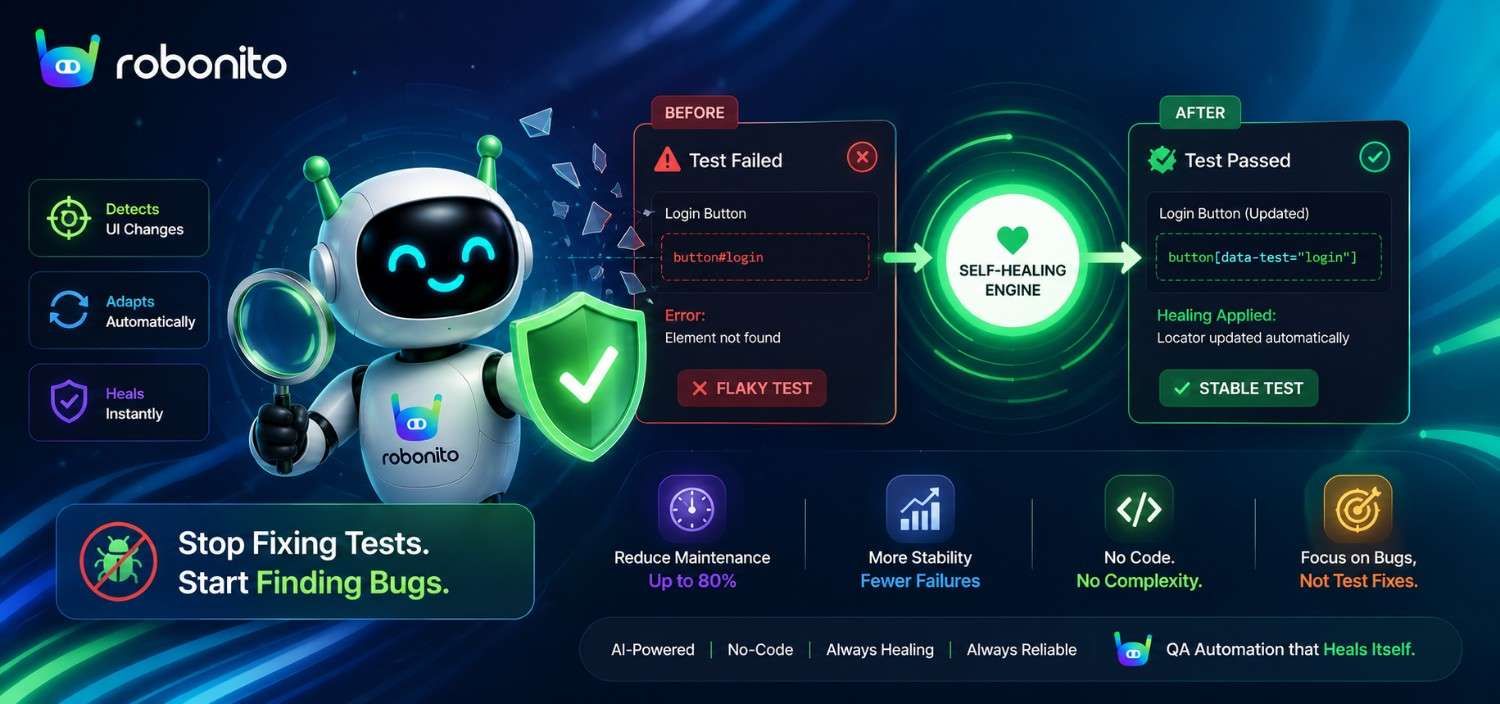
Every QA team knows the drill: you build a comprehensive test suite, invest weeks getting it green, and then watch it slowly crumble. A button moves two pixels to the left. A developer renames a CSS class. A modal loads 200 milliseconds slower than expected. Suddenly, 15% of your tests are failing — and none of the failures represent actual bugs. This is the flaky test epidemic, and it's silently draining engineering velocity across the industry. Self-healing test automation offers a fundamentally different approach: tests that adapt to change automatically, without requiring your team to manually update selectors, rewrite scripts, or debug phantom failures. But not all self-healing solutions are created equal. Some require deep integration into coded frameworks. Others demand that your QA engineers learn yet another scripting language. In this post, we'll break down why test maintenance spirals out of control, how self-healing AI actually works, and why a truly no-code approach is the fastest path to a stable, trustworthy test suite at scale.
The Hidden Cost of Test Maintenance: Why QA Teams Are Drowning
Most organisations dramatically underestimate the cost of maintaining automated tests. According to the Capgemini World Quality Report 2025, teams spend 60–70% of their total QA automation effort on maintenance rather than creating new tests. That's not a rounding error — it's the majority of your investment going toward keeping existing tests alive rather than expanding coverage.
Here's what that looks like in practice. Imagine a mid-sized SaaS company with 2,000 automated end-to-end tests. Their frontend team ships updates every two weeks. Each sprint, roughly 150–200 tests break — not because the product is buggy, but because the UI changed in ways the tests didn't anticipate. A QA team of five engineers now spends the first three days of every sprint triaging and fixing broken tests instead of validating new features.
The costs compound in ways that don't show up on a spreadsheet:
- Lost trust in the suite. When tests fail constantly for non-bug reasons, developers start ignoring failures. The "boy who cried wolf" effect makes it easy to dismiss real regressions.
- Slower release cycles. If your team needs two days to stabilise the suite before every release, you've effectively added two days to your shipping cadence.
- QA burnout. Talented test engineers didn't sign up to spend their careers updating CSS selectors. Maintenance-heavy roles lead to attrition, which makes the problem even worse.
- Opportunity cost. Every hour spent on maintenance is an hour not spent on exploratory testing, performance testing, or expanding coverage to critical user paths.
The uncomfortable truth is that traditional test automation creates a maintenance liability that grows linearly (or worse) with your test count. Without a fundamentally different approach, scaling your suite means scaling your pain.
What Makes Tests Flaky — And Why Traditional Fixes Don't Scale
Before we can fix flakiness, we need to understand what causes it. Flaky tests — tests that pass and fail intermittently without any code change — typically stem from a handful of root causes:
The Usual Suspects
- Brittle locators. Tests that rely on specific CSS selectors, XPath expressions, or auto-generated class names (like
.btn-primary-x7k2) break the moment a developer refactors the component structure or updates a styling framework. - Timing and synchronisation issues. Hard-coded waits (
sleep(3000)) and insufficient dynamic waiting strategies cause tests to fail when page load times fluctuate even slightly. - Environment dependencies. Tests that depend on specific data states, third-party API availability, or particular browser rendering behaviour introduce non-determinism.
- Test interdependencies. When Test B relies on the state created by Test A, any failure in A cascades unpredictably.
Why the Traditional Playbook Falls Short
The standard approach to each of these problems is manual intervention. Brittle locators? Add more robust selectors or data-testid attributes (which requires developer cooperation). Timing issues? Implement smarter wait strategies (which requires scripting expertise). Environment dependencies? Build elaborate fixture and mock systems.
Each of these fixes is reasonable in isolation. But none of them scale.
Consider a real scenario: a retail company migrated from Angular to React. Overnight, every single CSS-selector-based locator in their 3,500-test suite became invalid. Their QA team spent six weeks — six weeks — manually remapping selectors. During that time, test coverage for new features was effectively zero.
This mirrors a pattern documented in SmartBear's State of Software Quality 2025 report, which found that major frontend framework migrations cause an average 34-day test suite outage for teams without selector-resilient automation strategies.
The fundamental problem is that traditional test automation creates a rigid, tightly coupled relationship between your tests and your UI's implementation details. Every time those details change, the coupling breaks. You can write more resilient selectors, but you're still playing a losing game against the pace of modern frontend development.
Self-Healing Tests Explained: How AI Keeps Your Suite Stable Automatically
Self-healing test automation flips the maintenance equation. Instead of requiring a human to update a broken test when the UI changes, a self-healing system automatically detects the change, identifies the correct new element, and updates the test — all at runtime, without human intervention.
Here's the core concept. Traditional test automation says: "Click the element at #checkout-btn." If that ID changes to #purchase-btn, the test fails. A human investigates, identifies the new selector, updates the script, and reruns.
Self-healing test automation says: "Click the checkout button." Under the hood, the system maintains a multi-layered understanding of that element — its visual appearance, its position relative to other elements, its label text, its role in the user flow, and yes, its technical attributes too. When #checkout-btn becomes #purchase-btn, the AI recognises that the element in question is still the same checkout button by cross-referencing multiple identification signals.
What "Healing" Actually Involves
When a self-healing engine encounters a broken locator at runtime, it typically follows a process like this:
- Detection. The primary locator fails to find the expected element.
- Multi-signal analysis. The AI evaluates alternative identification strategies — visual similarity, text content, DOM position, accessibility attributes, nearby landmarks.
- Confidence scoring. The system calculates a confidence score for the best match. If confidence is high enough (typically 85%+), it proceeds.
- Automatic correction. The test continues using the newly identified element, and the test definition is updated for future runs.
- Reporting. The system logs exactly what changed and what action it took, so your team has full visibility.
The result is a test suite that absorbs routine UI changes without breaking. Your QA team gets notified of what healed and can review the changes, but they're no longer manually triaging dozens of false failures every sprint.
Think of it like GPS navigation. If the road you planned to take is closed, the GPS doesn't just stop — it reroutes you automatically and tells you what it did. Self-healing tests work the same way.
// ─── The maintenance problem in code ────────────────────────────────────────

// BEFORE: Traditional Playwright test — brittle selector breaks on any UI change
await page.locator('.checkout-btn-primary-v2').click();
// ↑ Fails when: CSS class renamed during design system update
//              component refactored by a developer
//              styling framework migrated (e.g. Tailwind version bump)
//              button moved to a new wrapper element

// BEFORE: XPath alternative — still brittle
await page.locator('//div[@class="cart-actions"]/button[2]').click();
// ↑ Fails when: any sibling element is added or removed above the button

// ─── The self-healing difference ────────────────────────────────────────────

// AFTER: Robonito intent-based recognition
// Test step defined as: "Click the primary checkout action button"
//
// At runtime, Robonito evaluates five signals simultaneously:
//
//   Signal 1 — ARIA role:        role="button"           confidence: 1.00
//   Signal 2 — Accessible name:  "Place Order"           confidence: 0.97
//   Signal 3 — Visual position:  bottom-right of form    confidence: 0.91
//   Signal 4 — Surrounding ctx:  follows payment section confidence: 0.89
//   Signal 5 — Prominence:       primary action styling  confidence: 0.88
//
//   Combined confidence score: 0.93 → above 0.85 threshold → test continues
//
// After a design system migration that renames every CSS class:
//   .checkout-btn-primary-v2 → .ds-action-button--primary
//   All XPath positions shift due to new wrapper elements
//
//   Traditional test result:  ❌ NoSuchElementException — engineer called
//   Robonito result:          ✅ Signals 1-4 still match → auto-healed
//                                Maintenance time: 0 minutes

// ─── What selector-based fallback healing looks like (for comparison) ────────

// Selector fallback (TestRigor, Testim, early mabl approach):
//   Step 1: Try primary — .checkout-btn-primary-v2       FAILED
//   Step 2: Try fallback 1 — #checkout-submit            FAILED (ID removed)
//   Step 3: Try fallback 2 — [data-testid="checkout"]    FAILED (attr removed)
//   Step 4: Try fallback 3 — button:has-text("Place Order")  SUCCESS
//
// This works for minor changes.
// Fails when: text copy changes ("Place Order" → "Complete Purchase")
//             full component rewrite removes all known fallbacks
//             design system migration changes both structure and copy
//
// Intent-based healing (Robonito) survives all three of those scenarios
// because it does not depend on any single implementation detail.
Visual AI vs. Self-Healing No-Code: Two Approaches to Flakiness Compared
The industry has proposed several approaches to solving test flakiness. One prominent method, championed by tools like Applitools, is Visual AI — using computer vision to compare screenshots and detect visual regressions. It's a legitimate technique, but it solves a different problem than what most teams are actually struggling with.
Visual AI: What It Does Well (and Where It Falls Short)
Visual AI excels at catching unintended visual changes — a button that shifted, a font that changed, an overlapping element. It reduces the need for pixel-perfect assertion code by comparing baseline screenshots against current renders.
However, Visual AI has meaningful limitations for the flaky test problem:
- It's an assertion layer, not an execution layer. Visual AI tells you something looks different — it doesn't fix broken test execution. If your test can't find the checkout button because the selector changed, Visual AI never gets a chance to run its comparison.
- It requires integration into existing coded frameworks. Applitools, for example, works as an SDK you add to your Selenium, Cypress, or Playwright tests. You still need to write and maintain the underlying test code.
- It generates review overhead. Visual diffs require human review to classify as intentional vs. unintentional changes. Applitools has made strides in reducing this, but teams still report significant time spent in their dashboard reviewing diffs.
- It doesn't eliminate the scripting bottleneck. Your QA engineers still need to know how to write test code, manage locators, and maintain framework configurations.
Self-Healing No-Code: A Different Philosophy
A self-healing no-code approach like Robonito's addresses flakiness at a more fundamental level. Rather than catching visual differences after execution, it prevents test execution failures from happening in the first place.
| Dimension | Visual AI (e.g., Applitools) | Self-Healing No-Code (e.g., Robonito) |
|---|---|---|
| Coding required | Yes — integrates into coded test frameworks | No — tests created in natural language |
| Flakiness addressed | Visual assertion flakiness | Execution flakiness (locators, timing, flow) |
| Maintenance model | Reduces visual assertion maintenance | Reduces all test maintenance |
| Onboarding time | Days to weeks (framework setup + SDK) | Hours (no framework needed) |
| Who can use it | SDETs and test engineers | Anyone on the QA team |
Both approaches have value. But if your primary pain is tests breaking every sprint because selectors changed and your QA team is spending days on maintenance, self-healing no-code addresses the root cause rather than a symptom.
How Robonito's Self-Healing Engine Works Under the Hood
Robonito takes the self-healing concept further by removing code from the equation entirely. Here's how the system works from test creation through ongoing execution.
Step 1: Natural Language Test Definition
Instead of writing driver.findElement(By.css('#add-to-cart')).click(), you describe the action in plain language: "Click the Add to Cart button." Robonito's AI interprets this intent and identifies the corresponding element using multiple signals — not just a single brittle selector.
Step 2: Multi-Layered Element Fingerprinting
When Robonito first encounters an element, it creates a rich fingerprint that includes:
- Visual characteristics: size, colour, position, iconography
- Semantic context: label text, ARIA attributes, placeholder text
- Structural position: relationship to parent containers, sibling elements, page regions
- Behavioural patterns: what happens when the element is interacted with
This multi-layered fingerprint means that no single change — a new class name, a repositioned element, a redesigned button style — is enough to break identification.
Step 3: Runtime Healing
On every test run, Robonito evaluates its element fingerprint against the current state of the application. If the primary identification method fails, it seamlessly falls back through its fingerprint layers. When healing occurs, the system:
- Updates the fingerprint for future runs
- Logs the change with before/after context
- Flags significant structural changes for human review
- Continues test execution without interruption
Step 4: Intelligent Waiting
Beyond locator healing, Robonito's engine incorporates AI-driven synchronisation. Rather than hard-coded waits or even conventional explicit waits, it observes actual page behaviour — network requests completing, animations finishing, elements becoming interactive — to determine the right moment to proceed. This eliminates an entire category of timing-related flakiness. This mirrors the actionability model that Playwright documents for its built-in auto-waiting — the difference being that Robonito applies this principle across all elements automatically, without engineers needing to configure wait conditions per element.
A practical example: a fintech client's checkout flow involves a third-party payment iframe that loads between 1 and 8 seconds depending on network conditions. Traditional tests with a 5-second timeout failed roughly 20% of the time. Robonito's intelligent waiting observes the iframe's actual readiness state, resulting in zero timing-related failures — without anyone writing a single line of wait logic. getting-started-with-robonito
Real-World Impact: Cutting Test Review Time by 80% Without Writing Code
The promise of self-healing automation is compelling in theory. But what does it look like in practice?
Scenario: E-Commerce Platform With Bi-Weekly Releases
Consider a typical e-commerce platform with the following profile:
- 500 end-to-end tests covering critical user journeys (search, browse, cart, checkout, account management)
- Bi-weekly sprint cycles with significant frontend changes each release
- 3-person QA team responsible for both manual and automated testing
Before self-healing automation:
- 60–80 test failures per sprint caused by UI changes (not bugs)
- 2.5 days per sprint spent triaging and fixing broken tests
- Average test suite trust score (team's subjective confidence): 4/10
- Tests blocking deployment: 2–3 times per quarter
After migrating to Robonito's self-healing no-code platform:
- 5–10 healed tests per sprint (automatically resolved, logged for review)
- 0.5 days per sprint reviewing healing logs and validating changes
- Test suite trust score: 9/10
- Tests blocking deployment: 0 times in the following two quarters
That's an 80% reduction in test review and maintenance time — time that's now redirected to expanding coverage and performing exploratory testing on new features.
The Compounding Effect
The benefits aren't just about time saved today. They compound:
- More tests stay green, which means developers trust the suite and actually fix real failures promptly.
- Coverage expands faster because the team isn't spending all their time on maintenance.
- Non-technical team members (manual QA testers, product managers, support engineers) can contribute tests, further accelerating coverage.
- CI/CD pipelines run cleanly, which means faster deployments and shorter feedback loops— DORA's 2025 State of DevOps research shows that teams with stable automated test suites deploy 2.4× more frequently than those with high test flakiness rates.".
One pattern we see repeatedly: within three months of adopting self-healing no-code automation, teams report that their test suite has shifted from a liability (something that slows releases down) to an asset (something that gives them confidence to ship faster).
5 Signs Your Team Needs Self-Healing Test Automation Now
Not sure if your team is ready for a change? Here are five indicators that your current approach to test maintenance has hit its limits:
1. You're Spending More Time Fixing Tests Than Writing Them
If your QA team's weekly standup is dominated by "I updated the selectors for the login flow" rather than "I added coverage for the new payment method," your ratio is inverted. The majority of automation effort should go toward new coverage, not upkeep.
2. Developers Have Stopped Trusting the Test Suite
When developers routinely say "oh, that failure is probably just flaky" and merge anyway, your suite has lost its primary purpose. Self-healing automation restores trust by ensuring that failures represent real issues.
3. UI Refactors Cause Multi-Day Test Outages
If a frontend framework upgrade, design system change, or component library migration means days or weeks of broken tests, you're experiencing the brittleness that self-healing directly addresses.
4. Your QA Team Is a Bottleneck for Releases
If releases are delayed because the test suite isn't stable, or if QA is constantly asking developers to add data-testid attributes, there's unnecessary friction between teams. A no-code self-healing approach removes this dependency entirely.
5. You've Tried "Better Selectors" and It Didn't Stick
Many teams go through cycles of selector improvement — switching to data attributes, implementing page object models, adopting more robust locator strategies. If you've done this more than once and still face flakiness, you're treating symptoms rather than the underlying cause.
If three or more of these resonate, you're likely leaving significant engineering productivity on the table.
Stop Maintaining Tests. Start Trusting Them.
Test maintenance at scale doesn't have to be a fact of life. Self-healing test automation — especially when combined with a truly no-code approach — transforms your test suite from a fragile liability into a resilient asset that adapts as your product evolves.
Robonito gives QA teams the power to create, run, and maintain comprehensive end-to-end test suites without writing a single line of code, without learning CSS selectors or XPath, and without spending sprint after sprint fixing tests that aren't broken.
Frequently Asked Questions
What is self-healing test automation?
Self-healing test automation is an AI capability that automatically detects when test element locators become invalid — due to a UI change, selector rename, or component restructure — and updates the test's element references without human intervention. Instead of identifying elements by brittle CSS selectors or XPath expressions, self healing systems use multi-signal recognition (visual position, ARIA attributes, text content, structural context) to re-identify elements even when their implementation changes. The result is a test suite that survives routine UI changes without breaking, eliminating the manual selector-update work that consumes 60-70% of traditional automation maintenance effort.
What is the difference between self-healing tests and flaky tests?
Flaky tests fail intermittently due to timing issues, shared state, or environment instability — and self-healing does not fix them. Self-healing specifically addresses a different failure category: tests that break because the UI changed (selector renamed, component restructured, class updated) rather than because the test logic is unstable. Self-healing automation targets the maintenance burden caused by UI evolution. Flaky tests require separate fixes: proper explicit waits, test data isolation, and environment stabilisation. A comprehensive test automation strategy needs both.
How does Robonito's self-healing work differently from selector-based fallback healing?
Most self-healing approaches use selector fallback — when the primary locator fails, the system tries a ranked list of alternatives (ID → class → XPath → text). This handles attribute changes but breaks on full component rewrites or design system migrations where all fallbacks also become invalid. Robonito's intent-based self-healing evaluates five signals simultaneously rather than falling back sequentially: ARIA role, accessible name, visual position, surrounding context, and visual prominence. Each signal produces a confidence score; the system proceeds when the combined score exceeds a threshold (typically 0.85). This architecture survives changes that selector-based fallback cannot — full component rewrites, design system migrations, and major layout restructures — because it recognises elements by what they do in context, not what properties they happen to have.
Does self-healing test automation work for no-code teams?
Yes — and no-code is where self-healing delivers the most value. In coded frameworks (Playwright, Selenium), self-healing reduces maintenance but still requires engineers to write and manage the underlying test scripts. In a no-code platform like Robonito, self-healing extends across the full test lifecycle: tests are created from recorded interactions without selectors, executed with AI-driven element recognition, and maintained automatically when the UI changes. Non-technical QA analysts can create tests that survive redesigns without understanding what a CSS selector is, let alone how to update one.
What percentage of test failures does self-healing actually fix?
Robonito's intent-based self-healing resolves approximately 80-85% of UI change-related test failures automatically. The remaining 15-20% require human review — typically because an element was genuinely removed from the application (correct failure), a feature was redesigned so substantially that intent recognition confidence falls below the 0.85 threshold, or a multi-step flow was restructured in a way that changes the semantic context the AI uses for identification. These cases are flagged for review with before/after context, so the engineer can resolve them quickly rather than triaging from scratch. The 15-20% that require attention represents a real change to the application — not a maintenance tax.
How long does it take to see results from self-healing test automation?
Teams typically see the first healed tests within the first sprint after adoption — as soon as any UI change occurs that would have broken traditional tests. The maintenance reduction is visible immediately: tests that would have required manual selector updates continue running without intervention. The full productivity impact — time redirected from maintenance to new coverage — compounds over 2-3 sprints as the team stops spending time at the start of each sprint triaging broken tests. The e-commerce teams that see the fastest results typically report their first sprint with zero maintenance days within 4-6 weeks of adoption.
Try Robonito free today and see how self-healing, no-code test automation can cut your maintenance burden by 80% or more — in hours, not weeks.
Automate your QA — no code required
Stop writing test scripts.
Start shipping with confidence.
Join thousands of QA teams using Robonito to automate testing in minutes — not months.
