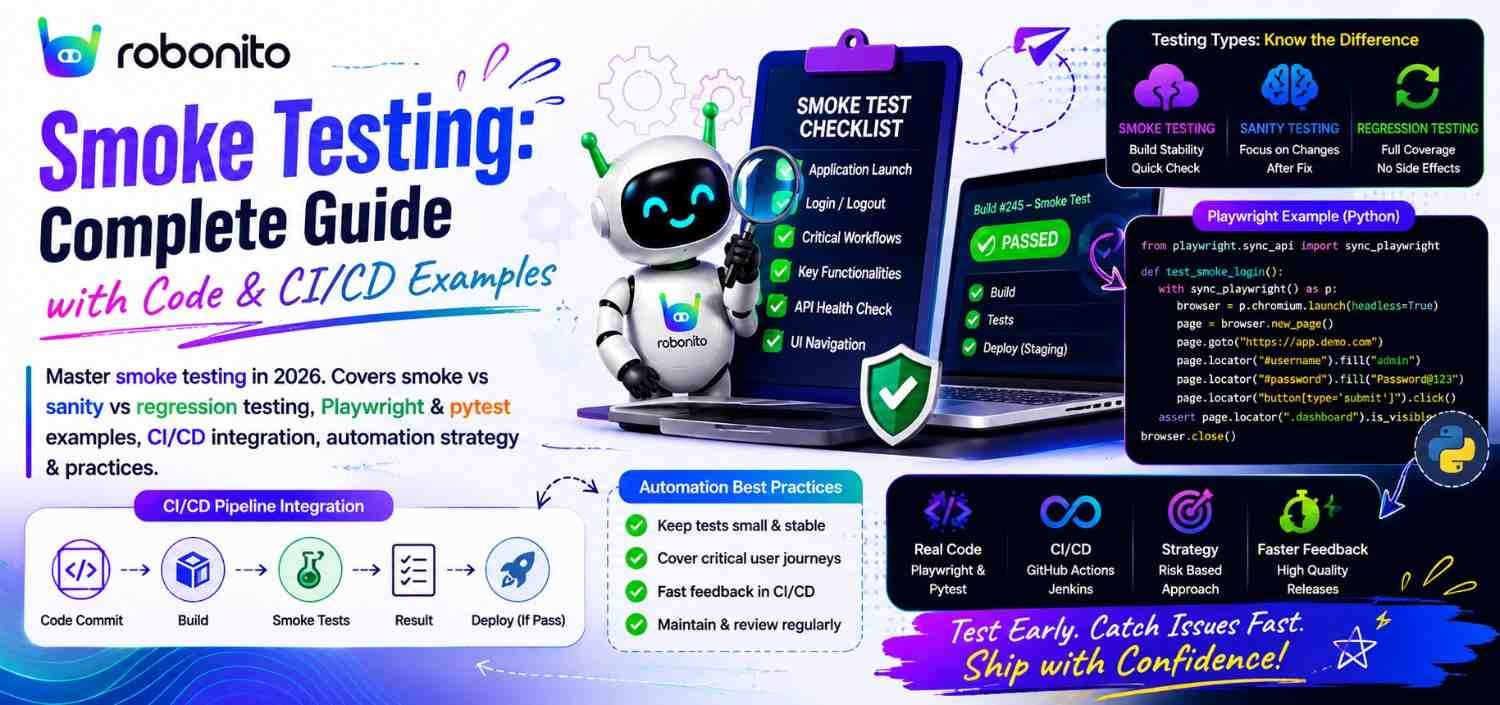
Every team has shipped a build where the application would not even load. The entire regression suite then runs for 45 minutes against a broken build — finding 200 failures that all trace back to the same deployment error. Smoke testing solves exactly this: 12 targeted tests, 8 minutes, definitive answer on whether the build deserves further testing. This guide covers smoke testing from definition through production CI/CD integration, with real working code.
By Robonito Engineering Team · Updated June 2026 · 18 min read
Quick stats
| Fact | Source |
|---|---|
| Smoke tests catch 30-40% of production deployment failures within 10 minutes | DORA State of DevOps 2025 |
| Running full regression on an unstable build wastes 40-90 minutes of CI time | Capgemini World Quality Report 2025 |
| Post-deployment smoke tests reduce mean time to detect production failures by 85% | DORA 2025 |
| Teams using automated smoke gates deploy with 2.4× higher confidence | World Quality Report 2025 |
| A broken smoke test caught in CI costs 10× less to fix than a production incident | IBM Systems Sciences Institute |
Table of Contents
- What is smoke testing?
- Smoke testing vs sanity testing vs regression testing
- What smoke tests should and should not cover
- How to build a smoke test suite — the selection framework
- Real code: smoke tests with Playwright
- Real code: API smoke tests with pytest
- Smoke testing in CI/CD pipelines — two roles
- Post-deployment smoke tests — the production safety net
- No-code smoke testing with Robonito
- Smoke testing best practices
- Common smoke testing mistakes
- Smoke testing checklist
- Frequently Asked Questions
Automated smoke tests that self-heal when your UI changes
Robonito generates smoke test suites from your critical user flows and runs them as a CI/CD deployment gate — covering web, mobile, API, and desktop with AI self-healing and zero scripting. Try Robonito free →
1. What is smoke testing?
One-sentence definition for featured snippets: Smoke testing is a rapid preliminary verification of a software build's most critical functions — confirming the build is stable enough to proceed to full testing — typically covering 10-20 scenarios in under 15 minutes.
The name comes from hardware engineering: when a new circuit board is powered up for the first time, engineers watch to see if it smokes. If it does, they stop. No further testing is needed — the board is broken at a fundamental level. If it does not smoke, it is worth investigating further.
Software smoke testing applies the same logic: power up the build, check the vital signs, determine whether it is worth the full diagnostic workup.
The exact purpose: A smoke test suite is not trying to find all the bugs. It is trying to answer one question: is this build stable enough to test?
Build arrives from development:

Smoke tests run (10-15 minutes):
  ✅ Application loads
  ✅ Login works
  ✅ Core feature 1 accessible
  ✅ Core feature 2 accessible
  ✅ API health endpoints respond
  ✅ Critical integration (payment) reachable

Result: PASS → proceed to full regression testing (45-90 minutes)

vs.

  ❌ Application loads — FAIL (500 error on homepage)

Result: FAIL → build rejected immediately
        Full regression suite NOT run (45 minutes saved)
        Developer notified within 15 minutes of build creation
        Cost of defect: minimal (caught before anyone tested it)
Where smoke testing fits in the testing sequence:
Code commit → CI Build → SMOKE TESTS → Regression Tests → UAT → Production

Smoke tests are the first gate after the build succeeds.
They protect every subsequent testing stage from wasting
effort on a fundamentally broken build.
2. Smoke testing vs sanity testing vs regression testing
These three terms are frequently confused. The distinctions are precise and practical.
| Dimension | Smoke Testing | Sanity Testing | Regression Testing |
|---|---|---|---|
| Purpose | Is the build stable enough to test? | Is this specific change correct? | Has anything broken that previously worked? |
| Scope | Broad — all major features | Narrow — specific changed area | Comprehensive — full application |
| Depth | Shallow — happy path only | Deep — covers change in detail | Deep — all scenarios per feature |
| Speed | Fast (5-15 min) | Fast (10-30 min) | Slow (30-90 min) |
| When it runs | After every build / deployment | After a specific fix or change | After every merge to main |
| Who defines it | QA team, shared | QA engineer per fix | QA team, maintained suite |
| What it catches | Major build failures | Incorrect fixes or regressions in changed area | Any regression across the full application |
The concrete example that clarifies all three
Context: E-commerce application, v2.3.1 release

SMOKE TEST runs after every build:
  - Homepage loads ✅
  - Login works ✅
  - Search returns results ✅
  - Checkout flow completes ✅
  - Order confirmation displays ✅
  Purpose: "Is v2.3.1 stable enough to test?"

SANITY TEST runs after "Bug fix: discount codes not applying correctly":
  - SAVE10 applies 10% discount correctly ✅
  - SAVE20 applies 20% discount correctly ✅
  - Invalid code shows error correctly ✅
  - Stacked codes rejected correctly ✅
  Purpose: "Is this specific discount fix correct?"
  (Not testing the whole app — just the changed area)

REGRESSION TEST runs after every merge to main:
  - All 200 test cases across all features
  - Including: payment, cart, account, search, admin, etc.
  - Duration: 45 minutes
  Purpose: "Has anything broken that previously worked?"
3. What smoke tests should and should not cover
Correctly scoping a smoke suite is as important as writing the tests. Over-scoping makes the suite slow and loses the efficiency advantage. Under-scoping misses critical failures.
What smoke tests SHOULD cover
✅ Application startup and availability
   → Homepage/landing page loads with HTTP 200
   → No JavaScript console errors on load
   → Application responds within acceptable time (< 5s)

✅ Core authentication
   → Login with valid credentials succeeds
   → Authenticated routes are accessible after login
   → Unauthenticated access to protected routes redirects to login

✅ Primary value-delivering user flow (ONE per application)
   → E-commerce: product → cart → checkout → confirmation
   → SaaS: create project → add team member → complete core action
   → Productivity: create document → edit → save → retrieve

✅ API health (critical endpoints only)
   → GET /health returns 200
   → POST /api/auth/login returns 200 with token
   → Primary resource endpoints return 200 (not 500)

✅ Critical integrations (reachability only)
   → Payment processor sandbox responds
   → Email service reachable
   → Key third-party APIs connected
What smoke tests should NOT cover
❌ Error paths and negative scenarios
   (→ these belong in regression testing)

❌ Edge cases and boundary values
   (→ regression testing)

❌ Performance and load behaviour
   (→ separate performance test suite)

❌ Cross-browser compatibility details
   (→ run smoke on primary browser only; cross-browser in regression)

❌ Detailed UI assertion ("button is exactly 40px from edge")
   (→ visual regression testing)

❌ Every feature and every user type
   (→ regression testing)

Smoke test rule: if it does not need to work for the application
to be considered "alive", it does not belong in the smoke suite.
4. How to build a smoke test suite — the selection framework
Step 1: List your P0 features
P0 features are those whose failure makes the application unusable for the majority of users.
Smoke test candidate framework:

For each major feature, ask:
  "If this completely stopped working right now,
   would the majority of users be unable to do anything useful?"

YES → Include in smoke suite
NO  → Include in regression suite, not smoke

E-commerce example:
  Feature               P0? Include in smoke?
  ──────────────────────────────────────────
  Homepage load         YES ✅
  User login            YES ✅
  Product search        YES ✅
  Add to cart           YES ✅
  Checkout flow         YES ✅
  Order confirmation    YES ✅
  Product images load   NO  ❌ (regression)
  Wishlist feature      NO  ❌ (regression)
  Product reviews       NO  ❌ (regression)
  Admin reporting       NO  ❌ (regression)
  Discount code (edge)  NO  ❌ (regression)
Step 2: Apply the time constraint
A smoke suite must run in under 15 minutes. If your P0 candidate list produces a suite that takes longer, cut to the highest-impact 10-15 scenarios.
Target smoke suite size guidelines:
  Small applications (< 20 features):  5-10 smoke tests
  Medium applications (20-50 features): 10-15 smoke tests
  Large applications (50+ features):    15-20 smoke tests

  Maximum: 20 tests
  Target execution time: 5-15 minutes
  If suite exceeds 20 minutes: it is no longer a smoke suite
Step 3: Define the minimum passing assertion per test
Each smoke test should have one primary assertion — the simplest possible verification that the feature is functioning:
Feature: Checkout flow
Smoke assertion: "Order number appears on confirmation page"
NOT: "Order total is correct, email sent, inventory decremented,
      order appears in admin panel, payment captured"

The single assertion confirms the feature is alive.
Details are regression tests.
5. Real code: smoke tests with Playwright
// tests/smoke/smoke.spec.ts
// Complete smoke test suite — runs in ~8 minutes, covers all P0 features

import { test, expect } from '@playwright/test';

// Tag all tests in this file as smoke tests for selective execution
test.describe('@smoke — Core Application Health', () => {

  // ── Test 1: Application availability ──────────────────────────────
  test('homepage loads with no JavaScript errors', async ({ page }) => {
    const consoleErrors: string[] = [];
    page.on('console', msg => {
      if (msg.type() === 'error') consoleErrors.push(msg.text());
    });

    const response = await page.goto('/');
    expect(response?.status()).toBe(200);
    await expect(page).toHaveTitle(/YourApp/);

    // Critical: no JS errors on load
    expect(consoleErrors).toHaveLength(0);
  });

  // ── Test 2: Authentication ────────────────────────────────────────
  test('login with valid credentials redirects to dashboard', async ({ page }) => {
    await page.goto('/login');

    await page.getByLabel('Email address').fill('smoke-test@example.com');
    await page.getByLabel('Password').fill(process.env.SMOKE_TEST_PASSWORD!);
    await page.getByRole('button', { name: 'Sign in' }).click();

    // Single assertion: authenticated state confirmed
    await expect(page).toHaveURL(/\/dashboard/, { timeout: 10000 });
  });

  // ── Test 3: Protected route enforcement ──────────────────────────
  test('unauthenticated access to dashboard redirects to login', async ({ page }) => {
    await page.goto('/dashboard');
    await expect(page).toHaveURL(/\/login/);
  });

  // ── Test 4: Core product search ──────────────────────────────────
  test('product search returns results', async ({ page }) => {
    await page.goto('/');
    await page.getByLabel('Search products').fill('widget');
    await page.getByRole('button', { name: 'Search' }).click();

    // Single assertion: results exist
    await expect(
      page.getByTestId('search-results')
    ).not.toBeEmpty({ timeout: 8000 });
  });

  // ── Test 5: Add to cart ───────────────────────────────────────────
  test('product can be added to cart', async ({ page }) => {
    await page.goto('/products/widget-pro');
    await page.getByRole('button', { name: 'Add to cart' }).click();

    // Single assertion: cart count incremented
    await expect(page.getByTestId('cart-count')).toHaveText('1');
  });

  // ── Test 6: Checkout initiation ───────────────────────────────────
  test('checkout page loads for authenticated user with cart item', async ({ page }) => {
    // Pre-condition: authenticate via API (faster than UI login)
    await page.request.post('/api/auth/login', {
      data: { email: 'smoke-test@example.com', password: process.env.SMOKE_TEST_PASSWORD }
    });

    // Add item via API (faster than UI interaction)
    await page.request.post('/api/v1/cart', {
      data: { product_id: 'prod-widget-pro', quantity: 1 }
    });

    await page.goto('/checkout');

    // Single assertion: checkout page loaded
    await expect(
      page.getByRole('heading', { name: 'Checkout' })
    ).toBeVisible({ timeout: 8000 });
  });

  // ── Test 7: Order creation (critical path) ────────────────────────
  test('complete checkout creates order confirmation', async ({ page }) => {
    // Set up via API for speed
    await page.request.post('/api/auth/login', {
      data: { email: 'smoke-test@example.com', password: process.env.SMOKE_TEST_PASSWORD }
    });
    await page.request.post('/api/v1/cart', {
      data: { product_id: 'prod-widget-pro', quantity: 1 }
    });

    await page.goto('/checkout');
    await page.getByLabel('Full name').fill('Smoke Test User');
    await page.getByLabel('Email').fill('smoke-test@example.com');
    await page.getByLabel('Card number').fill('4242424242424242');
    await page.getByLabel('Expiry').fill('12/28');
    await page.getByLabel('CVC').fill('123');
    await page.getByRole('button', { name: 'Place order' }).click();

    // Single assertion: order confirmation received
    await expect(
      page.getByRole('heading', { name: 'Order confirmed' })
    ).toBeVisible({ timeout: 20000 });
  });

  // ── Test 8: Navigation health ─────────────────────────────────────
  test('primary navigation links resolve correctly', async ({ page }) => {
    await page.goto('/');
    const navLinks = ['/products', '/about', '/contact'];

    for (const path of navLinks) {
      const response = await page.goto(path);
      expect(response?.status()).not.toBe(404);
      expect(response?.status()).not.toBe(500);
    }
  });
});
Running smoke tests selectively:
## Run only smoke tests (tagged with @smoke in test name):
npx playwright test --grep @smoke

## Run smoke tests on production after deployment:
BASE_URL=https://yourapp.com npx playwright test --grep @smoke

## Run smoke tests on staging:
BASE_URL=https://staging.yourapp.com npx playwright test --grep @smoke
playwright.config.ts — smoke project configuration:
// playwright.config.ts
export default defineConfig({
  projects: [
    // Smoke: chromium only, fast — for deployment gates
    {
      name: 'smoke',
      testMatch: /smoke\.spec\.ts/,
      use: {
        ...devices['Desktop Chrome'],
        // Reduced timeout for smoke — fail fast
        actionTimeout: 10000,
      },
    },
    // Regression: all browsers, comprehensive — for full test cycles
    {
      name: 'regression-chrome',
      testIgnore: /smoke\.spec\.ts/,
      use: { ...devices['Desktop Chrome'] },
    },
    {
      name: 'regression-webkit',
      testIgnore: /smoke\.spec\.ts/,
      use: { ...devices['Desktop Safari'] },
    },
  ],
});
6. Real code: API smoke tests with pytest
UI smoke tests verify the frontend. API smoke tests verify the backend independently — catching server-side failures that would manifest as confusing frontend errors.
## tests/smoke/test_api_smoke.py
## API smoke tests — runs in ~90 seconds, verifies all critical endpoints

import pytest
import httpx

BASE_URL = os.environ.get("BASE_URL", "https://staging.yourapp.com")

@pytest.fixture(scope="module")
def auth_token():
    """Authenticate once for all smoke tests."""
    response = httpx.post(f"{BASE_URL}/api/auth/login", json={
        "email": "smoke-test@example.com",
        "password": os.environ["SMOKE_TEST_PASSWORD"]
    }, timeout=10)
    assert response.status_code == 200, \
        f"Auth failed: {response.status_code} — {response.text}"
    return response.json()["access_token"]

@pytest.fixture
def client(auth_token):
    return httpx.Client(
        base_url=BASE_URL,
        headers={"Authorization": f"Bearer {auth_token}"},
        timeout=10.0
    )

class TestAPISmokeCore:
    """P0 API smoke tests — all must pass for build to proceed."""

    def test_health_endpoint_returns_200(self):
        """Infrastructure health check — database, cache, services."""
        response = httpx.get(f"{BASE_URL}/health")
        assert response.status_code == 200
        health = response.json()
        ## All critical services must be healthy
        assert health["database"] == "healthy", \
            f"Database unhealthy: {health.get('database')}"
        assert health["cache"] == "healthy", \
            f"Cache unhealthy: {health.get('cache')}"

    def test_authentication_returns_token(self):
        """Login endpoint functional — returns valid JWT."""
        response = httpx.post(f"{BASE_URL}/api/auth/login", json={
            "email": "smoke-test@example.com",
            "password": os.environ["SMOKE_TEST_PASSWORD"]
        })
        assert response.status_code == 200
        data = response.json()
        assert "access_token" in data
        ## JWT format: three base64 segments separated by dots
        assert len(data["access_token"].split(".")) == 3

    def test_products_endpoint_returns_results(self, client):
        """Product listing operational."""
        response = client.get("/api/v1/products")
        assert response.status_code == 200
        data = response.json()
        assert len(data["items"]) > 0, "Product list empty — seeding issue?"

    def test_cart_endpoint_accepts_items(self, client):
        """Cart add-item endpoint functional."""
        response = client.post("/api/v1/cart", json={
            "product_id": "prod-widget-pro",
            "quantity": 1
        })
        assert response.status_code in [200, 201]

    def test_orders_endpoint_accessible(self, client):
        """Orders API accessible and authenticated correctly."""
        response = client.get("/api/v1/orders")
        assert response.status_code == 200
        ## Returns a list (may be empty for fresh smoke test account)
        assert isinstance(response.json().get("items"), list)

    def test_payment_processor_reachable(self, client):
        """Payment processor integration reachable (not processing)."""
        ## Health check endpoint that verifies processor connection
        response = client.get("/api/v1/payments/health")
        assert response.status_code == 200
        assert response.json()["payment_processor"] == "connected"


class TestAPISmokeSecurity:
    """Security smoke: critical auth boundaries enforced."""

    def test_unauthenticated_request_returns_401(self):
        """Protected endpoints reject unauthenticated requests."""
        response = httpx.get(f"{BASE_URL}/api/v1/orders")
        assert response.status_code == 401, \
            f"Expected 401, got {response.status_code} — auth not enforced!"

    def test_invalid_token_returns_401(self):
        """Tampered tokens rejected."""
        response = httpx.get(
            f"{BASE_URL}/api/v1/orders",
            headers={"Authorization": "Bearer invalid.token.here"}
        )
        assert response.status_code == 401
Running API smoke tests:
## Run all smoke tests:
pytest tests/smoke/ -v --timeout=30

## Run with environment override:
BASE_URL=https://yourapp.com pytest tests/smoke/ -v

## Mark with -m for selective execution:
pytest -m smoke -v
7. Smoke testing in CI/CD pipelines — two roles
Smoke tests serve two distinct roles in CI/CD pipelines. Understanding both is essential for maximising their value.
Role 1: Pre-regression smoke gate (runs before full regression)
## .github/workflows/ci-smoke-gate.yml
## Smoke as pre-regression gate: fast fail before expensive testing

name: CI — Smoke Gate

on:
  push:
    branches: [main]
  pull_request:

jobs:
  ## Fast unit tests first (2-3 minutes)
  unit-tests:
    runs-on: ubuntu-latest
    steps:
      - uses: actions/checkout@v4
      - uses: actions/setup-node@v4
        with: { node-version: '20', cache: 'npm' }
      - run: npm ci && npm test

  ## Deploy to staging
  deploy-staging:
    runs-on: ubuntu-latest
    needs: unit-tests
    steps:
      - uses: actions/checkout@v4
      - run: ./scripts/deploy-staging.sh ${{ github.sha }}
      - name: Wait for staging health
        run: |
          for i in {1..20}; do
            curl -sf ${{ secrets.STAGING_URL }}/health && exit 0
            sleep 10
          done; exit 1

  ## ── SMOKE GATE: runs before regression ───────────────────────────
  ## If smoke fails → skip regression → save 45 minutes
  smoke-tests:
    name: Smoke Gate
    runs-on: ubuntu-latest
    needs: deploy-staging
    steps:
      - uses: actions/checkout@v4
      - uses: actions/setup-node@v4
        with: { node-version: '20', cache: 'npm' }
      - run: npm ci
      - run: npx playwright install --with-deps chromium

      - name: Run smoke suite (UI)
        run: |
          npx playwright test --project=smoke \
            --reporter=html,github
        env:
          BASE_URL: ${{ secrets.STAGING_URL }}
          SMOKE_TEST_PASSWORD: ${{ secrets.SMOKE_TEST_PASSWORD }}

      - name: Run smoke suite (API)
        run: pytest tests/smoke/ -v --timeout=30
        env:
          BASE_URL: ${{ secrets.STAGING_URL }}
          SMOKE_TEST_PASSWORD: ${{ secrets.SMOKE_TEST_PASSWORD }}

      - uses: actions/upload-artifact@v4
        if: failure()
        with:
          name: smoke-failure-evidence
          path: playwright-report/

 ## ── FULL REGRESSION: only runs if smoke passes ───────────────────
  regression-tests:
    name: Full Regression
    runs-on: ubuntu-latest
    needs: smoke-tests    ## ← Blocked by smoke gate
    steps:
      - uses: actions/checkout@v4
      - uses: actions/setup-node@v4
        with: { node-version: '20', cache: 'npm' }
      - run: npm ci
      - run: npx playwright install --with-deps

      ## Full cross-browser regression (only runs if smoke passed)
      - run: npx playwright test --ignore-snapshots
        env:
          BASE_URL: ${{ secrets.STAGING_URL }}

      ## Robonito AI regression (self-healing for UI changes)
      - uses: robonito/run-tests-action@v2
        with:
          api-key: ${{ secrets.ROBONITO_API_KEY }}
          suite: regression
          environment: staging
          browsers: chrome,safari,firefox,edge
          fail-on: critical
Why the gate matters:
Without smoke gate:
  Unstable build → Full regression runs (45 min) → 180 failures
  → Engineer investigates → "homepage 500, everything failing"
  → 45 minutes wasted

With smoke gate:
  Unstable build → Smoke runs (8 min) → 1 failure (homepage 500)
  → Pipeline stops → Developer notified in 8 minutes
  → 37 minutes saved
8. Post-deployment smoke tests — the production safety net
Post-deployment smoke tests run against the live production environment immediately after a deployment completes. They are the automated equivalent of an engineer manually checking "did the deployment work?" after pushing to production.
## .github/workflows/post-deploy-smoke.yml
## Runs automatically after every production deployment
## Triggers rollback if smoke tests fail

name: Post-Deployment Smoke Test

on:
  deployment_status:

jobs:
  post-deploy-smoke:
    name: Production Smoke Verification
    runs-on: ubuntu-latest
    if: github.event.deployment_status.state == 'success'

    steps:
      - uses: actions/checkout@v4
      - uses: actions/setup-node@v4
        with: { node-version: '20', cache: 'npm' }
      - run: npm ci
      - run: npx playwright install --with-deps chromium

      - name: Production smoke tests
        id: smoke
        run: |
          npx playwright test --project=smoke \
            --reporter=html,github
        env:
          BASE_URL: ${{ secrets.PRODUCTION_URL }}
          SMOKE_TEST_PASSWORD: ${{ secrets.PROD_SMOKE_PASSWORD }}
        continue-on-error: true  # Don't fail job — handle in next steps

      - name: API smoke verification
        id: api-smoke
        run: pytest tests/smoke/ -v --timeout=30
        env:
          BASE_URL: ${{ secrets.PRODUCTION_URL }}
          SMOKE_TEST_PASSWORD: ${{ secrets.PROD_SMOKE_PASSWORD }}
        continue-on-error: true

      ## Automatic rollback if any smoke test failed
      - name: Rollback on smoke failure
        if: steps.smoke.outcome == 'failure' || steps.api-smoke.outcome == 'failure'
        run: |
          echo "Production smoke tests FAILED — rolling back deployment"
          ./scripts/rollback.sh production
          exit 1  ## Fail the workflow to mark deployment as failed

    ## Always notify the team
      - name: Notify team
        if: always()
        uses: 8398a7/action-slack@v3
        with:
          status: ${{ job.status }}
          text: |
            ${{ job.status == 'success' && '✅' || '🔴' }}
            Production smoke ${{ job.status }}
            Deploy: ${{ github.sha }}
        env:
          SLACK_WEBHOOK_URL: ${{ secrets.SLACK_DEPLOYMENTS_CHANNEL }}

      - uses: actions/upload-artifact@v4
        if: failure()
        with:
          name: production-smoke-failure
          path: playwright-report/
What post-deployment smoke catches that pre-deployment testing misses:
Issues only detectable in production:
├── Environment variable misconfiguration (missing PROD_API_KEY)
├── Production database connection issues
├── CDN cache inconsistency after deployment
├── SSL certificate problems
├── DNS propagation incomplete
├── Production payment processor credentials different from staging
└── Load balancer routing not yet updated to new version
9. No-code smoke testing with Robonito
Robonito enables non-technical QA teams to create and maintain smoke test suites without writing Playwright scripts or configuring test runners.
The Robonito smoke suite workflow:
Step 1: QA analyst identifies the 10 P0 user flows
        (application load, login, core feature, checkout)

Step 2: Record each flow once in Robonito browser extension
        Each recording takes 3-5 minutes

Step 3: Mark tests as "smoke" tier in Robonito dashboard
        Smoke tests receive: chromium only, 15-min timeout, priority execution

Step 4: Robonito generates the test suite automatically
        AI produces assertions, waits, and element recognition
        No selectors, no scripts — intent-based recognition

Step 5: Connect to CI/CD pipeline
        One GitHub Actions step, API key, done in 20 minutes

Step 6: Smoke suite runs on every deployment (pre-regression gate)
        AND on production after every deployment (post-deploy verification)

Step 7: When UI changes, Robonito self-heals automatically
        Smoke tests do not break on redesigns or component updates
Robonito in CI as smoke gate:
## Add to your pipeline YAML — replaces manual Playwright smoke setup
- name: Robonito smoke gate
  uses: robonito/run-tests-action@v2
  with:
    api-key: ${{ secrets.ROBONITO_API_KEY }}
    suite: smoke
    environment: staging
    tier: smoke              ## Runs only smoke-tagged tests
    browsers: chrome         ## Smoke = one browser (fast)
    timeout_minutes: 15      ## Hard limit — fail fast
    healing_mode: intent     ## Self-heal on UI changes
    fail-on: any             ## Any smoke failure blocks regression
    notify-slack: ${{ secrets.SLACK_QA_CHANNEL }}
Why self-healing matters specifically for smoke tests: Smoke tests must run reliably on every build. If smoke tests break due to UI changes — not bugs — the gate produces false positives that either block legitimate deployments or train teams to ignore failures. Robonito's intent-based self-healing eliminates this entire category of false positive, making the smoke gate trustworthy.
10. Smoke testing best practices
Practice 1: Keep smoke suites strictly small
The single most common smoke testing failure is scope creep. Teams gradually add tests until the "smoke suite" takes 45 minutes — at which point it has become a slow regression suite with no pre-regression gate.
Enforcement rule: If the smoke suite takes > 20 minutes, it is too large.
Remove tests until it runs in < 15 minutes.
Tests removed from smoke go into regression — not deleted.
Practice 2: Run on one browser — not all
Smoke tests verify that the build is alive, not that it is cross-browser compatible. Cross-browser testing is regression scope.
// Smoke: Chromium only (fastest, most common browser)
// playwright.config.ts
projects: [
  {
    name: 'smoke',
    use: { ...devices['Desktop Chrome'] },
    testMatch: /smoke\.spec\.ts/,
  },
  // Regression includes webkit, firefox, mobile:
  {
    name: 'regression',
    use: { ...devices['Desktop Safari'] },
    testIgnore: /smoke\.spec\.ts/,
  }
]
Practice 3: Use API setup for preconditions — not UI
// ❌ UI setup in smoke test — slow, adds 2-3 minutes
test('checkout smoke', async ({ page }) => {
  // UI login (30s) + UI add to cart (20s) BEFORE the actual test
  await page.goto('/login');
  await page.getByLabel('Email').fill('test@example.com');
  await page.getByLabel('Password').fill('password');
  await page.getByRole('button', { name: 'Sign in' }).click();
  await page.goto('/products/widget');
  await page.getByRole('button', { name: 'Add to cart' }).click();
  // Now the actual smoke test begins...

// ✅ API setup — fast, 1-2 seconds
test('checkout smoke', async ({ page }) => {
  // Setup via API (2s total)
  await page.request.post('/api/auth/login', {
    data: { email: 'test@example.com', password: 'password' }
  });
  await page.request.post('/api/v1/cart', {
    data: { product_id: 'prod-001', quantity: 1 }
  });
  // Now the actual smoke test begins — saving 50 seconds per test
Practice 4: Have a dedicated smoke test user account
Smoke test user account requirements:
  → Separate from regression test users
  → Always has a clean, known state
  → Has all necessary permissions/roles
  → Password never expires, never changes without update to CI secrets
  → Usage logged separately from real user analytics
Practice 5: Tag smoke tests explicitly for selective execution
// tag in describe block
test.describe('@smoke — Core Application', () => {
  // All tests in this block are smoke tests
});

// Or tag individual tests:
test('@smoke login flow', async ({ page }) => { ... });

// Run selectively:
npx playwright test --grep @smoke    // Only smoke
npx playwright test --grep-invert @smoke  // Everything except smoke
11. Common smoke testing mistakes
Mistake 1: Smoke suite grows into a regression suite
Adding "just one more test" every sprint eventually produces a 90-minute "smoke suite" that no longer serves as a rapid gate. Establish a time budget (15 minutes) and enforce it — new candidates replace existing tests when the budget is exceeded.
Mistake 2: No post-deployment smoke test against production
Running smoke tests only in staging misses the class of bugs that only appear in production (environment configuration, real credentials, DNS). The 10 minutes it takes to run smoke against production after a deployment is the cheapest insurance available.
Mistake 3: Smoke tests that share state
## ❌ Smoke tests sharing state — fragile execution order dependency
class TestSmokeOrdered:
    def test_1_login(self):
        ## Sets global auth state
        pass

    def test_2_checkout(self):
       ## Assumes test_1 ran first and auth state exists
        pass  ## Fails if run independently

## ✅ Each smoke test is fully self-contained
class TestSmokeIndependent:
    @pytest.fixture(autouse=True)
    def setup(self, client):
        ## Fresh setup for every test
        pass

    def test_checkout(self, client):
        ## Uses fixture, no dependency on other tests
        pass
Mistake 4: Testing edge cases in smoke (wrong layer)
Smoke test: "Checkout with Visa card completes"     ← ✅ Smoke scope
Smoke test: "Checkout with declined card shows error"  ← ❌ Regression scope
Smoke test: "Checkout with expired card shows error"   ← ❌ Regression scope
Smoke test: "Checkout without postcode shows error"    ← ❌ Regression scope

Smoke tests cover the single happy path that proves the feature works.
Error paths, edge cases, and boundary values belong in regression testing.
12. Smoke testing checklist
Smoke suite design
- P0 feature list defined — features whose failure makes app unusable
- Smoke suite covers all P0 features with one scenario each
- Suite runs in under 15 minutes (enforce time budget)
- Each test covers happy path only — no error paths in smoke suite
- Tests tagged (
@smoke) for selective execution - Dedicated smoke test user account created with stable credentials
Implementation quality
- Tests are independent — no shared state between smoke tests
- Preconditions set via API, not UI (faster execution)
- One primary assertion per test (simplest possible verification)
- ARIA-first selectors (stable when UI changes)
- No
sleep()calls — explicit waits only - Smoke tests run on single browser (Chromium)
CI/CD integration
- Smoke suite runs automatically after every build deployment
- Smoke suite gates full regression — regression blocked if smoke fails
- Post-deployment smoke runs against production after every release
- Automatic rollback triggered if post-deploy smoke fails
- Smoke failures notify team within 5 minutes (Slack/Teams/PagerDuty)
- Smoke test artifacts (screenshots, logs) uploaded on failure
Maintenance
- Smoke suite time budget enforced — if > 15 min, tests moved to regression
- Smoke suite reviewed quarterly — outdated tests removed or updated
- Flaky tests in smoke suite quarantined and fixed immediately
- Self-healing enabled (Robonito) or ARIA selectors used to minimise breakage
Frequently Asked Questions
What is smoke testing in software testing?
Smoke testing is a rapid preliminary verification of a software build's most critical functions — confirming the build is stable enough to proceed to full testing. A smoke suite covers 10-20 critical scenarios in 5-15 minutes. If smoke tests pass, full regression proceeds. If they fail, the build is rejected without wasting time on comprehensive testing of an unstable build.
What is the difference between smoke testing and sanity testing?
Smoke testing is broad and shallow — covers all major features quickly to verify overall build stability, runs after every build. Sanity testing is narrow and deep — focuses on specific functionality that was recently changed to verify that particular change is correct, runs after a specific fix. Smoke confirms the build is alive; sanity confirms a specific change is correct.
What should smoke tests cover?
Application startup and availability, core authentication (login/logout), the primary value-delivering user flow (checkout, document creation, etc.), API health endpoints, and critical integration reachability. Smoke tests should NOT cover error paths, edge cases, cross-browser differences, or detailed UI assertions — those belong in regression testing.
When should smoke testing run?
After every deployment to any environment (staging and production). In CI/CD: as a pre-regression gate (determines whether regression testing is worth running) and as a post-deployment verification (confirms the deployment to production succeeded). Both should be automated and blocking.
What is the difference between smoke and regression testing?
Smoke testing is fast (5-15 min), broad, and shallow — 10-20 tests, happy path only. Regression testing is slow (30-90 min), comprehensive, and deep — 100-500+ tests, all scenarios. Smoke is a gate that determines whether regression is worth running. Failing smoke saves the 45-minute regression from running on a broken build.
What are the best smoke testing tools in 2026?
Playwright (engineering teams — free, fast, native cross-browser) and Robonito (no-code teams — AI-powered, self-healing, free tier, runs as CI/CD gate automatically). pytest for API smoke tests. PhantomJS — deprecated since 2018, do not use.
External references
- Playwright Documentation — Running Tests — Selective test execution with --grep
- pytest Documentation — Markers — Test tagging with markers
- GitHub Actions Documentation — CI/CD pipeline reference
- DORA State of DevOps 2025 — Deployment performance data
- OWASP Testing Guide — Security smoke testing reference
- Capgemini World Quality Report 2025 — Testing efficiency statistics
- IBM Software Quality Research — Defect cost by phase
Smoke tests that self-heal and run as your CI/CD deployment gate
Robonito generates smoke test suites from your critical user flows, runs them as pre-regression gates and post-deployment verification in your CI pipeline, and auto-heals when your UI changes — no scripting, no false positives, no maintenance sprints. Start free and have your first smoke gate running in CI today. Start free at Robonito.com →
Automate your QA — no code required
Stop writing test scripts.
Start shipping with confidence.
Join thousands of QA teams using Robonito to automate testing in minutes — not months.