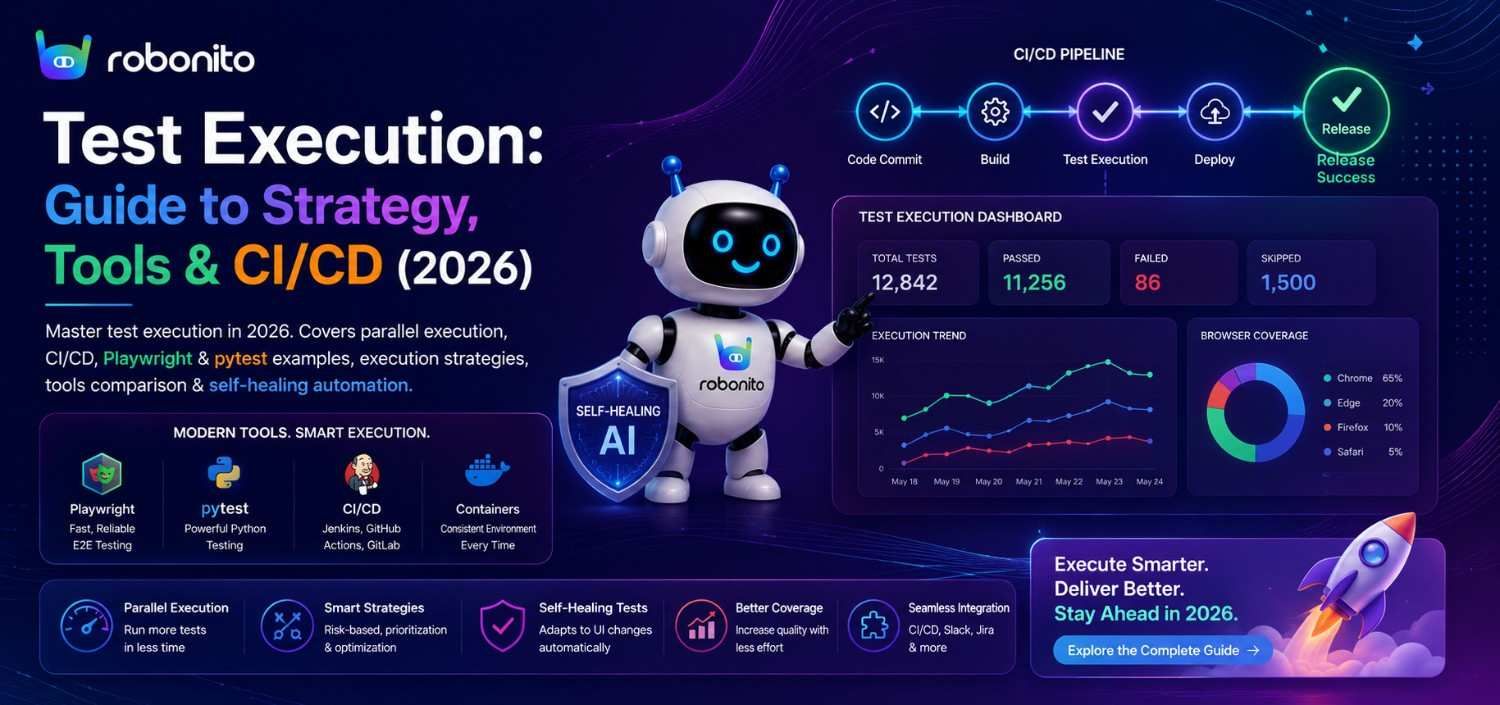
Test execution is where the investment in writing tests either pays off or disappears. A test suite that executes in 45 minutes and blocks deployments for false reasons is not a quality asset — it is a friction generator that teams learn to route around. This guide covers every dimension of test execution that determines whether your suite catches real bugs fast or produces noise your team has learned to ignore.
By Robonito Engineering Team · Updated June 2026 · 20 min read
Quick stats
| Fact | Source |
|---|---|
| 16% of test suites at Google exhibited flakiness, with engineers spending hours weekly on false alarms | Google Engineering Blog |
| Teams with fast, reliable execution deploy 208× more frequently | DORA State of DevOps 2025 |
| 40-60% of QA engineering time goes to test maintenance rather than new execution coverage | Capgemini World Quality Report 2025 |
| Parallel execution reduces E2E suite time by up to 80% with 5-10 workers | Playwright Engineering Research |
| AI self-healing resolves 80-85% of UI-change-related execution failures without human intervention | Robonito customer data |
Table of Contents
- What is test execution?
- The test execution lifecycle
- Test execution strategies — sequential, parallel, distributed
- Risk-based test execution — run what matters most, first
- Data-driven test execution with real code
- Parallel execution — real configuration examples
- Test execution in CI/CD pipelines
- Self-healing execution — how AI eliminates false failures
- Cross-browser and cross-platform execution
- Test execution tools compared (2026)
- Common test execution mistakes
- Test execution checklist
- Frequently Asked Questions
Test execution that self-heals when your UI changes
Robonito executes tests across Chrome, Safari, Firefox, and Edge in CI automatically — with AI self-healing that resolves 80%+ of UI-change failures without human intervention. Web, mobile, API, and desktop from one platform. Try Robonito free →
1. What is test execution?
One-sentence definition: Test execution is the process of running test cases against a software application, recording actual outcomes against expected results, and determining pass, fail, or skip status for each test.
The definition is simple. What makes test execution the most operationally significant phase of software testing is what it reveals about everything that came before it:
- Test cases that are too ambiguous to produce clear pass/fail verdicts
- Test data that was not isolated and produces inconsistent results on re-run
- Test environments that do not mirror production closely enough to produce valid results
- Selectors that were brittle from the moment they were written and break on every sprint
Test execution is the moment where theoretical test quality becomes empirical test quality. A test that looks complete on paper and produces unreliable results in execution is not a quality asset — it is a false confidence generator.
What test execution covers in a complete testing strategy:
Test execution surfaces:
├── Unit test execution (Jest, pytest, JUnit, NUnit)
│   → Local: every save or commit
│   → CI: every push, < 5 minutes
│
├── Integration test execution (pytest + httpx, Supertest)
│   → CI: every PR, 10-20 minutes
│
├── E2E / UI test execution (Playwright, Robonito, Cypress)
│   → CI: every merge to main, 30-60 minutes
│
├── API test execution (pytest, Postman/Newman, REST Assured)
│   → CI: every PR alongside integration tests
│
├── Performance test execution (k6, JMeter, Lighthouse CI)
│   → CI: every merge to main, 15-30 minutes
│
├── Security scan execution (OWASP ZAP, Snyk)
│   → CI: every merge to main, 15-30 minutes
│
└── Post-deployment smoke execution
    → Production: immediately after every deployment
2. The test execution lifecycle
Test execution is not a single event — it is a lifecycle with six distinct phases, each of which can introduce failures that have nothing to do with application quality:
Phase 1: Environment setup
  → Deploy application to test environment
  → Verify environment health (not assumed — checked)
  → Seed test data in known state
  → Validate third-party integrations accessible

Phase 2: Test suite selection
  → Determine which tests to run (all, smoke, regression, changed-area only)
  → Apply risk-based prioritisation if running a subset
  → Confirm test dependencies and ordering where required

Phase 3: Execution
  → Run test cases (sequential or parallel)
  → Capture actual results vs expected results
  → Record evidence: screenshots, video, console logs, network activity
  → Apply self-healing for UI changes (if platform supports it)

Phase 4: Result collection
  → Aggregate results across all test cases
  → Calculate pass rate, failure count, skip count
  → Classify failures: genuine bug, flaky test, environment issue, UI change

Phase 5: Reporting
  → Generate execution report with timestamped records
  → Post results to PR, Slack, or test management system
  → Flag regressions that require developer attention

Phase 6: Cleanup
  → Remove test data created during execution
  → Reset application state for next run
  → Archive execution artifacts (screenshots, videos, logs)
The most commonly skipped phase is Cleanup — leaving test data in shared environments causes the most common class of false failures in integration and E2E testing.
3. Test execution strategies — sequential, parallel, distributed
The execution strategy determines how quickly the suite completes and how reliably it produces actionable results.
Sequential execution
Tests run one after another in a defined order. Predictable, easy to debug, but slow at scale.
Sequential execution — when it makes sense:
  ✅ Test suites under 50 tests (fast enough without parallelism)
  ✅ Tests with unavoidable ordering dependencies
  ✅ Local development: running a single test file
  ✅ Debugging a specific failure (eliminate parallelism variables)
  ❌ CI/CD with 200+ tests (too slow)
  ❌ Cross-browser testing (multiplies execution time by browser count)
Parallel execution
Multiple tests run simultaneously across workers. The most important strategy for keeping CI pipelines fast at scale.
Parallel execution impact on a 200-test E2E suite
(30 seconds per test average):

Workers  Wall time     Reduction
───────────────────────────────
1         100 minutes   baseline
2          50 minutes   50%
4          25 minutes   75%
8          13 minutes   87%
10         10 minutes   90%

Rule: Wall time ≈ (Total tests × Avg test time) / Worker count
Constraint: Tests must be fully independent — shared state
            causes failures that are not reproducible alone
Distributed execution
Tests distributed across multiple machines or cloud instances. Used for very large suites (1,000+ tests) or when parallelism within one machine is insufficient.
GitHub Actions matrix strategy — distributed execution across OS:

strategy:
  matrix:
    os: [ubuntu-latest, windows-latest, macos-latest]
    browser: [chromium, firefox, webkit]
  ## Creates 9 parallel jobs — one per combination
  ## 1,000-test suite completes in ~15 minutes across all jobs
4. Risk-based test execution — run what matters most, first
Risk-based execution prioritises tests by the probability they will detect a regression in the current build — running the highest-risk tests first so critical failures surface early in the pipeline.
## risk_prioritiser.py
## Calculates risk score per test and orders execution accordingly

from dataclasses import dataclass
from typing import List

@dataclass
class TestCase:
    id: str
    name: str
    covers_changed_code: bool      ## Was this test's code area changed?
    recent_failure_count: int      ## Failures in last 10 runs
    business_impact: int           ## 1-5: 5 = revenue-critical flow
    avg_execution_time_sec: float

def calculate_risk_score(test: TestCase) -> float:
    score = 0.0

    ## Code change coverage — highest weight (40%)
    if test.covers_changed_code:
        score += 40.0

    ## Historical instability (25%)
    failure_rate = test.recent_failure_count / 10
    score += failure_rate * 25.0

    ## Business impact (20%)
    score += (test.business_impact / 5) * 20.0

    ## Execution efficiency bonus (15%)
    ## Prefer fast high-value tests for early feedback
    if test.avg_execution_time_sec < 10:
        score += 15.0
    elif test.avg_execution_time_sec < 30:
        score += 7.5

    return round(score, 1)

## Example prioritisation for a CI run after payment module changes:
test_suite = [
    TestCase("TC-001", "Checkout complete",     True,  3, 5, 25.0),
    TestCase("TC-002", "Payment declined",      True,  1, 5, 20.0),
    TestCase("TC-003", "User login",            False, 0, 5, 8.0),
    TestCase("TC-004", "Product search",        False, 0, 3, 12.0),
    TestCase("TC-005", "Profile update",        False, 0, 2, 15.0),
]

prioritised = sorted(test_suite, key=calculate_risk_score, reverse=True)

for test in prioritised:
    score = calculate_risk_score(test)
    print(f"[{score:5.1f}] {test.id}: {test.name}")

## Output:
## [ 80.0] TC-001: Checkout complete       ← Run first: changed + critical
## [ 60.0] TC-002: Payment declined        ← Run second: changed code
## [ 35.0] TC-003: User login              ← Run third: critical but stable
## [ 18.0] TC-004: Product search          ← Lower priority
## [  9.0] TC-005: Profile update          ← Run last
The practical benefit: If TC-001 (Checkout complete) fails, the CI pipeline can notify the developer within 5 minutes of the build starting rather than waiting for the full 45-minute suite to complete sequentially.
5. Data-driven test execution with real code
Data-driven execution runs the same test logic against multiple input combinations — testing boundary values, error conditions, and edge cases from one test definition rather than duplicating test code.
pytest parametrize — Python data-driven execution
## tests/api/test_order_execution.py
## One test definition → 8 execution scenarios

import pytest
import httpx

@pytest.fixture(scope="module")
def client():
    auth = httpx.post("https://staging.yourapp.com/api/auth/login",
        json={"email": "test@example.com", "password": "TestPass2026!"})
    return httpx.Client(
        base_url="https://staging.yourapp.com",
        headers={"Authorization": f"Bearer {auth.json()['access_token']}"},
        timeout=10.0
    )

## 8 scenarios from one parametrized test — boundary values + error paths
@pytest.mark.parametrize("quantity,discount_code,expected_status,description", [
    (1,   None,     201, "Minimum valid quantity"),
    (100, None,     201, "Maximum valid quantity"),
    (1,   "SAVE10", 201, "Valid discount code"),
    (0,   None,     422, "Zero quantity — invalid"),
    (-1,  None,     422, "Negative quantity — invalid"),
    (101, None,     422, "Over maximum — invalid"),
    (1,   "EXPIRED",422, "Expired discount code"),
    (1,   "INVALID", 422, "Non-existent code"),
])
def test_order_creation_scenarios(
    client, quantity, discount_code, expected_status, description
):
    payload = {"product_id": "prod-widget-pro", "quantity": quantity}
    if discount_code:
        payload["discount_code"] = discount_code

    response = client.post("/api/v1/orders", json=payload)

    assert response.status_code == expected_status, (
        f"FAIL — {description}\n"
        f"  Input: quantity={quantity}, discount={discount_code}\n"
        f"  Expected: {expected_status}, Got: {response.status_code}\n"
        f"  Response: {response.text[:200]}"
    )
Playwright test.each — TypeScript data-driven execution
// tests/e2e/checkout-scenarios.spec.ts
// Cross-browser data-driven execution — all scenarios on all browsers

import { test, expect } from '@playwright/test';

const checkoutScenarios = [
  {
    card:     '4242424242424242',
    scenario: 'valid Visa card',
    expected: 'success',
    urlMatch: /\/orders\/ORD-\d+/,
  },
  {
    card:     '4000000000000002',
    scenario: 'declined card',
    expected: 'error',
    urlMatch: /\/checkout/,
  },
  {
    card:     '4000000000000069',
    scenario: 'expired card',
    expected: 'error',
    urlMatch: /\/checkout/,
  },
  {
    card:     '4000000000009995',
    scenario: 'insufficient funds',
    expected: 'error',
    urlMatch: /\/checkout/,
  },
] as const;

test.describe('Checkout execution — data-driven scenarios', () => {
  for (const { card, scenario, expected, urlMatch } of checkoutScenarios) {
    test(`${expected} — ${scenario}`, async ({ page, browserName }) => {
      // Setup via API (faster than UI navigation for non-checkout steps)
      await page.request.post('/api/auth/login', {
        data: { email: 'test@example.com', password: 'TestPass2026!' }
      });
      await page.request.post('/api/v1/cart', {
        data: { product_id: 'prod-widget-pro', quantity: 1 }
      });

      await page.goto('/checkout');
      await page.getByLabel('Full name').fill('Test User');
      await page.getByLabel('Email').fill('test@example.com');
      await page.getByLabel('Card number').fill(card);
      await page.getByLabel('Expiry').fill('12/28');
      await page.getByLabel('CVC').fill('123');
      await page.getByRole('button', { name: 'Place order' }).click();

      await page.waitForURL(urlMatch, { timeout: 15000 });

      if (expected === 'success') {
        await expect(
          page.getByRole('heading', { name: 'Order confirmed' })
        ).toBeVisible();
      } else {
        await expect(page.getByRole('alert')).toBeVisible();
      }

      console.log(
        `✅ ${scenario} — ${expected} — verified on ${browserName}`
      );
    });
  }
});
6. Parallel execution — real configuration examples
Playwright parallel configuration
// playwright.config.ts — production parallel execution setup
import { defineConfig, devices } from '@playwright/test';

export default defineConfig({
  testDir: './tests',
  timeout: 30000,

  // Parallel execution configuration
  workers: process.env.CI
    ? 4    // 4 parallel workers in CI (GitHub Actions runner)
    : 2,   // 2 workers locally (leave headroom for other processes)

  // Retry once on CI to distinguish real failures from flakiness
  retries: process.env.CI ? 1 : 0,

  // Cross-browser: each project runs its tests in parallel
  projects: [
    { name: 'chromium', use: { ...devices['Desktop Chrome'] } },
    { name: 'webkit',   use: { ...devices['Desktop Safari'] } },
    { name: 'firefox',  use: { ...devices['Desktop Firefox'] } },
    { name: 'mobile',   use: { ...devices['iPhone 14'] } },
  ],

  use: {
    baseURL: process.env.BASE_URL || 'http://localhost:3000',
    screenshot: 'only-on-failure',
    video: 'retain-on-failure',
    trace: 'on-first-retry',
  },
});
pytest parallel execution with pytest-xdist
## Install parallel execution plugin
pip install pytest-xdist --break-system-packages

## Run with 4 parallel workers
pytest tests/ -n 4 -v

## Run with automatic worker count (one per CPU core)
pytest tests/ -n auto -v

## Run with load balancing (recommended for tests with varied execution time)
pytest tests/ -n 4 --dist loadfile -v
## loadfile: distributes by file (tests in same file run on same worker)
## Prevents shared state issues between tests in the same module
## conftest.py — ensure test isolation for parallel execution
import pytest
import uuid

@pytest.fixture
def unique_user():
    """Each parallel worker gets a completely unique user — no collisions."""
    import httpx
    email = f"test+{uuid.uuid4().hex[:8]}@example.com"
    user = httpx.post(
        "https://staging.yourapp.com/api/users",
        json={"email": email, "password": "TestPass2026!"}
    ).json()
    yield user
    ## Cleanup: delete test user after test completes
    httpx.delete(
        f"https://staging.yourapp.com/api/users/{user['id']}",
        headers={"Authorization": f"Bearer {user['token']}"}
    )
7. Test execution in CI/CD pipelines
The three-tier execution pipeline
## .github/workflows/test-execution-pipeline.yml
name: Test Execution Pipeline

on:
  push:
    branches: [main, develop]
  pull_request:

jobs:
  ## ── Tier 1: Unit execution — every commit, < 5 minutes ─────────────
  unit-execution:
    name: Unit Tests
    runs-on: ubuntu-latest
    steps:
      - uses: actions/checkout@v4
      - uses: actions/setup-node@v4
        with: { node-version: '20', cache: 'npm' }
      - run: npm ci
      - name: Execute unit tests with coverage
        run: npm test -- --coverage --ci
      - name: Enforce 80% coverage gate
        run: |
          COV=$(cat coverage/coverage-summary.json | python3 -c \
            "import sys,json; \
             print(json.load(sys.stdin)['total']['lines']['pct'])")
          python3 -c "exit(0 if float('${COV}') >= 80 else 1)" || \
            (echo "❌ Coverage ${COV}% below 80% gate" && exit 1)

  ## ── Tier 2: Integration execution — every PR, 10-20 minutes ─────────
  integration-execution:
    name: Integration Tests
    runs-on: ubuntu-latest
    needs: unit-execution
    services:
      postgres:
        image: postgres:16
        env: {POSTGRES_DB: testdb, POSTGRES_USER: test, POSTGRES_PASSWORD: test}
        options: --health-cmd pg_isready
    steps:
      - uses: actions/checkout@v4
      - uses: actions/setup-python@v5
        with: { python-version: '3.12' }
      - run: pip install pytest pytest-xdist httpx --break-system-packages
      - name: Execute API integration tests (parallel)
        run: pytest tests/integration/ -n 4 -v --timeout=30
        env:
          DATABASE_URL: postgresql://test:test@localhost/testdb

  ## ── Tier 3: Full regression execution — merge to main ───────────────
  e2e-execution:
    name: E2E Regression Execution
    runs-on: ubuntu-latest
    needs: integration-execution
    if: github.ref == 'refs/heads/main'
    steps:
      - uses: actions/checkout@v4
      - uses: actions/setup-node@v4
        with: { node-version: '20', cache: 'npm' }
      - run: npm ci
      - run: npx playwright install --with-deps

      - name: Deploy to staging
        run: ./scripts/deploy-staging.sh ${{ github.sha }}

      - name: Wait for staging health
        run: |
          for i in {1..20}; do
            curl -sf ${{ secrets.STAGING_URL }}/health && exit 0
            echo "Attempt $i/20..."; sleep 10
          done; exit 1

      ## Playwright cross-browser parallel execution
      - name: Execute Playwright regression (4 browsers, parallel)
        run: npx playwright test
        env:
          BASE_URL: ${{ secrets.STAGING_URL }}

      ## Robonito AI execution (no-code, self-healing, web + mobile + API)
      - name: Execute Robonito regression suite
        uses: robonito/run-tests-action@v2
        with:
          api-key: ${{ secrets.ROBONITO_API_KEY }}
          suite: regression
          environment: staging
          browsers: chrome,safari,firefox,edge
          platforms: web,mobile-web,api
          healing_mode: intent
          fail-on: critical

      - uses: actions/upload-artifact@v4
        if: failure()
        with:
          name: execution-failure-evidence
          path: playwright-report/

  ## ── Post-deployment: production smoke execution ─────────────────────
  production-smoke:
    name: Production Smoke Execution
    runs-on: ubuntu-latest
    needs: e2e-execution
    if: github.ref == 'refs/heads/main'
    steps:
      - uses: actions/checkout@v4
      - uses: actions/setup-node@v4
        with: { node-version: '20', cache: 'npm' }
      - run: npm ci && npx playwright install --with-deps chromium

      - name: Execute production smoke tests
        id: smoke
        run: npx playwright test tests/smoke/ --project=chromium
        env: { BASE_URL: ${{ secrets.PRODUCTION_URL }} }
        continue-on-error: true

      - name: Rollback on smoke failure
        if: steps.smoke.outcome == 'failure'
        run: |
          echo "🔴 Production smoke failed — initiating rollback"
          ./scripts/rollback.sh production
          exit 1
8. Self-healing execution — how AI eliminates false failures
The biggest threat to reliable test execution is not bugs — it is selector failures caused by UI changes that have nothing to do with application correctness. Google's engineering team reported that 16% of their test suite exhibited flakiness, consuming significant weekly engineering time on false alarms.
Why traditional execution breaks on UI changes
Traditional execution failure pattern:
  Developer renames CSS class: .checkout-btn → .ds-action-button
  → 14 Playwright tests using .checkout-btn fail in CI
  → Pipeline reports 14 failures
  → Engineer investigates: "is the checkout broken?"
  → No: the CSS class changed, nothing functionally broke
  → Engineer updates 14 selectors: 2-4 hours
  → Next sprint: different designer changes something else
  → Cycle repeats

Annual cost: ~15 UI changes/sprint × 26 sprints × 2hrs × £65/hr = £50,700
This is maintenance cost, not quality improvement
Robonito's closed-loop execution model
Robonito applies loop engineering principles to test execution: every interaction is evaluated through a multi-signal confidence model rather than a single brittle selector.
Robonito execution — closed-loop element identification:

ACT:     Locate the "Place Order" button
OBSERVE: Primary CSS selector fails (class changed)
         Gather available signals:
           ARIA role:        "button"     → confidence: 1.00
           Accessible name:  "Place Order"→ confidence: 0.97
           Visual position:  form-bottom  → confidence: 0.91
           Context:          after-payment→ confidence: 0.89
REASON:  Combined confidence: 0.93 → above 0.85 threshold
ADJUST:  Auto-heal: update element reference, log the change
         Continue execution — no engineer time required

Result: Test passes, change is logged, next engineer review
        sees exactly what healed and why — full auditability
This closed-loop execution model — act, observe, reason, adjust — is what eliminates the 40-60% maintenance overhead that makes traditional execution expensive to sustain at scale.
9. Cross-browser and cross-platform execution
The minimum viable cross-browser execution matrix
Desktop browsers (cover 97%+ of users):
  Chrome  (Chromium)  → 65% market share — must test
  Safari  (WebKit)    → 19% market share — must test
  Firefox (Gecko)     → 3% market share  — should test
  Edge    (Chromium)  → 4% market share  — should test

Mobile viewports:
  iPhone 14 (393×852)  → iOS Safari rendering
  Pixel 7   (412×915)  → Chrome for Android rendering

Playwright config for complete cross-browser execution:
  projects: [
    chromium, webkit, firefox,      ← Desktop
    'iPhone 14', 'Pixel 7'          ← Mobile viewport
  ]

Cost: Free — Playwright WebKit runs on Ubuntu CI,
      no BrowserStack subscription required for virtual testing
Robonito cross-browser execution
## One Robonito step executes across all four browsers simultaneously:
- uses: robonito/run-tests-action@v2
  with:
    api-key: ${{ secrets.ROBONITO_API_KEY }}
    suite: regression
    browsers: chrome,safari,firefox,edge  ## All four, included
    platforms: web,mobile-web,api          ## All surfaces, no add-ons
    healing_mode: intent                   ## Self-healing per browser
10. Test execution tools compared (2026)
Web UI execution tools
| Tool | Language | Parallel | Self-healing | Browsers | Free | Best for |
|---|---|---|---|---|---|---|
| Playwright | TS/JS/Python/Java | ✅ Native | ❌ | Chromium + WebKit + Firefox | ✅ OSS | Engineering teams |
| Robonito | No-code | ✅ | ✅ Intent AI | All 4 browsers | ✅ Free tier | No-code, self-healing |
| Cypress | JS/TS | ✅ Cloud | ❌ | Chrome + Firefox | ✅ OSS | JS teams |
| Selenium | All langs | ✅ Grid | ❌ | All via WebDriver | ✅ OSS | Legacy enterprise |
API execution tools
| Tool | Language | Parallel | CI-native | Free |
|---|---|---|---|---|
| pytest + pytest-xdist | Python | ✅ | ✅ | ✅ |
| Supertest + Jest | JavaScript | ✅ | ✅ | ✅ |
| Newman (Postman CLI) | JavaScript | ✅ | ✅ | ✅ |
| REST Assured | Java | ✅ | ✅ | ✅ |
Performance execution tools
| Tool | Type | Scripting | CI | Free |
|---|---|---|---|---|
| k6 | Load + stress | JavaScript | ✅ Native | ✅ OSS |
| JMeter | Load + SOAP | GUI/XML | ✅ CLI | ✅ OSS |
| Lighthouse CI | Core Web Vitals | None (CLI) | ✅ | ✅ OSS |
11. Common test execution mistakes
Mistake 1: No execution gate — tests run but never block
## ❌ Execution without a gate — decorative testing
- run: npx playwright test
  continue-on-error: true
## Tests execute. Results show failures. Pipeline continues.
## Deployment proceeds regardless. The execution served no quality purpose.

## ✅ Execution as a gate — meaningful testing
- run: npx playwright test
## Exit code 1 on failure → pipeline stops → deployment blocked
## This is what makes execution valuable
Mistake 2: Shared test data causing execution interference
## ❌ Shared state — parallel execution causes random failures
def test_a():
    user = get_user("shared@test.com")
    user.add_order(product_id="prod-001")
    assert user.order_count == 1  ## Fails if test_b ran first

def test_b():
    user = get_user("shared@test.com")
    user.add_order(product_id="prod-002")
    assert user.order_count == 1  ## Fails if test_a ran first

## ✅ Isolated state — execution order irrelevant
@pytest.fixture
def fresh_user():
    user = create_user(email=f"test+{uuid.uuid4().hex[:8]}@test.com")
    yield user
    delete_user(user.id)  ## Clean up after execution

def test_a(fresh_user):
    fresh_user.add_order(product_id="prod-001")
    assert fresh_user.order_count == 1  ## Always correct
Mistake 3: Fixed sleep() calls instead of smart waits
// ❌ Fixed sleep — slow AND still flaky
await page.waitForTimeout(3000);
await page.click('#submit');
// Waits 3 seconds regardless of whether element is ready
// Still fails when network takes 3.5 seconds

// ✅ Smart wait — fast AND reliable
await page.getByRole('button', { name: 'Place order' }).click();
// Playwright auto-waits for: visible, enabled, stable, not obscured
// Proceeds as soon as element is ready — never artificially slow
Mistake 4: No environment health check before execution
## ❌ Execute immediately after deployment — fails if staging is slow
./scripts/deploy-staging.sh
npx playwright test  # May run before app is ready

## ✅ Verify environment health before execution begins
./scripts/deploy-staging.sh
for i in {1..30}; do
  curl -sf $STAGING_URL/health && break
  echo "Waiting for staging... attempt $i/30"
  sleep 10
done
npx playwright test  ## Executes only when environment is confirmed healthy
12. Test execution checklist
Before execution
- Test environment deployed and health-checked
- Test data seeded in known, clean state
- No other test runs active on this environment
- Environment variables and secrets configured
- Test cases tagged for correct execution tier (smoke/regression/full)
Execution configuration
- Parallel workers configured (4-8 for CI, 2 for local)
- No
sleep()/waitForTimeout()calls — explicit waits only - Test data isolation confirmed — each test owns its own data
- Screenshots and videos captured on failure
- Exit codes produce pipeline failures on test failures
Post-execution
- Test artifacts uploaded (screenshots, videos, execution logs)
- Results posted to PR or Slack
- Failures triaged: genuine bug vs flaky test vs environment issue
- Flaky tests identified and quarantined if > 3 false failures
- Test data cleaned up — no residual state left in environment
An e-commerce platform reduced its regression execution from 95 minutes to 18 minutes by combining Playwright parallel workers with risk-based execution. Developers received checkout failure feedback within the first 6 minutes instead of waiting for the full suite.
Frequently Asked Questions
What is test execution in software testing?
Test execution is the process of running test cases against a software application, recording actual outcomes against expected results, and determining pass, fail, or skip status. It covers unit, integration, E2E, API, performance, and security test execution — each running at different frequencies in a CI/CD pipeline.
What is parallel test execution?
Parallel execution runs multiple tests simultaneously across multiple workers or machines, reducing total wall-clock time proportionally to the number of workers. A 200-test suite taking 60 minutes sequentially completes in approximately 15 minutes with 4 workers. Tests must be fully independent and use isolated test data for parallel execution to produce reliable results.
What is the best tool for test execution in 2026?
Playwright for engineering teams (free, native cross-browser, parallel). Robonito for no-code teams (AI self-healing, all browsers, web + mobile + API + desktop). pytest for API execution. k6 for performance execution. OWASP ZAP for security execution. Most teams use 3-5 tools across their execution stack.
How does CI/CD pipeline integrate with test execution?
Tests execute automatically on code events: unit tests on every commit, integration tests on every PR, and full regression on every merge to main. Tests must produce a non-zero exit code on failure to block deployment. Post-deployment smoke execution runs against production after each release with automatic rollback on failure.
What is risk-based test execution?
Risk-based execution prioritises tests by likelihood of detecting a regression in the current build — running tests covering recently changed code, historically unstable areas, and revenue-critical flows first. This means critical failures surface in 10-15 minutes rather than after a full 45-60 minute suite completes.
External references
- Google Engineering Blog — Test Flakiness — Flakiness cost data
- Playwright Documentation — Test Configuration — Parallel execution config
- pytest-xdist Documentation — Python parallel execution
- DORA State of DevOps 2025 — Execution and deployment frequency
- Capgemini World Quality Report 2025 — Maintenance statistics
- k6 Documentation — Performance test execution
- GitHub Actions Documentation — CI/CD execution reference
Test execution that closes the loop — self-healing, cross-browser, no scripts
Robonito executes your tests across Chrome, Safari, Firefox, and Edge with AI that self-heals selector failures automatically — turning test execution from a maintenance burden into a reliable deployment gate. Web, mobile, API, and desktop covered from one free platform. Start free at Robonito.com →
Automate your QA — no code required
Stop writing test scripts.
Start shipping with confidence.
Join thousands of QA teams using Robonito to automate testing in minutes — not months.