01 / 03
Tests stop at team boundaries
Each layer has its own tool and owner, so nobody owns the handoff between them. That's exactly where real bugs hide.
End-to-End QA
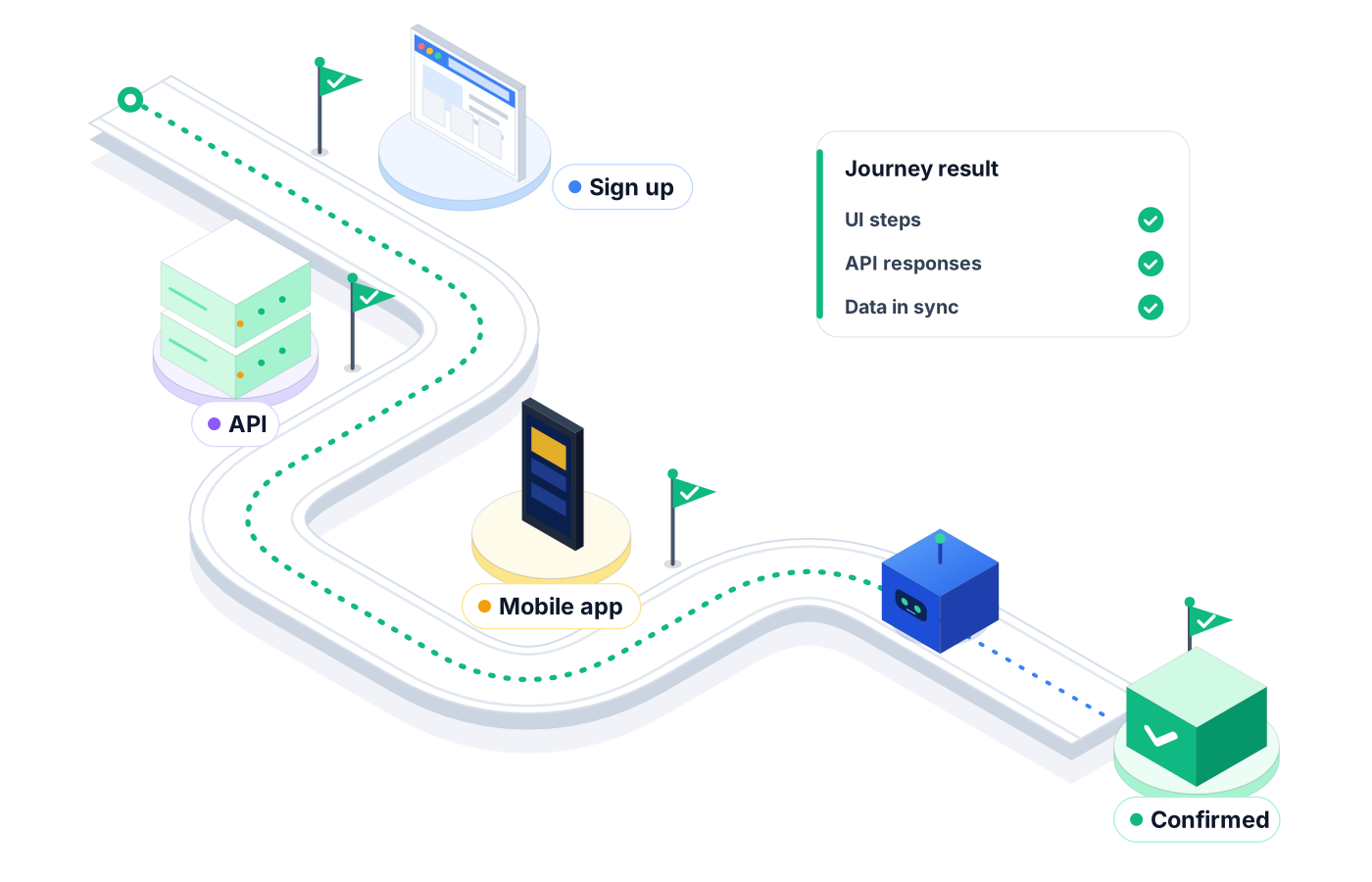
End-to-end testing breaks down when a journey crosses web, mobile, APIs, and desktop and each piece is tested alone. Robonito's AI agents test the whole path, from sign-up to checkout to the back-office screen, in one place.
Free forever plan · No code required
Teams that refuse to trade speed for quality ship with Robonito







01The problem
Your web team tests the web app. Mobile tests mobile. Someone checks the API. Then a customer places an order on their phone, and it never shows up in the desktop app your support team uses.
01 / 03
Each layer has its own tool and owner, so nobody owns the handoff between them. That's exactly where real bugs hide.
02 / 03
Long journeys mean long scripts. One UI change near the start fails everything after it, and the suite quietly gets skipped.
03 / 03
Flaky end-to-end runs wear down trust. When the team can't tell a real failure from noise, they stop reading the results.
02Capabilities
Robonito lets one team describe, run, and maintain full journeys without stitching separate tools together.
01
Cover each part of a journey on web, Android and iOS, and desktop from the same workspace, so the whole path gets tested, not just the pieces.
02
Add HTTP requests to confirm that what the screen shows matches what the backend actually stored.
03
When an early screen changes, the agent adapts the step instead of failing everything downstream, so long journeys stay usable.
04
Check that pages and screens look right to a person, not only that the elements exist.
05
Group journeys into suites and run them against dev, staging, or other environments on a schedule you set.
06
Trigger end-to-end suites from your CI/CD pipeline and share results in Jira and Slack, so failures reach the people who can fix them.
03How it works
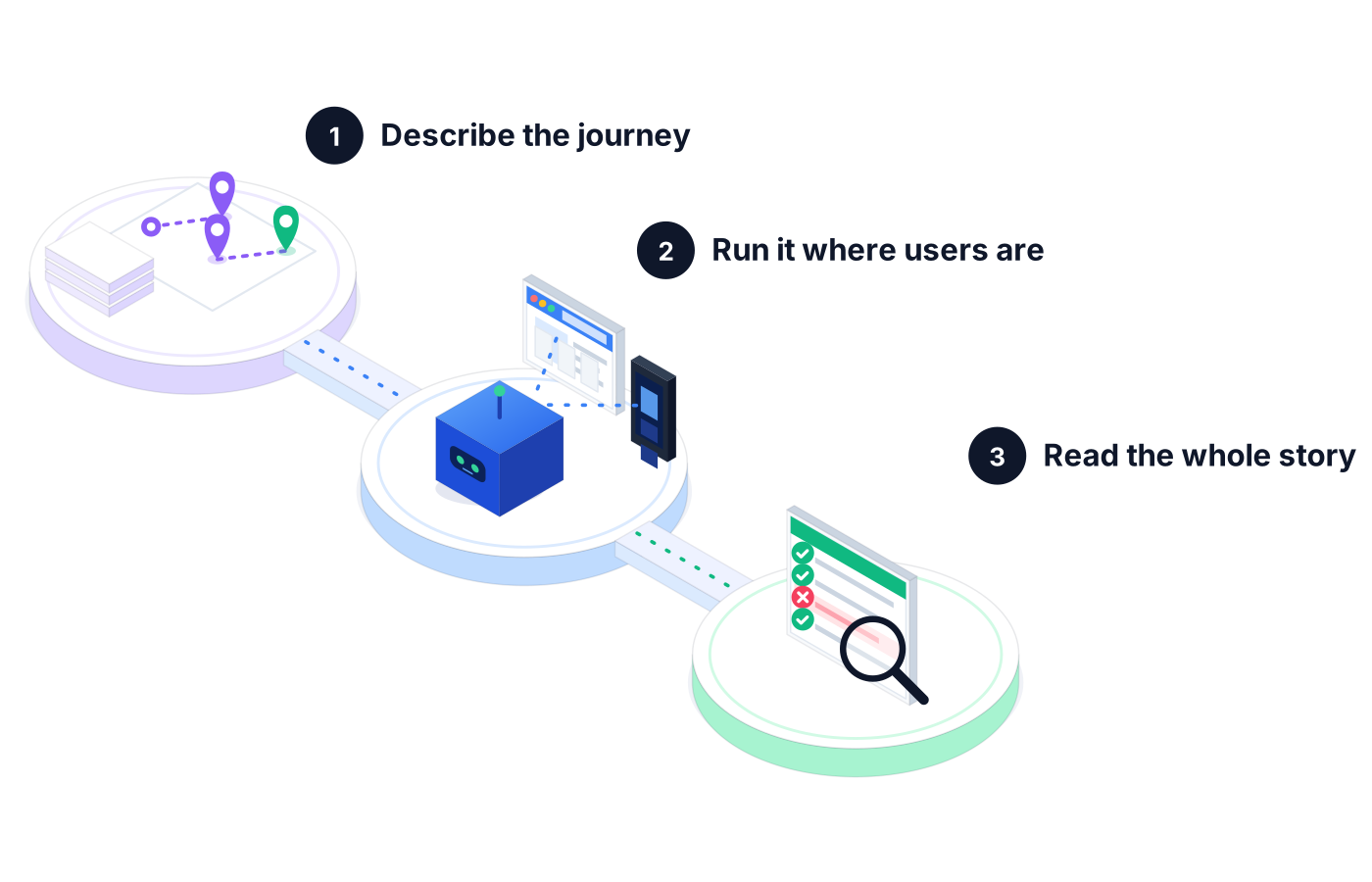
Write the path in plain language, capture it with the recorder, or start from a Jira ticket. Group the steps into test cases and suites.
The agent performs each step on the platform you choose, logs what it saw, and heals steps that moved.
Reporting shows which step failed, the failure cluster it belongs to, and the evidence, so you fix the right layer.
04Example journeys
A customer orders in your iOS app. The test confirms the order through an API call, then checks that it appears correctly in the desktop app your warehouse team uses.
A new user signs up on the web, completes onboarding, and creates their first project. One suite tells you whether new customers can actually get started.
A sales rep builds a quote, a manager approves it, and the customer sees the right price. Club Car used Robonito on this kind of CPQ flow and cut QA testing time by over 70%.
05Evidence
End-to-end failures are only useful if they point somewhere. Every run gives you something concrete to act on.
Each step in the journey is logged with what the agent expected and what it found.
Proof you get: Step-by-step run log with screenshots
Failures that share a cause are grouped, so one broken API call doesn't show up as a wall of unrelated red.
Proof you get: Failure clusters and pass rate in Reporting
Share a downloadable PDF of the run so product and leadership can judge release readiness without logging in.
Proof you get: Downloadable PDF execution report
06Ways to start
01
Try Robonito on your own web app with the free-forever plan. No code required, and no time limit.
02
Run a no-obligation proof of concept on your real system. You get clear results and a clear recommendation before you commit.
03
Robonito Professional Services helps with test strategy, migration from existing suites, and rollout across your teams.
Explore Professional Services07FAQ
End-to-end testing checks a complete user journey from start to finish, across every system it touches. Instead of testing the login page or the payments API alone, it confirms that a real user can sign in, buy something, and see the order everywhere it should appear. It catches the bugs that live between components, which unit and integration tests usually miss.
With Robonito, you describe the journey in plain language, capture it with the recorder, or start from a Jira ticket, and AI agents turn it into test cases. The agent runs each step, heals steps when the UI changes, and logs the evidence. Engineers can add optional script injection when a flow needs it, but no code is required to get started.
Yes. Robonito tests web, Android and iOS mobile, and desktop apps, and can send HTTP requests to check APIs, so one team can cover each leg of a journey in one place. Web test automation is on the Free plan, and mobile, desktop, and API testing are included from the Pro plan at $199 per month.
End-to-end tests are flaky mostly because long journeys depend on many moving parts, and scripted locators break when any of them changes. Robonito's agents reduce that by self-healing steps when the UI shifts and grouping related failures into clusters, so you can tell a real defect from a test that simply needs updating.
Integration testing checks that components work together, while end-to-end testing follows the full path a real user takes through the product. An integration test might confirm a service writes to its database correctly. An end-to-end test confirms a customer can place an order and see it everywhere. You need both, because each catches different problems.
Run your critical end-to-end tests on every release candidate and on a regular schedule against staging. In Robonito you can trigger suites from your CI/CD pipeline and set schedules per environment, so a broken journey surfaces before customers hit it. Keep the fastest, most important journeys in every run and the long tail on a nightly schedule.
AI QA Agents
Agents that write, run, and heal your tests
Learn morePlatforms & Testing Types
AI agents test your web app in plain language
Learn morePlatforms & Testing Types
Native, hybrid, and cross-platform Android & iOS
Learn morePlatforms & Testing Types
Chained REST API workflows, with or without the UI
Learn moreStart free with web test automation, or book a demo to see Robonito run your end-to-end flows across web, mobile, API, and desktop.