01 / 03
Double the test effort
Android and iOS behave differently, so every journey needs checking twice, and the second pass is usually the rushed one.
Mobile Testing
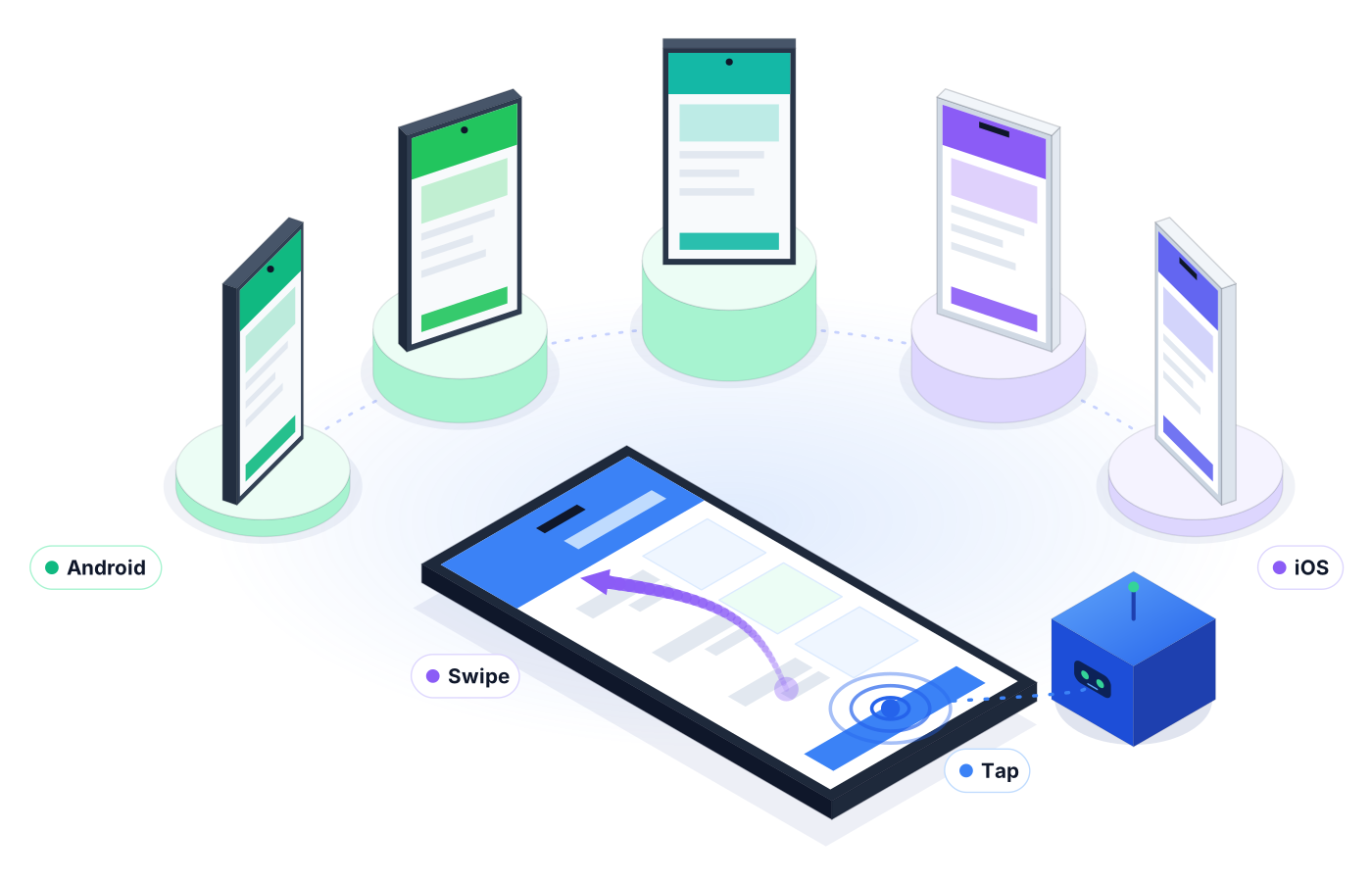
Mobile app testing gets harder with every OS update, screen size, and release. Robonito's AI agents test your native, hybrid, and cross-platform apps on Android and iOS, logging every step so you know what really happened.
Free forever plan · No code required
Teams that refuse to trade speed for quality ship with Robonito






01The problem
Your team ships one app to two operating systems and a long tail of devices. Manual passes eat the sprint, and scripted suites crack whenever the UI shifts.
01 / 03
Android and iOS behave differently, so every journey needs checking twice, and the second pass is usually the rushed one.
02 / 03
A new onboarding screen or relabeled tab breaks locators, and the suite goes red for reasons that have nothing to do with real bugs.
03 / 03
When testing gets squeezed before a store release, the first report of a broken login comes from an app review.
02Capabilities
Describe the journey once. The agent handles the steps, the waits, and the logging, and your team keeps the final say.
01
Test the same journey on Android and iOS from one place, so platform differences surface before your users find them.
02
Whether your app is native, hybrid, or built with a cross-platform framework, the agent tests it the way a user would: through the screen.
03
Pick mobile in AI Studio, describe the test in plain words or paste a Jira reference, and the agent performs and logs each step.
04
When a button moves or a label changes, the agent adapts instead of failing, so your mobile suite stays green for the right reasons.
05
Run mobile suites in parallel and on a schedule, so regression testing keeps pace with your release train.
06
Each failed run comes with a step-by-step log and the agent's explanation of what went wrong, so developers can reproduce it quickly.
03How it works
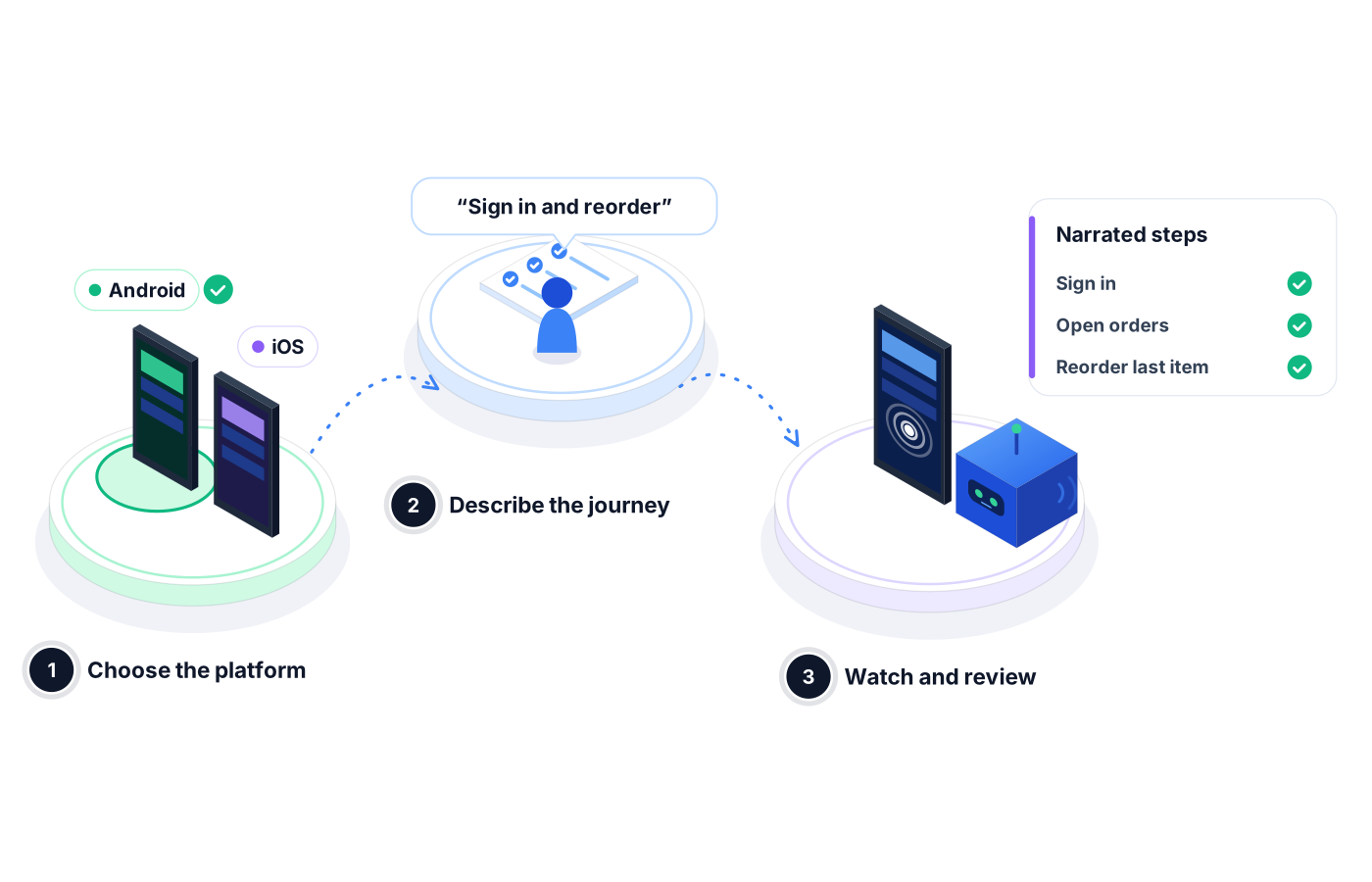
Open AI Studio, select Android or iOS, and connect the app you want to test.
Write what a user should be able to do, like 'sign in, open orders, and reorder the last item'. The agent turns it into a test.
The agent runs the test, narrates each step, and reports pass, fail, and root cause. Your team decides what ships.
04Use cases
Before submitting to the app stores, a team runs its core sign-in, browse, and purchase suite on both Android and iOS, and reviews one report instead of two spreadsheets.
A hybrid app's embedded web views change with a backend release. The agent reruns the affected journeys and flags the screen that stopped loading.
An operations team tests a cross-platform field app's job list, status updates, and sign-off flow on a schedule, so technicians aren't the ones finding bugs.
05Proof in every run
Mobile bugs are hard to reproduce. Robonito records what the agent saw and did, so nobody has to guess.
Every action and check is logged in order with its outcome.
Proof you get: Step-by-step mobile run log
The agent explains why a step failed, not just that it failed.
Proof you get: AI root-cause note on each failure
Pass rate, failures, and failure clusters across mobile runs in one view.
Proof you get: Execution overview and PDF report
06Ways to start
01
Try Robonito on your own web app with the free-forever plan. No code required, and no time limit.
02
Run a no-obligation proof of concept on your real system. You get clear results and a clear recommendation before you commit.
03
Robonito Professional Services helps with test strategy, migration from existing suites, and rollout across your teams.
Explore Professional Services07FAQ
Mobile app testing checks that an app works correctly on mobile devices, covering functionality, UI flows, and behavior across Android and iOS. It applies to native, hybrid, and cross-platform apps. Robonito automates mobile app testing with AI agents that turn plain-language descriptions into tests, run them step by step, and self-heal when the UI changes.
You describe the user journey in plain language, select Android or iOS, and Robonito's agent performs each step and logs the result. There's no test code to write or maintain. The same journey can run on both platforms, and the agent adapts when screens change, so your suite stays useful from one release to the next.
Yes, Robonito tests native, hybrid, and cross-platform mobile apps. The agent interacts with the app through its screens, the way a user does, so the same plain-language approach works whether the app was built natively for each platform or built once with a cross-platform framework and shipped to both Android and iOS.
Mobile testing is included on the Pro and Custom plans. Pro is $199 a month and adds mobile, desktop, and API testing, with 1,000 test cases, 30 hours of execution, and five parallel runs. Custom offers unlimited test cases, custom parallel runs, and every platform. Web testing is available on every plan, including Free.
Testing on real devices gives you the most realistic picture of how your app behaves for users. Robonito offers a device farm, a cloud infrastructure of real devices and browsers, so your team doesn't have to buy and maintain hardware. Talk to our team about which devices and setups fit your app and your release process.
Platforms & Testing Types
Real devices and browsers in the cloud, ready to run
Learn morePlatforms & Testing Types
AI agents test your web app in plain language
Learn morePlatforms & Testing Types
AI catches UI regressions functional checks miss
Learn moreAI QA Agents
Agents that write, run, and heal your tests
Learn moreBook a demo to see Robonito run your Android and iOS journeys, or start free with web testing today.