01 / 03
Manual call testing doesn't scale
Dialing every branch by hand takes hours, so teams test the main path and hope the rest still works.
Conversational AI Testing
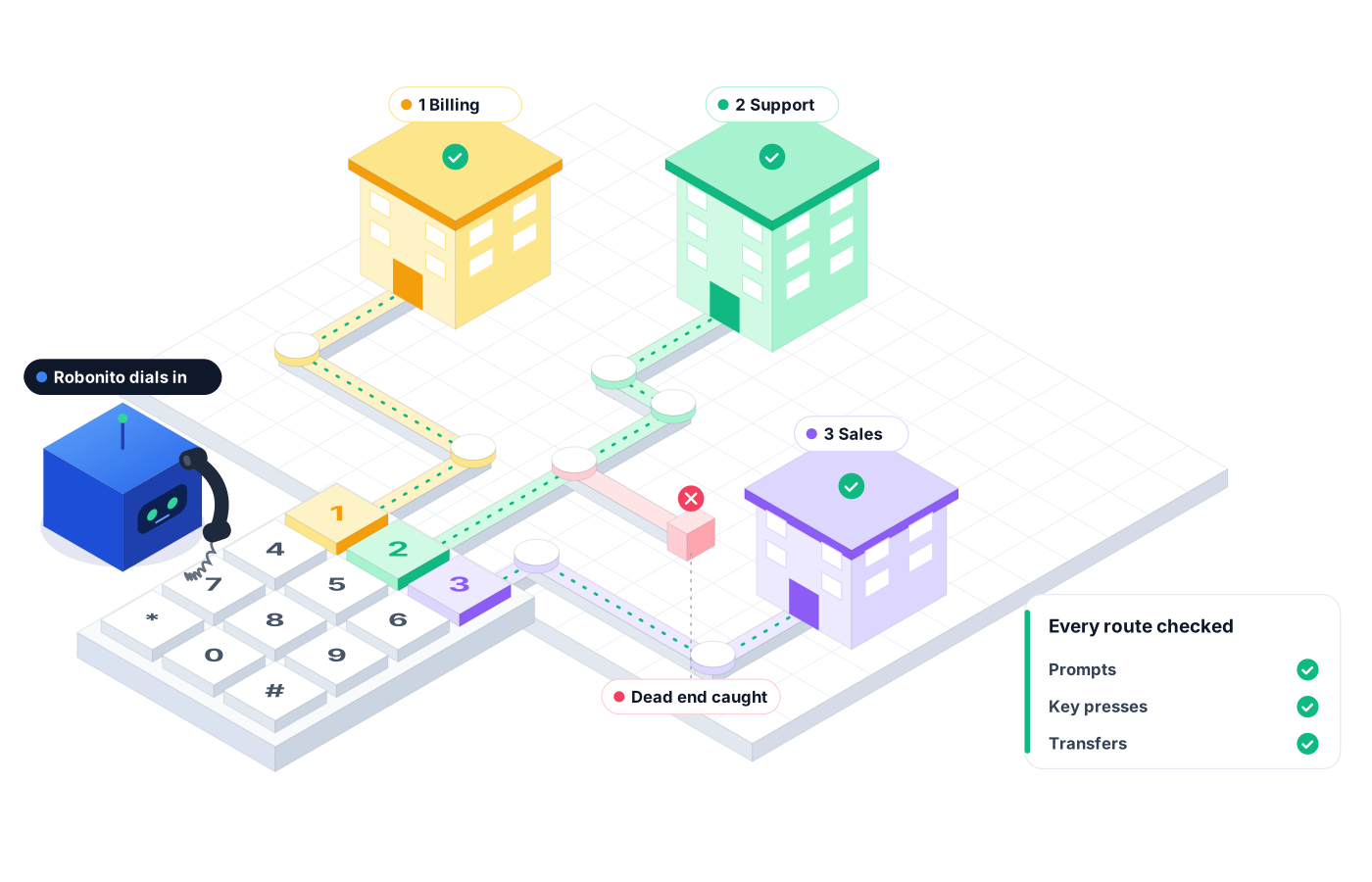
IVR testing usually means someone dialing in, pressing buttons, and taking notes. Robonito's AI phone agent calls your IVR, works through menus by keypad and voice, checks routes and transfers, and reruns the tests after each change.
Free forever plan · No code required
Teams that refuse to trade speed for quality ship with Robonito





01The problem
A new prompt goes live, a menu option moves, a holiday schedule gets updated. Nobody dials through every branch afterward, so the first person to find the broken path is a frustrated customer.
01 / 03
Dialing every branch by hand takes hours, so teams test the main path and hope the rest still works.
02 / 03
The call connects, so everything looks fine. Meanwhile the IVR still routes billing calls to sales, and nobody notices for a week.
03 / 03
After-hours messages, hold queues, invalid inputs, and timeouts rarely get tested, yet they're exactly where callers get stuck.
02Capabilities
An AI phone agent dials in and behaves like a real caller, so you test the experience your customers actually get.
01
Walk through each level of your IVR tree and confirm every prompt leads where it should.
02
Test keypad presses and spoken responses, including invalid entries and silence, to see how the IVR recovers.
03
Verify that each choice reaches the right queue or department, and that transfers land where callers expect.
04
Check hold behavior, queue messages, and the after-hours experience so callers outside business hours aren't left at a dead end.
05
Rerun your IVR suite whenever prompts, menus, or schedules change, so one edit doesn't quietly break another path.
06
Each test call is logged step by step, and failures are grouped in Reporting so you see patterns, not just single misses.
03How it works
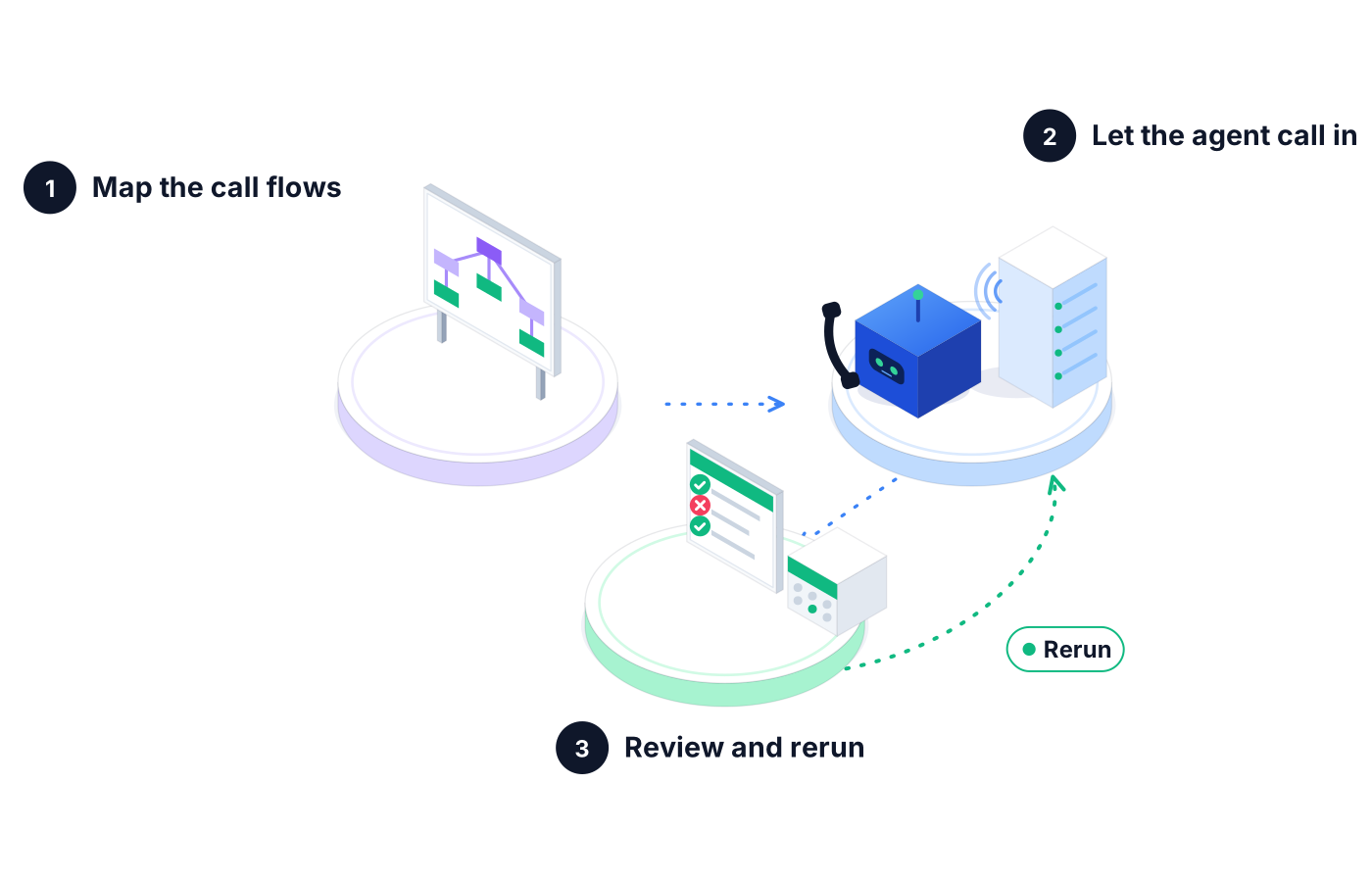
Describe the paths you want covered in plain language: which options to press, what to say, and where each call should end up.
Robonito's AI phone agent dials your IVR, responds to each prompt, and logs every prompt and response along the way.
Check results in Reporting, fix what broke, and schedule the suite to run again after the next change.
04Real examples
Marketing adds a new option to the main menu and shifts the rest down by one. The regression suite flags that "press 3 for billing" now reaches sales.
Your support line closes early for a holiday. A scheduled test confirms callers hear the after-hours message and get the right voicemail or callback option.
A prompt changes from "say account" to "say billing or account." The agent tests both phrases and an unclear answer to confirm the IVR still understands and reprompts when it should.
05Evidence
When someone asks whether the IVR change is safe to ship, you can show them.
Each test call shows the prompts the agent encountered, the inputs it gave, and the route it took.
Proof you get: Step-by-step call log for each test
Failures that share a cause are grouped, so one misconfigured menu doesn't look like many separate problems.
Proof you get: Failure clusters in Reporting
Share a downloadable PDF with contact center leaders before a change goes live.
Proof you get: Downloadable PDF execution report
06Ways to start
01
Try Robonito on your own web app with the free-forever plan. No code required, and no time limit.
02
Run a no-obligation proof of concept on your real system. You get clear results and a clear recommendation before you commit.
03
Robonito Professional Services helps with test strategy, migration from existing suites, and rollout across your teams.
Explore Professional Services07FAQ
IVR testing checks that an interactive voice response system behaves correctly for callers. It confirms that prompts play, keypad and speech inputs are understood, calls route to the right queue, and edge paths like hold and after-hours work. Robonito automates this with an AI phone agent that calls in and behaves like a real caller, so nobody has to dial by hand.
You automate IVR testing by having a system place real calls and respond to prompts the way a caller would. With Robonito, you describe the paths in plain language, and the AI phone agent dials in, presses keys or speaks, follows each branch, and logs the outcome. You can then rerun the same tests on a schedule or after each change.
Yes. Robonito's agent can respond to prompts with keypad tones or spoken answers, so you can test menus built for either kind of input. Include invalid entries, silence, and unclear speech in your tests too, because how the IVR recovers from those moments is often where callers give up.
An IVR regression test should cover every path a change could affect, not only the main menu. That includes routing for each option, transfers, hold and queue behavior, after-hours messages, and error handling for bad input. Running it after every prompt, menu, or schedule change keeps one edit from silently breaking another path.
Yes. Many contact centers now pair a traditional IVR menu with an AI voice agent that handles open-ended requests. Robonito can test both sides: menu navigation, DTMF, and routing on the IVR, plus intent handling and escalation on the voice agent. Book a demo and we'll walk through how your call flows fit together.
The best way to find out is to talk to our team. We'll look at your call flows, how often your IVR changes, and which paths matter most, then recommend the right setup for you. In the meantime, you can start free to try Robonito's web test automation on the rest of your product.
Conversational AI Testing
Test AI phone agents on inbound and outbound calls
Learn moreConversational AI Testing
Accuracy, policy, and handoff checks for AI chatbots
Learn moreAI QA Agents
Agents that write, run, and heal your tests
Learn moreAI QA Agents
Full user journeys across web, mobile, API, desktop
Learn moreBook a demo to see Robonito's AI phone agent call your IVR, work through menus by keypad and voice, and report the route each call takes.