01 / 03
Upgrades shrink into a panic week
Family upgrades arrive on a fixed schedule, and regression gets squeezed into whatever time is left. Something always slips through.
ServiceNow Testing
ServiceNow testing usually falls on a few admins the week before a family upgrade. Robonito's AI agents run your catalog items, forms, workflows, and approvals end to end, so you find what changed before your users do.
Free forever plan · No code required
Teams that refuse to trade speed for quality ship with Robonito








01The problem
Every catalog tweak, new business rule, and family upgrade can ripple into flows nobody touched. Manual checks can't cover it all, so the gaps show up later as tickets.
01 / 03
Family upgrades arrive on a fixed schedule, and regression gets squeezed into whatever time is left. Something always slips through.
02 / 03
A changed condition sends a request to the wrong approver, or to nobody. No one notices until an employee asks why their laptop never arrived.
03 / 03
Fields show, hide, and turn mandatory based on who's logged in. Testing every variation by hand is tedious, so most of it doesn't happen.
02What you get
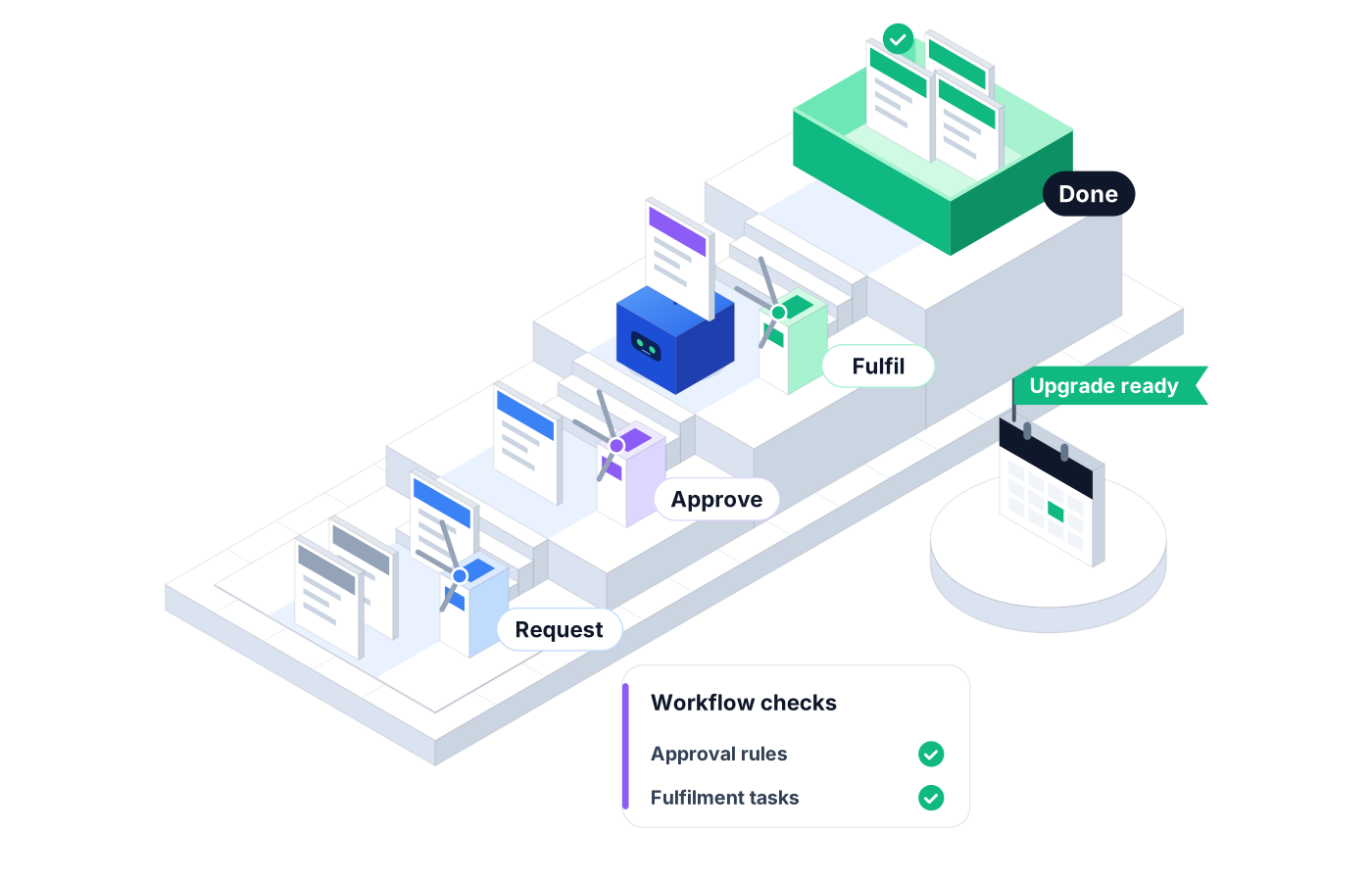
Robonito tests your instance from the user's side of the screen: the portal, the form, the approval, and the outcome everyone actually cares about.
01
Order catalog items the way employees do, then confirm the variables, approvals, and fulfillment tasks come out right.
02
Follow a request through each approval stage and check that it reaches the right group and closes in the right state.
03
Run the same form as different test users to check which fields show, hide, or become mandatory, so a policy change doesn't block a requester.
04
Schedule a full regression suite against a sub-production instance before each family upgrade, then see exactly what changed in Reporting.
05
When an update moves a field or relabels a button, the agent adapts the step instead of failing the run, so your suite survives the upgrade it's testing.
06
Admins and process owners describe a test in plain words or paste a Jira reference, and the AI agent builds it. No scripting required.
03How it works
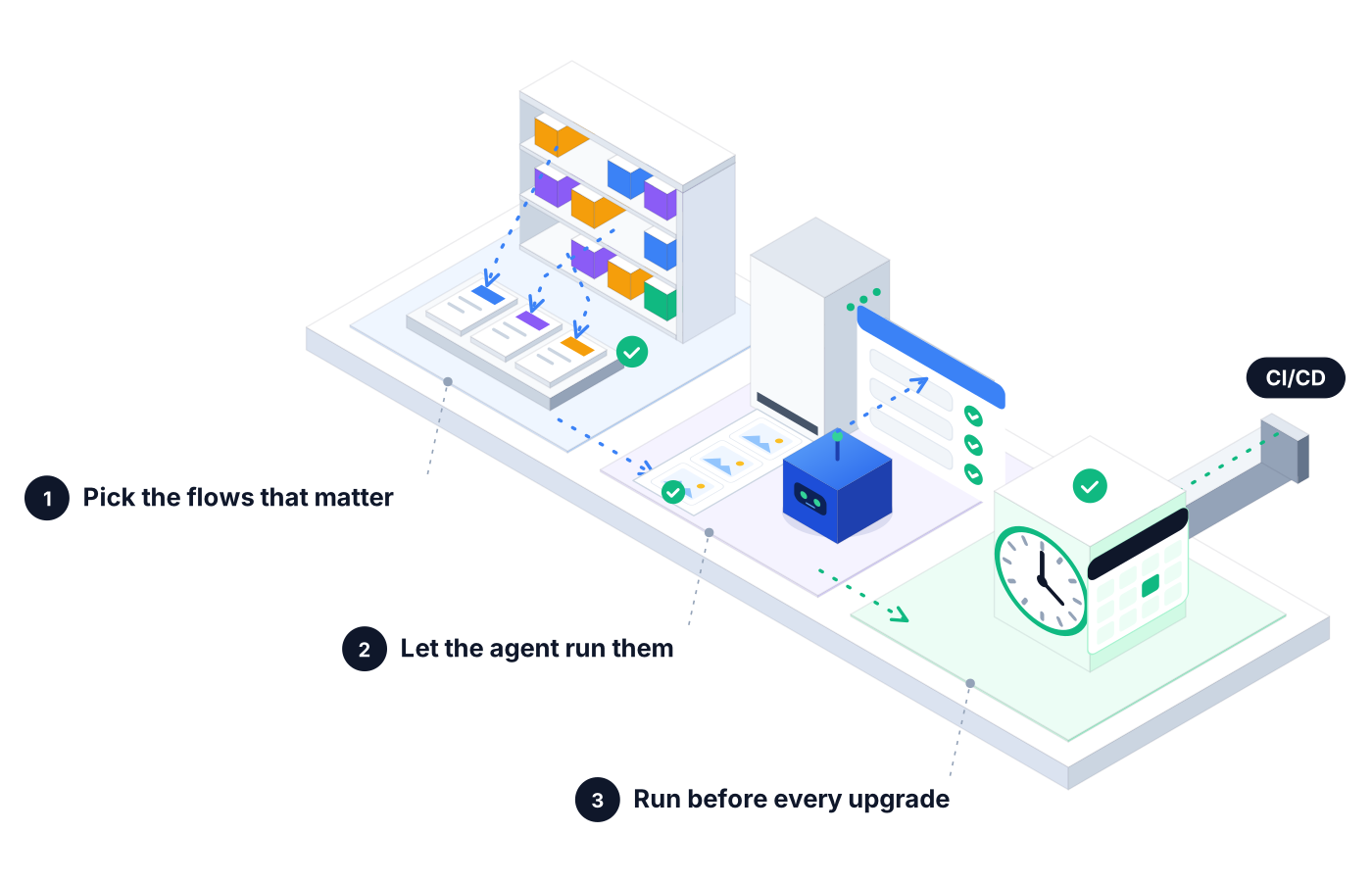
Start with the catalog items, forms, and approvals your users touch most. Describe each one in plain language.
The agent executes each flow against your sub-production instance and logs every step with screenshots.
Schedule the suite or trigger it from your CI/CD pipeline, then review failures and root causes before you promote changes.
04Real-world use
A catalog item gets a new variable. The suite orders it as a regular employee, checks the approval goes to the manager, and confirms the fulfillment task is created.
A tweak to a change workflow shouldn't skip the review step. The agent submits a normal change and checks it lands with the right approval group.
After the upgrade hits a test instance, the team runs the full suite and gets a short list of real breaks to fix first, instead of a week of clicking.
05Proof you can share
When someone asks 'Did we test the upgrade?', you can show them instead of telling them.
Every step the agent took on every form and approval, in order, with what it saw.
Proof you get: Step-by-step run log with screenshots
See whether your instance is getting healthier or drifting, one release after another.
Proof you get: Pass rate and run volume trends in Reporting
Attach results to the change record or the upgrade plan so approvers see the same evidence you do.
Proof you get: Downloadable PDF execution report
06Ways to start
01
Try Robonito on your own web app with the free-forever plan. No code required, and no time limit.
02
Run a no-obligation proof of concept on your real system. You get clear results and a clear recommendation before you commit.
03
Robonito Professional Services helps with test strategy, migration from existing suites, and rollout across your teams.
Explore Professional Services07FAQ
ServiceNow testing checks that your instance's catalog items, forms, workflows, and approvals still behave correctly after configuration changes and upgrades. It covers both the employee-facing portal and the forms your fulfillers use. Robonito automates it with AI agents that run each flow end to end from a plain-language description and report exactly where something broke.
You describe the flow in plain language and let an AI agent run it. In Robonito, you write something like 'order a new laptop as an employee and check that the manager gets the approval', and the agent builds and executes the steps. You can also capture a flow with the recorder. No scripting is needed to build or maintain the suite.
Run a full regression suite against an upgraded sub-production instance before you touch production. Focus on your most-used catalog items, approval paths, and forms with role-based logic. With Robonito, you schedule that suite, review failures and failure clusters in Reporting, and fix the real breaks first instead of retesting everything by hand.
Yes. The agent submits a request, follows it through each approval stage, and checks that it reaches the right group and ends in the expected state. Because it tests from the user's screen, it catches routing problems that only appear when a real request moves through the workflow, not just when a single form is checked.
Far fewer of them than with scripted tests. Robonito's agents work from the intent of each step, so when an update moves a field or relabels a button, the test can self-heal instead of failing. When a change is real, like an approval that no longer fires, the run fails with screenshots and a root cause.
Yes. Robonito integrates with Jira, GitHub, GitLab, Azure DevOps, Jenkins, TestRail, Zephyr, and Slack, and can run from your CI/CD pipeline. You can paste a Jira reference to generate a test and post results to Slack, so admins and process owners see upgrade readiness without chasing anyone for a status update.
Enterprise Apps
Test HR and finance processes and security roles
Learn moreEnterprise Apps
Automate Fiori flows and end-to-end SAP processes
Learn moreAI QA Agents
Full user journeys across web, mobile, API, desktop
Learn moreServices
Robonito experts to plan, migrate, and run your QA
Learn moreBook a demo and watch Robonito's agents run a real catalog request and approval from start to finish.