
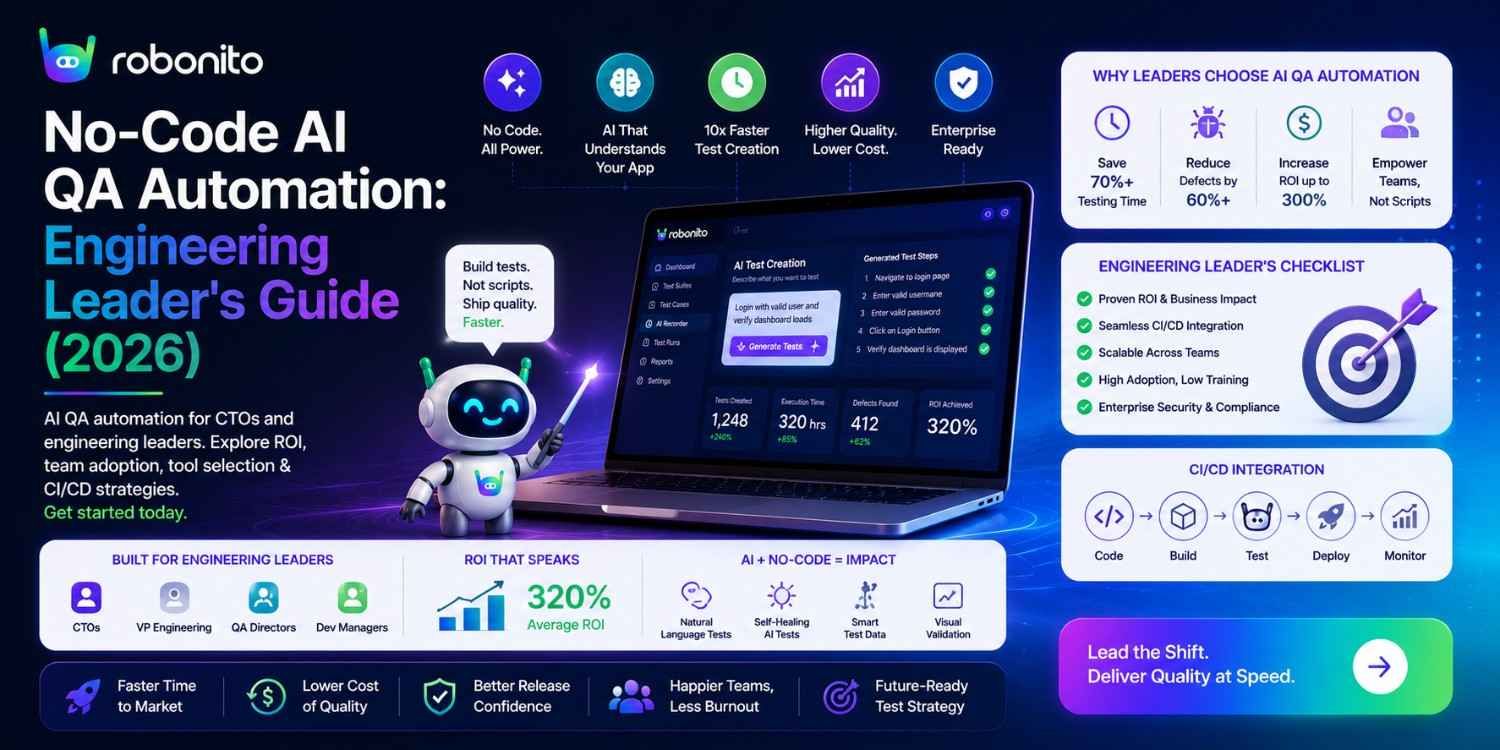
The average engineering team spends 40–60% of its automation effort maintaining tests that break when the UI changes. That is not a testing problem — it is a compounding tax on every sprint. AI QA automation in 2026 is not about replacing your QA team; it is about eliminating the maintenance overhead that has made automation ROI disappointing for most teams, and extending coverage to the non-technical testers who have historically been locked out of contributing to automation.
By Robonito Engineering Team · Updated June 2026 · 20 min read
The state of QA automation in 2026 — what the data says
| Metric | Stat | Source |
|---|---|---|
| Test maintenance consumes 40–60% of automation engineer time | Consistent across 3+ years | Capgemini World Quality Report 2025 |
| AI self-healing reduces maintenance overhead by up to 80% | Measured across AI platform adopters | DORA State of DevOps 2025 |
| Teams using AI testing platforms deploy 2.4× more frequently | With fewer production defects | DORA State of DevOps 2025 |
| 68% of engineering teams have adopted at least one AI testing tool | Up from 31% in 2023 | World Quality Report 2025 |
| AI test generation reduces test creation time by up to 70% | Compared to manual authoring | Forrester AI in QA Report 2025 |
| Mean time to detect regression with AI CI/CD | < 2 hours vs 24–48 hours without | DORA 2025 |
Table of Contents
- The real problem AI QA automation solves
- What no-code AI QA automation actually means in 2026
- The four AI capabilities that matter
- Self-healing architecture — selector-based vs intent-based
- AI QA automation tools — honest comparison (2026)
- How Robonito implements AI QA automation end-to-end
- CI/CD integration — real pipeline configuration
- ROI calculation — the exact engineering leader framework
- Adoption strategy — rolling out AI QA to your team
- Evaluating AI QA platforms — seven criteria that matter
- Honest limitations — what AI QA automation cannot do
- Frequently Asked Questions
The AI QA platform engineering leaders choose when they are done maintaining test scripts
Robonito covers web, mobile web, API, and desktop testing in one AI-powered platform — auto-generating tests, self-healing when your UI changes, and running as a deployment gate in CI. Free tier available. Try Robonito free →
1. The real problem AI QA automation solves
Before describing what AI QA automation does, it is worth being specific about the problem it solves — because "make testing better" is not precise enough to justify investment.
The actual problem is this: Traditional test automation has a maintenance cost that scales with UI change frequency. Every time a developer renames a CSS class, restructures a component, or updates a design system, some number of automated tests break. An engineer must find the broken tests, identify the new correct selectors, update the scripts, verify the fix, and push a commit. At 15 UI-affecting changes per sprint, this consumes 7–10 engineering hours per sprint — hours that could be building features.
The maintenance tax at scale:

Team: 6 engineers, 2-week sprints, 26 sprints/year
UI changes per sprint: 15 (conservative for active product)
Time to fix each broken test: 30 minutes
Annual maintenance cost: 15 × 26 × 0.5 hours × £65/hour = £12,675/year

This is not the cost of running tests.
This is the cost of keeping tests running — before they provide any value.

With AI self-healing (Robonito):
80% of changes auto-healed → 3 manual fixes per sprint instead of 15
Annual maintenance cost: 3 × 26 × 0.5 × £65 = £2,535/year
Annual saving from self-healing alone: £10,140/year
The second problem: Automated test creation has historically required scripting expertise — selecting elements with CSS or XPath, configuring test runners, writing assertions in JavaScript or Python. This excludes non-technical QA analysts from contributing to automation, meaning test coverage grows only as fast as automation engineers can write scripts. Most teams have 1–2 automation engineers for every 5–10 QA analysts — a severe bottleneck.
No-code AI automation removes the scripting prerequisite. A QA analyst records a user flow. The AI generates the test. The QA analyst reviews and approves. Coverage scales with the whole QA team, not just the automation engineers.
2. What no-code AI QA automation actually means in 2026
One-sentence definition: No-code AI QA automation uses artificial intelligence to generate test cases from observed user behaviour, execute them across browsers and platforms automatically, and repair them when the application changes — without requiring test engineers to write or maintain scripts.
The phrase "no-code" has been diluted by tools that are nominally "no-code" but require you to understand XPath, configure WebDriver, or write JavaScript to handle anything more complex than a simple click. Genuine no-code AI automation means:
Genuine no-code AI QA automation:
  Test creation: Record a user flow once → AI generates test cases
  Test execution: Click "Run" → AI executes across browsers in CI
  Test maintenance: UI changes → AI self-heals element references
  Test expansion: Describe a scenario → AI generates test steps

What it is NOT:
  ❌ A recorder that generates Selenium scripts you must then maintain
  ❌ A visual interface over Playwright that still requires selector knowledge
  ❌ A platform where "no-code" means Groovy or keyword-driven DSL
  ❌ A tool that requires you to understand XPath to handle dynamic elements
The 2026 development that changes the model:
The integration of large language models into testing platforms has moved AI from "suggesting alternative selectors" to "understanding what the test is trying to accomplish." This intent-based understanding is what enables durable self-healing — not just when a button's ID changes, but when the entire component is rebuilt with a new framework, new class names, new structure, and new IDs.
3. The four AI capabilities that matter
There are dozens of AI testing capabilities described in vendor marketing. Four of them produce measurable ROI in production. The rest are theoretical or premature.
Capability 1: Intent-based self-healing (Mature — Production-Ready)
What it is: AI that identifies test elements through multiple simultaneous signals — what an element does in context — rather than what properties it happens to have at a given moment.
Why it matters: The primary cause of automation ROI disappointment is the maintenance cycle described in Section 1. Self-healing eliminates it for 80%+ of UI changes.
The signals that matter:
Multi-signal intent recognition (Robonito):
  Signal: ARIA role          → What is this element's semantic function?
  Signal: Accessible name    → What does this element say it does?
  Signal: Visual position    → Where is this element relative to context?
  Signal: Surrounding context → What precedes and follows this element?
  Signal: Visual prominence   → Is this a primary or secondary action?

Combined confidence: 0.94 (above 0.85 threshold) → auto-heal
Capability 2: AI-powered test generation (Established — Production-Ready)
What it is: AI that generates test cases from recorded user interactions or application specifications — producing happy path, error path, and boundary value tests from a single recorded flow.
Why it matters: Test creation is the second-largest time investment in automation. Generating 7 test scenarios from one 5-minute recording versus spending 3 hours writing them manually is a 10× productivity multiplier.
Capability 3: Risk-based test prioritisation (Established — Production-Ready)
What it is: AI that analyses code changes and historical failure patterns to determine which tests have the highest probability of detecting a regression in the current build — and runs those tests first.
Why it matters: A full regression suite that takes 60 minutes to run provides slow feedback. AI prioritisation that identifies the 20 highest-risk tests (10-minute run) means critical failures surface before the full suite completes.
Risk-based prioritisation in practice:

Deploy includes changes to: payment module, discount service
AI risk assessment:
  TC-004: Payment flow (payment code changed)    → Risk score 9/10 → Run 1st
  TC-012: Checkout with discount (discount changed) → Risk score 8/10 → Run 2nd
  TC-001: Homepage load                          → Risk score 2/10 → Run last
  TC-089: Profile picture upload                 → Risk score 1/10 → Skip (no code change)

Result: Critical failures detected in 8 minutes
        vs 45 minutes if running all tests in sequence
Capability 4: LLM-based test case generation (Emerging — Early Adoption)
What it is: Large language models that generate test cases directly from requirements documents, user stories, and acceptance criteria — before any application exists.
Why it matters: Shifts testing left further than any previous technique — generating tests from requirements documentation enables QA to verify requirement completeness before development starts.
Current state (2026): Generating tests from user stories works well
for standard CRUD and user flow scenarios. Complex business logic
with many conditional branches still requires human test design.
Adoption recommendation: Pilot for new feature test generation,
not as replacement for existing test design expertise.
4. Self-healing architecture — selector-based vs intent-based
Not all self-healing is equal. The architectural difference between selector-based and intent-based self-healing determines how large a UI change the system can survive.
Selector-based self-healing (TestRigor, Testim, Testsigma)
Architecture: Ordered fallback through element properties

Element locator fails (primary ID removed):
  Step 1: Try CSS class → fails (class renamed)
  Step 2: Try XPath    → fails (DOM structure changed)
  Step 3: Try text content → succeeds ("Place Order" unchanged)
  Result: Test continues ✅

Handles: ID/attribute changes, class renames, minor restructuring
Fails on: Text content changes, full component rewrites, design system migrations
Typical success rate: 70-75% of UI changes auto-healed
Intent-based self-healing (Robonito)
Architecture: Simultaneous multi-signal confidence scoring

Full component rewrite (new library, new classes, new ID, new wrapper):
  Signal 1: ARIA role=button (unchanged) → confidence 1.0
  Signal 2: Accessible name="Place Order"→ confidence 0.95 (slight copy change)
  Signal 3: Visual position (form bottom)  → confidence 0.91 (layout unchanged)
  Signal 4: Context: follows payment form  → confidence 0.89
  Signal 5: Primary action styling         → confidence 0.88

Combined confidence: 0.926 → above 0.85 threshold → auto-heal ✅

Handles: ALL selector-based changes + component rewrites + design migrations
Typical success rate: 85-90% of UI changes auto-healed
When self-healing correctly fails
Self-healing should fail when a feature is genuinely removed or fundamentally changed — not as a false negative, but as correct behaviour:
Correct self-healing failure:
  Product team removes express checkout feature entirely
  → All 4 signals fail or fall below threshold
  → Test correctly FAILS with clear message:
    "Element 'Express checkout button' not found with sufficient confidence
     in current application state. Feature may have been removed."
  → QA team reviews: feature was intentionally removed → retire test

Incorrect auto-heal would be worse:
  Test "auto-heals" to wrong button → checkout test passes
  → Production ships with broken checkout flow nobody noticed
5. AI QA automation tools — honest comparison (2026)
Full platform comparison
| Dimension | Robonito | mabl | ACCELQ | Testsigma | Testim (Tricentis) |
|---|---|---|---|---|---|
| Self-healing type | Intent-based (multi-signal) | Visual AI + selector | AI flow-based | Selector fallback | ML property matching |
| Platforms | Web + Mobile web + API + Desktop | Web only | Web + Mobile + API + Desktop | Web + Mobile (native) | Web + Mobile web |
| Test authoring | AI from recorded flows | AI from recordings | Visual canvas | Natural language | Visual recorder |
| API testing | ✅ Native | ❌ | ✅ | ✅ Secondary | ❌ |
| Desktop testing | ✅ | ❌ | ✅ | ❌ | ❌ |
| Free tier | ✅ Generous | ❌ | ❌ | ❌ | ❌ |
| CI/CD integration | ✅ Native action | ✅ | ✅ Enterprise | ✅ | ✅ |
| Non-technical QA | ✅ Full access | ✅ | ✅ | ✅ | ✅ |
| Vendor status | Independent | Independent | Independent | Independent | Tricentis-acquired |
| Pricing | Free + competitive | Enterprise | Custom | ~$499/mo | Enterprise-shifted |
What the comparison reveals for engineering leaders
Platform coverage depth is the most important dimension for teams with diverse testing surfaces. Robonito and ACCELQ cover web, mobile, API, and desktop from one platform. mabl covers web only. Teams testing native mobile apps need Testsigma or dedicated mobile tools regardless of their primary platform choice.
Self-healing durability determines long-term maintenance cost. Intent-based healing (Robonito) survives larger changes than selector-based or ML property-based healing. For teams with high UI change frequency, this difference compounds significantly over 12 months.
Vendor stability matters for multi-year platform commitments. Testim's Tricentis acquisition has produced documented pricing and roadmap shifts. Independent platforms (Robonito, mabl, ACCELQ) have more predictable strategic alignment with their customer base.
Free tier determines evaluation risk. Robonito's generous free tier allows full evaluation against a real production application before any budget commitment. Every other platform in this comparison requires a sales conversation before meaningful evaluation.
6. How Robonito implements AI QA automation end-to-end
Robonito is an AI-driven end-to-end QA automation platform covering web, mobile web, API, and desktop testing — built for teams that want the benefits of comprehensive automation without the scripting overhead that has historically made automation expensive to maintain.
AI test generation from user flows
Robonito test generation workflow:

1. QA analyst performs a user flow in the application
   (e.g., completes a checkout with a discount code)

2. Robonito AI captures:
   - Every interaction with intent context, not just DOM events
   - The functional goal of each step ("complete a purchase")
   - Element identification through multi-signal recognition

3. AI generates a test suite:
   ├── TC-001: Checkout with valid payment (recorded happy path)
   ├── TC-002: Checkout with declined card (error path)
   ├── TC-003: Checkout with expired card (error path)
   ├── TC-004: Discount code applies correctly (data variation)
   ├── TC-005: Required fields validated (boundary)
   ├── TC-006: Checkout on mobile viewport (cross-platform)
   └── TC-007: Out-of-stock product blocked (edge case)

4. QA analyst reviews generated cases (15-20 minutes)
   vs writing them manually (2-3 hours)

5. Tests immediately deployable to CI/CD pipeline
Intent-based execution
When Robonito executes a test, it does not look up [data-testid="checkout-btn"]. It evaluates the element against a multi-signal recognition model:
Test step: "Click the primary order completion button"

Robonito execution:
  → Evaluate all interactive elements in current viewport
  → Score each against: role, accessible name, visual prominence, context
  → Select highest-confidence match
  → Execute interaction
  → Record confidence score for audit trail

High confidence (> 0.85): Execute, log confidence
Medium confidence (0.70-0.85): Execute with warning, flag for review
Low confidence (< 0.70): Halt, request human review
Cross-platform coverage in one platform
## Robonito platform coverage — all from single test suite
suite: full-regression

web:
  browsers: [chrome, safari, firefox, edge]
  viewports: [desktop_1280, tablet_768, mobile_375]

mobile_web:
  browsers: [safari_ios, chrome_android]
  devices: [iphone14, pixel7, galaxy_s24]
  touch_mode: true

api:
  endpoints: all  ## Auto-discovered from recorded flows
  auth: bearer_token
  schema_validation: true

desktop:
  type: electron_app  ## or web_based_desktop
  platform: [windows, macos]
7. CI/CD integration — real pipeline configuration
## .github/workflows/ai-qa-pipeline.yml
## Complete AI QA automation pipeline — Robonito + supplementary tools

name: AI QA Automation Pipeline

on:
  push:
    branches: [main, develop]
  pull_request:

jobs:
  ## Tier 1: Fast unit tests — every commit, < 5 minutes
  unit-tests:
    name: Unit Tests
    runs-on: ubuntu-latest
    steps:
      - uses: actions/checkout@v4
      - uses: actions/setup-node@v4
        with: { node-version: '20', cache: 'npm' }
      - run: npm ci && npm test -- --coverage
      - name: Enforce 80% coverage gate
        run: |
          COV=$(cat coverage/coverage-summary.json | python3 -c \
            "import sys,json; print(json.load(sys.stdin)['total']['lines']['pct'])")
          python3 -c "exit(0 if float('${COV}') >= 80 else 1)" || \
            (echo "❌ Coverage ${COV}% below 80%" && exit 1)

  ## Tier 2: API integration tests — every PR, 10-15 minutes
  api-integration:
    name: API Integration Tests
    runs-on: ubuntu-latest
    needs: unit-tests
    steps:
      - uses: actions/checkout@v4
      - uses: actions/setup-python@v5
        with: { python-version: '3.12' }
      - run: pip install -r requirements-test.txt --break-system-packages
      - run: pytest tests/integration/ -v --tb=short --timeout=30

  ## Tier 3: AI-powered E2E regression — merge to main, 30-45 minutes
  robonito-ai-regression:
    name: Robonito AI QA Regression
    runs-on: ubuntu-latest
    needs: api-integration
    if: github.ref == 'refs/heads/main'
    steps:
      - uses: actions/checkout@v4

      - name: Deploy to staging
        run: ./scripts/deploy-staging.sh ${{ github.sha }}

      - name: Wait for staging health
        run: |
          for i in {1..30}; do
            if curl -sf ${{ secrets.STAGING_URL }}/health; then
              echo "✅ Staging healthy"; exit 0
            fi
            echo "Waiting... attempt $i/30"; sleep 10
          done
          echo "❌ Staging health check failed"; exit 1

      ## Robonito AI regression — covers web + mobile + API + desktop
      - name: Robonito full platform regression
        uses: robonito/run-tests-action@v2
        with:
          api-key: ${{ secrets.ROBONITO_API_KEY }}
          suite: full-regression
          environment: staging
          platforms: web,mobile-web,api
          browsers: chrome,safari,firefox,edge
          healing_mode: intent              ## Intent-based self-healing
          healing_confidence_threshold: 0.85
          fail-on: critical
          notify-slack: ${{ secrets.SLACK_QA_CHANNEL }}
          ## AI risk prioritisation: highest-risk tests run first
          prioritisation: risk-based

      ## Supplementary: Security scan (OWASP ZAP)
      - name: OWASP ZAP security scan
        uses: zaproxy/action-full-scan@v0.10.0
        with:
          target: ${{ secrets.STAGING_URL }}
          fail_action: true

      ## Supplementary: Accessibility (axe-core)
      - name: Accessibility scan
        run: |
          npm ci
          npx playwright install --with-deps chromium
          npx playwright test tests/accessibility/ --project=chromium

      ## Supplementary: Performance gate (k6)
      - name: Performance acceptance
        run: |
          curl -sL https://github.com/grafana/k6/releases/latest/download/k6-linux-amd64.tar.gz \
            | tar xz && sudo mv k6*/k6 /usr/local/bin/
          k6 run --vus 50 --duration 60s \
            --threshold 'http_req_duration{p(95)}<2000' \
            load-tests/smoke.js
        env: { BASE_URL: ${{ secrets.STAGING_URL }} }

      - uses: actions/upload-artifact@v4
        if: failure()
        with:
          name: qa-failure-evidence
          path: |
            robonito-report/
            playwright-report/
            zap-report.html
What this pipeline delivers
Every code push triggers:
  Unit tests:        < 5 min  → Logic errors caught immediately
  API tests:        < 15 min  → Integration failures caught on every PR

Every merge to main triggers additionally:
  Robonito AI E2E: 20-30 min  → Functional regressions caught
  Security scan:   15-20 min  → OWASP vulnerabilities caught
  Accessibility:    5-10 min  → WCAG violations caught
  Performance:       5 min   → Core Web Vitals regression caught

Total time from code to production confidence: 45-60 minutes
Mean time to detect regression: < 2 hours
DRE (Defect Removal Efficiency) target: > 90%
8. ROI calculation — the exact engineering leader framework
Engineering leaders need numbers, not promises. Here is the exact calculation framework for AI QA automation ROI.
The five-variable ROI model
Annual ROI = (Total savings - Total cost) / Total cost × 100

Total savings = Maintenance savings
              + Creation time savings
              + Defect prevention savings
              + Engineering velocity value

Total cost = Platform licensing
           + Implementation time
           + Ongoing operations
Worked example — 50-person engineering org
Context:
  Engineering org: 50 engineers, 3 QA engineers, 2 automation engineers
  Sprint frequency: 2 weeks (26 sprints/year)
  Current automation: 150 tests, running twice weekly
  UI change rate: 12 changes/sprint affecting tests
  Tester rate: £55/hour | Automation engineer: £70/hour

─────────────────────────────────────────────────────────
CURRENT STATE (without Robonito):

Maintenance overhead:
  12 broken tests/sprint × 30 min fix × 26 sprints × £70/hr = £10,920/yr

Test creation:
  10 new test cases/sprint × 2 hours × 26 sprints × £70/hr = £36,400/yr
  (automation engineer writing scripts)

Manual regression (what automation doesn't cover):
  40% of tests still manual → 60 tests × 3 min × 104 runs/yr × £55/hr = £17,160/yr

Total current QA automation cost: £64,480/year
─────────────────────────────────────────────────────────
WITH ROBONITO (AI QA automation):

Robonito subscription: £7,200/year (£600/mo team plan)
Implementation: 40 hours onboarding × £70/hr = £2,800 (once)
Ongoing operations: 10 hours/month × £70/hr × 12 = £8,400/year

Maintenance overhead (80% self-healed):
  2.4 manual fixes/sprint × 30 min × 26 × £70 = £2,184/yr

Test creation (AI generates from recordings):
  10 new scenarios/sprint × 20 min review × 26 × £55/hr = £4,767/yr
  (non-technical QA analyst reviewing AI-generated tests)

Manual regression (AI covers 95%):
  5% manual remnant → 8 tests × 3 min × 104 runs × £55/hr = £2,288/yr

Total with Robonito Year 1: £7,200 + £2,800 + £8,400 + £2,184 + £4,767 + £2,288 = £27,639/yr
─────────────────────────────────────────────────────────
ROI CALCULATION:

Year 1 savings: £64,480 - £27,639 = £36,841
Year 1 ROI: (£36,841 / £27,639) × 100 = 133%
Payback period: ~4 months

Year 2+ savings (no implementation cost):
  Annual savings: £64,480 - £24,839 = £39,641
  Year 2 ROI: (£39,641 / £24,839) × 100 = 160%
─────────────────────────────────────────────────────────
ADDITIONAL VALUE NOT IN THE MODEL:
  Velocity improvement: 2.4× deployment frequency (DORA)
  Coverage expansion: 5 QA analysts now contributing tests (was 2 automation engineers)
  Mean time to detect: 2 hours vs 48 hours (production defect cost reduction)
9. Adoption strategy — rolling out AI QA to your team
The four-phase rollout
Phase 1: Proof of value (Weeks 1-2)
Do not start with the hardest tests. Start with the highest-maintenance ones:
Week 1 action:
  Pull CI history for the last 6 months
  Identify top 20 tests by "broken in CI" count
  These are your first Robonito tests
  Record the corresponding user flows (2-3 hours)
  Review AI-generated tests (1 hour)
  Run in parallel with existing suite to validate

Success metric: AI-generated tests match existing test results
                Maintenance time for these 20 tests: near zero
Phase 2: Regression parity (Weeks 3-6)
Migrate the complete regression suite to Robonito, running old and new in parallel:
Week 3-6 action:
  Record remaining high-priority flows
  Build the regression suite to match current coverage
  Run both suites in CI simultaneously
  Compare results — flag any divergences
  Once divergences < 2%: retire the old suite

Target: 100+ tests covering all P0/P1 flows
CI execution time: < 30 minutes
Phase 3: Non-technical QA contribution (Weeks 7-10)
Onboard QA analysts who have not contributed to automation before:
Week 7-10 action:
  Run 2-hour Robonito training session for non-technical QA
  Each analyst records 3-5 flows from their manual testing
  Review and merge AI-generated tests into suite
  Establish test review workflow: analyst creates → lead approves → CI runs

Target: 2-3× increase in test coverage from broader team participation
Non-technical testers now own their automation coverage
Phase 4: Full AI QA coverage (Ongoing)
Every new feature ships with Robonito tests written during the sprint:
Sprint integration:
  Story enters sprint → QA analyst identifies flows to test
  Feature deployed to staging → QA analyst records flows
  AI generates tests → Lead reviews → Tests merged to CI
  Feature ships with automated regression coverage from day 1

Target:
  Time from feature deployment to regression coverage: < 4 hours
  Coverage of new features: 100% of P0/P1 flows
  Production defect rate: decreasing quarter-over-quarter
10. Evaluating AI QA platforms — seven criteria that matter
Use this framework when evaluating Robonito, mabl, ACCELQ, or any AI QA platform:
Criterion 1: Self-healing durability
Test it against a major change, not a minor one. Change a button's class name — every tool passes. Rebuild a checkout component with a new design system — which tools survive?
Evaluation test:
- Record a 10-step checkout flow
- Rename the CSS class of the submit button
- Run the test — most tools pass this
- Now: swap the entire checkout form component (new library, new HTML structure)
- Run the test — this separates selector-based from intent-based healing
Criterion 2: Platform coverage
Does the tool cover all the surfaces your application runs on? Web, mobile web, API, and desktop from one platform reduces tool sprawl and ensures consistent test coverage across all surfaces.
Criterion 3: Non-technical accessibility
Have a non-technical QA analyst (not an automation engineer) attempt to create a new test without any training. If they cannot create a test independently within 30 minutes, the tool will not deliver the coverage multiplier that no-code promises.
Criterion 4: CI/CD integration depth
Evaluate:
□ Native GitHub Actions action available?
□ GitLab CI, Jenkins, CircleCI native integrations?
□ Tests produce non-zero exit code on failure (deployment gate)?
□ Test results post to PR comments automatically?
□ Slack/Teams notifications on failure?
□ Test artifacts (screenshots, video) attached to failure reports?
Criterion 5: Vendor stability
Platform commitment is a multi-year decision. Evaluate:
□ Is the platform independent or part of an enterprise acquisition?
□ Does the roadmap prioritise the features your team needs?
□ Is pricing transparent and predictable at your team scale?
□ What does exit look like — how difficult to migrate if you need to?
□ What is the support SLA for your tier?
Criterion 6: Security and compliance
□ SOC 2 Type II certification?
□ Data residency options (EU, US, APAC)?
□ Does test execution data leave your environment?
□ SSO/SAML support for enterprise authentication?
□ RBAC for managing access across QA teams?
□ Audit logging for compliance requirements?
Criterion 7: Total cost of ownership at scale
Model pricing at 3 scenarios:
  Current team size (today's cost)
  2× team size (growth cost)
  10× test volume (scale cost)

Include:
  Platform licensing
  Implementation time (first 90 days)
  Annual maintenance (reduced by AI, but not zero)
  Migration cost if you ever need to leave
  Support tier cost
11. Honest limitations — what AI QA automation cannot do
An engineering leader evaluating a platform deserves a complete picture, not just the benefits.
AI cannot test what has not been defined. AI generates tests from observed behaviour and existing requirements. The testing gap caused by a missing requirement — "what happens when the user's session expires mid-checkout?" — remains a gap until a human identifies and specifies it.
Self-healing has confidence thresholds. When an element changes more dramatically than the confidence model can match, the test halts rather than proceeding. This produces false failures that require human review. Well-tuned systems (Robonito's 0.85 threshold) minimise these, but they do not eliminate them entirely.
AI does not replace exploratory testing. The QA analyst who notices "this error message appears before I've finished typing, which is jarring" is observing something no assertion can capture. Exploratory testing requires human judgment and remains permanently irreplaceable.
Platform lock-in is real. AI-generated tests are stored in the platform's proprietary format. Migrating to another platform means re-recording your test suite. Evaluate exit costs before committing to any AI QA platform.
Initial coverage requires human-led recording. AI generates tests from recorded flows — it does not generate tests from scratch without a human demonstrating the flow first. The first 90 days require deliberate coverage-building effort before the compounding benefits become visible.
Frequently Asked Questions
What is no-code AI QA automation?
No-code AI QA automation uses AI-powered platforms to generate, execute, and maintain automated test suites without requiring test engineers to write scripts. AI observes user interactions, generates tests, executes them across browsers and environments, and self-heals broken tests when the UI changes — all without human-authored code.
What is the ROI of AI QA automation?
Engineering teams typically achieve positive ROI within 4–8 weeks. The primary savings are maintenance reduction (AI self-healing eliminates 80% of selector-update work), test creation acceleration (AI generates test cases in minutes vs hours), and defect detection improvement. A 200-test suite maintained by AI saves approximately 180 engineer-hours per year versus traditional scripted automation.
How does intent-based self-healing differ from selector-based self-healing?
Selector-based healing falls back through alternative locators (ID → class → XPath → text) when the primary fails. Intent-based healing (Robonito) evaluates multiple signals simultaneously — ARIA role, accessible name, visual position, surrounding context — identifying elements by what they do rather than what properties they have. Intent-based healing survives full component rewrites and design system migrations that selector-based healing cannot handle.
How do you evaluate AI QA automation platforms?
Evaluate on seven criteria: self-healing durability (test it against a full component rewrite, not just a class rename), platform coverage (web + mobile + API + desktop?), non-technical accessibility (can non-coders use it independently?), CI/CD integration depth, vendor stability, security and compliance, and total cost of ownership at your team scale.
What can AI QA automation not do?
AI cannot generate tests for undefined requirements, cannot replace exploratory testing judgment, has confidence thresholds below which self-healing fails, creates platform lock-in that makes migration expensive, and requires human-led recording to build initial coverage. These limitations are real and should inform your adoption strategy.
External references
- DORA State of DevOps 2025 — AI testing performance benchmarks
- Capgemini World Quality Report 2025 — Maintenance cost data
- Forrester AI in QA Report 2025 — Test generation productivity data
- Playwright Documentation — Supplementary web testing
- OWASP ZAP — Security testing complement
- Gartner Low-Code/No-Code Market — Market data
- IEEE "AI-Enabled Software Testing" 2025 — Academic research reference
Stop paying the maintenance tax — start with Robonito free today
Robonito is the AI QA automation platform that covers web, mobile web, API, and desktop testing in one platform — auto-generating tests from your user flows, self-healing when your UI changes, and running as a deployment gate in CI. Engineering teams are live with their first AI regression suite within the same sprint they start. Free tier available — no sales call required. Start free at Robonito.com →
Automate your QA — no code required
Stop writing test scripts.
Start shipping with confidence.
Join thousands of QA teams using Robonito to automate testing in minutes — not months.
