01 / 03
Performance checked too late
Speed and load checks get scheduled for the end of the project, when there's no time left to fix what they find.
Performance Testing
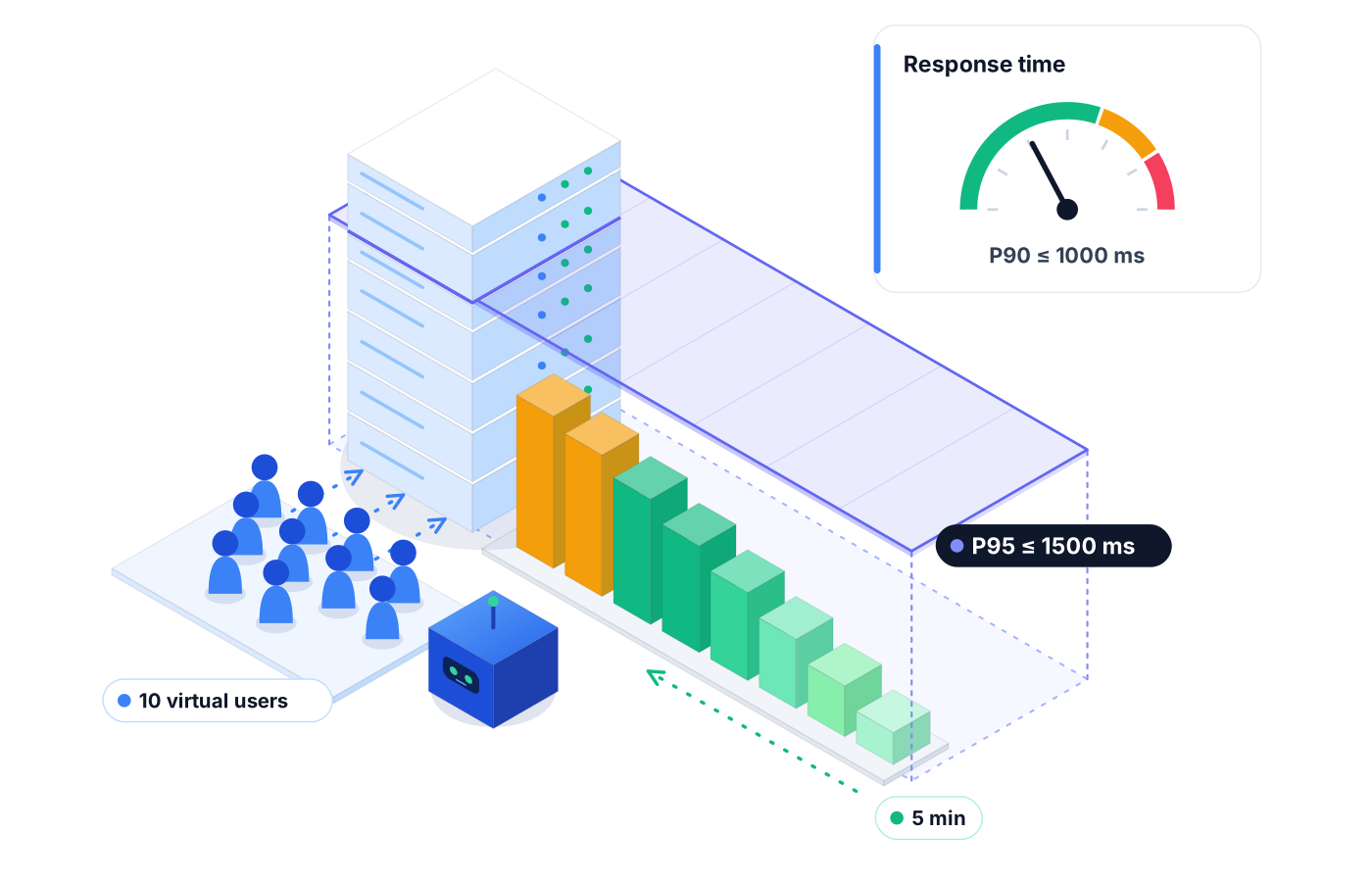
Performance testing usually happens once, right before launch, if at all. Robonito tracks response times, checks how your app behaves under load, and flags performance regressions between releases, so slow pages don't sneak into production.
Free forever plan · No code required
Teams that refuse to trade speed for quality ship with Robonito







01The problem
Functional tests say the feature works. They don't say it now takes longer to load than it did last month.
01 / 03
Speed and load checks get scheduled for the end of the project, when there's no time left to fix what they find.
02 / 03
Each release adds a little latency. No single change looks bad, but together they turn a fast checkout into a slow one.
03 / 03
One-off performance runs live in someone's spreadsheet, so 'was it this slow last release?' has no answer.
02Capabilities
Robonito treats performance as part of quality, not a separate project. Your team sees speed and stability alongside pass and fail.
01
Measure how long key journeys and requests take, so you know whether a release made things faster or slower.
02
Check how your app behaves when demand rises, so you find weak spots before real traffic does.
03
Compare performance between builds to catch regressions early, while the change that caused them is still fresh.
04
Average duration and run history sit in the same reports as your functional results, so speed is part of every release conversation.
05
Point performance checks at the user journeys and API calls your team cares about most, so results map to experiences customers actually have.
06
Run performance checks on a schedule or from your CI/CD pipeline, so slowdowns are flagged as part of the release, not after it.
03How it works
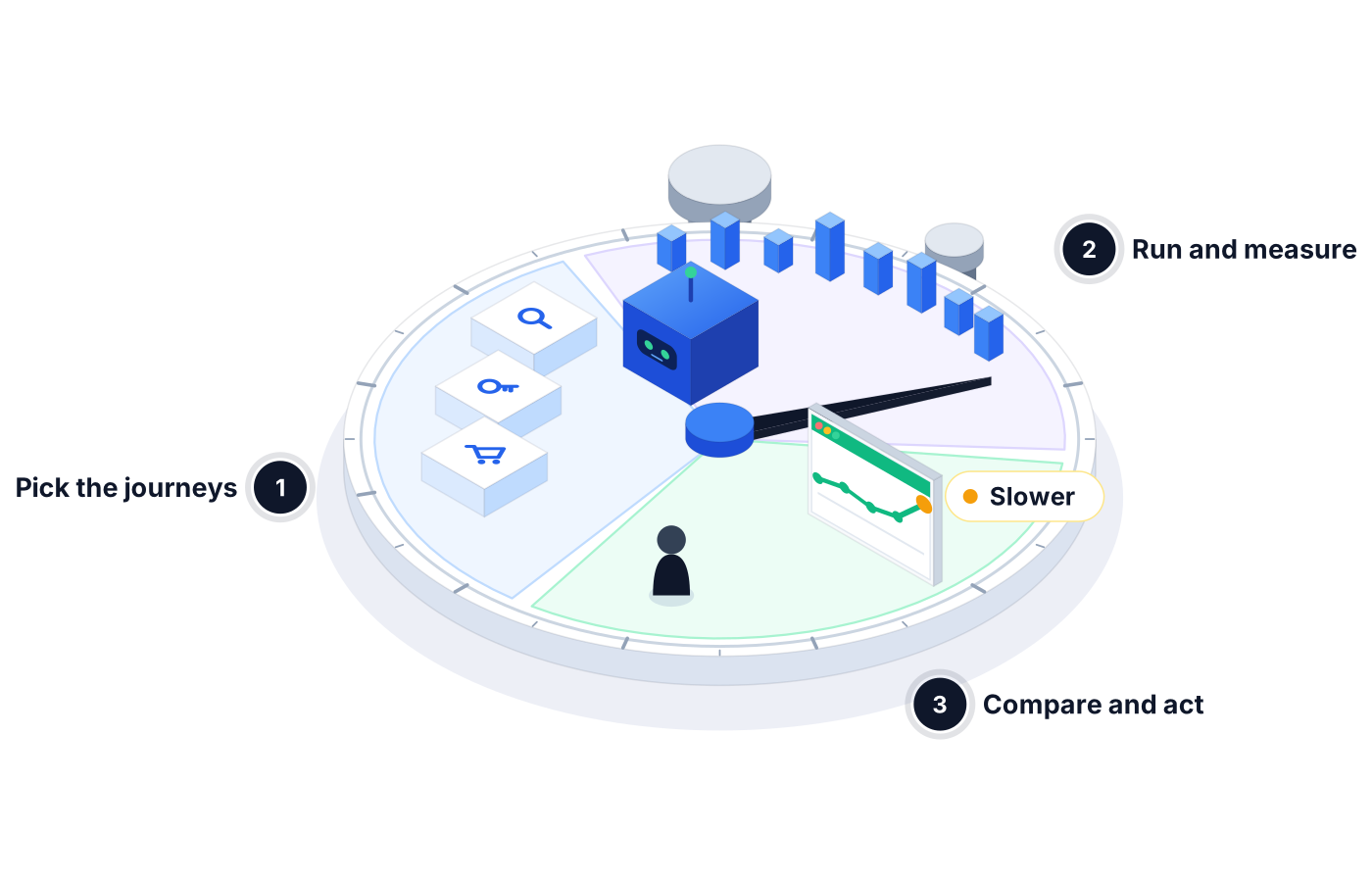
Choose the flows and endpoints where speed affects users most, like sign-in, search, or checkout.
Run the checks on demand, on a schedule, or in your pipeline, and record response times and behavior for each run.
Review trends across releases. When something slows down, the report shows where, and your team decides whether it blocks the release.
04Use cases
A retail team checks checkout response times before a big sale and finds that a new recommendations call slowed down the cart page.
After upgrading a library, a platform team compares response times with the last release and catches a slower search endpoint before customers notice.
A SaaS team checks how sign-in behaves as more users arrive at once, ahead of a product launch email that will send traffic its way.
05Proof in every run
Speed numbers only help when they're consistent, comparable, and easy to share.
Each run records how long journeys and requests took.
Proof you get: Average duration per run in Reporting
See whether a build is faster or slower than the one before it.
Proof you get: Run history across releases
Give stakeholders a clear view of performance next to pass rate and failures.
Proof you get: Downloadable PDF report
06Ways to start
01
Try Robonito on your own web app with the free-forever plan. No code required, and no time limit.
02
Run a no-obligation proof of concept on your real system. You get clear results and a clear recommendation before you commit.
03
Robonito Professional Services helps with test strategy, migration from existing suites, and rollout across your teams.
Explore Professional Services07FAQ
Performance testing checks how fast and stable an application is, including its response times and how it behaves under load. It helps teams find slowdowns and weak spots before users do. Robonito brings performance testing into your regular test runs, so speed is tracked release after release instead of checked once before launch.
Performance testing matters for every release because slowdowns usually build up gradually. A small delay added by one change is easy to miss, but several together can make a key flow noticeably slower. Checking performance on each release catches regressions while the cause is still easy to find and fix.
A performance regression is when a new release makes part of your app slower or less stable than before, even though it still works functionally. Examples include a page that takes longer to load or an endpoint that responds more slowly. Robonito compares results between releases so these changes are flagged early.
Load testing is one type of performance testing that focuses on how an app behaves under heavy demand. Performance testing is broader: it also covers everyday response times, stability, and changes between releases. Robonito helps teams look at both, so you understand normal speed as well as behavior under load.
The best way to start is to book a demo with our team. We'll look at the journeys and endpoints that matter most to you and show how Robonito tracks response times, behavior under load, and regressions between releases. You can also start free with web test automation in the meantime.
Platforms & Testing Types
Chained REST API workflows, with or without the UI
Learn moreAI QA Agents
Full user journeys across web, mobile, API, desktop
Learn morePlatforms & Testing Types
AI agents test your web app in plain language
Learn morePlatforms & Testing Types
Real devices and browsers in the cloud, ready to run
Learn moreBook a demo to see how Robonito tracks performance across releases, or start free with web testing today.