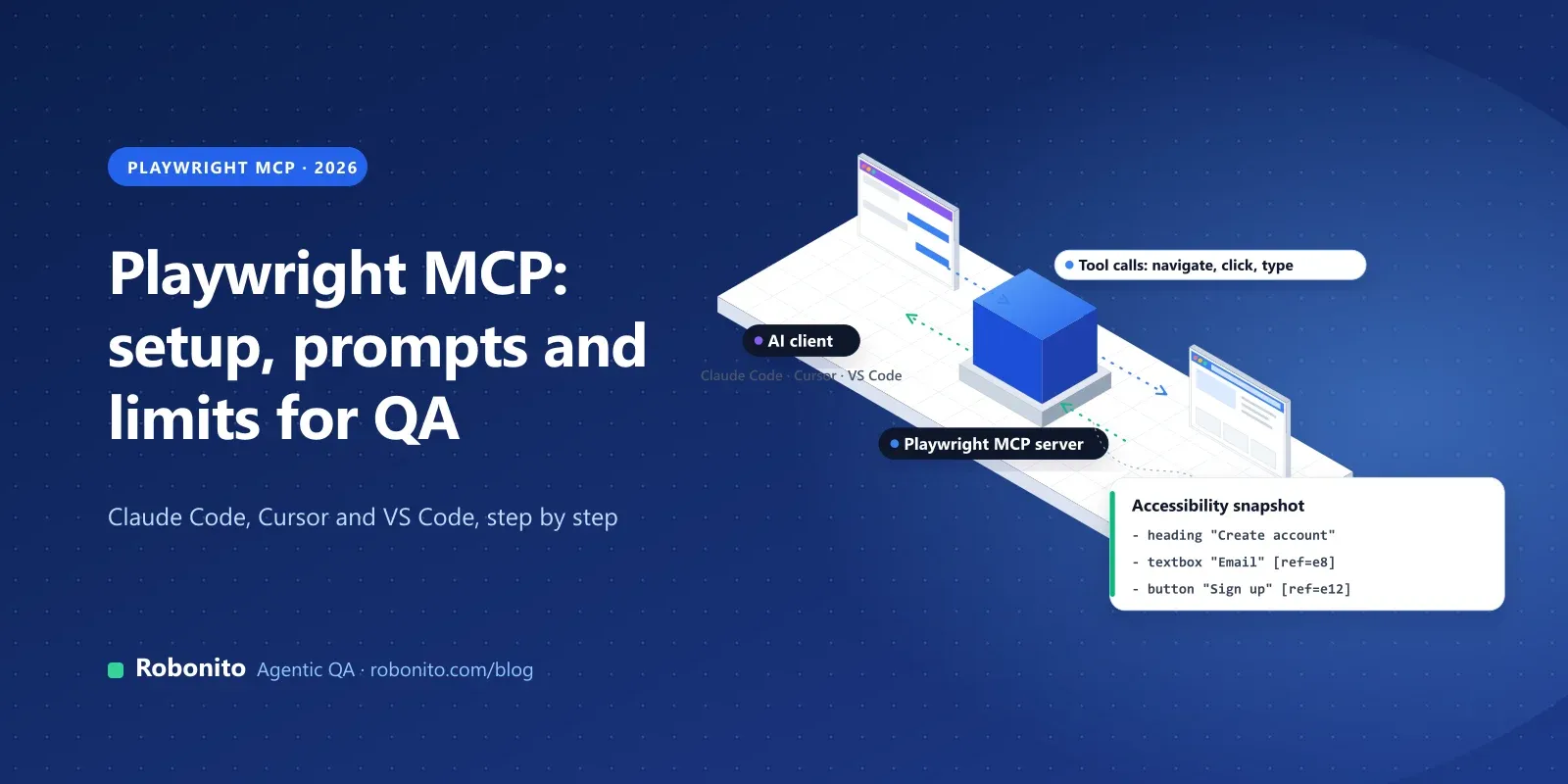
Ask Claude Code to "open our staging site and check that a new user can sign up", and with Playwright MCP it will do exactly that. It launches a real browser, reads the page, fills in the form and tells you what happened.
It's one of the fastest ways to put an AI agent in front of a web app. It isn't, on its own, a testing strategy.
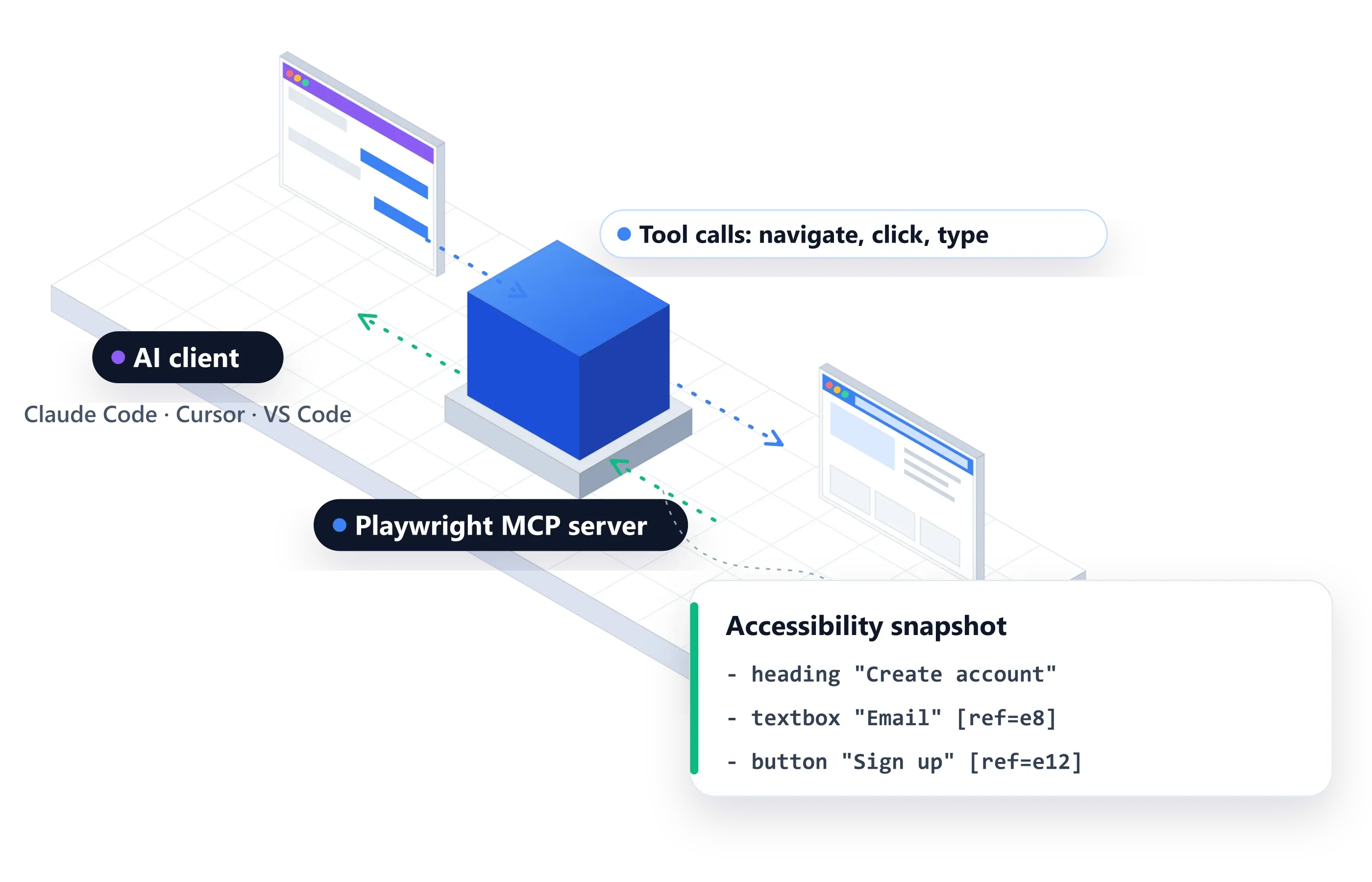
Playwright MCP is Microsoft's Model Context Protocol server for Playwright. It gives AI agents such as Claude Code, Cursor, VS Code with Copilot and Claude Desktop a set of browser tools: navigate, click, type, read the page. The agent works from the page's accessibility tree, not screenshots, so it needs no vision model. It's excellent for exploring and debugging. Teams still need something else to turn those sessions into a repeatable regression suite with evidence and CI.
This guide covers what Playwright MCP does, how to set it up in each major tool, five prompts worth saving, where it falls short for QA, and how to turn what the agent learns into tests that run on every release.
Key takeaways
- Setup takes one command:
claude mcp add playwright npx @playwright/mcp@latestin Claude Code, or the same server command in Cursor and VS Code. - It reads pages as accessibility snapshots, so any capable LLM can drive the browser precisely.
- Use it to explore, reproduce bugs and draft tests. Don't use it as your release gate.
- For repeatable regression with evidence, keep the intent in a suite that runs on every build.
What is Playwright MCP?
The Model Context Protocol (MCP) is an open standard that lets AI applications call external tools. An MCP server exposes tools, and an MCP client, such as your coding agent, decides when to call them.
Playwright MCP (@playwright/mcp) is the official Playwright server. Once it's connected, your agent can:
- open pages and navigate between them
- click, type, select options, upload files and handle dialogs
- read the page as a structured accessibility snapshot
- take screenshots, read console messages and inspect network requests
- generate Playwright code for what it did
How does Playwright MCP see the page?
By default, Playwright MCP doesn't send screenshots to the model. It sends an accessibility snapshot: a structured list of the page's elements with their roles, names and references.
The Playwright README describes this as "structured accessibility snapshots, bypassing the need for screenshots or visually-tuned models". In practice this means:
- Any capable LLM works. No vision model is required.
- Actions are precise. The agent clicks the element with a given reference, not a guessed coordinate.
- Pages with poor accessibility are harder. If a button has no accessible name, the agent sees less. That's also a sign real users with screen readers are struggling.
If you need coordinate-based interaction, for example on a canvas, you can turn on the vision capability with --caps=vision.
How do you set up Playwright MCP?
You need Node.js 18 or newer. Every client uses the same server command: npx @playwright/mcp@latest.
Generic configuration
Most MCP clients accept this JSON:
{
  "mcpServers": {
    "playwright": {
      "command": "npx",
      "args": ["@playwright/mcp@latest"]
    }
  }
}
Claude Code
claude mcp add playwright npx @playwright/mcp@latest
VS Code (GitHub Copilot)
Add the generic configuration through VS Code's MCP settings, or run:
code --add-mcp '{"name":"playwright","command":"npx","args":["@playwright/mcp@latest"]}'
Cursor
Open Cursor Settings → MCP → Add new MCP Server, choose the command type, and enter npx @playwright/mcp@latest.
Useful options
Add these flags after @playwright/mcp@latest in the args list:
| Flag | What it does |
|---|---|
--headless | Runs the browser without a window. It's headed by default. |
--browser | Chooses chrome, firefox, webkit or msedge. |
--isolated | Keeps the browser profile in memory instead of saving it to disk. |
--storage-state | Loads saved cookies and storage into an isolated session, useful for starting signed in. |
--caps | Turns on extra capabilities: vision, pdf, devtools. |
--codegen | Sets the language for generated code: typescript (default), python, java, csharp or none. |
By default the server keeps a persistent profile, so logins survive between sessions. A persistent profile can only be used by one browser at a time, so use --isolated when you run several agents in parallel.
Five prompts worth saving
Copy these into your agent and replace the URLs and data with your own staging details.
1. Explore a new feature
Open https://staging.example.com, sign up as a new user with a test email, and tell me every step where the UI was confusing or an error appeared.
The agent navigates, reads each snapshot, fills the form and reports. This is where MCP shines: a fast, cheap exploratory pass on a new feature.
2. Write a test from a flow
Go through checkout with the saved test card, then write a Playwright test in TypeScript that repeats it, using role-based locators.
The agent performs the flow and turns its actions into Playwright code. Review it like any generated code: check the assertions, not just the clicks.
3. Reproduce a CI failure
The test "checkout applies discount" fails in CI. Open the checkout page, apply code SAVE10, and tell me what the page and console show.
The agent reproduces the failure in a real browser and reads console messages and network requests. That's often faster than reading a CI log.
4. Audit accessibility basics
Open the pricing page and list every button, link and form field that has no accessible name, with its location on the page.
Because the agent reads the accessibility tree, missing names stand out immediately. Treat it as a quick first pass, not a full accessibility audit.
5. Check a form's validation
On the contact form, try an empty email, an email without "@", and a 500-character message. Tell me which inputs are rejected and what error each one shows.
This is classic boundary-value testing, done in a minute. Turn anything surprising into a permanent test.
Playwright MCP vs Playwright CLI
The Playwright team also ships Playwright CLI (@playwright/cli) with "skills" for coding agents. Its README is direct about the trade-off: CLI invocations "are more token-efficient", because they "avoid loading large tool schemas and verbose accessibility trees into the model context". MCP "remains relevant for specialized agentic loops that benefit from persistent state, rich introspection, and iterative reasoning over page structure."
A simple rule:
- Coding agent writing and fixing tests in your repo: try the CLI first (
npm install -g @playwright/cli@latest, thenplaywright-cli install --skills). - Agent that needs to reason over a page across many steps, or a client without shell access: use MCP.
Playwright also has Test Agents: a planner that explores the app and writes a Markdown test plan, a generator that turns the plan into Playwright test files, and a healer that runs the suite and repairs failing tests. You set them up with npx playwright init-agents and a --loop option for your editor, such as --loop=vscode or --loop=claude.
Where does Playwright MCP fall short for QA?
Playwright MCP gives an agent a browser. QA needs more than a browser:
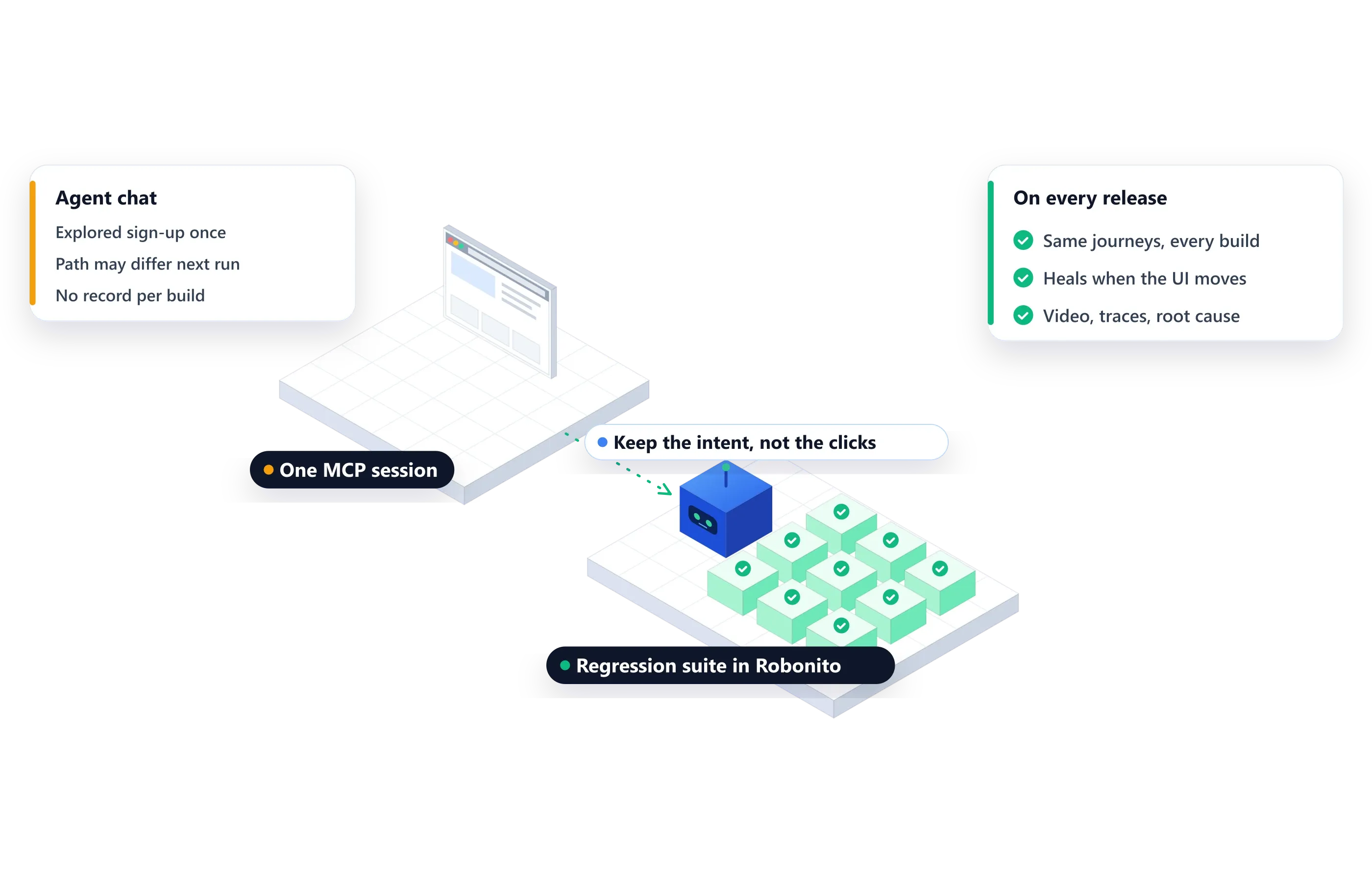
- No suite. Each session is a conversation. Nothing preserves "these 200 journeys must pass before every release" unless you turn sessions into test files and maintain them.
- Results vary between runs. Ask the same question twice and the agent may take a different path. That's useful for exploration and a problem for a release gate.
- Token cost grows with coverage. Accessibility trees are large. Running hundreds of journeys through an LLM on every commit gets expensive, which is why the Playwright team points coding agents to the CLI.
- No evidence trail. Release managers and auditors want a record for each run: what ran, against which build, with video, traces and pass/fail history. A chat transcript isn't that.
- Generated scripts still break. Code from
--codegenor the generator agent is ordinary Playwright code. When the UI changes, someone, or the healer agent, has to fix it. - Browser only. Native mobile apps, desktop apps, IVR phone lines and testing your own AI agents are outside its scope.
- Not a security boundary. The agent can do whatever the browser session can. Point it at staging with test accounts, never production with real credentials.
None of this is a flaw in Playwright MCP. It's a browser tool for agents, and a good one. The gap is between an agent clicking through a flow once and a regression suite your team can trust on every release.
Playwright MCP vs Robonito: which should you use?
They solve different problems, and many teams use both. Playwright MCP is a free tool that gives your coding agent a browser. Robonito is an agentic QA platform that turns the journeys you care about into a maintained suite.
| Playwright MCP | Robonito | |
|---|---|---|
| Best for | Exploring, debugging, drafting tests | Regression that runs on every release |
| Who writes tests | Developers working with a coding agent | Anyone: plain-language tests, reviewed by the team |
| Repeatability | Each session can take a different path | Saved suites run the same journeys every build |
| When the UI changes | Regenerate or fix the script | Self-healing adapts the step |
| Evidence | Chat transcript, optional screenshots | Video, network traces and root cause for every run |
| Surfaces | Web browsers | Web, mobile, API and desktop, plus AI agents |
| Running at scale | One browser per session | Parallel cloud workers, run from CI/CD |
| Cost | Free, plus your model's token use | Free plan, then paid plans |
From MCP sessions to a maintained regression suite
If MCP exploration is working for you, the next step is to keep what the agent learned and run it reliably:
- Keep the intent, not just the clicks. Store each journey as a goal and acceptance criteria, so it survives UI changes.
- Run in parallel, in CI. Every merge should trigger the suite and finish in minutes, not hours.
- Heal on change. When a label or layout moves, the test should adapt instead of failing everything downstream.
- Record evidence. Every run should leave video, network traces and a root cause for each failure.
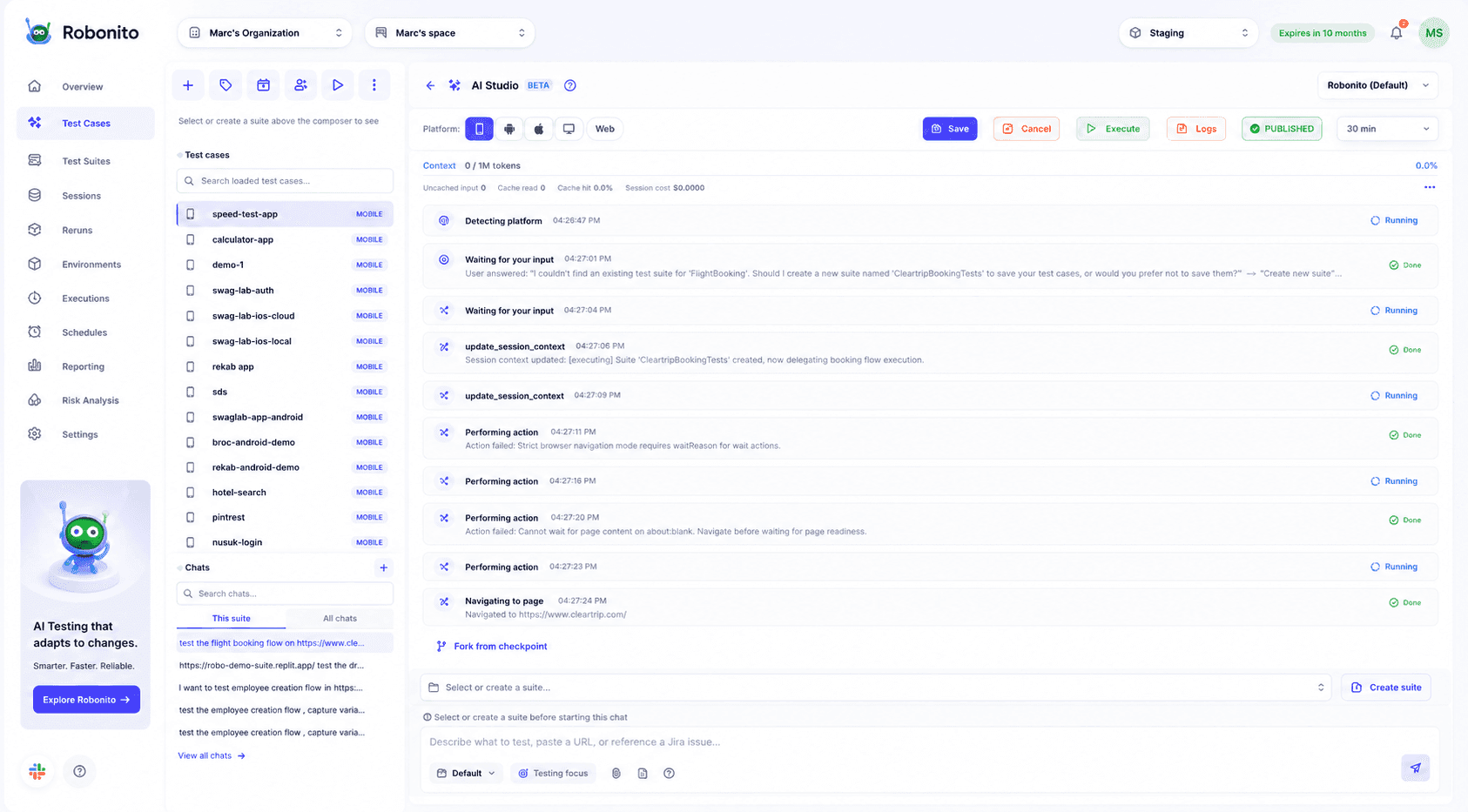
That's the loop Robonito is built for. In Robonito's AI Studio, you describe what to test, paste a URL or reference a Jira issue, and the agent works through the app step by step, just as an MCP agent would. The difference is what happens next: the result is saved to a test suite, tied to an environment, and run on a schedule or from your pipeline.
When you need code, Robonito can also generate executable code for your test cases, so you're never locked in.
A workflow that works well:
- Explore with Playwright MCP while you build a feature, to catch obvious breakage early.
- Capture the journeys that matter in Robonito as plain-language tests, starting with the riskiest.
- Run them on every merge from Jenkins, GitHub Actions, GitLab CI or Azure DevOps, in parallel.
- Review evidence, not transcripts when something fails: video, traces and the agent's root cause.
Want to see the difference on your own app? , or and bring a flow your MCP agent already explored.
For a side-by-side comparison, see Robonito vs Playwright and our Playwright alternatives guide.
Frequently asked questions
Is Playwright MCP free?
Yes. @playwright/mcp is an open-source package from Microsoft. You pay only for the AI model your client uses, and token use grows with page size and session length.
Does Playwright MCP need a vision model?
No. By default it sends the page's accessibility snapshot as structured text, so any capable LLM works. Vision-based, coordinate-driven interaction is optional, through --caps=vision.
Can Playwright MCP write Playwright tests?
Yes. The agent can turn the actions it took into Playwright code, and --codegen sets the language: TypeScript by default, or Python, Java or C#. Treat the output as a draft and review its assertions.
What's the difference between Playwright MCP and Playwright Test Agents?
Playwright MCP gives any MCP-capable AI client browser tools. Test Agents are predefined agents for planning, generating and healing Playwright tests inside your repository. They solve different problems and can be used together.
Should I use Playwright MCP or the Playwright CLI?
The Playwright team recommends the CLI with skills for coding agents, because it uses fewer tokens. MCP is the better fit for long, stateful agent loops that reason over page structure, or for clients that can't run shell commands.
Can I run Playwright MCP in CI?
You can run it headless, but a test suite shouldn't depend on an LLM deciding what to click on every run. Use MCP to explore and generate tests, then run the resulting tests, or a platform built for regression, in CI.
Can Playwright MCP test mobile apps?
Not native apps. It drives browsers, and you can set a phone-sized viewport with --viewport-size, but native Android and iOS apps need a different tool, such as Appium or a platform that runs on real devices.
Keep the exploration, skip the scripts. Describe your critical journeys once and Robonito runs them on every release, with evidence. or .