
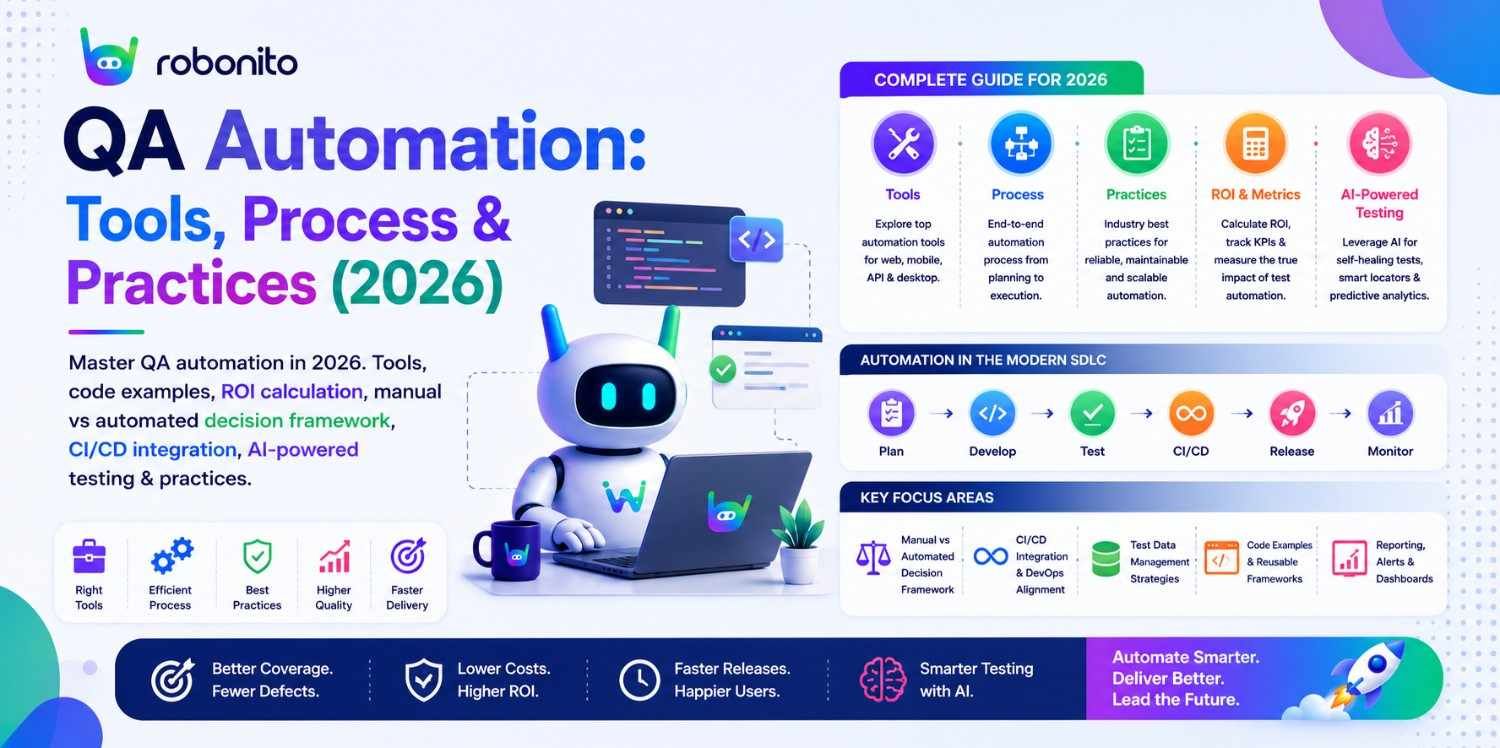
The average QA team spends 40–60% of its automation effort maintaining tests that break when the UI changes — not writing new tests or finding bugs. That is the real QA automation problem in 2026: not whether to automate, but how to automate in a way that stays reliable as software evolves. This guide covers the full QA automation picture — tools, ROI, frameworks, CI/CD integration, and the AI capabilities that are changing what "automated testing" means.
By Robonito Engineering Team · Updated June 2026 · 20 min read
Quick stats
| Fact | Source |
|---|---|
| 40–60% of automation effort goes to test maintenance, not new coverage | Capgemini World Quality Report 2025 |
| A bug found in production costs 100× more to fix than one found in testing | IBM Systems Sciences Institute |
| Teams with comprehensive QA automation deploy 208× more frequently | DORA State of DevOps 2025 |
| 74% of QA teams report test maintenance is their biggest challenge | World Quality Report 2025 |
| AI self-healing automation reduces maintenance time by up to 80% | DORA State of DevOps 2025 |
| The automated testing market reaches $78 billion by 2030 | Allied Market Research |
Table of Contents
- What is QA automation?
- QA automation vs manual testing — the honest decision framework
- The QA automation pyramid — what to automate at each level
- Best QA automation tools in 2026 — by category
- Real code examples — web, API, and performance
- ROI calculation — the exact formula
- QA automation in Agile and CI/CD
- AI-powered QA automation in 2026
- Implementing QA automation — step-by-step
- Common QA automation mistakes and how to avoid them
- Pre-launch QA automation checklist
- Frequently Asked Questions
QA automation that writes and maintains itself
Robonito generates test cases from your real user flows, runs them across browsers in CI, and self-heals when your UI changes — covering web, mobile, API, and desktop with zero scripting overhead. Try Robonito free →
1. What is QA automation?
One-sentence definition for featured snippets: QA automation is the practice of using tools and scripts to execute software tests automatically, verifying actual application behaviour against expected outcomes without human intervention — covering web UI, API, mobile, performance, and security testing.
The practical meaning matters more than the definition. QA automation replaces a human tester clicking through an application — navigating to a product page, adding items to a cart, completing a checkout, verifying the order confirmation — with a script or tool that performs the same interactions automatically, checks the same expected outcomes, and reports pass or fail.
What makes 2026 different from 2019:
Early QA automation was almost entirely script-based — automation engineers wrote Selenium tests in Java, maintained page object models, and spent significant time debugging broken selectors. The ROI was real but the maintenance cost was high.
Three developments have shifted the QA automation landscape fundamentally:
AI self-healing — automated tests that detect when UI elements change and update their own element references, eliminating the maintenance work that consumed 40–60% of automation effort.
No-code automation platforms — tools that generate and maintain tests from recorded user interactions, making automation accessible to non-technical QA teams without scripting expertise.
LLM-based test generation — large language models that generate complete test cases from requirements documents, user stories, and application specifications, compressing test creation from days to hours.
These three changes make 2026 the right time to build a QA automation strategy from scratch — the tools have matured to where the maintenance burden that historically undermined automation ROI is directly solvable.
2. QA automation vs manual testing — the honest decision framework
The question is not "should we automate?" — it is "which specific tests should be automated, and which should stay manual?"
Getting this wrong in either direction is expensive. Over-automating creates a fragile maintenance burden. Under-automating creates a scaling bottleneck.
The automation decision matrix
| Test characteristic | Automate | Keep manual |
|---|---|---|
| Run frequency | > 4 times per year | ≤ 4 times per year |
| Expected outcome | Deterministic (same input = same output) | Requires human judgment |
| Test stability | Requirements settled | First-pass testing of new feature |
| Test type | Regression, smoke, data-driven | Exploratory, usability, accessibility audit |
| Time investment | > 30 min/run manually | < 5 min/run manually |
| UI change frequency | Stable for ≥ 3 cycles | Changes every sprint |
The automation ROI threshold test
Before automating any test, verify this formula produces a positive result:
Automate if:
(Annual manual runs × Manual execution time) > (Script build time + Annual maintenance)

Example 1: AUTOMATE
  Checkout regression test
  Annual runs: 52 (weekly)
  Manual time: 15 min/run
  Annual manual cost: 52 × 15 = 780 minutes

  Script build time: 3 hours = 180 minutes
  Annual maintenance: 30 min/quarter = 120 minutes
  Annual automation cost: 180 + 120 = 300 minutes

  Net saving year 1: 780 - 300 = 480 minutes → Automate

Example 2: KEEP MANUAL
  Complex edge case explored twice per year
  Annual runs: 2
  Manual time: 20 min/run
  Annual manual cost: 2 × 20 = 40 minutes

  Script build time: 4 hours = 240 minutes
  Annual maintenance: 60 min/month = 720 minutes (dynamic UI)
  Annual automation cost: 240 + 720 = 960 minutes

  Net loss year 1: 40 - 960 = -920 minutes → Keep manual
What should always be manual
Exploratory testing — discovering unknown bugs through unscripted investigation requires human intuition. No automated tool can replicate the tester who notices "this loading animation looks wrong" or "the error message appears before I've even finished typing."
First-pass new feature testing — before expected outcomes are defined, you cannot write assertions. Manual testing of new features discovers what the expected behaviour should be, informing the automated tests that follow.
Accessibility with real assistive technology — automated scanners like axe-core catch approximately 30–40% of WCAG violations. Testing with a real screen reader (NVDA, VoiceOver) and keyboard-only navigation requires a human.
Usability and UX evaluation — whether a checkout flow is confusing, whether an error message is helpful, whether a navigation pattern makes sense — these are human judgment calls that automated assertions cannot make.
What should always be automated
Regression testing — re-running tests for previously working features after every code change. This is the highest-ROI automation category — high frequency, deterministic, time-consuming if manual.
Cross-browser compatibility — testing across Chrome, Safari, Firefox, and Edge manually takes hours. Playwright runs all four in parallel in minutes.
API contract testing — verifying that API responses match expected schemas, status codes, and response times. Completely deterministic, easily scripted, high frequency.
Performance acceptance criteria — verifying that page load times and API response times stay within defined thresholds. Pure data comparison — no human judgment required.
3. The QA automation pyramid — what to automate at each level
The test pyramid defines the right distribution of automated tests across levels. Getting the ratio wrong — too many E2E tests, not enough unit tests — produces a slow, expensive, brittle test suite.
                    ┌─────────────────────────────┐
                    │     E2E / UI Tests           │  ~10%
                    │  (few, slow, high-value)     │
                 ┌──┴─────────────────────────────┴──┐
                 │     Integration / API Tests        │  ~20%
                 │   (moderate count, moderate speed) │
             ┌───┴────────────────────────────────────┴───┐
             │            Unit Tests                       │  ~70%
             │     (many, fast, cheap to maintain)         │
         ────┴─────────────────────────────────────────────┴────
                    Static Analysis (always running)
Layer 1: Unit tests (~70% of automated tests)
Unit tests verify individual functions and components in isolation. They run in milliseconds, require no application deployment, and catch the most common class of bugs: logic errors, boundary value failures, and null pointer exceptions.
Example targets: Business logic functions, data validation, calculation methods, state management, utility functions.
Time to result: 1–5 minutes for a full unit test suite.
Layer 2: Integration and API tests (~20%)
Integration tests verify that modules work correctly together and that APIs return correct data, status codes, and schemas.
Example targets: Database queries + business logic, API endpoints, authentication flows, third-party integration contracts.
Time to result: 5–20 minutes.
Layer 3: E2E and UI tests (~10%)
End-to-end tests simulate complete user journeys through the deployed application. They are the most valuable per-test (they catch the most production-impactful bugs) but also the most expensive to maintain.
Example targets: Critical user flows (checkout, registration, login, key features), cross-browser compatibility, mobile viewport testing.
Time to result: 20–60 minutes for a full suite.
The pyramid mistake teams make: Inverting the pyramid — writing mostly E2E tests because they seem most "realistic." This produces a slow, expensive, brittle suite. A team with 500 E2E tests and 50 unit tests spends most of its automation budget on the most fragile layer.
4. Best QA automation tools in 2026 — by category
Web UI automation
| Tool | Coding | Self-healing | Cross-browser | Free | Best for |
|---|---|---|---|---|---|
| Robonito | None | ✅ AI intent | Chrome + Safari + Firefox + Edge | ✅ | No-code, self-healing, all browsers |
| Playwright | Yes (multi-lang) | ❌ | ✅ Native WebKit | ✅ OSS | Engineering teams, cross-browser |
| Cypress | JS/TS only | ❌ | ✅ Partial Safari | ✅ OSS | JS teams, developer experience |
| Selenium | Yes (all langs) | ❌ | ✅ | ✅ OSS | Legacy, maximum flexibility |
| mabl | None | ✅ Visual AI | ✅ | ❌ | Visual regression |
API automation
| Tool | Coding | Best for | Free |
|---|---|---|---|
| pytest + httpx | Python | Automated API regression in CI | ✅ |
| Postman | Low (JS scripts) | API exploration + collaboration | ✅ Free tier |
| REST Assured | Java | Java teams | ✅ OSS |
| Supertest | JavaScript | Node.js API testing | ✅ OSS |
| Robonito | None | No-code API + UI in one platform | ✅ |
Performance testing
| Tool | Type | Coding | Free |
|---|---|---|---|
| k6 | Load + stress | JavaScript | ✅ OSS |
| JMeter | Load + SOAP | Low-code (GUI) | ✅ OSS |
| Lighthouse CI | Core Web Vitals | None (CLI) | ✅ OSS |
Accessibility testing
| Tool | Type | Integration | Free |
|---|---|---|---|
| axe-core | WCAG automated scan | Playwright, Cypress, Jest | ✅ OSS |
| Pa11y | WCAG automated scan | CI/CD native | ✅ OSS |
Security testing
| Tool | Type | Free |
|---|---|---|
| OWASP ZAP | Dynamic security scan | ✅ OSS |
| Snyk | Dependency vulnerability | ✅ Free tier |
Why Teams Choose Robonito Over Traditional QA Automation Tools
| Requirement | Traditional Frameworks | Robonito |
|---|---|---|
| Coding Required | Yes | No |
| Self-Healing | Limited | AI-powered |
| Cross-Browser Testing | Manual setup | Built-in |
| API + UI Testing | Multiple tools | Unified |
| Maintenance Effort | High | Reduced |
How to Choose a QA Automation Tool
Choosing the right QA automation tool depends on your team's skills, application complexity, and long-term maintenance goals. While some tools offer maximum flexibility through code, others prioritize speed, collaboration, and ease of adoption.
Before selecting a platform, evaluate these key factors:
- Ease of Use: Can testers create and maintain tests without extensive coding?
- Platform Coverage: Does it support web, mobile, API, and desktop testing?
- CI/CD Integration: Can it integrate with GitHub Actions, GitLab, Jenkins, or Azure DevOps?
- Self-Healing Capabilities: Can the tool adapt automatically when UI elements change?
- Scalability: Will it support hundreds or thousands of tests as your application grows?
- Reporting & Analytics: Does it provide actionable insights into failures and test coverage?
- Maintenance Effort: How much time will your team spend fixing broken tests?
Quick Recommendation
- Choose Robonito if you want AI-powered, no-code automation with self-healing capabilities across web, mobile, API, and desktop testing.
- Choose Playwright if your engineering team prefers code-first automation and advanced browser control.
- Choose Cypress if you're focused primarily on JavaScript-based web application testing.
- Choose Selenium if you require maximum flexibility and support for legacy automation frameworks.
The best QA automation tool is the one that reduces maintenance effort, accelerates releases, and scales with your team's testing needs.
5. Real code examples — web, API, and performance
Web UI automation — Playwright
// tests/checkout.spec.ts — production-quality Playwright E2E test
import { test, expect } from '@playwright/test';

test.describe('Checkout — critical regression', () => {

  test.beforeEach(async ({ page }) => {
    // Authenticate via API (faster than UI login, not part of checkout test)
    await page.request.post('/api/auth/login', {
      data: { email: 'test@example.com', password: 'TestPass2026!' }
    });
    await page.goto('/products/widget-pro');
  });

  test('completes purchase and verifies order confirmation', async ({ page, browserName }) => {
    // Add to cart
    await page.getByRole('button', { name: 'Add to cart' }).click();
    await expect(page.getByTestId('cart-count')).toHaveText('1');

    // Navigate to checkout
    await page.getByRole('link', { name: 'Checkout' }).click();
    await expect(page).toHaveURL(/\/checkout/);

    // Fill shipping details
    await page.getByLabel('Full name').fill('Jane Smith');
    await page.getByLabel('Email address').fill('jane.smith@example.com');
    await page.getByLabel('Street address').fill('123 Test Street');
    await page.getByLabel('City').fill('London');
    await page.getByLabel('Postcode').fill('EC1A 1BB');
    await page.getByLabel('Country').selectOption('GB');

    // Fill payment details
    await page.getByLabel('Card number').fill('4242424242424242');
    await page.getByLabel('Expiry date').fill('12/28');
    await page.getByLabel('CVC').fill('123');

    // Submit order
    await page.getByRole('button', { name: 'Place order' }).click();

    // Verify confirmation
    await expect(page.getByRole('heading', { name: 'Order confirmed' })).toBeVisible();
    await expect(page.getByTestId('order-number'))
      .toHaveText(/^ORD-\d{8}$/);

    console.log(`✅ Checkout passed on ${browserName}`);
  });

  test('preserves cart when payment is declined', async ({ page }) => {
    await page.getByRole('button', { name: 'Add to cart' }).click();
    await page.getByRole('link', { name: 'Checkout' }).click();

    await page.getByLabel('Full name').fill('Jane Smith');
    await page.getByLabel('Email address').fill('jane@example.com');
    // Decline test card
    await page.getByLabel('Card number').fill('4000000000000002');
    await page.getByLabel('Expiry date').fill('12/28');
    await page.getByLabel('CVC').fill('123');

    await page.getByRole('button', { name: 'Place order' }).click();

    // Error shown, still on checkout, cart preserved
    await expect(page.getByRole('alert')).toContainText('declined');
    await expect(page).toHaveURL(/\/checkout/);
    await expect(page.getByTestId('cart-count')).toHaveText('1');
  });
});
API automation — pytest
## tests/api/test_orders_api.py — pytest API automation
import pytest
import httpx

BASE_URL = "https://staging.yourapp.com"

@pytest.fixture(scope="session")
def auth_token():
    """Authenticate once per test session."""
    response = httpx.post(f"{BASE_URL}/api/auth/login", json={
        "email": "test@example.com",
        "password": "TestPass2026!"
    })
    assert response.status_code == 200
    return response.json()["access_token"]

@pytest.fixture
def auth_client(auth_token):
    return httpx.Client(
        base_url=BASE_URL,
        headers={"Authorization": f"Bearer {auth_token}"},
        timeout=10.0
    )

class TestOrdersAPI:

    def test_create_order_returns_201_with_valid_payload(self, auth_client):
        response = auth_client.post("/api/v1/orders", json={
            "product_id": "prod-widget-pro",
            "quantity": 2,
            "shipping_address": {
                "name": "Jane Smith",
                "street": "123 Test St",
                "city": "London",
                "postcode": "EC1A 1BB",
                "country": "GB"
            }
        })
        assert response.status_code == 201
        data = response.json()
        assert "order_id" in data
        assert data["status"] == "pending"
        assert data["total"] > 0
        ## Verify order ID format
        assert data["order_id"].startswith("ORD-")

    def test_create_order_returns_422_with_zero_quantity(self, auth_client):
        response = auth_client.post("/api/v1/orders", json={
            "product_id": "prod-widget-pro",
            "quantity": 0  ## Invalid
        })
        assert response.status_code == 422
        errors = response.json()["detail"]
        assert any("quantity" in str(e).lower() for e in errors)

    def test_get_order_returns_correct_data(self, auth_client):
        ## Create an order first
        create_response = auth_client.post("/api/v1/orders", json={
            "product_id": "prod-widget-pro",
            "quantity": 1
        })
        order_id = create_response.json()["order_id"]

        ## Retrieve and verify
        get_response = auth_client.get(f"/api/v1/orders/{order_id}")
        assert get_response.status_code == 200
        order = get_response.json()
        assert order["order_id"] == order_id
        assert order["status"] == "pending"

    @pytest.mark.parametrize("quantity,expected_status", [
        (1,    201),  ## Minimum valid
        (99,   201),  ## Near maximum
        (100,  201),  ## Maximum valid
        (101,  422),  ## Over maximum
        (-1,   422),  ## Negative
        (0,    422),  ## Zero
    ])
    def test_order_quantity_boundary_values(
        self, auth_client, quantity, expected_status
    ):
        response = auth_client.post("/api/v1/orders", json={
            "product_id": "prod-widget-pro",
            "quantity": quantity
        })
        assert response.status_code == expected_status, \
            f"Quantity {quantity}: expected {expected_status}, got {response.status_code}"
Performance automation — k6
// load-tests/checkout-performance.js — k6 performance test
import http from 'k6/http';
import { check, sleep, group } from 'k6';
import { Trend, Rate, Counter } from 'k6/metrics';

// Custom metrics
const checkoutDuration = new Trend('checkout_duration_ms');
const checkoutErrors = new Rate('checkout_error_rate');
const successfulOrders = new Counter('successful_orders');

export const options = {
  stages: [
    { duration: '2m',  target: 50  },  // Ramp to 50 users
    { duration: '5m',  target: 50  },  // Hold at 50
    { duration: '2m',  target: 200 },  // Spike to 200 users
    { duration: '3m',  target: 200 },  // Hold peak
    { duration: '2m',  target: 0   },  // Ramp down
  ],
  thresholds: {
    // QA acceptance criteria — these FAIL the test if not met
    'http_req_duration{name:checkout_page}': ['p(95)<2000'],   // 95% < 2s
    'http_req_duration{name:place_order}':   ['p(95)<3000'],   // API < 3s
    'http_req_failed':                        ['rate<0.01'],    // < 1% errors
    'checkout_error_rate':                    ['rate<0.02'],    // < 2% checkout fails
  },
};

const BASE_URL = __ENV.BASE_URL || 'https://staging.yourapp.com';

export default function () {
  group('Checkout flow under load', () => {
    const startTime = Date.now();

    // Step 1: Load checkout page
    const checkoutPage = http.get(`${BASE_URL}/checkout`, {
      tags: { name: 'checkout_page' }
    });
    check(checkoutPage, { 'checkout page loaded': r => r.status === 200 });

    // Step 2: Submit order via API
    const orderPayload = JSON.stringify({
      product_id: 'prod-widget-pro',
      quantity: 1,
      customer: {
        email: `loadtest+${__VU}@example.com`,  // Unique per VU
        name: 'Load Test User'
      }
    });

    const orderResponse = http.post(
      `${BASE_URL}/api/v1/orders`,
      orderPayload,
      {
        headers: { 'Content-Type': 'application/json' },
        tags: { name: 'place_order' }
      }
    );

    const orderSuccess = check(orderResponse, {
      'order created 201':    r => r.status === 201,
      'order_id in response': r => JSON.parse(r.body).order_id !== undefined,
    });

    // Record custom metrics
    checkoutDuration.add(Date.now() - startTime);
    checkoutErrors.add(!orderSuccess);
    if (orderSuccess) successfulOrders.add(1);
  });

  sleep(1);  // Think time between iterations
}
No-code QA automation — Robonito
## .github/workflows/robonito-qa-suite.yml
## Full QA automation without any test scripts — Robonito generates and runs them

name: Robonito Full QA Suite

on:
  push:
    branches: [main, develop]
  pull_request:

jobs:
  qa-regression:
    name: QA Automation — All Platforms
    runs-on: ubuntu-latest
    steps:
      - uses: actions/checkout@v4

      - name: Web + API regression
        uses: robonito/run-tests-action@v2
        with:
          api-key: ${{ secrets.ROBONITO_API_KEY }}
          suite: full-regression
          environment: staging
          platforms: web,mobile-web,api
          browsers: chrome,safari,firefox,edge
          ## AI self-healing: tests repair themselves if UI changes
          healing_mode: intent
          fail-on: critical
          notify-slack: ${{ secrets.SLACK_QA_CHANNEL }}

      - name: Post results to PR
        if: github.event_name == 'pull_request'
        uses: robonito/pr-comment-action@v1
        with:
          api-key: ${{ secrets.ROBONITO_API_KEY }}
          github-token: ${{ secrets.GITHUB_TOKEN }}
6. ROI calculation — the exact formula
QA automation investment is justified when it saves more time than it costs. This is the exact calculation:
The QA automation ROI formula
Annual ROI = ((Manual cost saved) - (Automation cost)) / Automation cost × 100

Manual cost saved = Tests automated
                  × Avg manual execution time per test (minutes)
                  × Annual run frequency
                  × Tester hourly rate
                  ÷ 60

Automation cost = (Tool licensing annually)
                + (Initial development: hours × developer rate)
                + (Annual maintenance: hours × rate)
Worked example — 200-test regression suite
Team context:
  QA engineer rate:       £50/hour
  Automation engineer:    £65/hour
  Tests to automate:      200 test cases
  Manual execution time:  3 minutes per test average
  Run frequency:          Every 2 weeks (26 runs/year)
  Tool: Robonito (no-code, self-healing)

Manual testing cost (before automation):
  200 tests × 3 min × 26 runs = 156,000 minutes/year = 2,600 hours/year
  Cost: 2,600 × £50 = £130,000/year

Automation cost with Robonito:
  Robonito subscription: £4,800/year
  Initial setup: 40 hours (recording + reviewing AI-generated tests)
  Initial cost: 40 × £65 = £2,600
  Annual maintenance (self-healing): 20 hours × £65 = £1,300/year
  Year 1 total: £4,800 + £2,600 + £1,300 = £8,700

ROI Year 1:
  Savings: £130,000 - £8,700 = £121,300
  ROI: (£121,300 / £8,700) × 100 = 1,394%
  Payback period: ~3 weeks

Automation cost with Playwright (scripted):
  No licensing cost
  Initial development: 160 hours × £65 = £10,400
  Annual maintenance (selector updates, test repairs): 200 hours × £65 = £13,000
  Year 1 total: £10,400 + £13,000 = £23,400

ROI Year 1 (Playwright):
  Savings: £130,000 - £23,400 = £106,600
  ROI: (£106,600 / £23,400) × 100 = 455%
  Payback period: ~3 weeks
  Note: Higher maintenance cost reflects time fixing broken selectors
        that Robonito's self-healing handles automatically
Key insight from this calculation
The maintenance cost variable has the largest impact on long-term automation ROI. A self-healing platform that eliminates 80% of maintenance work produces significantly higher long-term returns than a scripted framework where maintenance scales with UI change frequency.
7. QA automation in Agile and CI/CD
In Agile development, QA automation is not a phase after development — it is an activity woven through every sprint.
The three-tier CI/CD automation pipeline
## .github/workflows/full-qa-pipeline.yml
name: Full QA Automation Pipeline

on:
  push:
    branches: [main, develop]
  pull_request:

jobs:
  ## Tier 1: Fast checks on every commit (< 5 minutes)
  unit-tests:
    name: Unit Tests
    runs-on: ubuntu-latest
    steps:
      - uses: actions/checkout@v4
      - uses: actions/setup-node@v4
        with: { node-version: '20', cache: 'npm' }
      - run: npm ci
      - run: npm test -- --coverage --passWithNoTests
      - name: Coverage gate
        run: |
          COVERAGE=$(cat coverage/coverage-summary.json |
            python3 -c "import sys,json; d=json.load(sys.stdin);
            print(d['total']['lines']['pct'])")
          echo "Coverage: ${COVERAGE}%"
          python3 -c "exit(0 if float('${COVERAGE}') >= 80 else 1)" || \
            (echo "❌ Coverage ${COVERAGE}% below 80% threshold" && exit 1)

  ## Tier 2: Integration tests on every PR (10-20 minutes)
  api-integration:
    name: API Integration Tests
    runs-on: ubuntu-latest
    needs: unit-tests
    services:
      postgres:
        image: postgres:16
        env: { POSTGRES_DB: testdb, POSTGRES_USER: test, POSTGRES_PASSWORD: test }
        options: --health-cmd pg_isready
    steps:
      - uses: actions/checkout@v4
      - uses: actions/setup-python@v5
        with: { python-version: '3.12' }
      - run: pip install -r requirements-test.txt --break-system-packages
      - run: pytest tests/api/ -v --tb=short
        env:
          DATABASE_URL: postgresql://test:test@localhost/testdb
          BASE_URL: http://localhost:8000

  ## Tier 3: Full E2E regression on merge to main (30-60 minutes)
  e2e-regression:
    name: E2E Regression (Robonito)
    runs-on: ubuntu-latest
    needs: api-integration
    if: github.ref == 'refs/heads/main'
    steps:
      - uses: actions/checkout@v4
      - name: Deploy to staging
        run: ./scripts/deploy-staging.sh ${{ github.sha }}
      - name: Run Robonito full regression
        uses: robonito/run-tests-action@v2
        with:
          api-key: ${{ secrets.ROBONITO_API_KEY }}
          suite: regression
          environment: staging
          browsers: chrome,safari,firefox,edge
          fail-on: critical

  ## Tier 3b: Performance acceptance on merge
  performance-gate:
    name: Performance Acceptance (k6)
    runs-on: ubuntu-latest
    needs: api-integration
    if: github.ref == 'refs/heads/main'
    steps:
      - uses: actions/checkout@v4
      - run: |
          curl -sL https://github.com/grafana/k6/releases/download/v0.50.0/k6-v0.50.0-linux-amd64.tar.gz | tar xz
          sudo mv k6*/k6 /usr/local/bin/
      - name: Performance acceptance test
        run: |
          k6 run --vus 50 --duration 60s \
            --threshold 'http_req_duration{p(95)}<2000' \
            --threshold 'http_req_failed{rate}<0.01' \
            load-tests/smoke.js
        env:
          BASE_URL: ${{ secrets.STAGING_URL }}
Agile sprint integration
Sprint planning (Day 1):
  → QA reviews user stories for testability
  → Acceptance criteria defined with Given/When/Then format
  → Test case estimates included in story points
  → Automation test cases assigned alongside development tasks

During sprint (Days 2-8):
  → New tests written as features are built (not after)
  → Automated tests running in CI on every PR
  → Failures visible to developers immediately (MTTD < 2 hours)
  → No separate "testing phase" — testing is continuous

Sprint close (Days 9-10):
  → Full regression suite green required for release
  → New automated tests added to regression suite
  → Test coverage metrics reported in sprint retrospective
  → Any flaky tests identified and addressed before next sprint
8. AI-powered QA automation in 2026
AI has moved from a marketing buzzword to a genuine productivity multiplier in QA automation. The three capabilities that are delivering measurable ROI in 2026:
Self-healing tests
The most valuable AI capability for immediate ROI. When a UI changes — a button renamed, a component restructured, a design system updated — self-healing AI detects the change and updates the test's element reference automatically.
The financial impact:
Without self-healing (traditional automation):
  UI change rate: 15 element changes per sprint
  Manual fix time: 30 minutes per broken element
  Sprint maintenance cost: 15 × 30 = 450 minutes = 7.5 hours
  Annual maintenance: 7.5 × 24 = 180 hours × £65/hour = £11,700/year

With Robonito self-healing:
  UI changes auto-healed: ~85% (12 of 15)
  Remaining manual fixes: 3 × 30 min = 90 minutes/sprint
  Annual maintenance: 1.5 × 24 = 36 hours × £65/hour = £2,340/year
  Annual saving: £11,700 - £2,340 = £9,360/year from self-healing alone
AI test generation from user flows
Robonito generates test cases from recorded user interactions — a QA analyst performs a user flow once, and the platform generates structured, executable test cases covering the happy path plus common error variations.
This compresses test case creation from 2–3 hours per complex flow to 15–30 minutes review of AI-generated cases. On a 200-test suite, this represents 300–400 hours of saved test authoring time.
AI-powered risk-based prioritisation
AI analyses code changes and historical failure patterns to rank tests by risk — which tests are most likely to fail based on what changed in this deployment. Running high-risk tests first means critical failures are caught faster, and CI pipelines can provide meaningful feedback in 20 minutes rather than 60.
9. Implementing QA automation — step-by-step
Step 1: Audit your current testing process (Week 1)
Before choosing tools, understand your current state:
Current testing audit:
□ How many test cases exist in total?
□ How many are currently automated?
□ How often does the regression suite run?
□ How many tests break per sprint from UI changes?
□ How long does a full manual regression cycle take?
□ What is the current mean time to detect a regression?
□ What is the current defect removal efficiency?

Output: Baseline metrics to measure improvement against
Step 2: Identify your highest-ROI automation candidates (Week 1-2)
Use the ROI formula from Section 6 to score each candidate test:
## Prioritise automation candidates by ROI score

candidates = [
    {"name": "Checkout flow",    "weekly_runs": 4, "manual_min": 20, "build_hours": 4},
    {"name": "User registration", "weekly_runs": 4, "manual_min": 8,  "build_hours": 2},
    {"name": "Search + filter",  "weekly_runs": 4, "manual_min": 15, "build_hours": 3},
    {"name": "Admin reports",    "weekly_runs": 1, "manual_min": 45, "build_hours": 8},
]

for c in sorted(candidates,
    key=lambda x: (x["weekly_runs"] * x["manual_min"]) / x["build_hours"],
    reverse=True
):
    roi_score = (c["weekly_runs"] * 52 * c["manual_min"]) / (c["build_hours"] * 60)
    print(f"[{roi_score:.1f}x return] {c['name']}")

## Output (highest ROI first):
## [208x return] User registration
## [260x return] Checkout flow
## [208x return] Search + filter
## [48.75x return] Admin reports ← build first despite lower score
##   because defect impact is highest in checkout
Step 3: Choose tools matched to your team profile (Week 2)
| Team profile | Recommended stack |
|---|---|
| No-code/non-technical QA | Robonito (web + API + mobile) + Postman (API exploration) |
| Engineering-led QA | Playwright (web) + pytest (API) + k6 (performance) |
| JavaScript frontend team | Cypress (web) + Supertest (API) + k6 (performance) |
| Enterprise mixed team | Robonito (no-code layer) + Playwright (complex logic) + k6 |
Step 4: Build the automation layer incrementally (Weeks 3-8)
Week 3-4: Smoke suite (top 10 critical tests)
  → Run on every deployment to main
  → Target: 15-minute execution time

Week 5-6: Regression suite (top 50 tests)
  → Run on every PR merge
  → Target: 30-minute execution time

Week 7-8: Full regression (all 200 tests)
  → Run nightly and pre-release
  → Target: 60-minute execution time

Ongoing: New tests added for every new feature
  → Test case written before or alongside feature development
  → Never merge a feature without corresponding automated tests
Step 5: Measure and report
Weekly QA automation metrics dashboard:
  ✅ Test execution pass rate (target: > 95%)
  ✅ Number of regressions caught before production (target: > 90% DRE)
  ✅ Mean time to detect regression (target: < 2 hours)
  ✅ Test maintenance hours per sprint (target: decreasing over time)
  ✅ Automation coverage of critical flows (target: 100%)
10. Common QA automation mistakes and how to avoid them
Mistake 1: Testing implementation, not behaviour
// ❌ Tests implementation detail — breaks when class changes
await page.locator('.checkout-btn-primary-v2').click();

// ✅ Tests behaviour — survives implementation changes
await page.getByRole('button', { name: 'Place order' }).click();
// ARIA role + accessible name: stable across CSS refactors
Mistake 2: Inverting the test pyramid
Teams that write 80% E2E tests and 20% unit tests create slow, brittle suites. When the entire regression suite takes 3 hours to run, teams run it less often, and the feedback loop degrades. Keep E2E tests to critical user flows only — unit tests cover the logic.
Mistake 3: Treating flaky tests as acceptable
## Never: re-run flaky tests to hide the problem
- run: npx playwright test --retries=3  ## 3 retries masks flakiness

## Do: identify and fix flakiness root cause
## Flakiness categories:
## Timing: add explicit waits for async operations
## State: add test teardown to reset application state
## Data: use unique test data per run to prevent collisions
## Environment: add environment health check before test execution
Mistake 4: No test data strategy
Tests that share data cause interference — one test's write corrupts another's read. The fix is test data isolation:
@pytest.fixture
def isolated_user():
    """Each test gets its own unique user — no data sharing."""
    import uuid
    user = create_user(email=f"test+{uuid.uuid4().hex[:8]}@example.com")
    yield user
    ########## Teardown: delete test data after test completes
    delete_user(user.id)
Mistake 5: Automating before the feature is stable
Writing automated tests for features that change every sprint produces an automation maintenance treadmill. Automate features after they have been stable for at least two sprints. First-pass testing is manual.
Mistake 6: No CI/CD gate — tests that do not block deployment
Automated tests that run but do not block deployments when they fail are decorative. The value of automation is catching regressions before they reach production. Tests must be deployment gates:
## CI must fail if tests fail — this is the point
- name: Run regression suite
  run: npx playwright test
  ## If this step fails (non-zero exit), the whole pipeline fails
  ## The deployment does not proceed
  ## This is correct behaviour — the automation is working
11. Pre-launch QA automation checklist
Coverage
- All P0/P1 critical user flows have automated test cases
- Regression suite runs on every merge to main (not just weekly)
- Cross-browser tests cover Chrome + Safari minimum
- API critical endpoints covered with automated contract tests
- Performance acceptance criteria automated (p95 < defined threshold)
- axe-core accessibility scan integrated into CI
Quality
- All tests use stable selectors (ARIA roles, accessible names — not CSS classes)
- Each test is independent — no shared state between tests
- Test data is isolated (unique per test run, cleaned up after)
- Explicit waits replace all
sleep()calls - Flakiness rate < 2% across the suite
CI/CD
- Tests are deployment gates — failing tests block the deployment
- Unit tests complete in < 5 minutes
- Integration tests complete in < 20 minutes
- E2E regression completes in < 60 minutes
- Test results post to Slack/Teams on failure with screenshot
Metrics tracked
- Pass/fail rate dashboard visible to team
- Defect removal efficiency tracked per sprint
- Test maintenance hours per sprint tracked
- Mean time to detect regression tracked
- Coverage of critical flows tracked
Frequently Asked Questions
What is QA automation?
QA automation is the practice of using tools and scripts to execute software tests automatically, verifying actual application behaviour against expected outcomes without human intervention. It covers web UI, API, mobile, performance, and security testing — replacing manual test execution for repeatable, deterministic scenarios.
What is the difference between QA automation and manual testing?
Manual testing uses a human tester who observes and judges application behaviour. Automation uses tools to execute predefined interactions and compare results against expected values. Manual testing excels at exploratory testing, usability, and first-pass feature validation. Automation excels at regression testing, cross-browser compatibility, performance, and any high-frequency deterministic scenario.
What are the best QA automation tools in 2026?
By category: Web UI — Playwright (engineering teams), Robonito (no-code AI). API — pytest, Postman. Performance — k6. Mobile — Detox (React Native), XCUITest (iOS), Espresso (Android). Security — OWASP ZAP. Accessibility — axe-core. Most teams use 3–5 tools. Robonito uniquely covers web, mobile web, API, and desktop in one no-code AI platform.
How do you calculate ROI for QA automation?
ROI = ((Annual manual testing cost) - (Annual automation cost)) / Annual automation cost × 100. The key variables are run frequency (tests run weekly produce 52× the annual savings of tests run once) and maintenance cost (self-healing platforms like Robonito reduce maintenance 80%, significantly improving long-term ROI).
How does QA automation work in Agile?
In Agile, QA automation compresses into each sprint: unit tests run on every commit, integration tests on every PR, regression on every merge. New automated tests are written during the sprint alongside feature development, not in a separate testing phase. The definition of done requires CI green, not just manual sign-off.
When should you not automate a test?
Do not automate: tests run fewer than 4 times per year (insufficient ROI), first-pass testing of new features (expected outcomes not yet defined), exploratory testing (requires human judgment), usability evaluation (subjective), and accessibility testing with real assistive technology (screen reader behaviour cannot be automated).
External references
- Playwright Documentation — Web automation framework
- pytest Documentation — Python testing framework
- k6 Documentation — Performance testing
- axe-core GitHub — Accessibility testing
- DORA State of DevOps 2025 — Automation performance data
- Capgemini World Quality Report 2025 — Maintenance statistics
- OWASP ZAP Documentation — Security testing
QA automation that generates tests, heals itself, and covers every platform
Robonito auto-generates test cases from your user flows, runs them across Chrome, Safari, Firefox, and Edge in CI, self-heals when your UI changes, and covers web, mobile web, API, and desktop in one platform — zero scripting required. Start free and have your first regression suite running before end of day. Start free at Robonito.com →
Automate your QA — no code required
Stop writing test scripts.
Start shipping with confidence.
Join thousands of QA teams using Robonito to automate testing in minutes — not months.
