01 / 03
Grid upkeep
Keeping browsers, drivers, and machines up to date becomes a part-time job that nobody signed up for.
Cross-Browser Testing
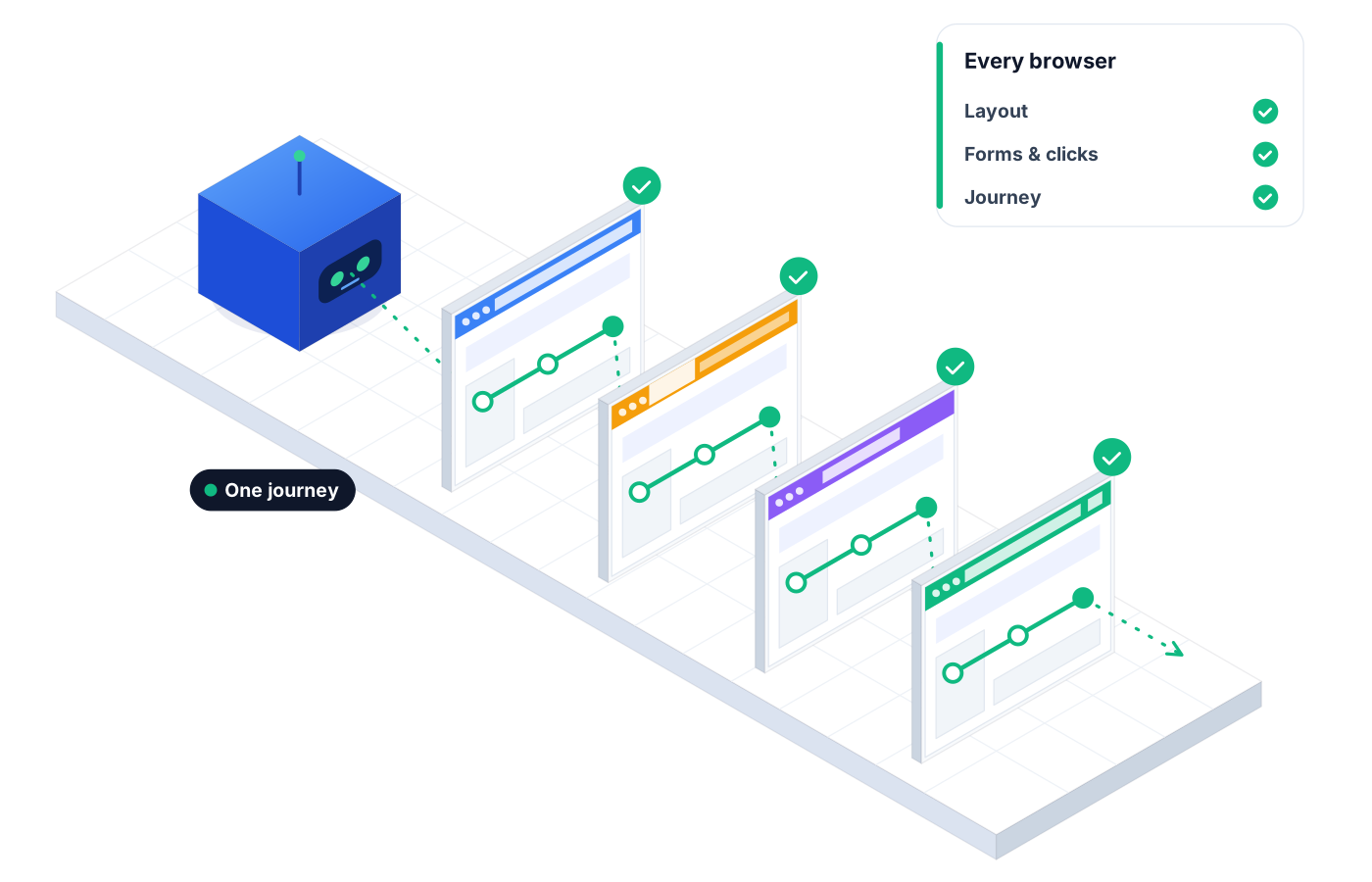
Cross-browser testing shouldn't mean maintaining a pile of machines and drivers. Robonito runs the same journey across major browsers and screen sizes in built-in environments, so 'works on my machine' stops being the answer.
Free forever plan · No code required
Teams that refuse to trade speed for quality ship with Robonito







01The problem
Your team tests in the browser it uses every day. Your customers don't all use that one, or the same screen size.
01 / 03
Keeping browsers, drivers, and machines up to date becomes a part-time job that nobody signed up for.
02 / 03
The pricing table looks fine on a laptop and overlaps on a smaller screen, and the first person to notice is a prospect.
03 / 03
Running each journey by hand in every browser takes so long that most of them get skipped before release.
02Capabilities
Write the journey once. Robonito handles where it runs and tells you where it broke.
01
Run the same test case across major browsers without rewriting it, so coverage grows without growing your suite.
02
Check journeys at different screen sizes, so responsive layouts are verified, not assumed.
03
Pick an environment and run. There's no grid, driver, or browser install to maintain on your side.
04
Run browser combinations in parallel, so a full compatibility pass fits inside your release window.
05
AI visual checks catch layout and rendering differences between browsers that a functional assertion would miss.
06
Tests adapt to UI changes, and when one browser fails, the agent explains what broke there and why.
03How it works
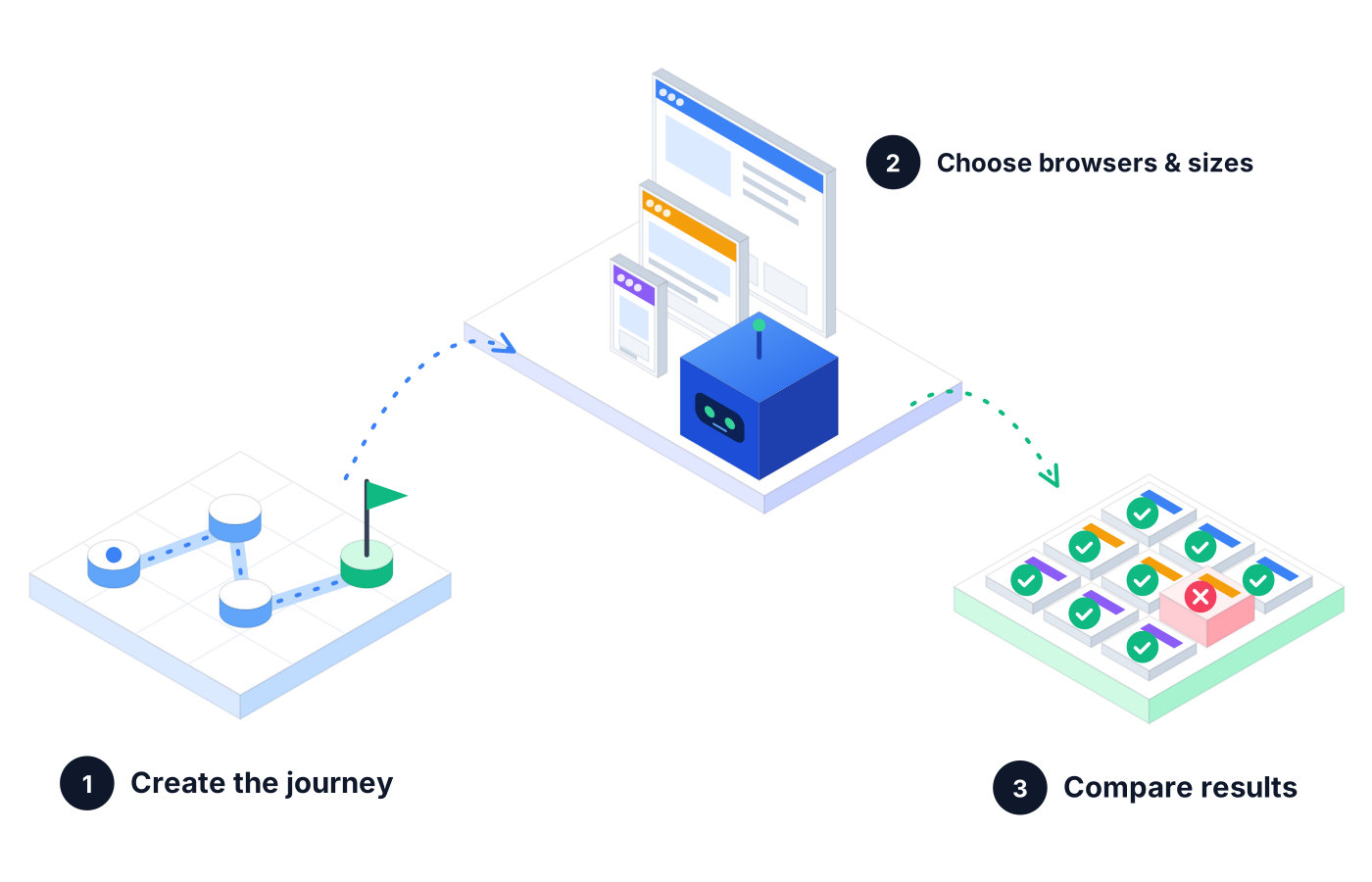
Describe it in plain language, record it with the browser extension, or reuse a test case you already have.
Select the environments and screen sizes you want to cover. Robonito provides them, so there's nothing to set up.
See which browsers passed and which failed, with step logs and root causes, in one report your team can act on.
04Use cases
A marketing team runs its pricing and sign-up journey across browsers and screen sizes, and catches a plan card that covers the sign-up button on narrower screens.
A booking app's date picker works everywhere except one browser. The cross-browser run flags it with a step log before the feature ships.
After a styling cleanup, a team reruns its portal journeys in every environment and confirms nothing shifted outside the intended changes.
05Proof in every run
Compatibility bugs are easy to argue about and hard to prove. Robonito gives you the proof.
Pass and fail for each environment from the same run.
Proof you get: Run results for each environment
See the exact step that broke in the browser that broke.
Proof you get: Step-by-step run log with screenshots
Layout and rendering issues are flagged, not just functional failures.
Proof you get: Visual verification result
06Ways to start
01
Try Robonito on your own web app with the free-forever plan. No code required, and no time limit.
02
Run a no-obligation proof of concept on your real system. You get clear results and a clear recommendation before you commit.
03
Robonito Professional Services helps with test strategy, migration from existing suites, and rollout across your teams.
Explore Professional Services07FAQ
Cross-browser testing checks that a website or web app works and looks right across different browsers and screen sizes. Browsers can render pages and run scripts differently, so a journey that works in one may break in another. Robonito automates cross-browser testing by running the same test across major browsers in built-in environments.
You use a platform that provides the browser environments for you. With Robonito, you pick from built-in environments and run your journey across them, so there are no machines, drivers, or browser installs to maintain. Your team writes the test once in plain language, and Robonito handles where it runs.
Robonito runs tests across major browsers and multiple screen sizes through its built-in environments. The exact mix you need depends on your audience, so it's worth starting with the browsers your customers use most. Talk to our team or start free to see the environments available for your web app.
Not quite: cross-browser testing checks behavior across different browsers, while responsive testing checks layouts across screen sizes. Most teams need both, because a layout can break in one browser at one size. Robonito covers both by running the same journey across major browsers and screen sizes, with visual checks for layout issues.
Use tests that self-heal. Robonito's agents adapt when buttons, labels, or layouts change, so your cross-browser suite doesn't fail for cosmetic reasons. When a failure is real, the agent reports the root cause and the browser it happened in, so your team can fix the product instead of fixing the test.
Platforms & Testing Types
AI agents test your web app in plain language
Learn morePlatforms & Testing Types
AI catches UI regressions functional checks miss
Learn morePlatforms & Testing Types
Real devices and browsers in the cloud, ready to run
Learn morePlatforms & Testing Types
Native, hybrid, and cross-platform Android & iOS
Learn moreStart free with web testing and run your first journey in Robonito's built-in environments, no grid required.