It's Thursday afternoon. Twelve transports are waiting in the QAS import queue, the change board meets on Monday, and the regression pack is a shared spreadsheet that four key users are meant to work through between their day jobs. Two of them are on leave. Someone will sign off anyway.
That is the problem SAP test automation solves. A live SAP landscape changes constantly, and manual testing can't keep up.
SAP test automation means running your critical SAP business processes, such as order-to-cash and procure-to-pay, with software instead of key-user test scripts. A good setup ties the regression suite to transports, support packs and upgrades, runs it in every environment, covers roles and test data, and produces evidence a change board can approve.
Key takeaways
- Automate by business process, not by transaction. Start with order-to-cash and procure-to-pay.
- Test data and authorisations often break more SAP tests than code does. Plan for both from day one.
- Run the regression suite before and after every transport batch, support pack and upgrade, in each environment.
- Choose tools by the UIs you run (Fiori, SAP GUI or both) and by who will maintain the tests.
What is SAP test automation?
SAP test automation executes SAP business scenarios automatically: creating documents, posting and approving them, then checking the results against what should have happened.
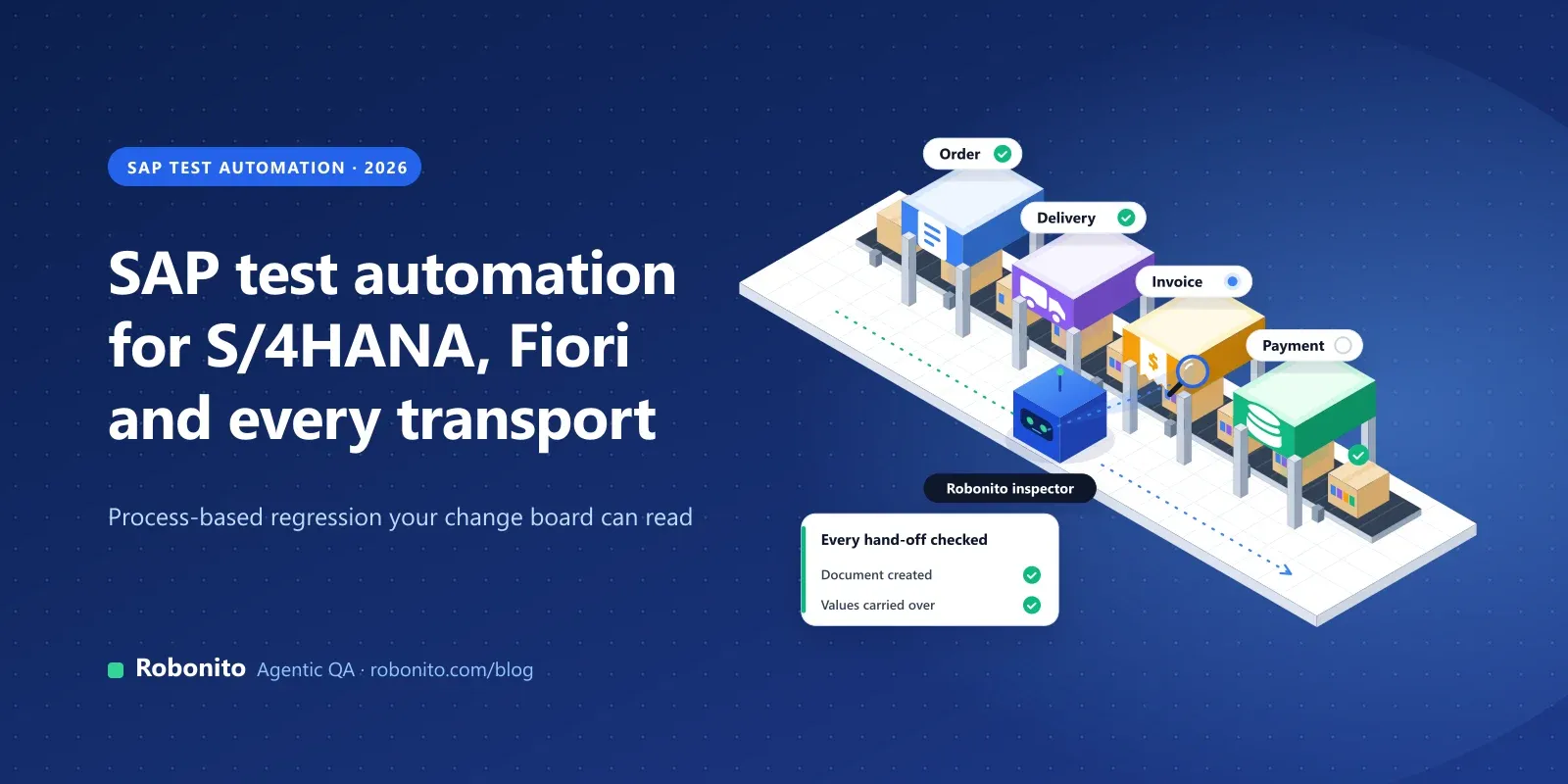
The key word is scenarios. Most SAP defects show up at the handoffs: a pricing change looks fine in sales order entry and only breaks when billing runs. Automated SAP testing earns its keep when it follows the document flow across modules. It doesn't replace user acceptance testing; it replaces the repetitive proof that what worked last week still works.
Why is SAP regression testing such a bottleneck?
Change arrives from five directions at once:
- Transports. Changes move from DEV to QAS to PRD in batches, often with dependencies. Every QAS import is a reason to retest, and every PRD import is a risk if that retest was skipped or ran against a different transport sequence.
- S/4HANA Cloud releases. SAP S/4HANA Cloud Public Edition gets two major upgrades a year, in February and August. SAP upgrades the test system first and the development and production systems three weeks later, with six weeks' notice, and expects customers to run regression testing in that window.
- Private Edition and on-premise. SAP moved to a two-year release cycle from SAP S/4HANA 2023, with seven years of mainstream maintenance per release and feature pack stacks every six months. Testing stays the customer's job. Fewer forced upgrades, but bigger ones.
- Custom code and integrations. User exits, BAdIs, Z-reports, EDI, banks and tax engines are where standard test packs don't reach and upgrades bite hardest.
- Key users and spreadsheets. Business users test what they know, skip what they don't, and record "passed" with no screenshot. The process asks too much of them.
Which SAP processes should you automate first?
Rank processes by the cost of failure and the rate of change. For most companies the first wave looks like this:
| Process | Typical risk | What to check |
|---|---|---|
| Order-to-cash | Pricing, credit or output changes stop orders or produce wrong invoices | Sales order with pricing and credit check, delivery, goods issue, billing, accounting document, output |
| Procure-to-pay | Release strategy, tolerance or tax changes block purchasing or payment | Requisition, PO approval, goods receipt, invoice with three-way match, payment proposal |
| Record-to-report | Account determination or period-end steps change silently | Journal entries, automatic postings from O2C and P2P, period close, key reports balance |
| Hire-to-retire | Org, time or payroll changes affect pay and access | New hire, org assignment, time entry, payroll simulation, termination and access removal |
| Master data | Incomplete records break every downstream process | Create and change business partner, material and vendor; validations; extensions to org units |
Automate one complete happy path per process before any variants, then add variants such as intercompany or third-party orders when incidents say they matter. Our guide to software testing strategies covers risk scoring in more detail.
SAP Fiori test automation vs SAP GUI: what's different?
Most S/4HANA landscapes run both, and they behave differently under automation.
SAP Fiori apps are SAPUI5 web apps served through the Fiori launchpad, so browser-based tools can drive them. The challenges are generated control IDs that change between releases, data that loads asynchronously, and tiles that move when spaces and pages are reorganised. Fiori test automation has to wait for the app to be ready and find elements by what they are, not by a generated ID.
SAP GUI for Windows is a desktop client, automated through SAP GUI Scripting or tools with their own SAP GUI engine. It's still the daily tool for many power users. Browser-only tools can't drive it.
SAP GUI for HTML renders classic transactions in the browser, often launched from Fiori tiles. Browser-based tools can reach it, but confirm the transactions you care about in a proof of concept.
So check which UIs your critical processes actually run in. If key steps depend on SAP GUI for Windows, you need a tool that supports it, at least for those steps.
How do you handle test data in S/4HANA testing?
Test data is where most SAP automation projects stall.
- Master data. Keep a small, documented set of dedicated customers, materials and vendors per company code and sales area, extended to the right org units. Treat it as part of the suite.
- Document numbers. Never hard-code them. Capture the number each step returns and pass it to the next, so the test follows the real document flow.
- Dependencies across modules. Goods issue needs stock; a payment run needs open items. Chain the steps in one test, or run a setup test first.
- QAS refreshes. Production copies give realistic data but can overwrite test master data and bring personal data that needs masking. Agree a refresh calendar with Basis and re-run data setup after each one.
How do you test roles and authorisations?
A role transport can break a process as surely as a code change, and it usually fails in production first, because test users tend to have far broader access than real ones.
- Run critical flows as role-specific test users (buyer, AP clerk, sales rep), never as a super-user.
- Check negative cases: the buyer can't approve their own PO above the release limit.
- In Fiori, missing catalog or space assignments show up as missing tiles, which a tile-opening test catches.
Re-run the affected flows after every role transport. The same runs give you evidence for segregation-of-duties controls.
How do you build a regression suite for transports and upgrades?
Organise the suite around the change it protects against, and run it the same way in every environment.
| Layer | When it runs | What it covers |
|---|---|---|
| Smoke | After every QAS import | Logon, key tiles open, one short flow per core process |
| Process regression | Before each PRD import window | Full O2C, P2P, R2R, H2R and master data flows |
| Upgrade regression | Before and after support packs, feature packs and release upgrades | Everything above, plus integrations, outputs, period-end and custom code paths |
Point the same suite at each system. Only the system and test users should change between DEV, QAS and pre-production.
Run before and after. For SAP upgrade testing, run the full suite on the current release as a baseline, then again after the upgrade. On Public Edition that has to fit in the three-week window, which is only realistic when it's automated.
Trigger it automatically. Schedule the smoke layer after regular import slots and trigger process regression from your release pipeline. Our guide to automated regression testing covers layering and CI in more depth.
How do you choose what to run after a transport?
Running everything on every transport is safe but slow. Good SAP transport testing asks what changed and which processes it touches. A pricing procedure change hits O2C; an account determination change hits O2C, P2P and R2R. Then weigh that impact against production usage and past incidents.
Some teams keep an object-to-process map owned by the functional leads; others use impact analysis tools (see below). Either way: smoke on every import, affected processes before PRD, the full suite for upgrades.
What evidence do change boards and auditors need?
A change board doesn't want "tested OK". For each run, keep the transports or upgrade it relates to, the system and client, the result of each step, screenshots and logs at failures, the document numbers created and the test users. Export it in a form an approver can read without the test tool, such as a PDF attached to the change record. That holds up far better in an IT general controls audit than a spreadsheet.
Which SAP testing tools are available in 2026?
SAP's own options
- Test Automation Tool for SAP S/4HANA Cloud: a low-code tool bundled with S/4HANA Cloud Public Edition, with pre-delivered automates and post-upgrade tests, and an SAP Cloud ALM integration.
- Tricentis Test Automation for SAP in SAP Cloud ALM: provisioned from SAP Cloud ALM, supporting all UIs and APIs in SAP products, and included as a term licence for SAP Enterprise Support customers. SAP also states that Cloud ALM has no home-grown automation engine and that CBTA won't be extended to SAP cloud products (SAP Support).
- CBTA: Component-Based Test Automation is an optional SAP Solution Manager component. Mainstream maintenance for Solution Manager 7.2 ends in 2027, so plan a successor.
- eCATT: the extended Computer Aided Test Tool (transaction SECATT) tests transactions, function modules and authorisations from the ABAP side. It needs technical skills and isn't aimed at Fiori.
Specialist tools
- Tricentis Tosca: codeless and model-based; its supported technologies include SAP Fiori and SAP GUI for Windows. LiveCompare analyses transports, support packs and ChaRM requests to find at-risk objects and the tests to run.
- Worksoft: its platform, built on the codeless Certify engine, recognises SAP GUI and Fiori objects; Impact uses SAP change and production-usage data to find affected processes and tests. It syncs with SAP Cloud ALM. Pricing isn't published.
Open-source frameworks
- Selenium and Playwright can drive Fiori and other browser-based SAP UIs, but you maintain the code, including UI5 waits.
- wdi5 is a WebdriverIO service built on the UI5 test API and the successor to the deprecated UIVeri5. It suits teams building custom UI5 apps.
AI and agentic platforms let people describe tests in plain language and use AI to run and maintain them. SmartBear has integrated its Reflect product into SAP Cloud ALM; Robonito is also in this group.
| Option | UIs | Who builds tests | Best fit |
|---|---|---|---|
| Test Automation Tool | S/4HANA Cloud Public Edition | Consultants, key users | Public Edition teams starting from SAP's automates |
| Tricentis | Fiori, SAP GUI, APIs | Automation specialists | Large mixed SAP GUI and Fiori landscapes |
| Worksoft | Fiori, SAP GUI | Automation specialists | Process-heavy SAP programmes |
| eCATT, CBTA | SAP GUI, some web | ABAP and Solution Manager specialists | Existing Solution Manager estates |
| Selenium, Playwright, wdi5 | Browser | Developers | Custom UI5 apps |
| Robonito | Browser (Fiori, web-based SAP) | Process owners, consultants, QA | Fiori-first teams wanting plain-language tests |
SAP test automation with Robonito
Robonito is an agentic QA platform. Its AI agents run Fiori apps and web-based SAP flows end to end in the browser: they open tiles, fill in forms, approve documents and check results.
- Plain-language tests. Write "create a sales order, post the goods issue, and check the invoice" and the agent builds the steps. You can also paste a Jira reference into AI Studio or use the recorder, and engineers can add script injection or HTTP requests.
- Whole processes. Chain order-to-cash, procure-to-pay and other flows into one test that checks the handoffs between modules.
- Self-healing Fiori tests. Steps are described by intent, not element IDs, so when a tile moves or a field is renamed, the agent adapts instead of failing the run.
- Regression per transport and upgrade. Group tests into Test Suites and run them before and after each transport, support pack or upgrade, on demand, on a Schedule or from CI/CD (Jenkins, GitHub, GitLab), against your development, quality or pre-production system.
- Evidence for sign-off. Failed steps come with screenshots, logs and a root cause. Failure clusters show one broken configuration as one problem, not forty, and results export as a PDF execution report for transport approvals and upgrade sign-off.
- Integrations and deployment. Jira, TestRail, Zephyr, Azure DevOps and Slack; SOC 2 Type II; cloud, private cloud, on-premise or hybrid (security and compliance).
Where it doesn't fit. Robonito doesn't automate SAP GUI for Windows. If critical steps live in the desktop client, try SAP GUI for HTML for those transactions or keep a GUI-capable tool for them. It also doesn't analyse transports for impact, so pair it with your object-to-process map or an impact analysis tool.
For scale: FocusSoft, an enterprise ERP vendor, runs its full 260-case ERP regression in under 30 minutes with Robonito, with more than 8,600 executions logged.
See the SAP testing solution and the enterprise test automation overview, then with one of your own Fiori flows, or .
Frequently asked questions
What is SAP test automation?
Using software to run SAP business processes, such as order-to-cash or procure-to-pay, and check the results, instead of key users following manual scripts. It's mainly used for regression testing.
How do you test S/4HANA upgrades?
Run your full regression suite before the upgrade as a baseline, then again afterwards in the test system, covering core processes, integrations, roles and custom code. On Public Edition, SAP upgrades the test system three weeks before production.
Can SAP Fiori testing be automated?
Yes. Fiori apps run in the browser, so browser-based tools can automate them. Tools that wait for the UI5 app and find elements by meaning rather than generated IDs, or that self-heal, hold up best across releases.
What are the best SAP testing tools?
It depends on your UIs and team. SAP offers the Test Automation Tool for S/4HANA Cloud and Tricentis Test Automation in SAP Cloud ALM. Tosca and Worksoft cover SAP GUI and Fiori. Selenium, Playwright and wdi5 suit developers; AI platforms such as Robonito suit Fiori-first teams.
How do you do SAP regression testing after transports?
Run a smoke suite after every QAS import, then the process tests for whatever the transports touch before they move to production. Keep the run evidence with the change record.
Do you need coding skills to automate SAP tests?
Not always. eCATT, Selenium and Playwright need technical skills. Codeless and AI-based tools let functional consultants and process owners build tests from models or plain language.
Stop signing off transports from a spreadsheet. to see your SAP regression run end to end, or .