
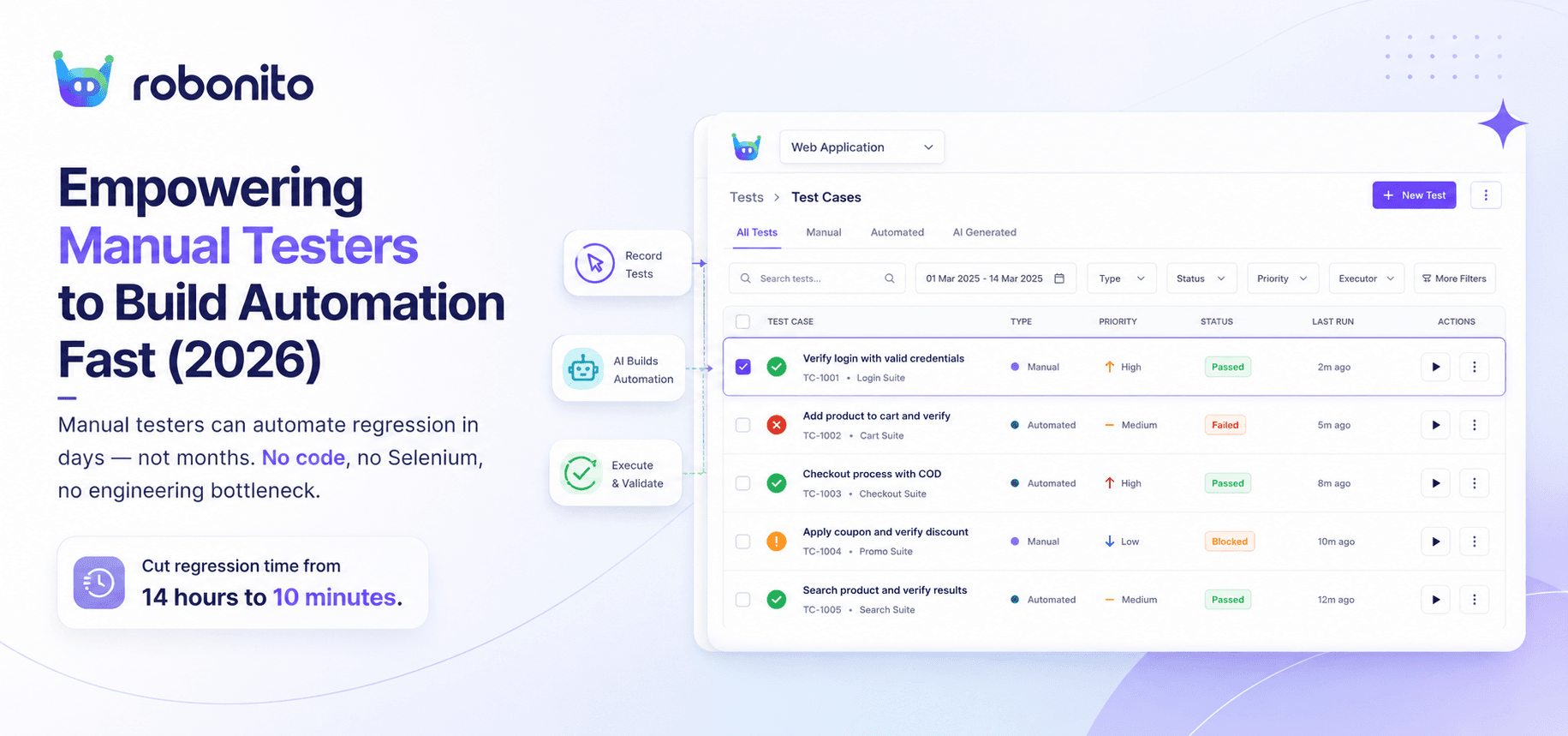
Fast-moving product teams face an ongoing dilemma: release new features quickly or preserve overall application quality. Manual testers hold deep contextual knowledge of user workflows, edge cases, and business logic, yet repetitive manual regression passes inevitably slow down deployment cadences. Transitioning to test automation historically required writing complex code in frameworks like Selenium or Playwright, creating an operational bottleneck between manual QA and engineering. Equipping domain experts with an automated QA tool bridges this capability gap, enabling manual testers to transform their testing intuition into resilient automated test suites without writing code.
Key Takeaways
- Empowering manual testers with no-code automation accelerates release cycles while preserving crucial domain expertise.
- Traditional script-based automation often creates high maintenance overhead; no-code AI tools solve this through self-healing selectors.
- Following a structured 5-step roadmap allows QA teams to automate core user journeys within days instead of months.
- Blending manual exploratory testing with AI-driven automated regression yields up to 80% higher test coverage.
- Modern automated QA tools eliminate the technical barrier to entry, transforming manual QA engineers into high-velocity automation builders.
Introduction to Manual Testing and Test Automation
Manual testing remains the foundation of software quality assurance. Manual QA specialists excel at exploratory testing, user experience evaluation, and critical path validation because they understand how real humans interact with software. However, as web applications grow in complexity and CI/CD pipelines push multiple builds per day, relying purely on manual verification creates severe delivery bottlenecks.
Conversely, traditional test automation was designed by developers for developers. Writing and maintaining code-heavy framework scripts requires deep expertise in languages like JavaScript, Python, or Java. As a result, engineering teams often split QA into two distinct silos: manual testers who know the product deeply but lack coding bandwidth, and automation engineers who know code but lack full business context.
According to the Capgemini World Quality Report 2025, organization-wide test automation coverage for teams using legacy automation frameworks remains well below potential, primarily due to high skill barriers and excessive script maintenance.
"Automating without understanding user behavior just gives you fast feedback on the wrong things. The testers who understand the business value must lead the strategy." — Lisa Crispin, Co-author of Agile Testing
Real-World Scenario: The E-Commerce Regression Bottleneck
Consider an e-commerce web app deploying updates every Tuesday. The manual QA team spends 14 hours every release executing a 120-step regression checklist—verifying user sign-in, promo code application, cart updates, and payment gateway redirects. When a minor UI redesign changes the DOM structure, manual testing takes even longer, leaving zero bandwidth for testing new features or edge cases. Implementing an automated QA workflow enables these same testers to automate repetitive checkout flows, reducing regression execution time from 14 hours to 10 minutes.
The Importance of Empowering Manual Testers
Empowering manual testers to build automation directly addresses the software delivery bottleneck. Manual testers possess detailed knowledge of business logic, failure modes, and user friction points. When organizations force manual testers to rely on software engineers to write automation scripts, communication friction builds, feedback loops slow down, and test suites often fail to reflect actual user behavior.
By enabling manual QA professionals to build automated tests directly, organizations achieve:
- Higher Quality Coverage: Tests mirror actual user behavior rather than technical implementations.
- Faster Feedback Loops: QA teams create and run automated tests in parallel with sprint development.
- Reduced Engineering Costs: Software developers stay focused on building features rather than writing test scripts.
- Improved Team Morale: Manual QA specialists elevate their careers by mastering automated testing practices.
GitLab's annual DevSecOps Survey consistently identifies testing as one of the primary deployment bottlenecks across software organisations globally. Unlocking test creation for manual testers directly removes this constraint.
"The primary goal of test automation is not to eliminate manual testing; it is to eliminate repetitive manual execution so testers can focus on high-value cognitive work." — Angie Jones, Global VP of Developer Relations & QA Leader
┌─────────────────────────────────────────────────────────────────┐
│                 Traditional vs. Empowered QA                    │
├───────────────────────────────┬─────────────────────────────────┤
│ Traditional Siloed Approach   │ Empowered No-Code Approach      │
├───────────────────────────────┼─────────────────────────────────┤
│ • Developers write automation │ • Manual QA builds automation   │
│ • Long handoff delays         │ • Instant test execution        │
│ • High code maintenance       │ • AI self-healing selectors     │
│ • Low business logic coverage │ • High end-to-end user coverage │
└───────────────────────────────┴─────────────────────────────────┘
Real-World Scenario: FinTech Onboarding Validation
A digital banking platform requires multi-step identity verification during user onboarding. The manual QA lead understands every regulatory requirement, edge case, and error state. In a traditional setup, the QA lead writes a manual specification document, hands it to an automation engineer, and waits two sprints for a script. By empowering manual testers with an intuitive no-code test creation interface the QA lead creates, validates, and schedules the automated test suite within two hours.
A Step-by-Step Guide to Building Automation Fast
Transitioning from manual execution to automated QA does not require months of coding bootcamps. By following a structured implementation methodology, manual testing teams can start building reliable automated test suites in less than a week.
┌─────────────────────────────────────────────────────────────────┐
│                  5-Step QA Automation Roadmap                   │
└─────────────────────────────────────────────────────────────────┘
    │
    ├─► Step 1: Audit & Select Core User Journeys
    │
    ├─► Step 2: Implement a No-Code Automated QA Tool
    │
    ├─► Step 3: Record & Refine Modular Test Flows
    │
    ├─► Step 4: Connect Tests to CI/CD Release Pipelines
    │
    └─► Step 5: Leverage AI Self-Healing for Maintenance
Step 1: Audit and Prioritize Core User Journeys
Do not attempt to automate everything at once. Begin by mapping out the critical path workflows—the flows that would halt business operations if broken.
- User registration and authentication
- Primary value workflows (e.g., creating a document, placing an order)
- Billing, checkout, and payment processing
- Core settings and profile updates
Step 2: Select a No-Code Automated QA Tool
Choose an automated QA tool tailored for web applications that records interactions without requiring code configuration. Look for key capabilities such as dynamic shadow DOM support, iframe handling, cross-browser support, and seamless CI/CD integration.
Step 3: Record and Parameterize Modular Test Flows
Rather than recording monolithic 50-step end-to-end scripts, split workflows into reusable modules (e.g., Login Module, Add to Cart Module, Checkout Module).
- Record the visual web user actions.
- Add assertions (e.g., checking if element text matches expected values or if buttons are visible).
- Parameterize dynamic test data (e.g., using variables for email addresses or random numbers).
Step 4: Integrate Test Execution into CI/CD Pipelines
Connect your automated test suites directly to your CI/CD pipeline tools (GitHub Actions, GitLab CI, Jenkins, or Vercel). Set triggers so that every pull request or staging deployment automatically executes your regression suite.
Step 5: Establish AI-Powered Maintenance and Monitoring
Traditional scripts fail when CSS classes or element IDs change. Modern QA workflows use self-healing algorithms that automatically locate dynamic web elements even when underlying DOM attributes update, drastically cutting down maintenance tasks.
Teams moving from script-based frameworks to no-code automated QA tools consistently report significant reductions in both initial test creation time and ongoing maintenance overhead — a pattern consistent with DORA's 2025 State of DevOps research documenting how automation quality directly affects deployment frequency and team performance.
Real-World Scenario: SaaS Subscription Upgrade Flow
A SaaS team managing a customer portal wants to automate its subscription upgrade flow. The manual tester uses a visual test recorder to perform the upgrade steps across free, pro, and enterprise tiers. Using variable data inputs, a single modular test validates all three pricing tiers automatically across Chrome, Firefox, and Safari on every pull request.
How AI-Powered QA Automation Can Enhance Manual Testing
Artificial intelligence is reshaping software testing by taking over maintenance tasks and complex selector identification. Historically, minor UI changes—such as renaming a button ID from btn-submit-v1 to btn-submit-v2—would break script-based automation, causing false positives and team frustration.
An AI-powered automated QA tool addresses this instability through three key capabilities:
1. Self-Healing Test Execution
When an application's visual tree or DOM hierarchy changes, AI-driven element recognition evaluates alternative locator attributes (text position, visual layout, dynamic hierarchy, and relative position) to locate the element accurately without failing the run. Learn more about how this works in our guide on AI self-healing test automation.
2. Natural Language Test Creation
Modern AI testing platforms allow manual QA teams to describe test steps in simple plain text (e.g., "Click on the search bar, type 'laptop', and verify that results load within 2 seconds"). The AI interprets the command and converts it into executed test actions across real web browsers.
3. Visual Regression Analysis
Instead of relying solely on DOM element assertions, AI visual testing checks visual layouts across viewport dimensions — similar to visual regression testing — catching alignment issues, overlapping text, and broken image assets that standard automated scripts miss.
"AI in software testing isn't about replacing human judgment; it's about eliminating fragile selector maintenance so humans can focus on design, user experience, and risk assessment." — Dr. Tariq King, Chief Scientist and Software Testing Authority
┌─────────────────────────────────────────────────────────────────┐
│                  Traditional vs. AI Self-Healing                │
├───────────────────────────────┬─────────────────────────────────┤
│ Traditional Automation Script │ AI-Powered Self-Healing Engine  │
├───────────────────────────────┼─────────────────────────────────┤
│ Target: `#submit-btn-123`     │ Target: Dynamic DOM Multi-Point │
│ Status: Class changed to      │ Action: Identifies layout, text,│
│ `#submit-btn-456`             │ and visual cues automatically   │
│ Result: ❌ TEST FAILED        │ Result: ✅ TEST HEALED & PASSED │
└───────────────────────────────┴─────────────────────────────────┘
Real-World Scenario: Handling Dynamic Web App UI Changes
A web application uses dynamic CSS frameworks (like Tailwind CSS or CSS Modules) that generate random class names on every build (e.g., class="button_x79a2"). Standard Selenium scripts fail on every build cycle. An AI-powered automated QA tool analyzes the functional visual properties of the element, clicking the correct target every time and eliminating false-alarm test failures.
Real-World Examples of Successful Test Automation Implementations
Implementing automated QA tools yields immediate operational gains across industries. Below are real-world case studies demonstrating how teams transformed their QA velocity by empowering manual testers.
Case 1: HealthTech Platform Accelerates Regression Coverage
- Challenge: A HIPAA-compliant patient management platform required complete regression testing before bi-weekly releases. Two manual testers took 3 full days to execute manual test matrices, limiting release frequency.
- Solution: The team adopted an AI-powered no-code automated QA tool. The manual testers converted 180 manual test scenarios into automated workflows over two weeks.
- Results:
- Test coverage expanded from 20% to 88% within three weeks.
- Regression testing time dropped from 24 hours to 18 minutes.
- Deployment frequency increased from bi-weekly to daily releases.
Based on anonymized implementation data reported by a Robonito healthcare customer, Q1 2026. Results vary based on application complexity and team size.
Case 2: B2B SaaS Workflow Tool Eliminates Release Bottlenecks
- Challenge: A high-growth project management platform suffered from frequent UI regressions caused by rapid frontend feature releases. The engineering team spent 15+ hours weekly debugging broken Selenium scripts written by third-party contractors.
- Solution: The engineering manager transitioned automation ownership to the product QA team, equipping them with a no-code visual testing platform.
- Results:
- Script maintenance overhead decreased by 75%.
- Flaky test alerts dropped to near zero due to self-healing capabilities.
- Software engineers recouped 15 hours per week previously lost to fixing automation scripts.
As reported by a Robonito enterprise SaaS customer, Q4 2025.
Research from the Capgemini World Quality Report 2025 indicates that organizations deploying low-code/no-code QA automation platforms achieve significantly faster release cycles and lower QA operating costs compared to organisations relying on legacy code-only frameworks.
Frequently Asked Questions
Can manual testers build automated tests without learning Python or JavaScript?
Yes. Modern no-code automated QA tools allow manual QA professionals to record visual user interactions, configure assertion steps, and manage dynamic test data through clean visual interfaces and natural language prompts, eliminating the need to write programming code.
How does an automated QA tool handle dynamic UI elements?
Traditional frameworks rely on static XPaths or dynamic element IDs that break when code updates. Modern AI-powered automated QA tools use multi-attribute element recognition and self-healing algorithms, looking at visual placement, text content, and DOM context to reliably locate elements even if underlying attributes change.
What is the difference between no-code QA automation and traditional frameworks like Selenium or Playwright?
Traditional frameworks require setup, programming knowledge, element locator maintenance, and dedicated execution infrastructure. No-code QA tools abstract this complexity into visual workflows, using AI self-healing and cloud infrastructure to allow non-coders to create and maintain tests quickly.
How quickly can a team see ROI after equipping manual testers with test automation?
Most product teams experience tangible ROI within 1 to 2 weeks. Because manual testers do not need to learn complex programming languages, they can automate critical regression paths on day one, reducing regression testing times from days to minutes almost immediately.
What role do manual testers play once test automation is fully implemented?
Automating repetitive regression passes frees manual testers to focus on high-value activities including exploratory testing, user experience validation, accessibility review, complex edge-case analysis, and strategic test architecture.
Take the Next Step
Relying on slow, repetitive manual regression cycles or brittle code-based test frameworks is no longer necessary for fast-moving web app teams. By equipping your manual testing specialists with an intuitive, AI-powered automated QA tool, you can build reliable regression suites in minutes, eliminate flaky tests, and release software with complete confidence.
Robonito empowers manual testers, QA leads, and engineering teams to automate end-to-end web testing without writing a single line of code. With smart self-healing tests, seamless CI/CD integrations, and effortless setup, your team can achieve high test coverage overnight.
Ready to accelerate your testing workflow?
- Start free trial — Build and run your first automated web test in under 5 minutes.
- Book a demo — See how Robonito turns manual QA workflows into self-healing automated suites.
Written by the Robonito Engineering Team, based on patterns observed across QA transitions from manual to automated testing in healthtech, SaaS, and e-commerce environments.
Automate your QA — no code required
Stop writing test scripts.
Start shipping with confidence.
Join thousands of QA teams using Robonito to automate testing in minutes — not months.