A product manager writes "a returning customer can reorder from their order history" in a Jira ticket. A week later, someone turns that sentence into test code, and the sentence is lost.
Natural language test automation skips that translation: the sentence becomes the test. How a tool does that matters more than the marketing suggests.
Natural language test automation tools let you write tests in plain English, not code. They work in one of two ways: AI turns your words into code your team owns and reviews, or the words are the test and an AI agent interprets them at run time. The first suits code-first teams; the second suits mixed and non-technical QA teams.
This guide explains both architectures, compares seven tools and covers where plain-English tests are the wrong choice.
Key takeaways
- "Natural language" describes how you write a test. The architecture underneath decides who maintains it, how it fails and how locked in you are.
- Generated-code tools fit teams that want every test in code review. Run-time agent tools fit teams where testers and product people write tests.
- Most platforms sit between the two: your words become structured steps in the platform, repaired by AI when the UI changes.
- Plain English is a poor fit for heavy numeric assertions, pixel-perfect visual checks and performance testing.
What is natural language test automation?
It's automated testing where the test is written as plain-language steps or goals, such as "log in as a store manager and check that the refund button is disabled", rather than as Selenium or Playwright code.
The AI does what a test engineer used to do by hand: find the element, wait for the page, act and check the result. That's how these tools let QA teams write tests without coding. What differs is when the AI does that work, and what you're left holding afterwards.
What are the two architectures behind natural-language testing?
Architecture 1: natural language in, code out
You describe the test, and an AI writes code: Playwright, Selenium, Groovy or another framework. From then on, that code is the test. It lives in your repository and is reviewed in pull requests.
The AI helps at authoring time only. When the UI changes, the script breaks like any script, and someone, or another AI pass, fixes it.
This is the model behind features such as Katalon's StudioAssist, and what you get when you ask an agent with Playwright MCP to write a test from a flow it just explored.
Architecture 2: natural language is the test
You write the steps or the goal, and that text is what gets stored and run. At run time, an AI agent reads each step, looks at the current page and decides how to carry it out.
There's no generated script to maintain. When a button moves, the agent finds it again, because the intent ("click Checkout") hasn't changed. Testers, analysts and product owners can author and review the test.
Most platforms sit somewhere between
Few commercial tools are pure examples of either. Several turn your words into structured steps stored in the platform. Each run replays them, and AI repairs locators when the app changes. Because anyone can read and edit those steps, they're closer to architecture 2, though more predictable than a free-form agent.
How do the two architectures compare?
| Natural language → generated code | Natural language as the test | |
|---|---|---|
| What you maintain | Code in your repository | Plain-language steps in the platform |
| Who can author | Engineers, or testers who can read code | Anyone who can describe the behaviour |
| Code review | Fits your pull-request flow exactly | Reviewed in the platform, not in Git |
| When the UI changes | The script fails until someone fixes it | The agent or healing adapts the step |
| Flakiness | Deterministic, but brittle locators | Less locator breakage, but the AI can interpret a vague step differently |
| Debugging | Stack traces, breakpoints, familiar tools | Run evidence: video, logs, the agent's reasoning |
| Lock-in | Low: you own standard code | Higher, unless the tool exports code |
| Best for | Code-first teams with SDETs | Mixed or non-technical QA teams |
Neither column wins outright. If every test must pass code review, architecture 1 is the honest choice. If only two people on the team can write automation, architecture 2 removes that bottleneck.
Which natural language test automation tools are there in 2026?
Facts below come from each vendor's own site or docs, checked in November 2026. Features change often, so confirm them with the vendor.
testRigor
- Architecture: natural language as the test. testRigor describes its tests as "free-flowing plain English" and says that all tests are always in plain English. You can also generate tests from a description with its generative AI and save repeated steps as named Reusable Rules.
- Platforms: web, native and hybrid mobile apps on iOS and Android, API calls, email, SMS and phone calls. Native desktop testing is Windows-only and limited to paid versions.
- Suits: teams that want manual testers writing end-to-end tests. See also our testRigor alternatives guide.
Testsigma
- Architecture: between the two, closer to 2. You write steps in plain English or create them from a Jira ticket, a recording or a prompt. In the editor, natural-language steps are suggested as you type an action such as Click, Enter or Verify.
- Platforms: web, mobile (iOS and Android), API (REST and SOAP), Windows desktop, Salesforce and SAP.
- Suits: cross-functional teams of manual testers and analysts who want broad platform coverage.
Katalon (StudioAssist)
- Architecture: natural language → generated code. In Katalon Studio, StudioAssist's Generate code feature generates script code from a commented description and adds it to the open script. It can also explain code, and Agent mode runs multi-step actions in the project. The docs say it needs a Katalon Studio Enterprise licence.
- Platforms: web, iOS and Android apps, REST, SOAP and GraphQL APIs, and Windows desktop apps, with no-code, low-code and full-code (Groovy or Java) tests in the same project.
- Suits: teams with engineers who want AI help writing code they'll own.
mabl
- Architecture: between the two. On mabl, authoring starts with intent: a plain English description, a user story or a Jira ticket, refined in a point-and-click interface. mabl handles routine UI changes itself, and for larger ones shows what it would change and waits for approval.
- Platforms: web and mobile (iOS and Android), API testing and testing of AI apps.
- Suits: product teams that want low-code tests with a review step for larger repairs.
Functionize
- Architecture: closest to 2, judging by its site. You describe what to test and its Studio builds, runs and keeps the test green, with agents interpreting what you mean.
- Platforms: the site describes web UI workflows, including Salesforce, ServiceNow, Workday and SAP.
- Suits: web-focused teams. Pricing is public and credit-based, with a free plan.
Virtuoso
- Architecture: natural language as the test. Analysts and manual testers create and edit journeys as readable sentences, with no locators or code. Agents can propose journeys from requirements, designs and live applications, and a person reviews each proposal. Its docs describe ML-powered self-healing.
- Platforms: anything that runs in a browser, with a focus on enterprise apps such as Dynamics 365, SAP, Oracle, Salesforce, Workday and ServiceNow.
- Suits: regulated enterprises testing browser-based business systems.
Robonito
- Architecture: natural language as the test, with code export when you want it. In AI Studio, an agent works through your app from a plain-language description, and the result is saved to a test suite.
- Platforms: web on every plan. Mobile (Android and iOS), desktop and API testing on Pro and Custom.
- Suits: mixed-skill QA teams that want plain-language tests and run evidence, with an exit route to code.
Summary
| Tool | Architecture | Web | Mobile | API | Desktop |
|---|---|---|---|---|---|
| testRigor | NL is the test | Yes | iOS, Android | Yes | Windows (paid) |
| Testsigma | Structured NL steps | Yes | iOS, Android | REST, SOAP | Windows |
| Katalon | NL → code | Yes | iOS, Android | REST, SOAP, GraphQL | Windows |
| mabl | Structured, intent-first | Yes | iOS, Android | Yes | Not stated |
| Functionize | Agent-run | Yes | Not stated | Not stated | Not stated |
| Virtuoso | NL is the test | Browser apps | Not stated | Within journeys | Not stated |
| Robonito | NL is the test, code export | Every plan | Pro, Custom | Pro, Custom | Pro, Custom |
"Not stated" means we couldn't find it on the vendor's site. For a wider list that includes recorder-based tools, see the best no-code test automation tools in 2026.
Where are natural-language tests a bad fit?
Plain English describes user journeys well. It describes some other things badly:
- Heavy numeric or algorithmic assertions. "The amortisation schedule is correct for 360 months" needs computed expected values. Test that in code, and keep the UI test to "the schedule shows 360 rows".
- Pixel-perfect visual checks. "The logo looks right" is too vague to judge consistently. Use a visual-regression tool with baseline images.
- Performance and load testing. These tools check that a journey works, not how the system behaves under thousands of users. Use a load-testing tool.
- Teams that want everything in Git. If no test merges without a pull request, a platform-held test will always feel like an exception. Use generated code, or export it.
- Vague steps. "Check the page works" will pass or fail unpredictably. State the expected result.
The healthiest setups mix both: plain-language journeys for the flows users care about, and code for the maths and edge cases underneath.
How can a QA team adopt natural language test automation quickly?
Adoption stalls when teams try to migrate everything at once. A faster path:
- Pick five critical journeys, such as login, signup, checkout and a known regression.
- Let the person who knows the flow write it, usually a manual tester or product owner.
- Write expected results, not just actions. Every test should say what "pass" looks like.
- Run it against staging for a week. Watch how the tool handles UI changes and read its evidence when it fails.
- Connect CI once results are stable, then add journeys in priority order.
What you're really testing in the pilot is the architecture: does the team trust how the tool fails and heals?
Where does Robonito fit?
Robonito is an agentic QA platform: AI agents create, run and maintain end-to-end tests. It sits in architecture 2, with an exit route to architecture 1.
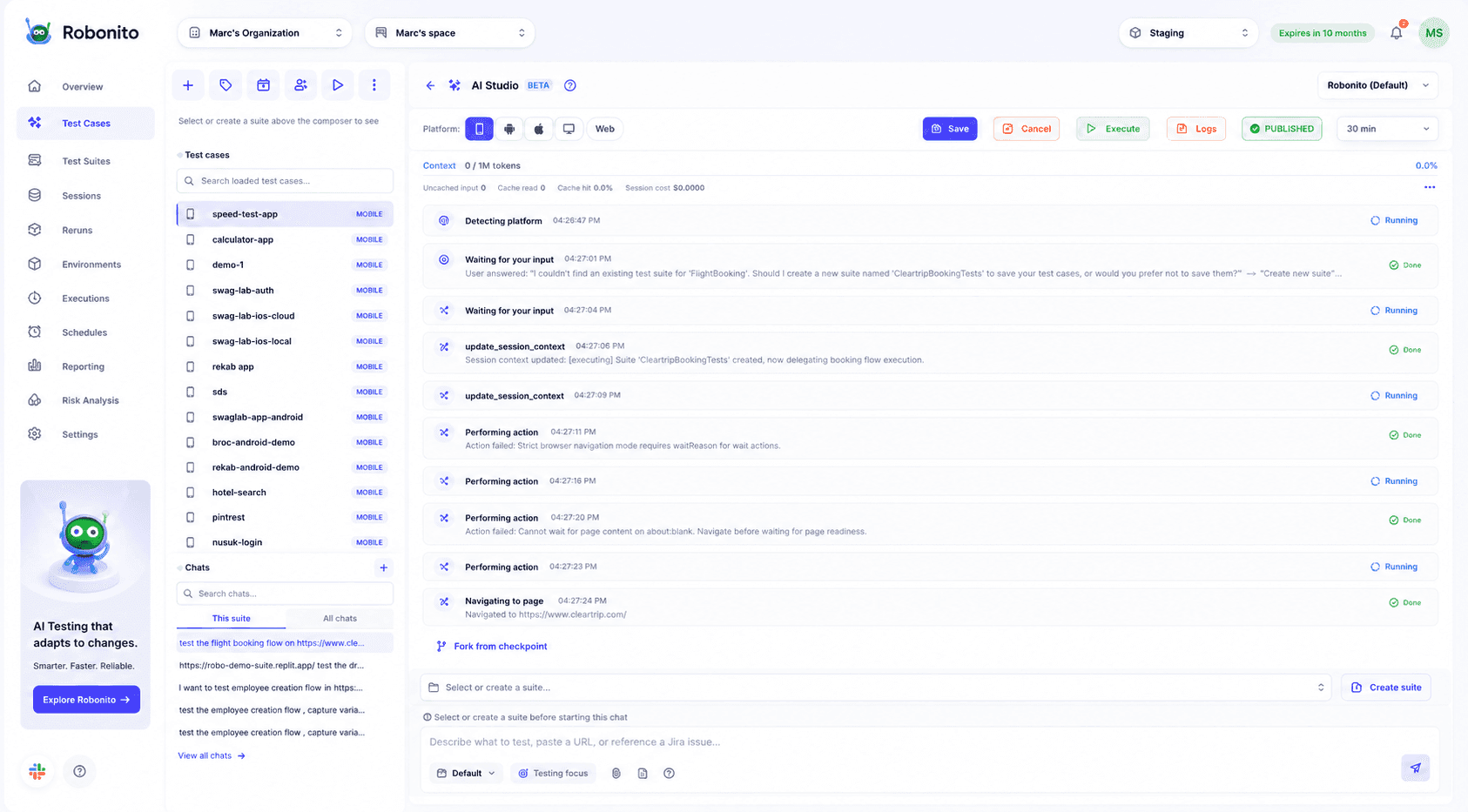
Plain text to test case & Autopilot is on every plan, including Free. In AI Studio, you describe what to test, paste a URL or reference a Jira issue. The agent works through the app step by step, logs every action and saves the result to a test suite. It can also generate tests from requirement documents, Jira epics and Swagger/OpenAPI definitions.
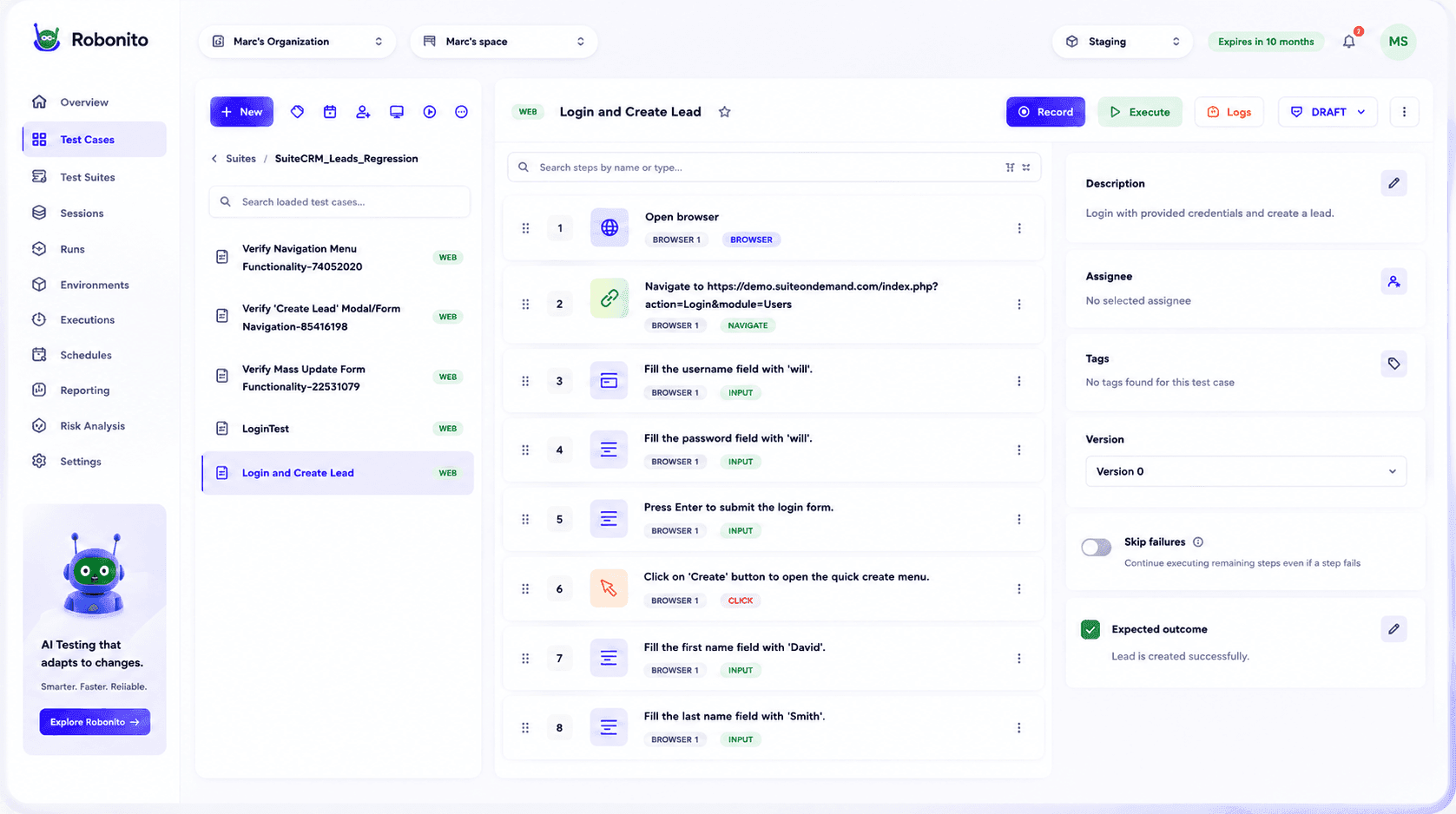
You can also record a flow in the desktop app, build no-code tests from reusable steps, or use low-code extensions for advanced cases.
When the UI changes, self-healing adapts steps to new labels, layouts or locators, and logs each healed step for review. Every run keeps video, network traces and an AI root cause for failures. On lock-in, Robonito can generate executable code for your test cases, so a test written in plain English doesn't have to stay in the platform forever.
Where it doesn't fit as well:
- Web-only on Free and Starter. Mobile, desktop and API testing need Pro or Custom.
- CI/CD, Jira and Slack integration start on Starter, not Free.
- If every test must be code in Git, a code-first tool will suit you better day to day.
Club Car used Robonito to cut QA testing time by over 70% on its CPQ and 3D configurator testing.
on a web journey, or to see AI Studio run a flow from your Jira backlog.
Frequently asked questions
Which natural language testing tools support web and mobile apps?
testRigor, Testsigma, Katalon and mabl state web plus iOS and Android support on their own sites. Robonito covers web on every plan and mobile on Pro and Custom. Functionize and Virtuoso focus on browser-based apps.
Which natural language testing tool is best for non-technical users?
One where the plain-language test is what gets stored, run and reviewed, such as testRigor, Virtuoso or Robonito. Tools that generate code from a prompt still need someone who can maintain that code.
Which tools let QA teams write tests without coding?
testRigor, Testsigma, mabl, Functionize, Virtuoso and Robonito. Katalon has no-code and low-code modes too, but its StudioAssist natural-language feature generates script code.
How can my QA team adopt natural language test automation quickly?
Start with five critical journeys, have the person who knows each flow write it with clear expected results, and run them on staging for a week before connecting CI.
Are natural-language tests flaky?
They break less often from locator changes, because the intent survives a UI change. They can be inconsistent when a step is vague, so write precise expected results and review healed steps.
Will plain-English tests lock me in?
Generated-code tools leave you with standard code. Platforms that hold the test create more lock-in unless they export code. Robonito can generate executable code for your test cases.
Write the test the way you'd describe it, and let an agent run it on every release. or .