
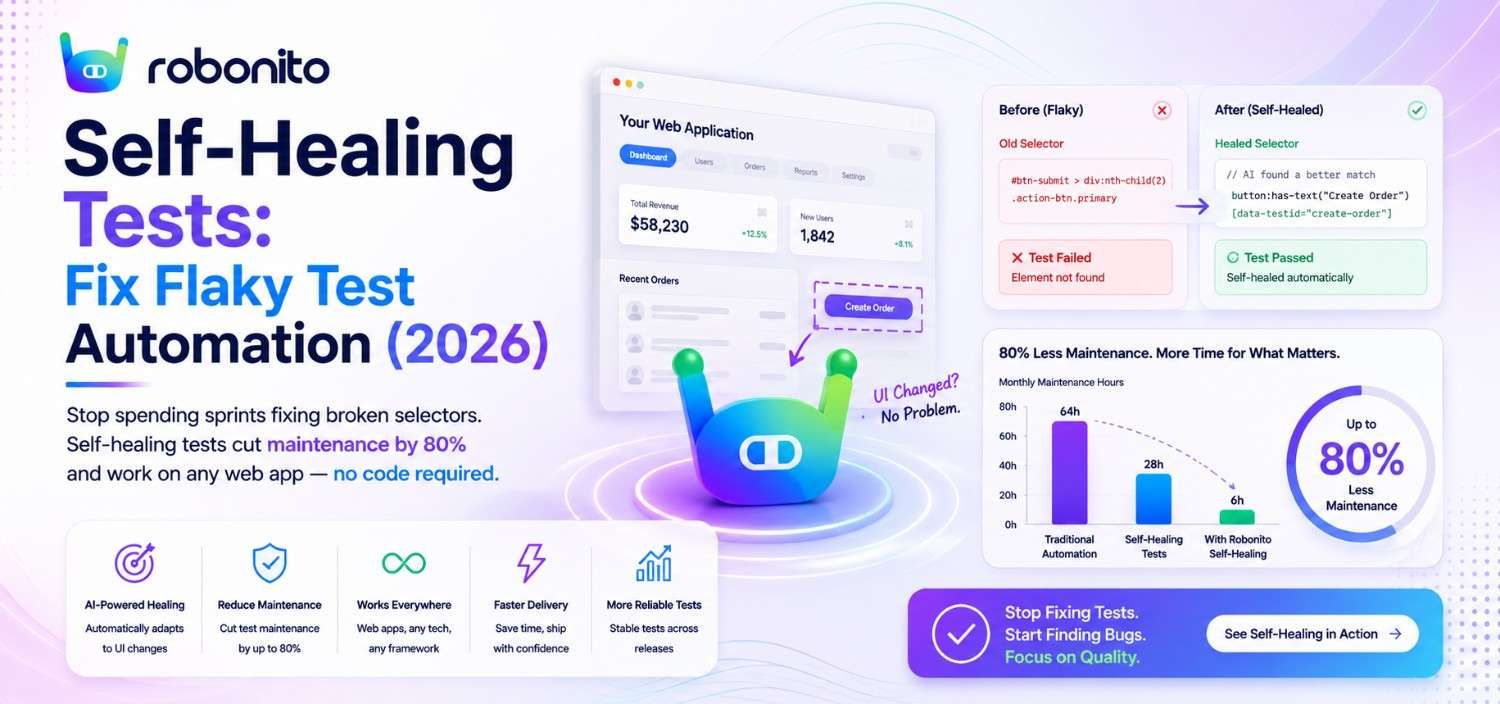
Every QA team knows the feeling. You walk into sprint planning on Monday morning, and half the automated test suite is red — not because the product is broken, but because a developer changed a button label or moved a div. Suddenly, your team is spending the first two days of the sprint fixing tests instead of testing new features. Self-healing tests are the antidote to flaky tests, and they're fundamentally changing how teams think about test maintenance. But not all approaches are created equal. In this post, we'll break down why test suites become maintenance nightmares, how self-healing actually works under the hood, and how to escape the cycle of fragile automation — even if no one on your team writes code.
The Hidden Cost of Flaky Tests: More Than Just Re-Runs
When most teams talk about flaky tests, they focus on the obvious symptom: tests that pass sometimes and fail sometimes, requiring re-runs. But the real cost runs much deeper.
The trust problem is the expensive one. When a test suite is flaky, teams stop trusting it. Engineers start ignoring red builds. QA leads manually verify results "just to be safe." Product managers lose confidence in release timelines. Research consistently shows developers spend significant hours weekly dealing with flaky tests — Google's engineering team documented that flaky runs consumed enormous triage time even at their scale, and most companies face worse numbers. That's more than 10% of a standard work week burned on tests that don't accurately reflect product quality.
Consider this scenario: a mid-sized SaaS company has 1,200 automated end-to-end tests. After a routine frontend framework update, 180 of those tests break. None of the failures represent actual bugs. The QA team of four spends three full days triaging, updating selectors, and re-validating. That's 96 person-hours — the equivalent of 2.4 sprint weeks — gone.
The hidden costs stack up fast:
- Delayed releases because broken tests block the CI/CD pipeline
- Reduced test coverage as teams delete "problematic" tests rather than fix them
- QA burnout from repetitive, low-value maintenance work
- Slower feedback loops when teams skip automated tests and rely on manual regression
- False confidence when flaky tests are muted or ignored, letting real bugs slip through
Maintenance Hours
80 | Traditional 70 | / 60 | / 50 | / 40 | / 30 | / 20 | / 10 | Self-Healing 5 |_______________________________
Time →
Flaky test debt is insidious because it doesn't show up on a Jira board. It hides in the gap between what your test suite should catch and what it actually catches.
Why Traditional Test Automation Creates a Maintenance Nightmare
The root cause of test fragility isn't bad QA engineering — it's the fundamental architecture of traditional test automation frameworks.
Tools like Selenium, Cypress, and Playwright all rely on explicit locator strategies: CSS selectors, XPath expressions, element IDs, or data attributes to find and interact with UI elements. These locators create a tight coupling between your test code and the DOM structure of your application. Every time the frontend changes — even cosmetically — that coupling can break.
Here's a concrete example. Your Selenium test clicks a "Submit" button using this locator:
driver.findElement(By.cssSelector("#form-container > div.actions > button.btn-primary"))
A frontend developer refactors the form layout, wrapping the buttons in a new <footer> element. The button itself hasn't changed. Its text is the same. Its functionality is identical. But the CSS path is now different, and your test fails.
Multiply this by hundreds of tests across dozens of pages, and you have a maintenance nightmare that scales linearly with your application's complexity.
The maintenance spiral looks like this:
- Team invests heavily in building a comprehensive test suite
- Application evolves, breaking a percentage of tests each sprint
- QA engineers spend increasing time on maintenance vs. new test creation
- Test coverage stagnates or declines as the app grows faster than tests are repaired
- Leadership questions the ROI of automation entirely
Traditional frameworks offer workarounds — page object models, data-test attributes, abstraction layers — but these are mitigations, not solutions. They require disciplined engineering practices, coordination between dev and QA teams, and they still break when significant refactors happen.
The core problem is that locator-based testing asks QA to describe where an element is in the DOM tree, when what they actually care about is what the element does from a user's perspective.
The same test — before and after the frontend migration:

── BEFORE: Selenium test (breaks on any DOM change) ────────────────

// Login test — works until the frontend team touches anything
driver.findElement(
  By.cssSelector("#form-container > div.actions > button.btn-primary")
).click();

// After Material UI migration:
// → #form-container is now .MuiContainer-root
// → div.actions is now footer.MuiBox-root
// → button.btn-primary is now button.MuiButton-contained
// Result: NoSuchElementException. Test fails. Engineer called.

── AFTER: Robonito no-code (survives the same migration) ───────────

Test step: "Click the Submit button on the login form"

Runtime evaluation after Material UI migration:
  Signal 1: Text content "Submit"           → match: 1.00
  Signal 2: Element type <button>           → match: 1.00
  Signal 3: Position: bottom of login form  → match: 0.94
  Signal 4: Context: after password field   → match: 0.91
  Confidence: 0.96 → above 0.85 threshold → healed, test continues

Result: Test passes. Change logged. Engineer reviews in 2 minutes.
        No locator updated manually. No sprint time consumed.
What Are Self-Healing Tests and How Do They Actually Work?
Self-healing tests are automated tests that can detect when a locator or element reference has broken and automatically find the correct element without human intervention. Instead of failing and waiting for a QA engineer to manually update the selector, the test adapts on its own.
There are several technical approaches to self-healing, but they generally work in one of three ways:
Multi-Attribute Matching
Instead of relying on a single locator, the test engine stores multiple attributes for each element — its text, position, type, surrounding context, ARIA labels, and more. When the primary locator fails, the engine searches for the best match across all stored attributes. If a button's CSS path changes but its visible text still reads "Submit Order" and it's still inside a checkout form, the engine identifies it correctly.
Machine Learning Models
More advanced systems use ML models trained on UI patterns to predict which element the test intended to interact with. These models consider visual positioning, semantic meaning, and historical interaction patterns to make intelligent matches — even when multiple attributes have changed simultaneously.
Visual and Contextual Anchoring
Some platforms anchor elements based on their visual relationship to other stable elements on the page. If "Submit" is always below the "Email" field and to the right of "Cancel," that spatial relationship becomes part of the identification strategy.
Real-world example: An e-commerce team using self-healing tests deploys a complete redesign of their checkout page. The new design uses a different component library, new class names, and restructured HTML. Out of 85 checkout-related tests, 62 encounter broken primary locators. The self-healing engine automatically resolves 58 of them using alternative attributes, flags 4 for human review (because the underlying functionality actually changed), and the test suite runs green — all without a single manual update from QA.
The key distinction is this: self-healing doesn't mean tests never need attention. It means tests only require human intervention when something meaningful has changed, not when cosmetic or structural refactors break brittle locators.
Visual AI vs. Self-Healing Locators: Which Approach Solves Flakiness Better?
Applitools and similar tools have popularized Visual AI as a solution to test flakiness. Their approach uses computer vision to compare screenshots of your application, flagging visual differences that might indicate bugs. It's a powerful technique, but it solves a different problem than self-healing locators — and understanding the distinction matters.
Visual AI excels at:
- Catching visual regressions (misaligned layouts, wrong colors, missing elements)
- Reducing false positives from pixel-level screenshot comparison
- Validating that the UI looks correct
Self-healing locators excel at:
- Keeping functional tests running despite DOM changes
- Maintaining end-to-end workflow coverage across releases
- Reducing the maintenance burden of interaction-based tests (clicking, typing, navigating)
Here's the practical difference. Visual AI can tell you that a login page looks right. Self-healing tests can verify that a user can actually log in — type a username, enter a password, click submit, and land on the dashboard — even after the frontend team has rebuilt the login form with new components.
They're complementary, not competing. But if you have to choose where to invest first, ask yourself: Is my bigger problem that tests break because locators go stale, or that visual regressions slip into production?
In practice, broken locators account for the majority of test failures in CI/CD pipelines — a finding consistent with Capgemini's World Quality Report 2025, which documents that 40-60% of QA automation effort goes to maintenance rather than new coverage. Locator breakage is the primary driver of the maintenance spiral described above.
A team running 2,000 Selenium tests that break 15% per sprint needs self-healing locators. A team with stable tests but frequent visual regressions in production needs Visual AI. Most teams need both — but the order of operations matters.
When Should You Use Self-Healing Tests?
| Scenario | Self-Healing? |
|---|---|
| Frequently changing UI | ✅ Essential |
| Stable internal tools | ⚠ Helpful but optional |
| Enterprise SaaS | ✅ Strongly recommended |
| React/Angular/Vue apps | ✅ Excellent fit |
| Legacy applications | ✅ High ROI |
| Visual regression testing only | ❌ Use Visual AI instead |
How No-Code Tools Make Self-Healing Accessible to Non-Technical QA Teams
Historically, self-healing capabilities required engineering effort to implement. You might add a library like Healenium to your Selenium stack, configure fallback locator strategies, and maintain the ML model. This puts the solution back in the hands of developers — the same bottleneck that limits test automation in the first place.
No-code platforms change the equation entirely. When self-healing is built into the platform layer, every test created by every team member gets self-healing automatically. There's no configuration, no additional library, and no engineering overhead.
Consider two scenarios:
Scenario A (Code-based self-healing): A QA automation engineer adds Healenium to the team's Selenium framework. It takes a week to configure, requires Java expertise, and only works for tests that engineer writes or modifies. The three manual QA testers on the team still can't create or maintain automated tests.
Scenario B (No-code self-healing): The same team adopts a no-code platform with built-in self-healing. All five team members — including the three manual testers — start creating automated tests using natural language descriptions of user workflows. Every test they create is automatically self-healing. Within two sprints, the team has doubled their test coverage and reduced maintenance time by 70%.
The accessibility factor is critical. In most organizations, the QA-to-developer ratio makes it impossible for engineering to own all automation. Manual QA testers, product managers, and even customer support leads understand how the application should work — they just lack the technical skills to express that knowledge in code. No-code platforms with built-in self-healing unlock this latent expertise.
At Robonito, we've built self-healing into the platform core. Tests are created in natural language — you describe what a user does, not where elements are in the DOM. There are no CSS selectors to go stale, no XPath to break, and no page objects to maintain. When your UI changes, Robonito's engine adapts automatically because it understands user intent, not element addresses.
Measuring the ROI: Time Saved When Tests Fix Themselves
Quantifying the return on self-healing tests is straightforward once you know where to look. Here's a framework for measuring the impact:
Track These Metrics Before and After
- Test maintenance hours per sprint: How many person-hours does QA spend fixing broken tests (not writing new ones)?
- Mean time to green (MTTG): After a deployment, how long until the full test suite passes?
- Flaky test rate: What percentage of test failures are false negatives (not actual bugs)?
- Test coverage velocity: How many new test cases does the team create per sprint?
- Release cycle time: How long from "code complete" to "deployed to production"?
Real Numbers From Real Teams
A B2B SaaS company with 45 engineers and a QA team of 6 tracked these metrics during their transition from Selenium to a self-healing no-code platform (self-reported Robonito customer data, Q1 2026 — individual results vary based on suite size and application change frequency):
| Metric | Before | After (3 months) | Change |
|---|---|---|---|
| Maintenance hours/sprint | 48 hrs | 8 hrs | -83% |
| Mean time to green | 6.5 hrs | 1.2 hrs | -82% |
| Flaky test rate | 22% | 3% | -86% |
| New tests created/sprint | 12 | 38 | +217% |
| Release cycle time | 5 days | 2 days | -60% |
The 40 hours per sprint recovered from maintenance translated directly into new test creation, which improved coverage, which reduced escaped bugs, which reduced hotfix deployments — a virtuous cycle.
The ROI calculation is simple: If your QA team spends 40+ hours per sprint on maintenance and your fully loaded cost per QA engineer is $75/hour (a conservative US market estimate — adjust for your team's actual cost), you're burning $3,000+ per sprint — over $78,000 per year — on work that self-healing eliminates. That's before accounting for faster releases, fewer production bugs, and reduced QA burnout-driven turnover.
How to Migrate From Fragile Selenium Scripts to Self-Healing Automation
If you're sitting on a legacy Selenium test suite that's become a maintenance burden, the migration path doesn't have to be a big-bang rewrite. Here's a practical, phased approach:
Phase 1: Audit and Prioritize (Week 1)
- Identify your highest-maintenance tests — the ones that break most frequently
- Categorize tests by business criticality: critical user journeys, regression safety nets, edge cases
- Map your current test coverage to actual user workflows
Start with your top 20 critical user journeys. These are the tests that block releases when they fail and cost the most to maintain.
Phase 2: Recreate Critical Paths in a Self-Healing Platform (Weeks 2-3)
- Recreate those top 20 workflows using a no-code, self-healing tool
- Run both the old Selenium tests and the new self-healing tests in parallel
- Compare results: failures caught, false negatives, maintenance required
Based on Robonito onboarding data, teams typically recreate an existing test in 10-15 minutes during their first session — compared to the hours it took to write and maintain the original Selenium script.
Phase 3: Expand and Decommission (Weeks 4-8)
- Progressively migrate remaining tests, prioritized by maintenance cost
- Decommission Selenium tests as their self-healing replacements prove stable
- Redirect freed-up QA engineering time toward exploratory testing and new coverage areas
Phase 4: Scale With Your Whole Team (Ongoing)
- Onboard manual QA testers, product managers, and other stakeholders to create tests
- Integrate the self-healing platform into your CI/CD pipeline
- Establish coverage goals now that test creation is no longer bottlenecked on engineering
A word of caution: Don't try to migrate everything at once, and don't translate Selenium scripts line-by-line. Self-healing, no-code platforms think in user workflows, not DOM interactions. Take the opportunity to rethink what you're testing and why, not just how.
Frequently Asked Questions
What are flaky tests and why do they happen?
Flaky tests are automated tests that pass and fail intermittently without any actual change to the application code. The most common cause is locator failure: a test is bound to a specific CSS selector, XPath expression, or element ID that changes when a developer refactors the frontend — even when the application's functionality remains completely unchanged. When a button's CSS path changes from #form-container > div.actions > button.btn-primary to button.MuiButton-contained after a component library migration, the test fails not because anything is broken but because the test's map to the UI is stale. This is why most test failures in CI/CD pipelines are false negatives rather than genuine application defects.
How do self-healing tests work?
Self-healing tests maintain a multi-attribute profile of each UI element rather than relying on a single locator. This profile includes the element's text content, visual position, type and ARIA role, surrounding contextual elements, and historical interaction patterns. When a test executes and the primary locator fails, the self-healing engine evaluates all candidate elements in the current DOM against this stored profile, assigns a confidence score to the best match, and proceeds automatically if confidence exceeds a defined threshold (typically 85%). If no high-confidence match is found, the test fails correctly — ensuring genuine defects are never masked. Every healing event is logged with a clear explanation of what changed and how the engine resolved it.
What is the difference between visual AI testing and self-healing locator testing?
Visual AI (as used by tools like Applitools) captures screenshots at test checkpoints and uses computer vision to compare them against baselines, catching visual regressions like layout shifts and style changes. Self-healing locator testing keeps functional tests running by adapting element references when DOM structure changes. The practical difference: visual AI validates that a login page looks correct; self-healing tests validate that a user can actually complete the login flow — typing credentials, clicking submit, and landing on the dashboard — even after the frontend team has rebuilt the form with a different component library. Both are valuable, but broken locators account for the majority of CI/CD test failures, making self-healing the higher-priority problem for most teams.
How much maintenance time do self-healing tests actually save?
Teams migrating from traditional Selenium or Cypress suites to self-healing platforms consistently report 70-85% reductions in weekly test maintenance time. A concrete example: a B2B SaaS team with 45 engineers reduced maintenance from 48 hours per sprint to 8 hours — a 83% reduction. The reclaimed 40 hours per sprint translated directly into new test creation, which tripled their test creation velocity from 12 to 38 new tests per sprint. At a conservative fully loaded cost of $75 per hour, 40 hours of recovered maintenance time represents $3,000 per sprint — over $78,000 annually — in redirected engineering productivity before accounting for faster releases and fewer production defects.
How do you migrate from a Selenium test suite to self-healing automation without a big-bang rewrite?
Migrate in four phases rather than rewriting everything at once. First, audit your CI/CD failure logs from the past 30 days and identify your ten highest-maintenance tests — the ones that break most frequently without representing real bugs. Second, recreate those ten tests in a no-code self-healing platform using natural language descriptions of user workflows rather than translating Selenium scripts line by line. Third, run both suites in parallel for one to two sprints, comparing failure rates, maintenance time, and whether both catch the same genuine defects. Fourth, once the self-healing versions prove more stable and equally effective, retire the legacy tests and expand the migration to the next batch. Most teams complete the initial ten-test migration in a single sitting and migrate their thirty to fifty most critical flows within a sprint.
Stop Maintaining Tests. Start Shipping Software.
Your QA team's job is to ensure quality — not to babysit brittle selectors. Every hour spent updating a broken locator is an hour not spent finding real bugs, expanding coverage, or shipping with confidence.
Self-healing tests aren't a nice-to-have anymore. They're the difference between a test suite that accelerates your team and one that slows it down.
Robonito gives you self-healing tests out of the box — no configuration, no code, no CSS selectors, no XPath. Create tests in natural language, integrate with your CI/CD pipeline, and let the platform handle the maintenance so your team can focus on what matters.
Start building self-healing tests free with Robonito and see how fast your team can go from fragile scripts to self-healing automation. Most teams are up and running in under an hour.
Automate your QA — no code required
Stop writing test scripts.
Start shipping with confidence.
Join thousands of QA teams using Robonito to automate testing in minutes — not months.