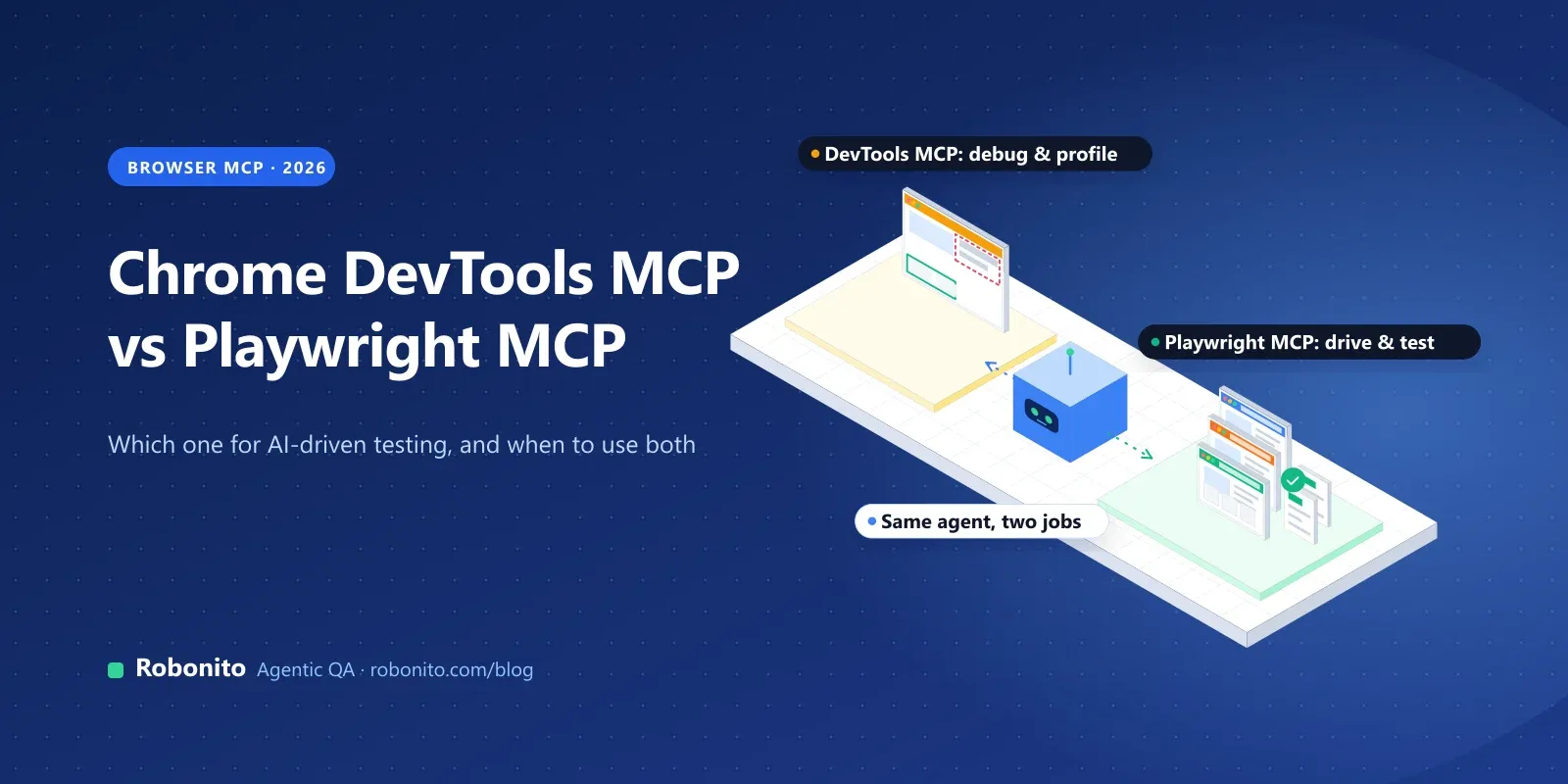
Your coding agent can open a browser now. Ask Claude Code, Cursor or Copilot to "check why the checkout button does nothing on mobile" and it will navigate, click, read the console and report back. Two MCP servers make most of that happen: Google's Chrome DevTools MCP and Microsoft's Playwright MCP.
They look alike from a distance. Both give an AI agent a real browser, both read the page through an accessibility snapshot, and both install with one npx command. Up close they're built for different jobs, and picking the wrong one is a common reason "AI testing" ends up as expensive, flaky screenshots.
Use Chrome DevTools MCP when an agent needs to debug or profile a page in Chrome: performance traces, CPU and network throttling, Lighthouse checks and memory. Use Playwright MCP when an agent needs to drive a page across Chromium, Firefox and WebKit and turn what it did into Playwright tests. Many QA teams install both.
This guide compares them on setup, tools, browsers, reliability and security, then shows how to get from an agent's browser session to a regression test you can trust.
Key takeaways
- Chrome DevTools MCP (Google, Apache-2.0) is for debugging and performance in Chrome: 63 documented tools, including traces, throttling, Lighthouse audits and heap snapshots.
- Playwright MCP (Microsoft, Apache-2.0) drives Chromium, Firefox, WebKit and Edge, and its testing tools can verify elements and generate locators. Since Playwright 1.62 it's bundled as
npx playwright mcp. - Both read pages through an accessibility snapshot, and both cost a lot of context: token use is the most common complaint about each.
- An agent session isn't a regression suite. Use the agent to explore, then keep the result as a reviewed test that runs on every release.
What is Chrome DevTools MCP?
Chrome DevTools MCP is an MCP server from the Chrome DevTools team that lets an AI coding agent control and inspect a live Chrome browser. Google launched it as a public preview on 23 September 2025, and the README now calls it "Chrome DevTools for agents" because it also ships a command-line tool.
The basics, from the repository and npm:
- Version: 1.13.0 (November 2026), Apache-2.0 licence.
- Browser: Google Chrome and Chrome for Testing are the only officially supported browsers. Other Chromium browsers may work, without a guarantee.
- Requirements: a current Node.js LTS release and current stable Chrome or newer.
- Two binaries:
chrome-devtools-mcp(the server) andchrome-devtools(the CLI, added in March 2026).
Its point of view is the DevTools one. The tools mirror what a front-end engineer does in the DevTools panels: record a performance trace, throttle the CPU, inspect a network request, read console errors, run Lighthouse.
What is Playwright MCP?
Playwright MCP is Microsoft's MCP server for browser automation, built on Playwright. It was published in March 2025 as the @playwright/mcp package (version 0.0.86 in November 2026, Apache-2.0). Since Playwright 1.62, Playwright itself bundles the server, so npx playwright mcp works in a project that already uses Playwright.
Its point of view is the test-automation one. It drives Chrome, Edge, Firefox and WebKit, works from an accessibility snapshot rather than pixels by default, and has optional tools that verify what's on the page and generate Playwright locators. Our Playwright MCP guide covers its setup in Claude Code, Cursor and VS Code in more depth.
How do you set up each one?
Both are a single command in most AI clients. These come from each project's own documentation.
Claude Code
# Chrome DevTools MCP
claude mcp add chrome-devtools --scope user npx chrome-devtools-mcp@latest

# Playwright MCP
claude mcp add playwright npx @playwright/mcp@latest
Any client that takes an mcpServers JSON config (Cursor, Windsurf, Cline and others):
{
  "mcpServers": {
    "chrome-devtools": {
      "command": "npx",
      "args": ["-y", "chrome-devtools-mcp@latest"]
    },
    "playwright": {
      "command": "npx",
      "args": ["@playwright/mcp@latest"]
    }
  }
}
VS Code
code --add-mcp '{"name":"playwright","command":"npx","args":["@playwright/mcp@latest"]}'
Chrome DevTools MCP is also available as a plugin for Claude Code and VS Code, and its client configuration guide covers Gemini CLI, Codex, Copilot CLI, JetBrains and more.
Two setup details save time:
- Chrome DevTools MCP starts Chrome lazily, on the first tool call that needs a browser. It uses its own profile by default; add
--isolatedfor a throwaway profile that's deleted when the browser closes. - Playwright MCP opens a headed browser by default. Add
--headlessfor CI, and--isolatedif you run more than one session, because a persistent profile allows only one browser at a time.
How do Chrome DevTools MCP and Playwright MCP compare?
| Chrome DevTools MCP | Playwright MCP | |
|---|---|---|
| Made by | Google (Chrome DevTools team) | Microsoft (Playwright team) |
| Browsers | Chrome and Chrome for Testing (official) | Chrome/Chromium, Edge, Firefox, WebKit |
| How the agent finds elements | take_snapshot: accessibility tree with a uid per element | browser_snapshot: accessibility tree with a ref per element (such as e5) |
| Performance | Traces, performance insights, CrUX field data | Playwright tracing (opt-in), no performance insights |
| Throttling | CPU throttling and network conditions | Online or offline only; device emulation with --device |
| Audits | lighthouse_audit (accessibility, SEO, best practices) | None |
| Network | List requests and read headers and bodies; mocking is opt-in | List requests and read headers and bodies; routing and mocking are opt-in |
| Memory | Heap snapshots, plus 13 analysis tools (opt-in) | None |
| Test helpers | None | browser_verify_* checks and browser_generate_locator (opt-in), code generation in TypeScript, Python, Java or C# |
| Attach to your own browser | --autoConnect (Chrome 144+) or --browser-url | --extension or --cdp-endpoint |
| Also available as | A CLI (chrome-devtools) | A CLI (@playwright/cli) and Playwright Test Agents |
Sources: the Chrome DevTools MCP tool reference and configuration docs, and the Playwright MCP capabilities page.
What can Chrome DevTools MCP do that Playwright MCP can't?
The tool reference lists 63 tools in 13 categories. Some are on by default and some are opt-in. The ones a QA team will use most are the ones Playwright MCP doesn't have:
- Performance traces with insights.
performance_start_tracerecords a trace (optionally reloading the page), andperformance_analyze_insightlets the agent dig into a specific finding. Trace URLs can be checked against real-user CrUX data unless you turn that off. - Throttling. The
emulatetool sets a CPU throttling rate, network conditions, viewport, colour scheme, geolocation and user agent. "Reproduce the bug on a slow 4G phone" becomes one instruction. - Lighthouse.
lighthouse_auditruns accessibility, SEO and best-practice audits. Note that it doesn't run the performance category; use the trace tools for that. - Memory. The agent can take a heap snapshot, and with
--memoryDebuggingit gets 13 more tools to analyse it, useful for leaks in long-running single-page apps. - Your own browser session. With
--autoConnect(Chrome 144 and later), the agent connects to the Chrome you already have open, so it can look at a bug in the state you reproduced it in. Chrome asks for permission on each connection.
If the question is "why is this slow or broken in Chrome?", Chrome DevTools MCP gives the agent the evidence.
What can Playwright MCP do that Chrome DevTools MCP can't?
- More than one browser engine. Firefox and WebKit matter when the bug is "it only happens in Safari". Chrome DevTools MCP is Chrome-only.
- Checks, not just actions. With the testing capability (
--caps=testing), the agent getsbrowser_verify_element_visible,browser_verify_text_visible,browser_verify_list_visible,browser_verify_valueandbrowser_generate_locator. Those turn "the page looks fine" into explicit assertions. - A path to code. Playwright MCP can emit Playwright code in TypeScript, Python, Java or C# (
--codegen), and with the devtools capability it can record manual actions as code. - Session state. Storage tools can read and set cookies and local storage, and save or load a full storage state, which helps when a test needs a signed-in user.
- Test agents. The same Playwright release line ships Playwright Test Agents: a planner, a generator and a healer that build and repair a Playwright suite in your repository.
If the question is "what should we test, and can we keep it?", Playwright MCP gets the agent closer to a real test.
How reliable are they in practice?
Both are young and moving fast. Chrome DevTools MCP went from a preview to version 1.13 in about 14 months, and Playwright MCP ships a new version every few weeks. The issue trackers show the same themes:
- Setup and connection. Chrome DevTools MCP's most-discussed issues are environment problems: reaching Chrome from WSL, Chrome not found on Windows, clients that show no tools, and "Target closed" when the browser fails to start. Its troubleshooting guide documents fixes for most of them.
- Heavy browsers. An open issue reports Chrome hanging when the server connects to a browser with many tabs, and the troubleshooting guide says heavy tab counts aren't recommended. Other open issues cover navigation waiting longer than its timeout.
- Profile locks. Playwright MCP's most repeated error is "Browser is already in use", fixed with
--isolated. - Snapshot gaps. Playwright MCP issues report elements missing from the accessibility snapshot when they change visibility, and snapshots that are hard to use on complex enterprise apps such as Power Apps.
- Token cost. This is the complaint about both. When Chrome DevTools MCP hit the front page of Hacker News in March 2026, the top theme was how token-heavy browser MCP sessions are, and several commenters preferred CLI tools and agent skills. Playwright's own docs describe MCP's token cost as higher than its CLI's.
None of this makes either tool unreliable for its main job. It does mean an agent's browser session is a poor place to keep the checks your release depends on.
Why isn't an agent's browser session a regression suite?
An agent using either MCP server works like a skilled tester exploring the app: fast, flexible, and different every time. That's the right tool for some jobs and the wrong one for others.
| Job | Agent with an MCP server | Regression suite |
|---|---|---|
| Reproduce a reported bug | Excellent | Only if the case already exists |
| Profile a slow page | Excellent (Chrome DevTools MCP) | Only with dedicated performance tests |
| Explore a new feature | Good | Not yet written |
| Prove the same 200 journeys still work on every release | Slow, costly and not repeatable | Built for it |
| Give an auditor evidence of what was tested | Hard to reconstruct | Every run recorded |
The pattern that works is to let the agent explore, then keep what it learned:
- Explore with the agent. Reproduce the bug or walk the new feature with Playwright MCP or Chrome DevTools MCP.
- Write down the check. Turn the finding into explicit steps and expected results, not "it looked fine".
- Make it a real test. Generate Playwright code (
--codegen, the generator agent) or build the test in a testing platform. - Review it like code. A person approves the test, especially if an agent wrote or healed it.
- Run it on every release, in CI, with evidence you can look at when it fails.
For more on keeping AI-written tests honest, see testing AI-generated code and our Playwright best practices.
What security settings should you change?
Both projects are clear that these servers give an AI model a lot of access:
- Chrome DevTools MCP exposes the browser's content to the MCP client. Don't point it at a profile with sensitive or personal data; use
--isolatedor a test profile. - It sends usage statistics by default, and performance tools can send trace URLs to the CrUX API. Turn these off with
--no-usage-statisticsand--no-performance-crux; setting theCIenvironment variable also disables usage statistics. - A remote debugging port is open to every app on your machine. The docs warn that any local application can connect and control the browser while it's open.
- Playwright MCP "is not a security boundary". Its
browser_run_code_unsafetool is described as equivalent to remote code execution, and its origin allow and block lists aren't a security control either. - Keep secrets out of prompts. Playwright MCP has a
--secretsoption that masks matching values in tool responses, but its README says this is a convenience, not a security feature, so use test accounts too.
Which should a QA team use?
| If you need to… | Use |
|---|---|
| Find why a page is slow, or reproduce a bug on a throttled CPU or network | Chrome DevTools MCP |
| Check accessibility, SEO or best practices with Lighthouse | Chrome DevTools MCP |
| Inspect API responses behind a UI bug | Either: both return a request's headers and body |
| Reproduce a bug in Firefox or Safari (WebKit) | Playwright MCP |
| Turn an exploration into Playwright test code | Playwright MCP (or Playwright Test Agents) |
| Keep token use down in a coding agent | The CLI version of either tool |
| Prove critical journeys still work on every release | A maintained test suite, not an agent session |
Most teams that try both keep both: Chrome DevTools MCP for debugging and performance, Playwright MCP for driving the app and drafting tests.
Where does Robonito fit?
Robonito is an agentic QA platform. Its agents create, run and maintain end-to-end tests, and it covers the last step in the pattern above: keeping the checks your releases depend on.
- From exploration to a kept test. In AI Studio you describe what to test in plain English, paste a URL or reference a Jira issue, and the agent works through the app step by step. The result is a test your team can review, not a one-off session.
- Healing you can audit. When labels, layouts or locators change, self-healing adapts the step and logs every healed step for review.
- Evidence on every run. Tests run in parallel in isolated cloud workers, from Jenkins, GitHub Actions, GitLab CI, Azure DevOps or CircleCI on Starter and above. Every run keeps video, network traces and an AI root cause for failures.
- More than the browser. Mobile (Android and iOS), desktop and API testing are on the Pro and Enterprise plans.
- No lock-in. Robonito can generate executable code for your test cases.
Where the MCP servers are the better choice: a developer debugging a page in their own editor, a one-off performance investigation, or an engineer who wants every test as Playwright code in the repository.
To see what keeping those journeys looks like, read about end-to-end testing with Robonito, or .
Frequently asked questions
Is Chrome DevTools MCP free?
Yes. Chrome DevTools MCP is open source under the Apache-2.0 licence and runs locally with npx chrome-devtools-mcp@latest. Your cost is the AI model's tokens, and browser sessions can use a lot of them.
Does Chrome DevTools MCP work with Claude Code?
Yes. Run claude mcp add chrome-devtools --scope user npx chrome-devtools-mcp@latest, or install it as a Claude Code plugin from the project's marketplace. It also works with Cursor, VS Code with Copilot, Gemini CLI, Codex and other MCP clients.
Can Chrome DevTools MCP test Firefox or Safari?
No. It officially supports Google Chrome and Chrome for Testing only. For Firefox and WebKit, the engine behind Safari, use Playwright MCP.
Is Playwright MCP better than Chrome DevTools MCP for testing?
For writing and running tests across browsers, usually yes: Playwright MCP has verification tools, locator generation and code output, and it supports Firefox and WebKit. For debugging performance or reproducing a bug under throttling in Chrome, Chrome DevTools MCP is the stronger tool.
How many tools does Chrome DevTools MCP have?
Its tool reference documents 63 tools in 13 categories in November 2026, including input, navigation, emulation, performance, network, debugging and memory. Some categories, such as network mocking and memory analysis, are off by default, and a --slim mode exposes only three tools.
Should I use the MCP server or the CLI?
If your coding agent can run shell commands, the CLI versions (chrome-devtools and @playwright/cli) usually use less context. The MCP servers suit long, exploratory sessions where the agent needs a live view of the page.
Let the agent explore. Keep the proof. Robonito turns your critical journeys into tests that run on every release, with evidence for every run. or .