The release looked clean. Every functional test passed, the checkout worked, and the payment API returned the right status. Then support forwarded a screenshot from a customer on a small Android phone: the "Place order" button sat under a sticky cookie banner, and nobody could tap it.
No assertion failed, because the button existed and was technically clickable. That is the gap visual testing tools fill, and on responsive and mobile web it is wider than most teams expect.
The best visual testing tools in 2026 are Applitools Eyes and Percy for AI-assisted visual review across browsers, Chromatic for Storybook component libraries, TestMu AI SmartUI for screenshots across a large device cloud, Playwright screenshots or BackstopJS for free code-first checks, and Robonito for functional end-to-end journeys with video evidence alongside.
Key takeaways
- Pick the tool by what you need to compare: components, full pages, or complete user journeys on real devices.
- Count screenshots carefully. Most paid tools bill per browser and per width, so a responsive matrix multiplies usage fast.
- Rendered grids and emulated viewports are cheap and fast; real devices catch what emulation misses. Most teams need a mix.
- Visual checks don't replace functional tests. The strongest setups run both in the same pipeline.
What do visual testing tools actually do?
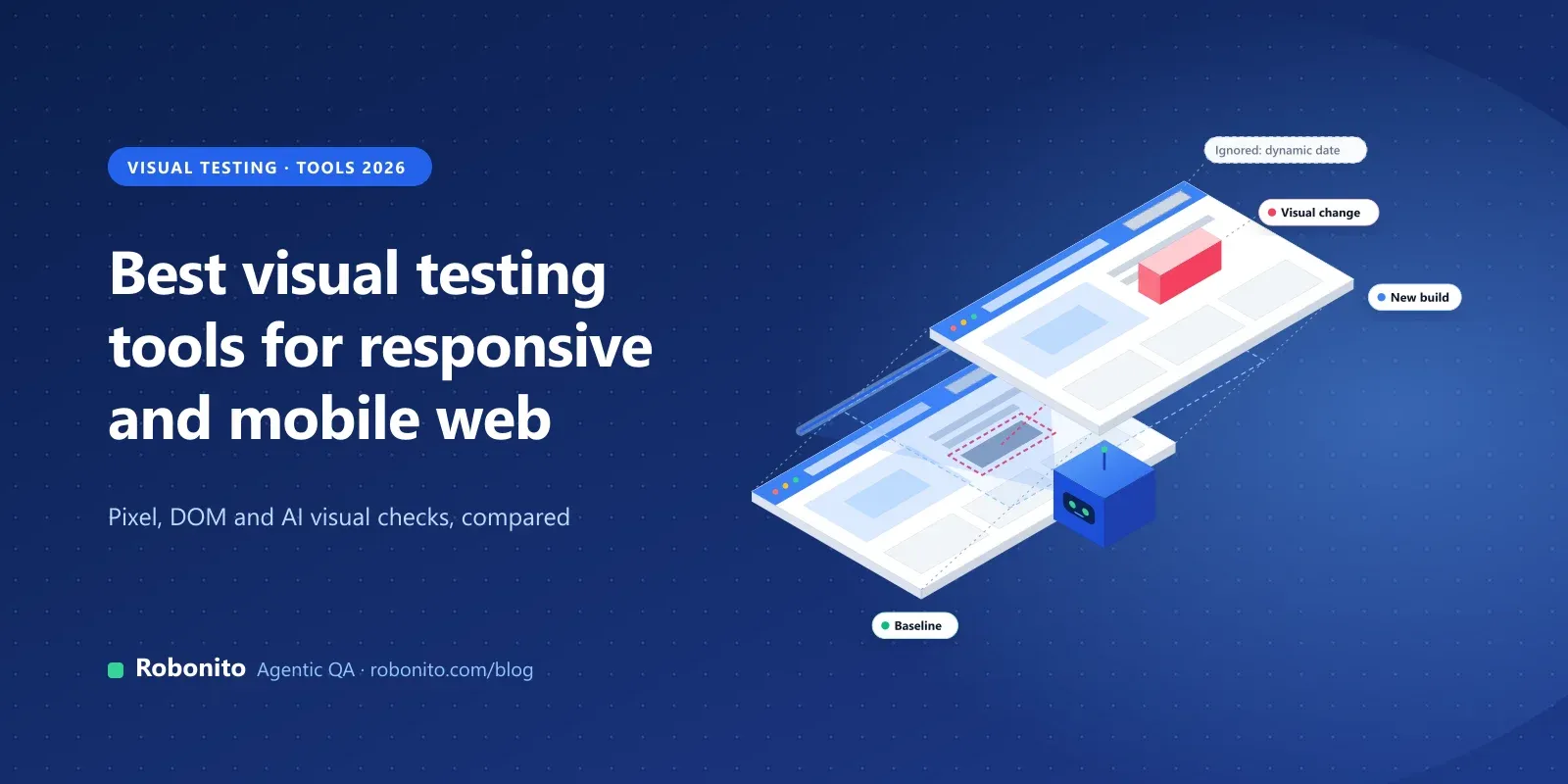
A visual testing tool captures what a page or component looks like, compares it with an approved baseline, and flags the differences for a person to accept or reject. Functional tests ask "does it work?". Visual tests ask "does it look right?".
If you want the background first (pixel diffs, DOM comparison, visual AI and when to use each), read our guide to visual testing in software development. This post assumes you know the idea and need to choose a tool.
Three approaches dominate the market:
- Pixel comparison. Compare two images pixel by pixel, with a tolerance. Free and simple, but noisy when fonts, anti-aliasing or dynamic content shift.
- Rendered snapshots. Capture the page's DOM and styles once, then render it in many browsers and widths in the vendor's cloud. Fast for wide browser coverage.
- Visual AI. Use computer vision to decide whether a change is meaningful, ignoring harmless rendering noise. Fewer false alarms, at a higher price.
Why are responsive and mobile web harder to test visually?
Desktop visual testing is mostly one layout per page. Responsive and mobile web multiply the problem.
- Breakpoints. A page can have three to five layouts. A bug often appears only at one width, such as a two-column grid that collapses badly at 768 pixels.
- Device behaviour. Real phones add browser toolbars, safe areas, on-screen keyboards, font scaling and touch targets. An emulated viewport in desktop Chrome doesn't reproduce all of that.
- Rendering differences. Playwright's visual comparison docs warn that rendering varies with host OS, hardware, settings and headless mode, so baselines need a consistent environment.
- Usage maths. Percy's billing docs count a screenshot as one page or component in one browser and one width. Their example: two pages across two browsers and three widths is twelve screenshots.
So a good responsive setup usually combines a cheap, wide layer (many widths in rendered or emulated browsers) with a narrower, deeper layer (key journeys on real devices).
How should you choose a visual testing tool?
| Criterion | What to check |
|---|---|
| What you compare | Components (Storybook), full pages, or steps inside a user journey |
| Comparison method | Pixel diff with tolerance, rendered snapshots, or visual AI |
| Responsive coverage | How widths and browsers are configured, and how each is billed |
| Mobile coverage | Emulated viewports, rendered mobile browsers, or real devices; native apps too? |
| Noise handling | Ignore regions, dynamic-content filters, masking, match levels |
| Review workflow | Who approves changes, per branch or pull request, with comments and history |
| Framework fit | SDKs for the tools you already run: Playwright, Cypress, Selenium, Storybook, Appium |
| CI | A CLI or SDK that runs in your pipeline and can block a merge until changes are reviewed |
| Pricing model | Free tier, per screenshot, per page or component checkpoint, or seats |
The review workflow is the row teams underrate. A tool that flags dozens of changes per pull request with no fast way to approve them soon gets switched off.
What are the best visual testing tools in 2026?
Facts below come from each vendor's own website or docs, as of November 2026.
1. Applitools Eyes
Applitools Eyes uses Visual AI rather than pixel matching, with four match levels (Dynamic, Strict, Layout and Exact). It works with Playwright, Cypress, Selenium, WebdriverIO, Appium and Storybook, among others. Its Ultrafast Grid captures the UI state once and, per the vendor, renders it across more than 100 browser, viewport and device combinations, with identical changes grouped for one-click approval.
On its pricing page, Starter is $667 a month, paid annually, with unlimited users and either 100,000 component checkpoints or 1,000 page checkpoints. Professional and Enterprise are priced on request; real iOS and Android devices are listed as an Enterprise add-on.
Best for: teams that want the lowest-noise review across many browsers and viewports. Watch out for: the entry price is high for a small team, and checkpoint limits need planning.
2. Percy (BrowserStack)
Percy adds visual checks to existing Storybook, Playwright or Selenium tests through an SDK, with cross-browser and responsive-width checks. Its Visual AI and Intelli-ignore filter dynamic elements such as carousels, ads and banners, and a Visual Review Agent summarises high-impact changes. BrowserStack also lists App Percy for visual testing of mobile apps.
Percy's free plan includes 5,000 screenshots a month with unlimited users and projects. Paid plans have a fixed screenshot allowance plus overage; check BrowserStack's pricing page for current figures.
Best for: teams already on BrowserStack, or those who want visual review inside pull requests without much setup. Watch out for: each browser-width pair is a separate screenshot, so responsive matrices burn through allowances.
3. Chromatic
Chromatic is "made by the maintainers of Storybook", and its docs say it integrates with Storybook, React Native, Vitest, Playwright and Cypress. Tests run in Chrome, Firefox, Safari and Edge in parallel, and you can set viewport sizes globally or per test, plus themes and locales through Storybook globals. Reviewers can be assigned and discussions resolved before sign-off.
According to its pricing page, Free is $0 with 5,000 snapshots a month (Chrome only), Starter is $179 a month with 35,000 snapshots, and Pro is $399 a month with 85,000, both with all four browsers. Enterprise is custom. TurboSnap reuses snapshots for unaffected stories to cut usage.
Best for: design-system and front-end teams who build in Storybook. Watch out for: it's strongest at the component level; full journeys on real phones need another layer.
4. TestMu AI SmartUI (formerly LambdaTest)
LambdaTest rebranded as TestMu AI in January 2026, and its SmartUI page now reads "TestMu AI SmartUI (formerly LambdaTest SmartUI)". SmartUI has SDKs for Selenium, Playwright, Cypress and Puppeteer on the web, and Appium, XCUITest and Espresso for native apps. You can capture Storybook through its CLI, compare live screens against Figma frames, and compare PDFs page by page. The vendor lists more than 50,000 real devices and more than 3,000 browser and OS combinations.
On the same page, the free plan includes 2,000 lifetime screenshots. Paid plans are priced by volume: $199 a month for 15,000 screenshots or $299 a month for 25,000, both billed annually, with unlimited seats.
Best for: teams that want visual checks on a large real-device and browser cloud, including native apps. Watch out for: the free allowance is lifetime, not monthly, so it's for evaluation only.
5. Playwright screenshots (toHaveScreenshot)
Playwright Test has visual comparison built in. await expect(page).toHaveScreenshot() captures the page and compares it with a stored baseline; the first run creates the baseline, and npx playwright test --update-snapshots refreshes it. You can tune threshold and maxDiffPixels, and hide volatile elements with a stylePath stylesheet, per the docs.
import { test, expect, devices } from '@playwright/test';

test.use({ ...devices['Pixel 7'] });

test('checkout looks right on a small phone', async ({ page }) => {
  await page.goto('/checkout'); // relative URL: set baseURL in playwright.config
  await expect(page).toHaveScreenshot('checkout-mobile.png', { maxDiffPixels: 100 });
});
Baselines are saved per browser and platform. Device descriptors emulate a phone's viewport and user agent in a desktop browser engine; they are not real devices.
Best for: teams already on Playwright who want free visual checks in code. Watch out for: pixel comparison with no AI noise filtering, and no hosted review UI; approving changes means committing new images. See Robonito vs Playwright for how the wider approaches differ.
6. BackstopJS
BackstopJS is an open-source (MIT) visual regression tool. It uses Puppeteer by default and can use Playwright, including Firefox and WebKit. A viewports array in the config lists each screen size, so responsive coverage is a few lines of JSON. Commands are simple: backstop reference captures baselines, backstop test compares, and backstop approve promotes accepted images. A --docker flag renders inside a container to reduce cross-OS differences.
Best for: small teams that want free, config-driven page screenshots at several widths. Watch out for: you host everything, reviews happen in a local HTML report rather than a shared dashboard, and the project's README says it is looking for a new maintainer.
7. Robonito
Robonito is an agentic QA platform where AI agents create, run and maintain end-to-end tests. It isn't a screenshot-diff service; its role is running full end-to-end journeys, with video of every run. More detail below.
How do the visual testing tools compare?
| Tool | Approach | Responsive and mobile coverage | Works with | Pricing (as published, Nov 2026) |
|---|---|---|---|---|
| Applitools Eyes | Visual AI, match levels | Ultrafast Grid browsers, viewports and devices; real devices as Enterprise add-on | 50+ frameworks incl. Playwright, Cypress, Selenium, Appium, Storybook | Starter $667/mo (annual); Professional and Enterprise on request |
| Percy | Rendered snapshots plus Visual AI | Browsers and responsive widths; App Percy for mobile apps | Storybook, Playwright, Selenium | Free 5,000 screenshots/mo; paid on pricing page |
| Chromatic | Component snapshots | Chrome, Firefox, Safari, Edge; viewport modes | Storybook, Vitest, Playwright, Cypress | Free; Starter $179/mo; Pro $399/mo; Enterprise custom |
| TestMu AI SmartUI | Screenshot comparison with Visual AI | Browser cloud plus real devices; native apps | Selenium, Playwright, Cypress, Puppeteer, Appium, XCUITest, Espresso | 2,000 lifetime free; from $199/mo (annual) |
| Playwright | Pixel diff with tolerance | Emulated devices in Chromium, Firefox, WebKit | Playwright Test | Open source |
| BackstopJS | Pixel diff, config-driven | Configured viewports | Puppeteer, Playwright | Open source (MIT) |
| Robonito | Functional journeys with video evidence | Web on every plan; mobile app testing (Android, iOS) on Pro | No-code, plain language, recorder | Free; Starter $20/mo; Pro $199/mo; Enterprise custom |
No tool wins every row. Free tools cost engineering time; paid visual AI tools cut review noise and cost money at scale.
Emulated viewports, rendered grids or real devices: which do you need?
Each layer catches different bugs, at very different costs.
| Layer | What it catches | What it misses | Typical tools |
|---|---|---|---|
| Emulated viewports | Breakpoint layout bugs, overflow, stacking order | Real browser chrome, touch, OS font rendering | Playwright devices, BackstopJS viewports |
| Rendered browser grid | Cross-browser rendering differences at many widths | Device-specific behaviour and gestures | Applitools Ultrafast Grid, Percy, Chromatic |
| Real devices | Safe areas, toolbars, keyboards, scaling, real performance | Little, but it's slower and costs more per run | SmartUI device cloud, Applitools add-on |
A practical split:
- Every pull request: emulated or rendered screenshots of key pages at three or four widths.
- On merge or nightly: visual review across the full browser and width matrix.
- Before release: the five to ten journeys that make money, run on real phones, with functional checks and video.
Should visual checks run next to functional tests?
Yes. Visual and functional tests answer different questions, and the bugs that hurt most sit between them. A button can pass a click assertion while hidden behind a banner. A page can look perfect while the "Save" call fails silently.
Running both in the same pipeline gives one release signal instead of two dashboards. Most visual tools plug into functional tests you already have, often as one extra line inside a Playwright or Selenium test.
For the wider UI layer, see our guides to UI testing, browser testing for web apps and automated regression testing.
How do you keep visual tests from crying wolf?
Noise kills visual testing faster than missed bugs do. These habits keep the signal useful:
- Freeze dynamic content. Stub dates, prices and feeds with test data, or hide them with masks or a capture stylesheet.
- Fix the environment. Generate and compare baselines in the same OS and browser version, ideally in a container on CI.
- Wait for the page to settle. Let fonts and images load, and disable animations for screenshot runs.
- Approve per branch. Review visual changes in the pull request that caused them, not in a weekly pile.
Visual testing with Robonito
Robonito is an agentic QA platform: AI agents create, run and maintain end-to-end tests. In a visual testing stack, it covers the journey layer, where you need to know that a user can actually finish the flow.
- Native mobile apps too. Robonito has a real device farm for mobile app testing (Android and iOS), on the Pro and Enterprise plans. Web testing is on every plan, including Free.
- Evidence you can look at. Every run keeps video, network traces and an AI root cause for failures, so a broken layout is visible in the recording, not buried in a log.
- Plain-language journeys. In AI Studio you describe what to test, paste a URL or reference a Jira issue, and the agent works through the app step by step. You can also record a flow in the desktop app or build no-code tests from reusable steps.
- Self-healing when layouts change. Steps adapt when labels, layouts or locators change, and healed steps are logged for review, so a responsive redesign doesn't break every journey.
- Parallel runs and CI. Runs execute in parallel in isolated cloud workers, triggered from Jenkins, GitHub Actions, GitLab CI, Azure DevOps or CircleCI on Starter and above.
For more, see Robonito's visual testing and cross-browser testing pages.
Pricing. Free is $0 with 100 test cases and web testing. Starter is $20 a month and adds CI/CD, Jira and Slack. Pro is $199 a month ($159.20 billed annually) and adds mobile, desktop and API testing, with 10 parallel runs. Beyond the included usage, web runs cost $0.01 a minute and mobile $0.03 a minute. See pricing.
Where it doesn't fit. If your main need is pixel-level review of a Storybook component library, Chromatic or Percy fit that workflow better. If you want free screenshot checks inside an existing Playwright suite, toHaveScreenshot is hard to beat. And real-device mobile testing isn't on the Free or Starter plans.
with the journey that breaks most often on phones, or on your web app.
Frequently asked questions
What is the best visual testing tool?
There isn't one for every team. Applitools Eyes and Percy suit teams that want AI-assisted review across many browsers. Chromatic suits Storybook component libraries. TestMu AI SmartUI suits teams that need a large real-device cloud. Playwright screenshots and BackstopJS are free code-first options, and Robonito covers full end-to-end journeys with video evidence.
Which visual testing tools work best for responsive and mobile web?
Look for tools that make widths and devices easy to configure and cheap to run. Percy and Chromatic cover browsers at several widths. Applitools renders across many viewports and devices. SmartUI runs on real devices. Playwright and BackstopJS emulate viewports for free. Most teams combine a wide emulated layer with real devices for key journeys.
Are there free visual testing tools?
Yes. Playwright's toHaveScreenshot and BackstopJS are open source. Percy's free plan includes 5,000 screenshots a month, and Chromatic's free plan includes 5,000 snapshots a month in Chrome. SmartUI's free plan is 2,000 lifetime screenshots. Free options cost engineering time for setup, baselines and review instead of licence fees.
What's the difference between pixel comparison and visual AI?
Pixel comparison flags any pixel that differs beyond a tolerance, so fonts, anti-aliasing and dynamic content can trigger false alarms. Visual AI uses computer vision to judge whether a change is meaningful, such as a moved button or missing image, and ignores harmless rendering noise. Visual AI reduces review time but usually costs more.
Do I still need functional tests if I use visual testing?
Yes. Functional tests confirm actions work and data is correct; visual tests confirm the screen looks right. A button can be clickable but hidden behind a banner, and a page can look perfect while a save fails. Run both in the same pipeline so one result covers behaviour and appearance.
Can visual tests run in CI?
Yes. Every tool in this list runs from a CLI or SDK in CI. Percy, Chromatic, Applitools and SmartUI can hold a pull request until visual changes are approved. Playwright and BackstopJS compare against committed baselines and fail the build on a difference. Generate baselines in the same environment that CI uses.
Catch the bugs your assertions can't see. to run one of your key journeys, or .