The QA lead inherited three Python test suites. One was unittest classes from 2017. One was a Robot Framework project the manual testers had started. The newest was pytest with Playwright, written by a developer who had since moved teams. All three tested the same web app, and none of them ran in the same pipeline.
Python makes it easy to start a test suite and just as easy to end up with several. Choosing a framework on purpose, and knowing how the pieces fit together, saves a rewrite later.
For most teams, the best Python test automation framework is pytest as the test runner, with Playwright for Python for browser tests and requests or Playwright for API tests. Choose Robot Framework if testers prefer keyword-driven tests, Behave for Gherkin-style BDD, Selenium for existing WebDriver suites, and Locust for load testing.
Key takeaways
- pytest is the default runner for new Python suites: plain
assert, fixtures, parametrisation and a large plugin ecosystem. - Robot Framework and Behave are about who writes tests. Pick them for keyword-driven or BDD teams, not for technical features.
- Playwright for Python is the modern choice for browser tests; Selenium remains strong for existing suites and grids.
- Load testing is a separate job. Locust lets you write load scenarios in plain Python next to your functional tests.
What is a Python test automation framework?
A Python test automation framework is the set of tools and conventions that find, run and report your automated tests. It usually has two layers: a test runner (pytest, unittest, Robot Framework, Behave) that discovers and runs tests, and drivers or libraries (Playwright, Selenium, requests, Locust) that do the actual work against a browser, an API or a server.
Mixing layers is normal. A typical modern stack is pytest running Playwright browser tests and requests API tests in one suite. For a language-agnostic view of framework types (linear, modular, data-driven, keyword-driven, hybrid), see our guide to test automation frameworks.
All code below is illustrative, written for a hypothetical shop app.
Which Python testing frameworks are worth comparing in 2026?
unittest
unittest ships with Python's standard library, so it needs no install. Tests are classes that subclass unittest.TestCase, with setUp and tearDown methods and assertion methods such as assertEqual.
import unittest
from shop.pricing import apply_discount

class TestDiscounts(unittest.TestCase):
    def test_welcome_code_takes_ten_percent(self):
        self.assertEqual(apply_discount(100, "WELCOME10"), 90)

    def test_unknown_code_is_ignored(self):
        self.assertEqual(apply_discount(100, "NOPE"), 100)

if __name__ == "__main__":
    unittest.main()
Best for: environments where you can't add dependencies, and older codebases. Watch out for: more boilerplate than pytest, and fewer plugins. The good news: pytest runs unittest tests as they are, so migrating can be gradual.
pytest
pytest is the default choice for most new Python test suites. Tests are plain functions with plain assert statements, and pytest's assertion introspection shows the values on failure. Fixtures handle setup and teardown, @pytest.mark.parametrize runs one test over many inputs, and the docs list more than 1,300 external plugins. Current versions support Python 3.10 and later.
import pytest
from shop.pricing import apply_discount

@pytest.fixture
def cart_total():
    return 100

@pytest.mark.parametrize("code, expected", [
    ("WELCOME10", 90),
    ("HALFOFF", 50),
    ("NOPE", 100),
])
def test_discount_codes(cart_total, code, expected):
    assert apply_discount(cart_total, code) == expected
Useful plugins include pytest-xdist for parallel runs, pytest-cov for coverage, pytest-playwright for browser tests and pytest-bdd if you want Gherkin inside pytest.
Best for: almost every new Python suite, from unit to end-to-end. Watch out for: fixture chains across many conftest.py files can get hard to follow; keep them shallow and well named.
Robot Framework
Robot Framework is an open-source, keyword-driven framework for test automation and RPA, supported by the non-profit Robot Framework Foundation. It's implemented in Python and extended through libraries, such as the Browser library (powered by Playwright), SeleniumLibrary and AppiumLibrary for Android and iOS.
*** Settings ***
Library    Browser

*** Test Cases ***
Customer Can Apply A Discount Code
    New Page       https://shop.example.com/cart
    Fill Text      id=discount-code    WELCOME10
    Click          text=Apply
    Get Text       css=[data-testid=cart-total]    ==    $90.00
Tests read as tables of keywords, and you can build your own higher-level keywords in Robot syntax or in Python.
Best for: mixed teams where testers write tests and developers write Python keyword libraries behind them. Watch out for: large suites need discipline about keyword naming, and debugging spans two languages.
Behave
Behave is "behaviour-driven development, Python style". You write scenarios in Gherkin feature files (Given, When, Then) and implement each step in Python with @given, @when and @then decorators, usually under features/steps/.
# features/discounts.feature
Feature: Discount codes
  Scenario: Welcome code takes ten percent off
    Given a cart worth 100 dollars
    When I apply the code "WELCOME10"
    Then the total is 90 dollars
# features/steps/discount_steps.py
from behave import given, when, then
from shop.pricing import apply_discount

@given("a cart worth {amount:d} dollars")
def step_cart(context, amount):
    context.total = amount

@when('I apply the code "{code}"')
def step_apply(context, code):
    context.total = apply_discount(context.total, code)

@then("the total is {expected:d} dollars")
def step_total(context, expected):
    assert context.total == expected
Best for: teams where product owners or analysts read and agree scenarios before development. Watch out for: if nobody outside engineering reads the feature files, Gherkin is overhead. pytest-bdd gives you Gherkin while staying inside pytest.
Playwright for Python
Playwright for Python drives Chromium, Firefox and WebKit with auto-waiting locators and web-first assertions. The pytest-playwright plugin provides page, context, browser and browser_name fixtures, plus options such as --browser, --headed and --tracing retain-on-failure. Parallel runs come from pytest-xdist with --numprocesses auto.
import re
from playwright.sync_api import Page, expect

def test_apply_discount(page: Page):
    page.goto("https://shop.example.com/cart")
    page.get_by_label("Discount code").fill("WELCOME10")
    page.get_by_role("button", name="Apply").click()
    expect(page.get_by_test_id("cart-total")).to_have_text("$90.00")
    expect(page).to_have_url(re.compile(r"/cart"))
Playwright also sends HTTP requests without a browser, so one suite can cover API setup and UI checks. Async tests need the separate pytest-playwright-asyncio package.
Best for: new browser test suites in Python. Watch out for: it's a library, so reporting, test data and environments are yours to build. Playwright's own best practices (role-based locators, web-first assertions, test isolation) apply directly in Python, and our Playwright MCP guide covers agent-driven browser control.
Selenium with Python
Selenium's Python bindings (pip install selenium) drive real browsers through WebDriver, and Selenium Grid runs them in parallel across machines. Since version 4.6, Selenium Manager ships with Selenium and discovers, downloads and caches the drivers it needs, which removed most driver setup pain.
from selenium import webdriver
from selenium.webdriver.common.by import By
from selenium.webdriver.support.ui import WebDriverWait
from selenium.webdriver.support import expected_conditions as EC

def test_apply_discount():
    driver = webdriver.Chrome()
    try:
        driver.get("https://shop.example.com/cart")
        driver.find_element(By.ID, "discount-code").send_keys("WELCOME10")
        driver.find_element(By.XPATH, "//button[text()='Apply']").click()
        total = WebDriverWait(driver, 10).until(
            EC.visibility_of_element_located((By.CSS_SELECTOR, "[data-testid=cart-total]"))
        )
        assert total.text == "$90.00"
    finally:
        driver.quit()
Best for: existing WebDriver suites, Selenium Grid or cloud grid setups, and browsers beyond Playwright's three engines. Watch out for: explicit waits are your job, which is the main source of flaky Selenium tests. See Robonito vs Selenium and our Selenium alternative page for other options.
Locust
Locust is an open-source (MIT) load testing tool where user behaviour is plain Python code. It runs distributed across machines, shows progress in a real-time web UI, and runs headless in CI.
from locust import HttpUser, task, between

class Shopper(HttpUser):
    wait_time = between(1, 3)

    @task(3)
    def browse(self):
        self.client.get("/products")

    @task(1)
    def view_cart(self):
        self.client.get("/cart")
Best for: load and stress testing APIs and websites in Python. Watch out for: it complements functional tests; it doesn't replace them.
How do the Python test automation frameworks compare?
| Framework | Type | Who writes tests | Best layer | Parallel runs | Learning curve |
|---|---|---|---|---|---|
| unittest | Runner (stdlib) | Developers | Unit, integration | Via pytest-xdist or other runners | Low |
| pytest | Runner | Developers, SDETs | Unit to end-to-end | pytest-xdist | Low |
| Robot Framework | Keyword-driven runner | Testers, with developers for libraries | Acceptance, end-to-end, RPA | Pabot (community tool) | Low for testers, medium overall |
| Behave | BDD runner | Analysts write scenarios; developers write steps | Acceptance | Limited; plan for it | Medium |
| Playwright for Python | Browser library | Developers, SDETs | End-to-end web, API | pytest-xdist | Medium |
| Selenium (Python) | Browser library | Developers, SDETs | End-to-end web | Selenium Grid, pytest-xdist | Medium |
| Locust | Load testing | Developers, performance engineers | Load, stress | Distributed workers | Medium |
All of these are free and open source. The real cost is the engineering time to build, run and maintain the suite around them.
pytest vs Robot Framework: which should you choose?
They answer different questions, so the choice is about people more than features.
Choose pytest when developers or SDETs own the tests, tests live next to the code, and you want one runner for unit, integration and end-to-end tests. It has less ceremony and more plugins.
Choose Robot Framework when testers who don't write much Python own the acceptance tests. Keywords make tests readable to the whole team, and engineers can wrap complex logic in Python libraries behind simple keywords.
Many organisations run both: pytest for developer-owned layers, and Robot Framework for QA-owned acceptance suites.
pytest vs unittest: is it worth switching?
For new work, yes. pytest needs less code per test, gives clearer failure output from plain assert, and has fixtures and parametrisation that unittest handles with more boilerplate.
You don't need a big-bang migration. pytest runs existing unittest.TestCase classes unchanged, so you can switch the runner first, write new tests in pytest style, and convert old ones when you touch them.
How do you choose a Python test automation framework?
Answer these questions in order:
- Who will write and maintain the tests? Developers point to pytest. Testers point to Robot Framework. Business-readable scenarios point to Behave or pytest-bdd.
- What are you testing? Pure Python logic needs only a runner. Web UIs need Playwright or Selenium. APIs need requests, httpx or Playwright's request context. Load needs Locust.
- What already exists? A large Selenium suite with a grid may be worth keeping and improving rather than rewriting.
- Where will it run? All of these run in CI from the command line; check that reports land where your team reads them.
- Who maintains it in a year? A framework only one person understands is a risk, whichever one it is.
A sensible default for a web product in 2026:
| Layer | Tool |
|---|---|
| Unit and integration | pytest (with pytest-cov) |
| API | pytest with requests or httpx, or Playwright's request context |
| Browser end-to-end | pytest-playwright |
| Acceptance, if testers own it | Robot Framework with the Browser library |
| Load | Locust |
| CI | pytest-xdist for parallel runs, JUnit XML reports into your pipeline |
For pipeline patterns, see our pages on continuous integration and CI/CD test automation. For the API layer, our API testing guide covers what to test.
What makes a Python test suite hard to maintain?
The framework rarely causes the pain. These habits do:
- Fixed sleeps (
time.sleep(5)) instead of explicit waits or auto-waiting locators. - Brittle locators: long XPath and CSS chains tied to page structure.
- Shared test data that parallel tests change under each other.
- Fixtures nobody can trace across deep
conftest.pyhierarchies. - Secrets in code instead of environment variables or a CI secret store.
- One owner. The person who built the framework leaves, and nobody else can extend it.
That last one is the most common reason teams look at no-code options alongside their Python suites.
Python test automation frameworks and Robonito
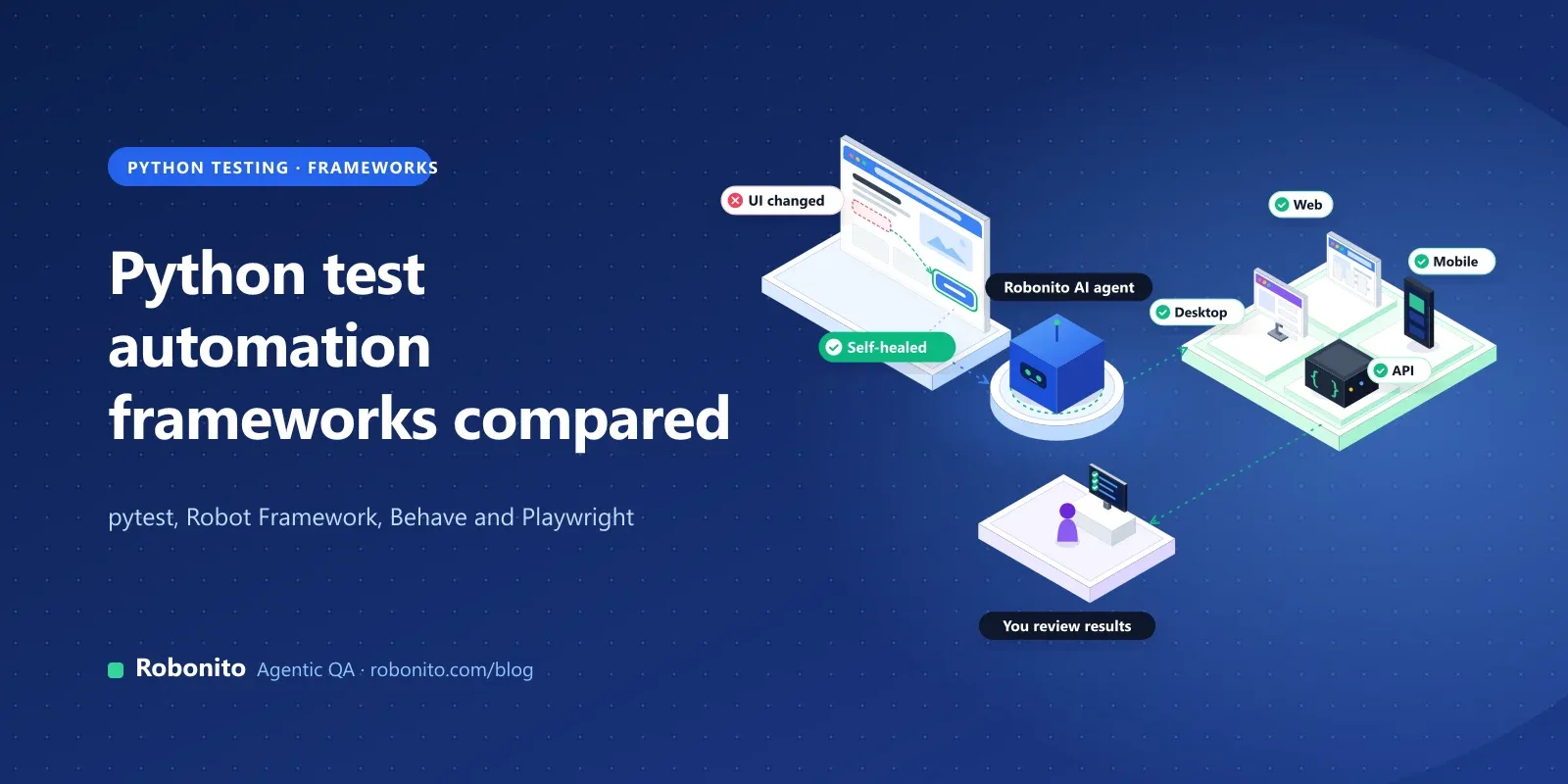
Robonito is an agentic QA platform where AI agents create, run and maintain end-to-end tests. It isn't a Python framework; it's the no-code option teams run alongside one, usually for end-to-end journeys that testers and product people own.
- No-code and plain-language authoring. In AI Studio you describe what to test, paste a URL or reference a Jira issue, and the agent works through the app step by step. It can also generate tests from requirement documents, Jira stories and Swagger/OpenAPI definitions. You can record a flow in the desktop app or build no-code tests from reusable steps, with low-code extensions for advanced cases.
- Self-healing. Steps adapt when labels, layouts or locators change, and healed steps are logged for review.
- Evidence on every run. Parallel runs in isolated cloud workers keep video, network traces and an AI root cause for failures.
- Platforms. Web on every plan; mobile (Android and iOS), desktop and API testing on Pro and Enterprise.
- CI. Jenkins, GitHub Actions, GitLab CI, Azure DevOps and CircleCI, plus Jira and Slack, on Starter and above, so Robonito journeys can run in the same pipeline as your pytest suite.
- Code export. Robonito can generate executable code for test cases.
Pricing. Free is $0 with 100 test cases and web testing. Starter is $20 a month and adds CI/CD, Jira and Slack. Pro is $199 a month and adds mobile, desktop and API testing. Enterprise is custom. Local runs are free on every plan. See pricing and Robonito vs Playwright.
Where it doesn't fit. Keep unit and integration tests in pytest; Robonito isn't built for them. If your SDETs want every test as Python in the repository, pytest-playwright fits that workflow better. If you need load testing in code, Locust is the natural Python choice.
with a journey your Python suite struggles to keep green, or .
Frequently asked questions
What is the best Python test automation framework?
For most teams it's pytest, used as the runner for unit, integration and end-to-end tests, with Playwright for Python for browser tests. Robot Framework is a better fit when testers write keyword-driven tests, and Behave when business stakeholders read Gherkin scenarios. The right choice depends mostly on who writes and maintains the tests.
Is pytest better than unittest?
For new work, usually yes. pytest needs less boilerplate, uses plain assert with detailed failure output, and has fixtures, parametrisation and a large plugin ecosystem. unittest is in the standard library, which helps where you can't add dependencies. pytest runs existing unittest tests unchanged, so you can switch gradually.
Is Robot Framework a Python framework?
Yes. Robot Framework is implemented in Python and installed with pip, but tests are written in its own keyword-driven syntax rather than Python. You extend it with libraries written in Python, such as the Playwright-powered Browser library. That split lets testers write tests while developers build keywords.
Should I use Playwright or Selenium with Python?
For a new browser suite, Playwright for Python is usually easier: auto-waiting locators, web-first assertions and a pytest plugin with built-in fixtures. Selenium is the better fit if you have a large existing suite, rely on Selenium Grid or a cloud grid, or need browsers outside Chromium, Firefox and WebKit. Both run well under pytest.
Which Python framework is best for BDD?
Behave is the established standalone BDD framework, with Gherkin feature files and Python step definitions. If you already use pytest, pytest-bdd gives you Gherkin scenarios while keeping pytest fixtures and plugins. Use either only if non-engineers actually read and agree the scenarios; otherwise plain pytest is simpler.
Can Python frameworks do load testing?
Yes. Locust is an open-source, MIT-licensed load testing tool where you define user behaviour in plain Python, run distributed across machines and watch results in a web UI or run headless in CI. Keep load tests separate from functional tests in your pipeline, because they answer different questions.
Keep your Python suite for what it does best. to see no-code journeys run alongside it, or .